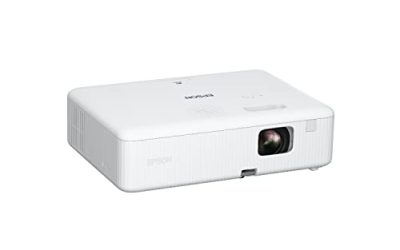
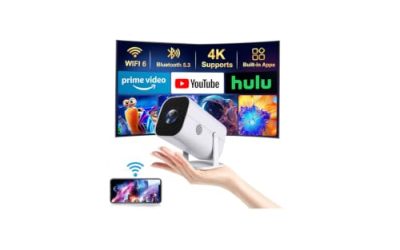
Ask a projector to work with the blinds open and the first thing that disappears is black. A projector only adds light to a screen; it cannot remove the light already hitting it. In a room with windows, lamps, or white walls, the picture turns flat and washed out unless the projector can overpower the ambient glow. That is why the keyword “bright rooms” is really a question about lumens, light source, and screen choice, not about 4K or smart features. A dim home theater projector that looks stunning at night can be nearly unwatchable at 2 p.m. in a sunny living room.
This guide is for people who cannot or will not go dark: families who watch in the living room, offices and classrooms with overhead lights, and anyone setting up a patio screen at dusk. It compares seven projectors from titles that state brightness, from 2000 ANSI and 2400 ANSI home models to 4000 and 5500 lumen business and laser units. Treat each lumen figure with some care, because the units differ, and remember that in 2026 a bright projector still performs best when paired with a screen designed to reject ambient light.
Our Top Picks
Top 3 picks at a glance
Quick Picks
As an Amazon Associate we earn from qualifying purchases at no extra cost to you.


| Product | Best for | Key spec from the title |
|---|---|---|
| ViewSonic LS740HD | Brightest overall for lit rooms | 1080p laser, 5500 lumens, optical zoom |
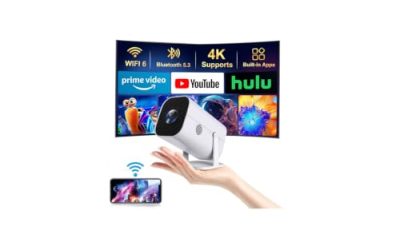
| 2000 ANSI Daytime 4K Projector | Living room and bedroom movies | 2000 ANSI, WiFi 6, Bluetooth, HDMI 2.1 |
| Pignynt Google TV Projector | Streaming without a box | 3000 lumens, Google TV, 4K AI auto focus |
| ViewSonic PA503X | Offices and classrooms | XGA, 4000 lumens, HDMI |
| Smart Daytime Projector 4K | Daytime and outdoor parties | 2400 ANSI, Netflix licensed, 70W Dolby audio |
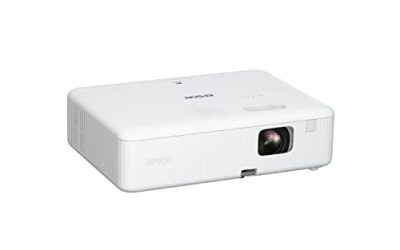
| Optoma EH412STx | Short throw meeting rooms | Short throw, 1080p HDR, 4000 lumens |
| Lisowod V2.0 Outdoor Projector | Portable daytime viewing | Brighter V2.0, native 1080P, AI auto focus |
How to Choose
Lumens, ANSI lumens, and how much you need
A rough rule: dark rooms work with 1500 to 2500 lumens, rooms with some daylight want 3000 or more, and spaces with lights fully on benefit from 4000 or higher. The titles here use a mix of “ANSI,” generic “lumens,” and “bright” claims. ANSI lumens follow a standard measurement, so a 2000 ANSI projector is genuinely comparable to another ANSI figure, while a loose “high brightness” label may not be. Where a listing states only an adjective, ask for the number.
It also helps to think in terms of what the room looks like at the hour you actually watch. A family that watches after dinner in winter has a very different problem from a classroom that runs at noon with the lights on. Evening viewing with curtains drawn can be handled by a 2000 to 2400 lumen home projector. Midday viewing with open windows, or a room where lights cannot be switched off, pushes you toward the 4000 and 5500 lumen business and laser models, even if that means giving up built-in streaming.
Light source and what it does to image quality
Lamp and LED projectors can both reach high output, but laser, as on the ViewSonic LS740HD, offers steady brightness and quick on-off cycles. Business projectors in the DLP family, such as the ViewSonic PA503X and Optoma EH412STx, are built for lit conference rooms and tend to favor brightness over film-like color. Home models trade some brightness for color and contrast, so expect a bright room mode to look a little less rich than a dark-room film mode.
Screen and room matter as much as the projector
An ambient-light-rejecting screen can improve a bright-room picture more than another 500 lumens. Light walls and ceilings bounce projector light back into the room, which lowers contrast, so darker surfaces around the screen help. Position the projector so no window reflects directly into the lens, and use curtains or sheers to soften the strongest sunlight. Placement within 10 to 12 feet of the screen keeps the picture brighter than a long throw, since light spreads as it travels.
Screen size is the hidden lever. The same projector spreads the same amount of light over a larger area as the image grows, so a 100 inch picture is dimmer per square inch than an 80 inch one. In a bright room, choosing a slightly smaller screen is the cheapest way to keep the image punchy. Buyers who insist on a very large picture should step up in lumens, rather than hoping a mid-range model stretches that far.
Finally, consider how the projector will be used on a typical day. A unit that lives on a ceiling mount in a classroom can be loud and bright because nobody sits next to it. A unit that sits on a coffee table needs quieter fans, easy focus, and a lens cap. Matching the form factor to the habits of the room is as important as matching the lumens.
Resolution, connectivity, and where budget models cut corners
For bright rooms, resolution is secondary. XGA at 1024 by 768 works for slides, 1080p suits video and presentations, and 4K on a projector with modest lumens adds sharpness mainly in dim light. Check the HDMI version if you want 4K at 60Hz, and look for optical zoom or keystone correction for flexible placement. Budget models often inflate “lumens” without a standard, skip lens adjustments, and include weak speakers. Ignore unsupported “10,000 lumen” claims, and compare numbers measured the same way.
Fan noise and size are the quiet trade-offs of brightness. Higher output generates more heat, so brighter projectors usually run louder fans, and a conference-room unit that is fine at the far end of a hall may be distracting in a small living room. If you are sensitive to noise, look for an eco or low-brightness mode that cuts fan speed during quiet scenes, and keep the projector a few feet behind the seating rather than beside it.
The 7 Best Options
ViewSonic LS740HD
A 1080p laser projector with 5500 lumens, optical zoom, keystone, and corner adjustment. It is the brightest in the group and fits living rooms with big windows, classrooms, and event spaces. Because the title also mentions golf simulation, it is clearly built for versatile, well-lit installations rather than a single dark room.
- Strength: 5500 lumens are the most listed here.
- Strength: laser source and optical zoom give lasting brightness and flexible placement.
- Trade-off: no built-in streaming platform is stated in the title.
Skip it if you want smart apps in the projector or need a small, portable unit.
2000 ANSI Daytime 4K Projector
This home model advertises 2000 ANSI lumens, 4K, Wi-Fi 6, Bluetooth, 60Hz HDMI 2.1, NFC screen casting, and a 38W speaker for living rooms and bedrooms. It suits buyers who want a daytime-friendly picture with smart connectivity, and the NFC casting option is handy for phone users who dislike pairing menus.
- Strength: ANSI-labeled brightness gives a standard figure to compare.
- Strength: Wi-Fi 6, Bluetooth, and HDMI 2.1 cover modern sources.
- Trade-off: 2000 ANSI is modest for a sunny room.
Skip it if the room has strong direct sunlight.
Pignynt Google TV Projector
A portable projector with built-in Google TV, access to more than 10,000 apps, 4K AI auto focus, voice control, 3000 lumens, Wi-Fi 6, and Bluetooth 5.0. It fits streamers who want an all-in-one device.
- Strength: Google TV and voice control remove the need for a separate stick.
- Strength: AI auto focus speeds setup.
- Trade-off: the title does not say whether the 3000 figure is ANSI.
Skip it if you need a certified brightness figure for a lit room.
ViewSonic PA503X
An XGA projector with 4000 lumens, HDMI, and vertical keystone, aimed at business presentations, meetings, classrooms, and training rooms. It is a straightforward solution for rooms where lights stay on, with the kind of simple input list that makes ceiling mounting and laptop connections easy to plan.
- Strength: 4000 lumens is bright for a lit room at a modest tier.
- Strength: built for presentations with HDMI and keystone correction.
- Trade-off: XGA resolution is soft for movies and small text.
Skip it if you want a cinematic picture or smart apps.
Smart Daytime Projector 4K
A smart projector with licensed Netflix, 2400 ANSI lumens, 70W Dolby audio, auto focus, and a lens cap, marketed for bright rooms and outdoor party nights. It blends brightness with built-in streaming, and the included lens cap is a small but useful touch for a projector that may travel to parties.
- Strength: 2400 ANSI is a clearly labeled, mid-range brightness figure.
- Strength: licensed Netflix and strong stated audio add convenience.
- Trade-off: 2400 ANSI will still struggle with direct sun.
Skip it if you need business-room brightness.
Optoma EH412STx
A short throw 1080p HDR professional projector with 4000 lumens, aimed at business presentations, classrooms, and meeting rooms. Short throw means it can sit close to the screen.
- Strength: short throw design suits smaller rooms.
- Strength: 1080p with HDR and 4000 lumens balances clarity and brightness.
- Trade-off: it is a professional unit without a stated smart platform.
Skip it if you want a portable, battery-friendly home projector.
Lisowod V2.0 Outdoor Projector
A portable smart projector with a “brighter” V2.0 label, official apps, native 1080P, AI auto focus, Wi-Fi, and Bluetooth. It suits casual daytime viewing in a patio or living room.
- Strength: native 1080P is stated directly.
- Strength: AI auto focus and official apps help setup.
- Trade-off: “brighter” is not a measurable figure, so verify lumens.
Skip it if you need a confirmed lumen rating for bright conditions.
Which One Fits Your Situation
A sunny living room with big windows
The ViewSonic LS740HD offers the most light, and it pairs well with an ambient-light-rejecting screen.
A conference room with lights on
The ViewSonic PA503X or the Optoma EH412STx will do, with the Optoma better in a small room because of its short throw.
Streaming in a room with some daylight
The Pignynt or the Smart Daytime Projector gives you apps built in, with 3000 lumens or 2400 ANSI to cope with ambient light.
A patio or backyard at dusk
The Lisowod outdoor projector or the Smart Daytime model suits these evening conditions, where ambient light is moderate.
Common Mistakes
- Trusting unlabeled lumen claims instead of ANSI figures.
- Choosing 4K over brightness for a room that never gets dark.
- Ignoring the screen, when a proper screen can matter more than the projector.
- Placing the projector where a window reflects into the lens.
- Forgetting that white ceilings and walls lower contrast.
Related guides
- 24 Inch 240Hz Gaming Monitor For Esports
- Monitor Refresh Rate Vs Frame Rate Explained
- Gaming Monitor For Competitive Shooters
Frequently Asked Questions
How many lumens do I need in a bright room?
Three thousand lumens is a practical floor for a room with daylight, and 4000 or more suits lights-on spaces. Lower figures work only with curtains or a dim room.
Is laser better than lamp for bright rooms?
Laser offers stable brightness and instant start, but brightness depends on the model. Compare lumens, not light source alone.
Do I need an ambient-light-rejecting screen?
It is not required, though it often improves contrast in lit rooms more than a small jump in lumens.
Can a 4K projector work in daylight?
Yes, if it has enough lumens. A 4K picture at low brightness will look washed out in a bright room.