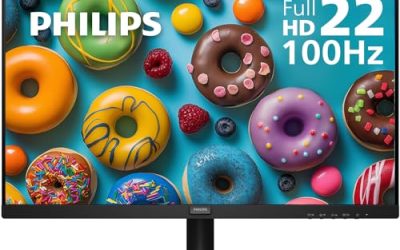
“Audio monitors for PC” means two different things depending on who is searching. Musicians and editors use the phrase for studio monitor speakers that play audio flat and accurately. Everyone else tends to mean a monitor, or a pair of speakers, that puts good sound at a desk without a tangle of extra gear. This guide covers both, so you can pick the route that fits: a true powered speaker pair, a compact soundbar or clamp-on set, or a display that already has speakers built in.
The seven picks below suit gamers, streamers, home-office workers, and casual music listeners who have outgrown tinny laptop audio. The key choice is between sound quality and desk simplicity. A pair of powered speakers will usually sound fuller, but a monitor with speakers saves space and cables. One listing in the same search, a 24-inch monitor with only an audio-out jack, is left out because it sends sound to speakers rather than producing any.
Our Top Picks
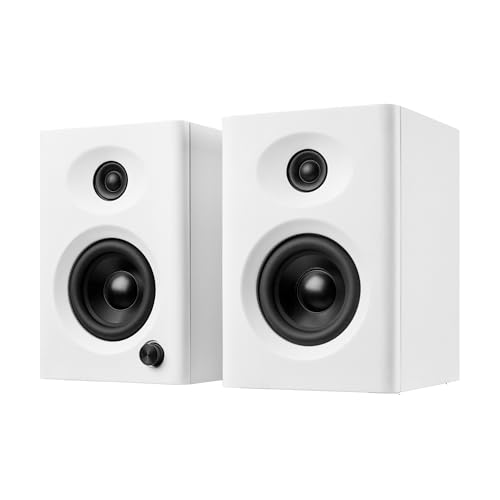 NSY Audio Powered Computer Speakers for Desktop PC3 inches5 x 4.8 x 6.9 inches6 PoundsCheck on Amazon
 ASUS BE24EQK 24 Inch 1080P Computer Monitor24 Inch24.02 x 19.45 x 6 inches12.8 PoundsCheck on Amazon


Top 3 picks at a glance
Quick Picks
As an Amazon Associate we earn from qualifying purchases at no extra cost to you.





| Product | Best for | Key spec from the title |
|---|---|---|
| SANSUI 27-inch Curved Monitor | One-box display and sound | 27 inch, 120Hz, built-in speakers, USB Type-C |
| Edifier MR3 Studio Monitors | Music and critical listening | Hi-Res Audio, Bluetooth V5.4, active 2.0 |
| USB Computer Soundbar | Plug-and-play desks | USB plug-in, adaptive channel switching |
| NSY Audio Powered Speakers | Bass and wood-finish looks | 60W, Bluetooth 5.3, USB-C/RCA/AUX |
| Sanyun SW208 Bookshelf Speakers | Compact bookshelf audio | 3-inch, Bluetooth 5.0, 24-bit DAC, 60W |
| ASUS BE24EQK Monitor | Video calls | 24 inch IPS, webcam, mic array, stereo speaker |
| Clamp-On USB Monitor Speakers | Tight desks | 14W, 2 EQ modes, 1.38-inch clamp |
How to Choose
Decide between speakers and a built-in display
Built-in monitor speakers are convenient, but they are small and sit facing the wall or the side of the case. They work for meeting audio and casual video. For music, games, and movies, separate powered speakers usually offer more body and a wider stage. If you already own a monitor you like, adding speakers is the stronger upgrade than replacing the display. Monitors with speakers also tend to hide the audio quality in the spec sheet, so treat that feature as a bonus rather than the reason to buy.
Check connections and wireless standards
Look for the inputs your PC actually has. USB, USB-C, 3.5mm AUX, and RCA are all listed across these picks. Bluetooth 5.3 and 5.4, as on the NSY and Edifier, offer better range and connection stability than older versions, but wired input is the safer choice for gaming because it avoids wireless delay. Ignore codec claims you cannot confirm on both devices.
Wattage and real loudness
Wattage figures such as 60W or 14W describe peak output, not clarity. For a desk at arm’s length, a small speaker pair is plenty loud, and a bigger number mostly buys bass and headroom. Look instead for separate bass and treble or EQ controls, like the two EQ modes on the clamp speakers, since they help you tailor sound to speech or music.
Space, placement, and budget limits
Measure your desk. Bookshelf speakers need room on each side, while a soundbar or clamp speaker uses far less. Budget products cut corners on drivers, enclosures, and volume knob quality, so judge by the listed specs, not by marketing adjectives. In 2026, USB-C input is increasingly common on laptops, so a speaker with a USB-C connection can cover both your PC and a laptop. Finally, check whether the speakers need a wall outlet, since several of these are powered and need a socket near the desk.
The 7 Best Options
SANSUI 27-inch Curved Monitor
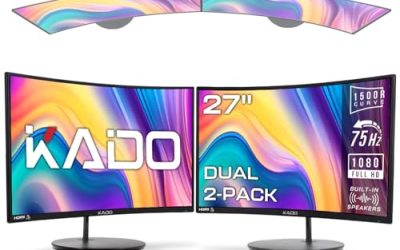
The SANSUI is a 27-inch curved FHD 1080p monitor with a 120Hz refresh rate, USB Type-C, built-in speakers, HDR, 110% sRGB, 1500R curvature, and VESA compatibility. It suits someone who wants a single purchase covering display and basic sound for a laptop or PC. The 1500R curve wraps gently around your field of view, and the USB Type-C port is a convenience for laptops, though you should confirm how it is used before relying on it for video.
- Strength: built-in speakers and USB Type-C keep the desk simple.
- Strength: 120Hz and curvature make it a decent all-round display.
- Trade-off: monitor speakers are small, so serious listening still calls for a separate pair.
Skip it if you need studio-quality sound or already own a good monitor.
Edifier MR3 Studio Monitors
The Edifier MR3 is a powered studio monitor pair marketed as Hi-Res Audio certified, with Bluetooth V5.4 and an active 2.0 design. This is the closest match to the true studio-monitor meaning of the keyword, and it suits listeners who care about detail in music and mixes. A powered pair like this plugs straight into a PC or audio interface, and Bluetooth lets you switch to a phone playlist when you step away from the computer.
- Strength: the Hi-Res Audio certification points to a music-first design.
- Strength: Bluetooth V5.4 adds wireless flexibility for phones and tablets.
- Trade-off: a studio-style pair needs desk space and a wall outlet.
Skip it if your desk is tiny or you want a monitor with speakers inside. Studio-style pairs also look best with a little space on each side, so they reward a desk with room to spread out.
USB Computer Soundbar
This unbranded listing is a wired USB soundbar for desktop PCs and monitors, with adaptive channel switching and a loud-sound pitch. It fits people who want one cable, no battery, and almost no setup. It is also a practical pick for an office PC where nobody is chasing deep bass, only clearer dialogue than the monitor or laptop can offer. The soundbar form slides under a monitor and clears the desk.
- Strength: USB plug-in power makes it simple to set up.
- Strength: the soundbar shape saves desk space.
- Trade-off: a single bar has less stereo separation than two spaced speakers.
Skip it if you want Bluetooth or a deeper, fuller sound. Because it is a wired listing, it will not follow you around the house like a portable speaker.
NSY Audio Powered Speakers
The NSY pair offers 60W of active stereo power in a wood finish, with bass, Bluetooth 5.3, and USB-C, RCA, and AUX inputs. It suits listeners who want a warmer look and several ways to connect gear, from a PC to a turntable or console.
- Strength: USB-C, RCA, and AUX inputs cover many sources.
- Strength: Bluetooth 5.3 offers a stable wireless link.
- Trade-off: a 60W pair is larger and takes more desk room than a soundbar.
Skip it if you want a minimal footprint. A pair this size is meant to be seen as well as heard, which is great on a roomy desk and awkward on a cramped one.
Sanyun SW208 Bookshelf Speakers
The SW208 is a pair of 3-inch active bookshelf speakers with Bluetooth 5.0, a built-in 24-bit DAC, 60W of power, USB and 3.5mm AUX inputs, and 3D surround processing. It suits small desks where a bookshelf size fits, and listeners who plan to stream from a PC and a phone. The 3D surround processing in the title is a widening effect, so try it on and off with your own music to see which you prefer.
- Strength: the built-in DAC and USB input give a direct digital connection.
- Strength: both Bluetooth and AUX inputs suit mixed sources.
- Trade-off: 3-inch drivers limit low-bass output, no matter the wattage.
Skip it if you want strong bass or a studio-flat sound. Small drivers keep the footprint low, which is the point, but they will not shake a room, and anyone who watches action films at night may find them thin.
ASUS BE24EQK Video Conferencing Monitor
The ASUS BE24EQK is a 24-inch 1080p IPS monitor with a 2MP webcam, a mic array, a stereo speaker, and HDMI, DisplayPort, and VGA inputs. It targets people who spend many hours on video calls and want audio and video built into the display. Having camera, microphone, and speaker in one screen reduces cable clutter and keeps the call setup consistent, which helps in a shared home office or a small workspace.
- Strength: the webcam and mic array remove the need for separate accessories.
- Strength: three video inputs give flexible connections.
- Trade-off: the stereo speaker is built for call clarity, not music.
Skip it if you want gaming speed or high-quality audio. Its strength is the all-in-one call setup, and it fits an office desk better than a gaming battle station.
Clamp-On USB Monitor Speakers
This unbranded set clamps to a monitor with a 1.38-inch wide clamp and connects by USB-C or USB-A. It lists up to 14W of power, two EQ modes, a bass mode, a vocal mode, and touch controls. It suits cramped desks and anyone who wants a speaker that hides on the display. Touch controls keep the volume within reach without a separate knob, though some people prefer physical dials for quick adjustment.
- Strength: clamp mounting leaves the desk surface clear.
- Strength: bass and vocal EQ modes help tune sound to the content.
- Trade-off: a clamp needs a compatible monitor edge, and 14W is modest.
Skip it if your monitor has a very thick bezel, or if you want deep bass.
Which One Fits Your Situation
You make or mix music
The Edifier MR3 Studio Monitors are the closest to a true studio setup in this group, with Hi-Res Audio listed.
You want to clear the desk
The Clamp-On USB Monitor Speakers and the USB Computer Soundbar both sit on or under the display and use little room.
You take lots of video calls
The ASUS BE24EQK Video Conferencing Monitor combines a 2MP webcam, a mic array, and a stereo speaker in one display.
You want warmth and flexible inputs
The NSY Audio Powered Speakers offer USB-C, RCA, and AUX connections and a wood finish.
Common Mistakes
- Choosing by wattage instead of driver size and design.
- Relying on built-in monitor speakers for music.
- Buying Bluetooth-only speakers for competitive gaming.
- Ignoring which inputs your PC has before ordering.
- Placing speakers behind a monitor or against a wall with no breathing room.
Related guides
- 24 Inch 240Hz Gaming Monitor For Esports
- Monitor Refresh Rate Vs Frame Rate Explained
- Low Latency 1080P High Refresh Monitors
Frequently Asked Questions
Are studio monitors good for gaming?
They can be. Studio monitors aim for neutral sound, which helps with directional cues, but some gamers prefer extra bass from consumer speakers. Try a flat setting first, then add bass only if the mix sounds thin.
Do monitor speakers sound good enough?
They are fine for calls and casual video. For music and movies, a separate speaker pair generally sounds fuller.
Is Bluetooth fine for PC audio?
For music, yes. For gaming and video, wired USB or AUX avoids delay between the picture and sound.
What does a built-in DAC do?
It converts digital audio to analog inside the speaker, which can reduce noise from your PC’s own audio output. It matters most when connecting over USB. Speakers with a DAC built in also reduce reliance on a cheap onboard sound chip, which is common on budget motherboards.