
The best monitor cable for most gaming desks in this set is the IVANKY DisplayPort 1.4 lead at 6.6ft: it names the version, the 32.4 Gbps link rate and VESA certification, and sits in the lowest price tier. Buy a DisplayPort 2.1 Silkland model only if both your graphics card and monitor have DP 2.1 ports, and take the Cable Matters USB-C lead if the source is a laptop. A scope warning up front: all seven listings are DisplayPort or USB-C-to-DisplayPort, so there is no HDMI cable here, which matters if you game on a console. Because every claim below comes from the listing text, treat bandwidth numbers as seller claims and check the exact port versions on your own graphics card and monitor before ordering.
Our Top Picks
 Cable Matters Unidirectional USB C to DisplayPort 1.46 ft9 x 6.25 x 0.3 inches0.1 poundsCheck on Amazon
Cables at a glance

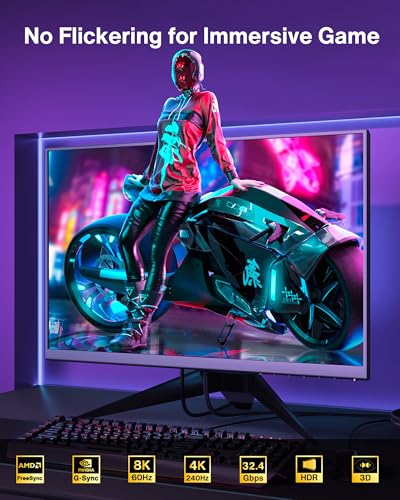
IVANKY VESA Certified 8K DisplayPort Cable 1.4, 6.6ft DP Cable Supports HDR | Display Port Cable, 8K@60Hz, 4K@240Hz, 2K@240Hz, HBR3, 32.4Gbps, HDCP 2.2, FreeSync G-Sync, for Gaming Monitor, Graphics, PC


As an Amazon Associate we earn from qualifying purchases. Product prices and availability are accurate as of the date/time indicated.
![Silkland 80Gbps DisplayPort Cable 2.1 [VESA Certified] 6.6FT/2M, DP80 HDR | 16K@60Hz, 8K@240Hz, 4K@540Hz 480Hz 360Hz 240Hz, DP 2.1 Cable for DisplayPort 1.4 Cable, HDR, DSC HDCP 2.3 Gaming Monitor 5090](https://m.media-amazon.com/images/I/41ZU3eQbhEL._SL500_.jpg)
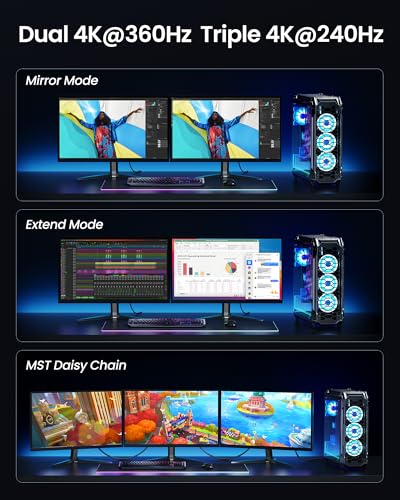
Silkland 80Gbps DisplayPort Cable 2.1 [VESA Certified] 6.6FT/2M, DP80 HDR | 16K@60Hz, 8K@240Hz, 4K@540Hz 480Hz 360Hz 240Hz, DP 2.1 Cable for DisplayPort 1.4 Cable, HDR, DSC HDCP 2.3 Gaming Monitor 5090





As an Amazon Associate we earn from qualifying purchases. Product prices and availability are accurate as of the date/time indicated.

Capshi 8K 4K DisplayPort Cable 1.4, VESA Certified DP Cord 10ft | 8K@60Hz, 4K@144Hz, 2K@240Hz, 32.4Gbps High Speed, for Gaming Monitor & Graphic & PC, HDCP 2.2/FreeSync/G-Sync, Braided, Black



As an Amazon Associate we earn from qualifying purchases. Product prices and availability are accurate as of the date/time indicated.
![Silkland 54Gbps 16K DisplayPort Cable 2.1, [VESA Certified] DP Cord 6.6FT | 16K@30Hz, 8K@120Hz, 4K@240Hz 165Hz 144Hz, HDR, HDCP DSC 1.2a, Compatible DP 1.4 FreeSync G-Sync Gaming Monitor 5090 7900XTX](https://m.media-amazon.com/images/I/41Zpb6gt3IL._SL500_.jpg)
Silkland 54Gbps 16K DisplayPort Cable 2.1, [VESA Certified] DP Cord 6.6FT | 16K@30Hz, 8K@120Hz, 4K@240Hz 165Hz 144Hz, HDR, HDCP DSC 1.2a, Compatible DP 1.4 FreeSync G-Sync Gaming Monitor 5090 7900XTX


As an Amazon Associate we earn from qualifying purchases. Product prices and availability are accurate as of the date/time indicated.

Silkland 80Gbps DisplayPort Cable 2.1 10FT/3M , DP80 HDR Gaming Cord for PC | 16K@60Hz, 8K@240Hz, 4K@540Hz 480Hz 360Hz 240Hz, DP 2.1 Cable for DisplayPort 1.4 Cable, HDR, DSC HDCP 2.3 Gaming Monitor 5090


As an Amazon Associate we earn from qualifying purchases. Product prices and availability are accurate as of the date/time indicated.
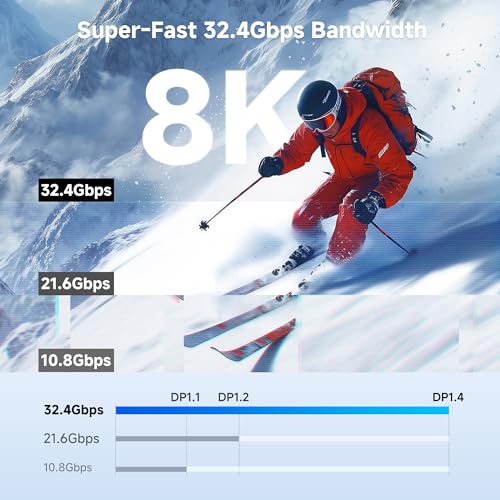
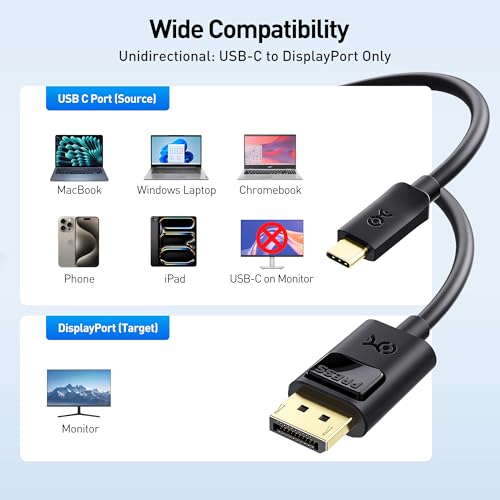
Cable Matters Unidirectional USB C to DisplayPort 1.4 Cable, 6ft | 8K@60Hz / 4K@240Hz, Not for Portable USB C Monitors, Thunderbolt 4 to DisplayPort Cable




As an Amazon Associate we earn from qualifying purchases. Product prices and availability are accurate as of the date/time indicated.
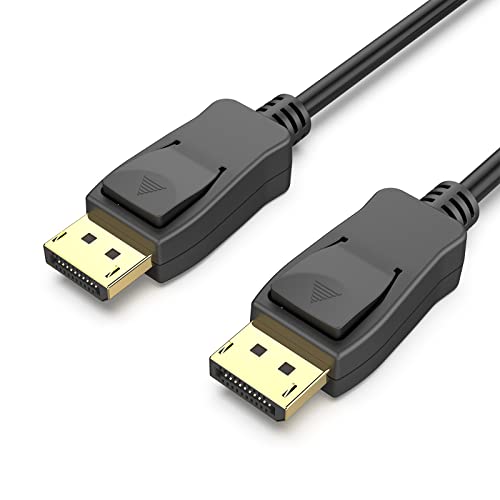
BENFEI [VESA Certified 8K DisplayPort to DisplayPort 6 Feet Cable | DP to DP Male to Male Cable, Supports 8K@60Hz, 4K@144Hz 120Hz, 2K@240Hz Compatible for Lenovo, Dell, HP, ASUS and More





As an Amazon Associate we earn from qualifying purchases. Product prices and availability are accurate as of the date/time indicated.
| Model | Key point from title | Price tier | Best for |
|---|---|---|---|
| IVANKY DP 1.4, 6.6ft | DP 1.4, HBR3 32.4 Gbps, VESA certified (per title) | Budget | Default PC-to-monitor lead |
| BENFEI DP to DP, 6ft | DisplayPort version not named, 4K 144/120Hz claim | Budget | Secondary monitors |
| Capshi DP 1.4, 10ft | DP 1.4, braided, 4K 144Hz claim | Budget | Floor towers, standing desks |
| Silkland 54Gbps DP 2.1, 6.6ft | Rated 54 Gbps (UHBR13.5 tier), VESA certified (per title) | Budget | Future-proofing |
| Silkland 80Gbps DP 2.1, 2m | 80 Gbps, DSC, HDCP 2.3 | Mid-range | DP 2.1 high-refresh 4K |
| Silkland 80Gbps DP 2.1, 3m | 80 Gbps at longer reach | Premium | Distant PC placement |
| Cable Matters USB-C to DP 1.4, 6ft | One-way USB-C to DP, 8K60/4K240 claim | Mid-range | Laptop to monitor |
Seven leads, explained
IVANKY DisplayPort 1.4 cable, 6.6ft: the default pick for most desks
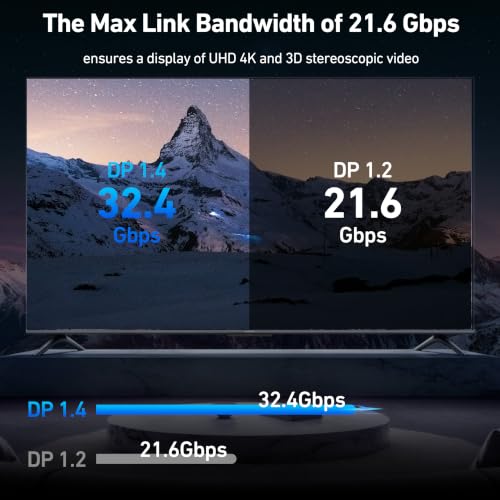
Plain, explicit and cheap: the title names DisplayPort 1.4, HBR3 and 32.4 Gbps (the raw link rate, about 25.9 Gbps of usable data), VESA certification, HDCP 2.2, HDR, FreeSync and G-Sync. The resolution claims, 8K at 60Hz and 4K or 1440p at 240Hz, are best read as what the link can reach with display stream compression; uncompressed, the numbers below show where it runs out. At 6.6ft it fits a typical tower-to-desk run. The VESA wording is a seller statement, so look the product up in VESA’s certified-cable list if that matters to you.
Pros
- Spec line names the version and link rate
- VESA certified per the title
- Lowest price tier in the set
Cons
- Top resolution claims depend on compression
- Connector and latch details are not in the title
- Length limits placement behind a large desk
Who it’s for: Anyone connecting a PC to a 1080p, 1440p or 4K monitor at up to roughly 144Hz.
BENFEI DisplayPort to DisplayPort, 6 feet
This one is sparse by comparison. It is a male-to-male DP lead, VESA certified according to the title, with claims of 8K at 60Hz, 4K at 144Hz and 120Hz, and 2K at 240Hz. The DisplayPort version is never named, though the rate claims look like DP 1.4 class, so confirm on the listing. It is near-identical to the IVANKY on paper, one foot shorter and without the HBR3, HDCP or FreeSync wording, which makes the IVANKY the clearer buy. The listing does list popular brands such as Lenovo, Dell, HP and ASUS as compatible, which is marketing text, not proof.
Pros
- Budget price tier
- VESA certified per the title
- Standard 6ft length
Cons
- DisplayPort version not named
- Fewer features listed than the IVANKY
- 4K at 144Hz needs compression on most DP 1.4 links
Who it’s for: A spare lead for an office or secondary monitor where the spec sheet matters less.
Capshi DisplayPort 1.4 cable, 10ft braided
Capshi mirrors the IVANKY spec (DP 1.4, 32.4 Gbps, 8K at 60Hz, 4K at 144Hz, 2K at 240Hz, HDCP 2.2, FreeSync, G-Sync) but stretches to 10ft and adds a braided jacket. Extra length is useful for a floor tower or a standing desk, with a trade-off: longer passive copper leads leave less margin at full bandwidth, so dropouts or a black screen at 144Hz or above are more likely than on a 6ft lead. The title does not describe the connectors or a locking latch. Pick it only if the extra 3.4ft is needed; otherwise a shorter cable is safer.
Pros
- Longer reach for tower-under-desk setups
- Braided jacket
- Version and link rate stated
Cons
- Longer run has less signal margin
- Latch and connector details not listed
- Same spec as shorter, cheaper leads
Who it’s for: Standing-desk or floor-tower users who need the length and run moderate refresh rates.
Silkland 54Gbps DisplayPort 2.1 cable, 6.6ft
An unusual bargain on paper: it prices close to the DP 1.4 leads yet claims a DisplayPort 2.1 54 Gbps rating (the UHBR13.5 tier), VESA certification, HDR, DSC and HDCP. Claims include 4K at 240Hz and 8K at 120Hz, with a note that it works with DP 1.4 gear. That backward compatibility means you gain nothing until both the graphics card and the monitor offer DisplayPort 2.1 ports, which many boards and screens do not. The title name-checks two high-end GPUs, which is a marketing hook, not a guarantee for your card.
Pros
- Rated above the DP 1.4 leads
- Backward compatibility is stated
- Budget price tier for the rating
Cons
- Only helps with DP 2.1 hardware at both ends
- Certification claim needs checking in VESA’s list
- Title lists extreme resolutions most monitors cannot display
Who it’s for: Builders buying ahead for a DisplayPort 2.1 graphics card or monitor.
Silkland 80Gbps DisplayPort 2.1 cable, 6.6ft (2m)
Silkland’s top-rated lead in its short form: 80 Gbps, which matches the UHBR20 tier, with claims of 16K at 60Hz, 8K at 240Hz and 4K at up to 540Hz, plus DSC and HDCP 2.3. The resolutions are claims about what the link can carry with compression, not what any current panel shows. Two metres is a reasonable length for high-rate signalling. It costs more than the DP 1.4 options, mid-range in this set, so it only pays off if the source and display both support the 80 Gbps tier. Otherwise it behaves like any other DP lead.
Pros
- Highest link rating in the set
- DSC and HDCP 2.3 named
- Short 2m length helps signal margin
Cons
- Premium for rates most hardware cannot use yet
- Needs DP 2.1 UHBR20 on both ends
- Extreme resolution claims are not realistic targets
Who it’s for: Early adopters pairing a DP 2.1 graphics card with a very high-refresh or 4K monitor.
Silkland 80Gbps DisplayPort 2.1 cable, 10ft (3m)
The same specification as the 2m lead, stretched to 3 metres at the highest price in the group. Length and bandwidth pull against each other: the longer a passive cable, the harder it is to hold the 80 Gbps tier cleanly, so check VESA’s certified list for this exact length before paying. If the cable falls back to a lower speed tier, a high-refresh 4K signal may drop or require compression. For most desks the 2m version is the safer buy, and the 3m version only makes sense when the PC sits far from the monitor.
Pros
- Long reach with a high rating
- DSC and HDCP 2.3 named
- Rating matches the shorter 2m model
Cons
- Highest price tier here
- Signal margin shrinks with length
- Overkill for 1440p and most 4K desks
Who it’s for: Setups where the PC must sit far from the display and the hardware supports the top DP 2.1 tier.
Cable Matters USB-C to DisplayPort 1.4 cable, 6ft
The only cable here that starts with a USB-C plug. It is unidirectional, so the USB-C end must be the source (a laptop or a phone-class device) and the DisplayPort end the monitor; it will not run in reverse. The title warns against portable USB-C monitors and mentions Thunderbolt 4 hosts, and claims 8K at 60Hz or 4K at 240Hz. The USB-C port must support DisplayPort Alt Mode, which not every laptop port does. It sits in the mid-range tier of this set, and the title does not mention length options beyond 6ft.
Pros
- Single-lead laptop-to-monitor link
- Thunderbolt 4 hosts named in the title
- Version and rate stated
Cons
- Source port must support DisplayPort Alt Mode
- One-way only
- Not for portable USB-C monitors
Who it’s for: Laptop owners with a DisplayPort gaming monitor and no HDMI port to spare.
How we picked these
The Editorial team read each title against published specifications, manufacturer documentation and buyer reviews, concentrating on named versions, link rates and lengths, since a cable has few other features to compare. Nobody on the team used or measured these units. Rates such as 8K or 540Hz are seller claims about what a link could carry with compression, not outcomes a typical monitor will show. Price tiers compare only these seven. The set is skewed toward DisplayPort, so consider it a DisplayPort shortlist, not a full guide to every cable.
How much cable do you actually need?
Check your two ends first
A cable can only run at the speed of the slowest component: the graphics card port, the cable and the monitor input. Read the DisplayPort version in the card and monitor manuals. If either end is DP 1.4, a DP 2.1 lead behaves like a DP 1.4 lead. The USB-C route adds a further step because it also relies on DisplayPort Alt Mode, covered in Thunderbolt 4 versus USB-C for single-cable setups and whether a USB-C hub monitor is worth it.
Bandwidth by the numbers
Estimated need equals width times height times refresh rate times bits per pixel (24 for 8-bit color), plus about 6 percent for blanking, an assumption that varies by monitor timing. Usable capacity is lower than the headline rate: roughly 25.9 Gbps for DP 1.4 and about 52.4 or 77.6 Gbps for the 54 and 80 Gbps tiers. These are rough estimates.
| Mode (8-bit unless noted) | Estimated need, Gbps | DP 1.4 (about 25.9) | 54 Gbps tier (about 52.4) | 80 Gbps tier (about 77.6) |
|---|---|---|---|---|
| 1080p at 144Hz | 7.6 | OK | OK | OK |
| 1080p at 240Hz | 12.7 | OK | OK | OK |
| 1440p at 240Hz | 22.5 | OK, tight | OK | OK |
| 4K at 144Hz | 30.4 | Needs compression | OK | OK |
| 4K at 240Hz | 50.6 | Needs compression | OK, tight | OK |
| 4K at 240Hz, 10-bit | 63.3 | Needs compression | Needs compression | OK |
Compression (DSC) fills the gap, and it is usually invisible, but both the monitor and the graphics card must support it. For fast esports screens, our list of monitors for Valorant shows where 1080p and 1440p at 240Hz sit; neither needs more than DP 1.4.
Length and signal margin
Passive copper cables lose margin as they lengthen, especially at high rates. If a monitor flickers or drops to a lower refresh rate, a long lead is a prime suspect. Choose the shortest length that reaches your desk, and if a long run is unavoidable, check VESA’s certification listing for that exact length. Our fix guide for a monitor not detecting an HDMI cable covers the shared troubleshooting steps.
HDR, adaptive sync and copy protection
None of these cables decides image quality. HDR, FreeSync and G-Sync depend on the monitor and graphics card; the cable only needs enough bandwidth and a clean connection. HDCP versions matter for protected streaming; 2.3 appears on the 80 Gbps leads, 2.2 on the DP 1.4 ones.
Mistakes buyers make
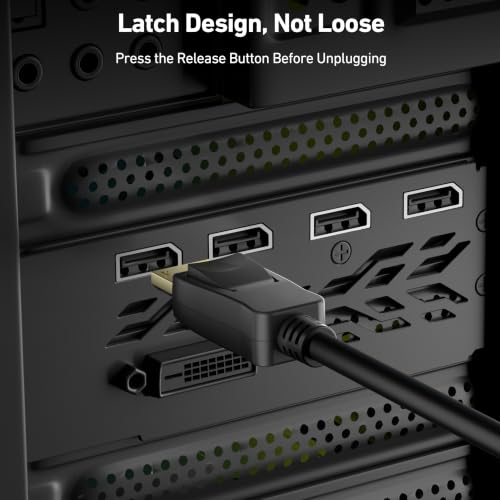
The first mistake is paying for a high rating that the monitor cannot use. Second is buying a long lead for a short run. Third is assuming a USB-C port on a laptop supports video; some only charge or transfer data. Fourth is forgetting that a unidirectional adapter will not work backward. Fifth is judging a cable on resolution claims such as 16K that no consumer display uses. Sixth is leaving old cables in the loop: if you replace a lead to fix flicker, remove the old one so a retired lead does not end up back in the chain. Seventh is skipping the latch: pull a DisplayPort lead out by its connector, not the cable, to avoid bent pins and damaged ports. Also keep a note of the length and certification of any lead you buy, so you can return it quickly if a high refresh mode will not hold.
Verdict
For a typical gaming PC, the IVANKY 6.6ft DP 1.4 cable covers 1080p and 1440p desks and 4K up to roughly 120Hz without compression, and it is the cheapest in the set. Pick the Silkland 54 Gbps lead as low-cost insurance if you already own DP 2.1 gear, and the 2m 80 Gbps model for 4K at very high refresh. The 3m Silkland and 10ft Capshi are for distance only. Laptop owners should take the Cable Matters USB-C lead, after confirming their port supports video output. None of the seven suits a console on HDMI, so that buyer needs a separate HDMI guide.
Frequently asked questions
Do I need a DisplayPort 2.1 cable for gaming?
Almost certainly not today. DisplayPort 1.4 handles 1080p and 1440p at very high refresh rates, and with compression it manages 4K at high refresh too. A DP 2.1 lead only helps when the graphics card and monitor both support the newer tiers, so check the manuals first and buy the cable second.
Is DisplayPort or HDMI better for a gaming monitor?
For PC gaming at high refresh, DisplayPort is the usual choice because it reliably carries adaptive sync at the highest refresh rate. HDMI is required for most consoles and works well when both ends support a recent version. This list has no HDMI cable, so check the monitor manual for each port’s limit.
Why does my monitor show no signal with a new cable?
Common causes are a loose connector, the wrong input selected in the monitor menu, or a cable that cannot carry the chosen refresh rate. Try a lower rate, reseat both ends and try another port. Long leads at high rates are a frequent culprit, so try the shortest cable you have.
Can a USB-C to DisplayPort cable work with any laptop?
No. The USB-C port must support DisplayPort Alt Mode or Thunderbolt, and the cable here is one-way from the source to the display. Check your laptop specification sheet for a video symbol next to the port, or look for DisplayPort or Thunderbolt in the manual. A port that only charges or moves data will not output video, whatever cable you plug in.
Does a more expensive cable improve picture quality?
Not directly. A digital cable either carries the signal cleanly or it does not, so colors and sharpness come from the monitor and graphics card. Extra cost buys bandwidth headroom, certification and build quality. If your setup already works at the target resolution and refresh rate, a pricier lead will not look better.









