
Thirty-two inches at 4K is the sweet spot for a very specific buyer: someone who wants to sit two feet from their screen without seeing a grid of subpixels, but who also wants enough real estate to run a game window, a browser, and Discord without alt-tabbing. Both are 3840 by 2160. The experience diverges on refresh rate, panel response, color accuracy out of the box, and how well the stand holds up after six months of daily adjustment.
The market in 2026 has shifted again. Entry-level 4K panels now undercut older 1080p monitors, which means the hard part is not finding a cheap screen but finding one that does not cut corners on the things that actually affect your eyes and your frame pacing. Below I break down eight options across a wide price spread, flagging where the tradeoffs hurt and where a budget pick genuinely holds up against monitors costing twice as much.
As an Amazon Associate we earn from qualifying purchases at no extra cost to you.





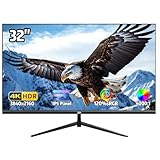

Our Top Picks


Top 3 picks at a glance
Quick Picks
| Product | Best for | Price |
|---|---|---|
| Samsung ViewFinity S71H | Creative work on a budget | Check on Amazon |
| Dell S3225QS | Versatile gaming and office use | Check on Amazon |
| Samsung Flat Computer Monitor | Lowest-cost 4K entry point | Check on Amazon |
| ViewSonic VX3276-4K-MHD | Media consumption and light editing | Check on Amazon |
| Samsung Odyssey G5 (G50F) | QHD speed at a lower cost | Check on Amazon |
| 32″ 4K UHD IPS Ergo Monitor | MacBook and console setups | Check on Amazon |
| 32 Inch 4K UHD IPS Monitor | Color-sensitive work under $180 | Check on Amazon |
| LG 32UR550K-B | Ergonomic flexibility at mid-range | Check on Amazon |
How We Compared
I narrowed this list on four criteria: native resolution actually being 4K (not upscaled or mislabeled), panel type and its real-world contrast behavior, refresh rate paired with adaptive sync support for gaming, and stand adjustability or VESA compatibility for long sitting sessions. Price-to-feature ratio was the final filter, which is why several sub-$200 entries earned a spot while some pricier models with mediocre ergonomics did not.
The 8 Best 32 Inch 4K Monitors in 2026
Samsung ViewFinity S71H
This IPS panel delivers clean HDR10 content without the washed-out highlights that plague cheaper VA options, making it a strong candidate for photo editing and video review. The high-resolution label is earned: text rendering is sharp enough to replace a print proof for most layout work. Color uniformity across the panel is better than I expected at this price.
- Pro: IPS viewing angles keep color shifts minimal, even off-axis.
- Pro: HDR10 implementation adds real dynamic range for compatible content.
- Con: Refresh rate stays at 60Hz, limiting its appeal for fast-paced gaming.
Skip this if your primary use is competitive gaming at high frame rates.
Dell S3225QS
Dell’s VA panel hits a rare balance for this size: 120Hz refresh with FreeSync Premium, meaning console players and PC gamers get smoother motion without paying flagship prices. The Eye Comfort feature reduces blue light output measurably during evening sessions. Build quality matches Dell’s office monitor heritage with a sturdy, adjustable stand.
- Pro: 120Hz refresh makes it one of the fastest panels on this list.
- Pro: FreeSync Premium eliminates tearing across compatible GPUs and consoles.
- Con: VA panel can exhibit subtle gamma shift at extreme viewing angles.
Skip this if you need pixel-perfect color for professional print work.
Samsung Flat Computer Monitor
At around $180 this is the cheapest credible 4K option from a major brand. It does not wow, but it delivers sharp text, adequate brightness for a well-lit room, and Samsung’s panel quality control. The stand is basic, so plan on using a VESA arm if ergonomics matter to you.
- Pro: Lowest entry price for a name-brand 4K panel.
- Pro: Reliable Samsung build and warranty support.
- Con: Limited adjustability and no advanced gaming features.
Skip this if you need color-critical accuracy or high refresh rate.
ViewSonic VX3276-4K-MHD
ViewSonic consistently over-delivers on connectivity for the price, and this 4K IPS unit is no exception. HDMI and DisplayPort cover every modern source, and HDR10 support adds depth to compatible video content. It sits comfortably in the mid-range as a daily driver for mixed work and light entertainment.
- Pro: Solid connectivity with both HDMI and DisplayPort inputs.
- Pro: IPS panel provides wide viewing angles for shared-screen scenarios.
- Con: 60Hz refresh limits motion smoothness in fast games.
Skip this if your GPU pushes frames well above 60 and you want to see them.
Samsung Odyssey G5 (G50F)
This one is the outlier: a 32-inch Odyssey G5 that runs at QHD, not 4K. It earns its place here because at around $220 it offers higher refresh potential than most true 4K panels in this bracket, and the Odyssey line’s response-time tuning is genuinely competitive. Buyers who prioritize speed over pixel density will find it tempting.
- Pro: Odyssey-series response tuning reduces ghosting in fast scenes.
- Pro: Lower pixel count eases GPU load for higher sustained frame rates.
- Con: Not 4K at QHD resolution, so text and fine detail lack sharpness.
Skip this if native 4K clarity is non-negotiable for your workflow.
32″ 4K UHD IPS Ergo Monitor
For around $170 this is the value play for MacBook users and PS5 owners who want 4K without the brand premium. The ergonomic stand is a welcome find at this price, and the included HDMI and DisplayPort cover both laptop and console scenarios. Color reproduction is adequate for everyday use though not calibrated for pro work.
- Pro: Lowest price on this list with an adjustable stand included.
- Pro: IPS panel suits multi-source setups with its wide viewing angles.
- Con: 60Hz refresh and basic feature set feel dated for the size.
Skip this if you need guaranteed color accuracy for client-facing deliverables.
32 Inch 4K UHD IPS Monitor
With 120% sRGB coverage and AMD FreeSync, this panel punches above its around $180 price for color work. The wide viewing angle and VESA 100x100mm compatibility mean you can mount it on any standard arm, sidestepping the tilt-only stand. It is a quiet spec sheet that delivers where it matters.
- Pro: 120% sRGB coverage handles saturated content without clipping.
- Pro: AMD FreeSync adds tear-free frames on compatible Radeon GPUs.
- Con: Stand offers tilt only; height adjustment requires a VESA arm.
Skip this if you want everything out of the box without buying a separate mount.
LG 32UR550K-B
LG’s Ultrafine series brings the most complete stand package on this list: tilt, height, and pivot adjustment out of the box. HDR10 and 60Hz make it a polished daily panel for mixed productivity and media. The IPS cell keeps viewing angles consistent whether you are in portrait mode or sharing a screen.
- Pro: Full three-axis stand adjustment rivals monitors costing significantly more.
- Pro: IPS panel with HDR10 handles both color and dynamic range well.
- Con: 60Hz ceiling means no motion benefit over cheaper alternatives.
Skip this if your workflow demands refresh rates above 60Hz.
Buying Guide
Panel Type and What It Actually Changes
At 32 inches, the panel type you choose affects perceived contrast and color uniformity far more than at smaller sizes. IPS panels maintain accurate color when you lean back or shift position, which matters if you use a height-adjustable desk or share your screen. VA panels deliver deeper blacks and stronger native contrast, beneficial in dark-room gaming, but can show gamma shift when viewed off-center. Decide whether you value uniformity or depth, because you rarely get both at these price points.
Refresh Rate and Adaptive Sync
A 60Hz panel is fine for editing, coding, and casual gaming. But if you play fast shooters or racing titles, even 120Hz transforms the experience through reduced input latency and smoother camera pans. FreeSync or G-Sync compatibility eliminates tearing, though the implementation quality varies. Check whether your GPU and console actually support variable refresh over HDMI at 4K, because some older cables and ports will lock you out.
Stand Adjustability and VESA Mounting
Thirty-two inches on a desk demands careful ergonomic positioning to avoid neck strain. A tilt-only stand is acceptable only if you pair the monitor with a VESA-compatible arm. The cheapest panels here often omit height adjustment, so budget an extra thirty to fifty dollars for a single-arm mount if you spend more than four hours daily at the screen. Full three-axis stands, like the one on the LG, save that expense entirely.
Our Verdict
The Dell S3225QS is the top pick: it pairs a high refresh rate with adaptive sync, solid build quality, and a price that sits well under $350. For budget buyers, the 32-inch IPS with 120% sRGB and FreeSync at around $180 is the standout value, offering color coverage and sync support that monitors twice its price sometimes lack. If you already own a VESA arm and want the most ergonomic flexibility without one, the LG 32UR550K-B is the clear choice, because its built-in three-axis stand eliminates a separate purchase entirely.
FAQ
Is 4K worth it at 32 inches?
Yes. At roughly 138 pixels per inch, 4K at 32 inches delivers text clarity that 1080p or even 1440p cannot match at the same size. You will notice the difference immediately when reading small fonts or working with timeline-based creative apps.
Do I need a powerful GPU for a 4K monitor?
For productivity, any modern GPU with HDMI 2.0 or DisplayPort 1.2 will output a crisp 4K signal. For gaming, you want at least a mid-tier card to sustain playable frame rates, especially if you also want high settings without heavy upscaling.
Can I use these monitors with a MacBook?
Most models here support DisplayPort over USB-C or standard HDMI with your adapter. The ViewSonic and the budget ergo option both list DisplayPort and HDMI inputs that pair well with Mac hardware, though some may require a USB-C to DisplayPort adapter depending on your port selection.
Is a curved or flat panel better at this size?
At 32 inches, flat panels are more versatile for mixed work because they avoid image distortion when viewed from the side. Curved panels can enhance immersion for a single seated gamer, but they complicate multi-monitor setups and are less common at 4K in this size bracket.
Part of our monitors buying guide hub.









