
The best floating TV stands are the ones whose rated load, wall hardware, cable routing, and storage layout match both your television and the wall behind it—not simply the model with the cleanest photographs.
A floating console can make a room look larger, simplify vacuuming, and place components at a comfortable viewing height. It also transfers the combined weight of the cabinet, TV accessories, and stored equipment into a relatively small area of wall. Use the comparison below to choose a secure design rather than treating “floating” as a universal mounting method.
As an Amazon Associate we earn from qualifying purchases at no extra cost to you.


Our Top Picks
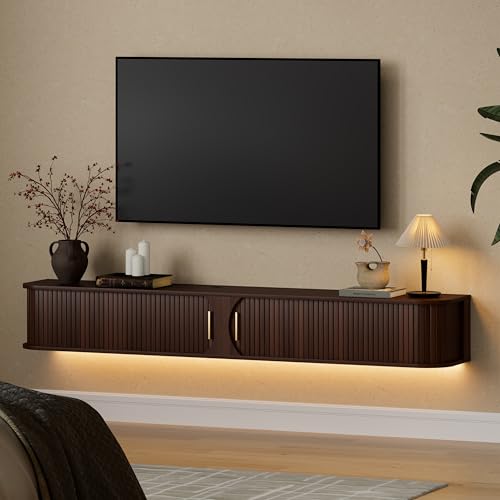 DHH 71" Floating TV Stand with Power Outlet71 inch86.61 x 11.81 x 9.84 inches40.2 poundsCheck on Amazon
 DHH 63" Floating TV Stand with Power Outlet63 inch86.61 x 11.81 x 9.84 inches40.2 poundsCheck on Amazon
 MXV 80'' Floating TV Stand with 40" Electric80 Inches13.7 x 80 x 17.8 inches87 PoundsCheck on Amazon
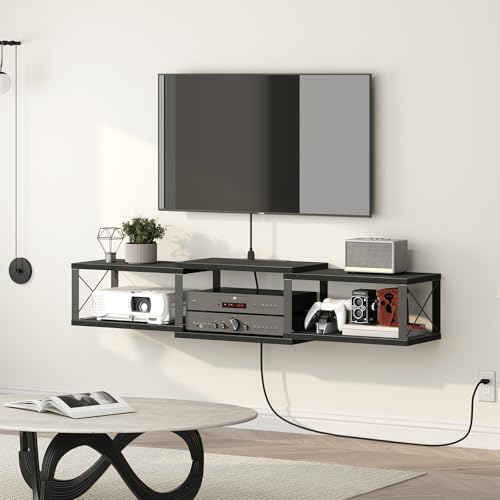 MAHANCRIS 43.7” Floating TV Stand with Power Outlet43.7"L x 11.0"W x 8.9"H14.1 poundsCheck on Amazon
Top 3 picks at a glance
Quick comparison: which floating TV stand fits your setup?
| Room or equipment situation | Best stand type | Look for | Avoid |
|---|---|---|---|
| 55–65-inch TV, streaming box, soundbar, and game console | Wall-mounted console with one or two adjustable shelves | At least 60–80 lb cabinet capacity, ventilation, rear cable openings | Sealed compartments or a narrow shelf with no airflow |
| 75–85-inch TV and several consoles | Wide reinforced console or modular wall-mounted system | 72–96-inch width, multiple studs or a continuous mounting rail, 100 lb or higher rated capacity | Small brackets attached only to drywall anchors |
| Brick or concrete wall | Console supplied with masonry-compatible mounting guidance | Concrete or brick anchors, correct drill bit, stand-off clearance for cables | Using wood screws or hollow-wall anchors |
| Metal-stud apartment wall | Light-to-medium console with engineered reinforcement | Fastening into studs plus plywood or a structural backing solution approved for the building | Assuming a metal stud has the same capacity as a wood stud |
| Minimal equipment and a very clean appearance | Shallow two-door floating cabinet | Depth around 10–14 inches, hidden cable channel, push-latch doors | Deep cabinets that make the TV appear top-heavy |
What to compare before buying
1. Weight limit: calculate the real load
Separate the television’s weight from the cabinet’s capacity. A stand rated for 80 lb may be rated for items stored inside it, while its wall bracket may have a different limit. Check both figures in the installation manual.
Use this calculation:
Total load = cabinet weight + TV weight supported by the console + devices + accessories + safety margin.
For example, a 65-inch television weighing 48 lb, a 28 lb floating cabinet, a 16 lb soundbar, and 12 lb of consoles and cables create a 104 lb combined load. Adding a 25% margin gives a target capacity of at least 130 lb. If the soundbar is mounted directly to the wall and the TV is on its own wall mount, only the cabinet and items inside it count toward the console’s load—but the wall still carries all separately mounted components.
Do not confuse the TV’s VESA mounting limit with the console’s capacity. VESA describes the hole pattern used by a TV bracket; it does not certify the floating cabinet or the wall.
2. Mounting hardware and wall construction
Most floating stands use a French cleat, steel rail, or bracket fixed horizontally to the wall. A continuous steel rail generally makes leveling easier and spreads force across more fasteners. A simple cleat can work well, but only when its screws reach suitable framing or correctly specified masonry anchors.
- Wood studs: Prefer screws that penetrate the center of at least two studs. A wide console may require three or more attachment points.
- Concrete: Use anchors rated for the calculated load, with the manufacturer’s specified hole diameter and embedment depth. Dust left in a drilled hole can reduce anchor grip.
- Brick: Fasten into the brick rather than the mortar joint whenever the installation instructions permit it. Older or soft brick needs extra caution.
- Metal studs: Thin metal studs are not automatically adequate for a heavy cabinet. A structural backing board, toggle system, or professional reinforcement may be required.
- Drywall alone: Suitable anchors may support a light shelf, but they are a poor default for a loaded TV console. The wall fasteners must be rated for the complete, forward-pulling load.
Measure the wall before ordering. A cabinet that spans an entire stud bay may look ideal but can be difficult to secure if its mounting rail has holes in the wrong places. Confirm that the rail can reach framing or that the supplied anchor system is approved for your wall type.
3. Cable management and ventilation
A floating cabinet should hide cables without trapping heat. Look for large rear cutouts, removable back panels, grommets, and a route from the cabinet to the TV’s connection area. Small circular openings can force HDMI connectors into sharp bends, especially when using thicker certified cables.
Leave ventilation space around consoles, receivers, and streaming devices. As a practical starting point, allow about 2 inches above a warm device and avoid blocking side vents. A closed cabinet with only one small opening can build heat during long gaming sessions. If a device uses an external power brick, check that the compartment has room for both the brick and its cable bend radius.
Plan the cable path before mounting. HDMI, Ethernet, optical audio, and power cables should not be crushed behind the cabinet. Keep signal cables separated from tightly bundled AC power cables where practical, and leave a service loop of roughly 6–12 inches so you can replace a device without removing the console.
4. Storage capacity and internal dimensions
External width is not usable storage. Doors, dividers, thick side panels, and rear braces reduce the interior opening. Compare the clear shelf width, height, and depth with your actual hardware.
| Component | Typical planning space | Important clearance |
|---|---|---|
| Streaming player | 4–8 inches wide, 1–2 inches high | Keep its wireless and ventilation area unobstructed |
| Game console | 12–17 inches wide, depending on model and orientation | Allow roughly 2 inches above vents; check vertical clearance |
| AV receiver | 17–20 inches wide and often 6–8 inches high | Needs considerably more ventilation than a streaming box |
| Soundbar | Often 24–45 inches wide | Do not place it behind a solid cabinet door if it uses an IR remote |
If you own a disc console, receiver, or power amplifier, choose a ventilated open-shelf design rather than a shallow decorative cabinet. For a streaming-only setup, a low-profile enclosed cabinet can provide a cleaner appearance and more dust protection.
Head-to-head: common floating TV stand designs
Wall-mounted console with doors
This is the best all-round choice for most living rooms. Doors conceal controllers, remotes, and power strips, while adjustable shelves accommodate changing equipment. Choose one with front ventilation or generous rear openings. Push-latch doors look clean, but infrared remotes may need an open shelf or an IR repeater.
Open floating media shelf
Open shelves are usually lighter, easier to mount, and better ventilated. They suit a soundbar, compact console, and streaming devices. The trade-off is visible cabling and dust. Check the shelf’s front-to-back depth: a 10-inch shelf may not safely support a deep receiver or a console placed horizontally.
Modular storage system
Systems such as wall-mounted BESTÅ combinations from IKEA offer flexible widths, doors, shelves, and finishes. They can be a strong choice when you need coordinated storage, but the wall rail, cabinet configuration, and installation surface determine the final capacity. Do not assume a modular system’s maximum rating applies equally to every combination.
Low-profile floating console
A shallow, minimalist console creates the least visual bulk and works well beneath a wall-mounted TV. It is appropriate for compact equipment, but the reduced depth can limit airflow and cable bends. Measure your largest component, including plugs, before selecting this style.
Installation checks that prevent expensive mistakes
- Locate the structure. Use a stud finder, verify with a small probe hole, and mark the center of every usable stud. For masonry, identify brick, block, or concrete before choosing anchors.
- Measure TV and furniture height. A large console can interfere with a tilting TV mount. Leave enough space for the soundbar and for the TV’s lower edge to clear the cabinet.
- Install and level the rail first. Do not rely on the cabinet to hide an uneven rail. Use a long level and recheck after tightening each fastener.
- Hang the cabinet and engage every locking mechanism. Some cleats look seated while still being only partially engaged. Install safety screws or retaining clips if supplied.
- Load the heaviest equipment low and near the supports. This reduces the cabinet’s forward leverage and makes the wall connection less stressed.
- Test before final cable dressing. Add equipment gradually, check for movement, and inspect the wall and bracket for flexing before concealing the wires.
Best floating TV stands by priority
- Best for heavy equipment: a wide reinforced console with a steel mounting rail, multiple stud connections, open ventilation, and a published capacity comfortably above your calculated load.
- Best for a clean minimalist room: a shallow closed cabinet with concealed cable routing, provided your devices fit and receive adequate airflow.
- Best for renters or uncertain walls: a lighter open shelf or freestanding console may be safer than a heavy floating unit. Confirm building rules before drilling.
- Best for changing gaming setups: an adjustable modular cabinet with removable shelves and generous rear access.
- Best for soundbar use: a console with an open shelf or a dedicated soundbar position that does not block the speaker or TV sensor.
Bottom line
Choose among the best floating TV stands by starting with the wall, not the finish. Calculate the complete load, confirm the mounting method suits the wall construction, measure the interior storage rather than the outside width, and verify ventilation for every heat-producing device. A stand that meets those requirements will remain secure and useful far longer than one selected only for its appearance.









