The best telescope for astrophotography in this roundup is the SVBONY Astrophotography Kit — an SV545 Petzval APO refractor paired with an SV238 off-axis guider and M48 filter drawer — and it suits the imager who already owns a tracking equatorial mount and wants to shoot deep-sky objects rather than the Moon. If you do not own a mount, do not want to build a system, and want images on the first clear night, the YOTOMIGUO smart telescope is the better fit, because it carries its own tracking, camera and screen. For planetary and lunar work on a budget, the dgtenk 4MP WiFi eyepiece camera is the cheapest way to get video of Jupiter that beats what your eye sees. The rest of this guide explains the four variables that actually decide what you can photograph — aperture, focal length, mount tracking and camera compatibility — and then maps each product to the situation it genuinely fits.
Our Top Picks
 Smart Telescope Astrophotography for Beginners: A Practical Guide8.5 x 0.63 x 11 inches1.4 PoundsCheck on Amazon
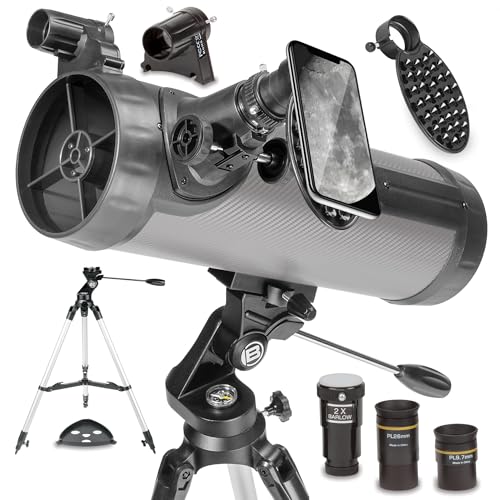 National Geographic 114mm Reflector Telescope with Eyepieces Mount27 x 6.5 x 11.5 inchesCheck on Amazon

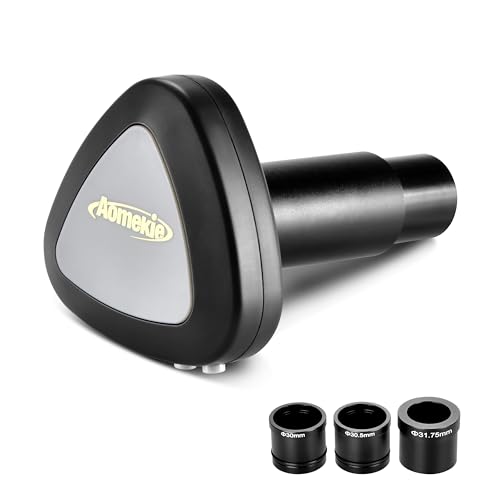
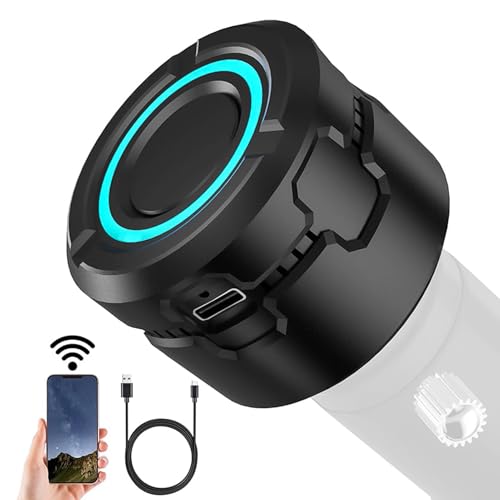

Top 3 picks at a glance
Quick Comparison
| Product | Best for | Key specs from the listing | Price tier |
| SVBONY Astrophotography Kit (SV545 + SV238 OAG) | Deep-sky imaging on an existing tracking mount | Petzval APO refractor, off-axis guider, M48 filter drawer, threaded M48 connection | Premium |
| AOMEKIE WiFi Digital Eyepiece | First taste of imaging on a small scope | 1080P FHD video, 2MP stills (~1920×1080 class), WiFi to phone/tablet | Budget |
| Serounder WiFi Electronic Eyepiece | Standalone capture with no phone or laptop | 5.0-inch screen, 4K HD camera, 8.3MP sensor, fits 30 mm–66 mm eyepiece barrels | Premium |
| Andoer WiFi Electronic Eyepiece | Mid-priced wireless video of Moon and planets | 4K video recording, WiFi, 1.25-inch class eyepiece fitment | Mid-range |
| Smart Telescope Astrophotography for Beginners (book) | Learning the smart-scope workflow before buying | Practical guide: setup, celestial imaging, AI-assisted capture | Budget |
| National Geographic 114 mm Reflector | Visual astronomy that doubles as phone imaging | 114 mm aperture Newtonian reflector, eyepieces included, smartphone adapter | Mid-range |
| YOTOMIGUO Smart Telescope | All-in-one backyard imaging without a mount | 4K astrophotography camera, internal and external dual screens, digital electronic telescope | Premium |
| Telonixium WiFi Telescope Camera Eyepiece, 64G | Adding capture to an eyepiece-tray telescope | 1.5-inch screen, 64 GB storage, fits 28 mm class eyepieces | Mid-range |
| Telonixium 4K Wireless Telescope Camera | One camera across several telescopes | 1.25-inch and 2-inch universal fitment, IR filter, 16× zoom, 2.8-inch screen | Premium |
| dgtenk WiFi Telescope Eyepiece Camera | Planetary and lunar video on a budget | 4MP electronic eyepiece camera, WiFi, planetary framing | Mid-range |
| DWARF 3 Smart Telescope User Guide (book) | Getting more out of a Dwarf-style smart scope | Day and night practical guide to smart-telescope operation | Budget |
| Mastering Astrophotography with the ZWO Seestar S50 (book) | Seestar owners who want a structured workflow | Step-by-step beginner guide to effortless telescope imaging | Budget |
How We Chose
This roundup was assembled from published product listings, manufacturer specification sheets and the established design conventions of each product category — not from bench testing. Every item had to pass four filters. First, spec transparency: products that state a sensor resolution, a screen size or a barrel diameter are more useful to a buyer than products that state only marketing adjectives, so the listing itself was scored on how much it actually tells you. Second, category fit: an electronic eyepiece and an APO refractor solve different problems, so each product is judged against the job it is designed for, not against a single “best” standard. Third, mount dependency: anything that requires a tracking mount to produce a usable image is labelled as such, because that dependency is the single biggest hidden cost in astrophotography. Fourth, upgrade path: gear that still has a job after you outgrow your first setup ranks above gear that becomes a drawer ornament. Price tiers are given as budget, mid-range and premium rather than exact figures, because listings move daily.
1. SVBONY Astrophotography Kit — Best for Deep-Sky Imaging on a Tracking Mount
As an Amazon Associate we earn from qualifying purchases at no extra cost to you.

The SVBONY Astrophotography Kit is the only item here that is a complete optical train rather than a camera bolted to the back of someone else’s telescope. It pairs the SV545 Petzval-lens APO refractor with the SV238 off-axis guider, which includes an M48 filter drawer. If you already own a German equatorial mount or a harmonic-drive mount with an autoguider port, this is the combination that takes you from “I can see the Andromeda Galaxy” to “I can photograph it with round stars into the corners.” If you do not own that mount, buy the mount first — this kit is a precision instrument that assumes one exists.
Key specifications
- SV545 refractor with a Petzval lens design — the field-flattening group is built into the tube, so no separate flattener is required to get a flat field across an APS-C sensor.
- APO (apochromatic) colour correction — designed to bring red, green and blue light to a similar focus, which is what stops bright stars from growing purple halos.
- SV238 off-axis guider with an integrated M48 filter drawer — the guide camera samples the same star field the main camera sees, through a pick-off prism at the edge of the light path.
- M48 threaded connections throughout, the standard thread for APS-C and full-frame imaging trains.
- Guide camera and imaging camera are sold separately; the kit provides the optics and the guiding hardware, not the sensors.
The Petzval detail matters more than it sounds. In a conventional doublet or triplet refractor, stars at the edge of the frame smear into little comets because the focal plane is curved. The usual fix is a separate field flattener screwed onto the back, which adds a component, adds a back-focus requirement, and adds a place for tilt to creep in. A Petzval design puts that correction inside the tube permanently, so the spacing is set at the factory and stays set. For someone assembling a first serious rig, removing one variable from the optical train is worth real money.
The off-axis guider is the other half of the argument. A separate guide scope riding on top of the main tube is cheaper and easier to focus, but it is mechanically independent — as the mirror settles or the tube flexes, the guide scope and the main scope drift apart by a few arcseconds, and your stars go slightly oval over a five-minute exposure. An off-axis guider eliminates that class of error entirely, because there is only one light path. The cost is that you must find a guide star in the small prism field, which takes longer on sparse parts of the sky. The M48 filter drawer softens that trade-off: you can slide a light-pollution or narrowband filter in and out without unscrewing anything, which is exactly what you want when you are switching between a broadband target and an emission nebula in the same session.
Pros
- Flat field without a separate flattener — fewer components, fewer spacing mistakes.
- Off-axis guiding removes differential flexure, the most common cause of trailed stars on long exposures.
- M48 filter drawer makes filter changes a ten-second job.
- Genuine upgrade path: the same tube works with a cooled mono camera and a filter wheel later.
Cons
- Useless without a tracking mount, and the mount is the expensive part.
- You still need to buy a guide camera and an imaging camera.
- Off-axis guide-star hunting is slower than a guide scope on star-poor fields.
- Longer setup and teardown than any point-and-shoot option in this list.
Compared with the Telonixium 4K wireless eyepiece camera — the simplest way in this list to add capture to an existing telescope — the SVBONY kit is a different sport entirely. The Telonixium gives you a live view of the Moon tonight; the SVBONY kit gives you a stacked, calibrated image of a galaxy after a night of data collection and an hour of processing. Compared with the YOTOMIGUO smart telescope, the SVBONY kit is more capable and far more demanding: the smart scope does the tracking, stacking and processing for you, while the SVBONY kit hands you the raw materials and expects you to know what to do with them.
2. AOMEKIE WiFi Telescope Digital Eyepiece — Best for Trying Astrophotography on a Tight Budget

The AOMEKIE WiFi digital eyepiece is the cheapest legitimate entry point in this roundup. It replaces the eyepiece in a small telescope with a camera that streams 1080P FHD video and captures 2MP stills to a phone or tablet over WiFi. It suits the person who already owns a modest refractor or reflector, has a phone, and wants to know whether imaging is interesting enough to justify real money. It also suits a parent who wants a child to see the Moon on a screen instead of squinting into a 10 mm eyepiece.
Key specifications
- 1080P FHD video recording, with 2MP still photos — that is a roughly 1920×1080 sensor class, the same resolution as a standard HD television.
- Wireless connection to a phone or tablet, so the “screen” you view on is whatever you already own.
- Digital eyepiece form factor: it drops into the telescope’s eyepiece holder in place of an ocular.
- Described in the listing as suitable for astrophotography, which in this class means lunar, solar (with a proper front filter) and planetary work.
The honest framing here is that 2MP is not a lot. A 1080p frame is 1920 pixels across; Jupiter at moderate magnification occupies perhaps 60 to 120 of those pixels, so you are looking at a small disc with two cloud belts rather than a detailed portrait. That is still a genuine thrill the first time, and it is genuinely more than your eye sees through the same telescope on a night of average seeing. Where the AOMEKIE earns its place is the Moon: the lunar disc fills the frame easily, and 1080p video of the terminator, stacked in free software, produces a surprisingly clean still image. Video is the key trick — recording a few thousand frames and keeping only the sharpest few percent defeats atmospheric turbulence in a way that a single exposure never can.
What it will not do is deep-sky imaging. Nebulae and galaxies need long exposures, and long exposures need a mount that tracks the sky. A camera in the eyepiece holder on an alt-azimuth tripod will show you the Orion Nebula as a faint grey smudge in a one-second frame and nothing at all in a ten-second frame, because the stars have already moved. Set expectations at “planets and Moon,” and this product delivers.
Pros
- Lowest-cost way to record what your telescope sees.
- WiFi means no cables to a laptop and no laptop at all.
- Video capture enables stacking, which is how budget planetary images actually get sharp.
- Fits the eyepiece holder you already have.
Cons
- 2MP stills leave very little room to crop or enlarge.
- No tracking, no cooling and no long-exposure mode — deep-sky objects are out of reach.
- WiFi latency makes precise focusing fiddly; you focus in small steps and wait.
- Image quality depends heavily on the telescope it is attached to.
Against the dgtenk 4MP WiFi eyepiece camera, the AOMEKIE is the cheaper and lower-resolution option; the dgtenk doubles the pixel count for a mid-range price and is the one to pick if planetary detail is the priority. Against the Andoer 4K unit, the gap is larger still — 4K video gives you roughly four times the pixels per frame, which matters when you are trying to resolve the Cassini division. The AOMEKIE’s argument is price and simplicity, and on those terms it holds up.
3. Serounder WiFi Electronic Eyepiece — Best for Standalone 4K Capture Without a Laptop
The Serounder WiFi electronic eyepiece is the self-contained option: a 5.0-inch screen, a 4K HD camera and an 8.3MP sensor in a single unit that clamps into eyepiece barrels from 30 mm to 66 mm. It suits the observer who wants to see a large, bright image without tethering a phone, and who wants the camera to be the screen. If you have ever tried to focus a telescope while holding a phone at the eyepiece with one hand, the appeal is obvious.
Key specifications
- 5.0-inch integrated display — the largest screen in this roundup, roughly the size of a small tablet’s viewing area.
- 4K HD camera with an 8.3MP sensor. An 8.3MP sensor is approximately 3840×2160 in a 16:9 arrangement, which is the standard 4K UHD grid.
- Barrel compatibility from 30 mm to 66 mm, which covers 1.25-inch (31.7 mm) and 2-inch (50.8 mm) eyepiece holders plus larger formats.
- WiFi connectivity for transferring or streaming images to another device.
The 8.3MP sensor is the headline number and it is worth translating. At 3840 pixels across, the Moon spans the full width of the frame with enough resolution that craterlets a few kilometres wide survive the capture. On Jupiter, the planet might occupy 200 to 300 pixels across at a typical focal length — enough to see the Great Red Spot as a distinct oval rather than a smudge. Compared with a 2MP camera, you are capturing roughly four times the linear detail, and that is the difference between a recognisable planet and a convincing one.
The wide barrel range is the second practical advantage. Telescopes accumulate; most people who stay in the hobby end up with a small refractor for wide fields and a larger reflector or SCT for planets. A camera that fits both the 1.25-inch and 2-inch focusers of both instruments is a camera that stays in the case rather than being dedicated to one tube. The 5.0-inch screen also solves a problem nobody warns beginners about: at high magnification, the eyepiece exit pupil gets tiny and uncomfortable. A screen does not care about eye relief.
What the listing does not claim is long-exposure capability, and you should not assume it. This is a planetary, lunar and solar (with a proper front-mounted filter) instrument. For deep-sky work you need a camera that can take exposures of 60 seconds or more with a tracking mount, and that is a different product category with a different price bracket.
Pros
- Large 5.0-inch screen removes the phone-balancing act entirely.
- 8.3MP / 4K capture gives real detail on the Moon and the bright planets.
- Fits 30 mm to 66 mm barrels, so it moves between telescopes.
- No laptop, no cables, no separate capture software to learn.
Cons
- Premium price tier for a camera that cannot do long-exposure deep-sky work.
- A built-in screen adds bulk and weight at the focuser, which can unbalance small mounts.
- Onboard processing options are typically limited compared with a laptop workflow.
- Battery life is the practical constraint on a long session; plan for a power bank.
Against the Andoer WiFi electronic eyepiece, the Serounder wins on screen size and sensor resolution — 5.0 inches versus a unit designed around wireless streaming to an external device, and 8.3MP versus a 4K-video-first specification. Against the Telonixium 4K wireless camera with its 2.8-inch screen, the Serounder’s display is nearly twice the diagonal. The Andoer’s counter-argument is price: it sits a tier lower for broadly similar capture ambitions, and if you are happy to view on your phone, it is the smarter buy.
4. Andoer WiFi Electronic Eyepiece — Best for Mid-Range Wireless Video Capture

The Andoer WiFi electronic eyepiece occupies the middle of the market: 4K video recording, wireless connection to a phone or tablet, and a 1.25-inch class eyepiece fitment. It suits the observer with a single 1.25-inch telescope who wants 4K video without paying the premium for a built-in screen, and who is comfortable using a phone as the display. It is the sensible default for someone whose entire kit is one mid-sized scope and one tripod.
Key specifications
- 4K video recording — the same 3840×2160 UHD grid as the higher-tier cameras here.
- WiFi wireless operation, viewing and capture on a phone or tablet.
- 1.25-inch class eyepiece fitment, the most common focuser size on entry and mid-level telescopes.
- Designed as an electronic eyepiece replacement rather than a dedicated deep-sky camera.
The value proposition is straightforward: 4K video at a mid-range price, with the trade-off being that you supply the screen. For planetary imaging that trade is a good one. You record a video file at 4K, run it through a stacking program that aligns and averages the sharpest frames, and the result is limited by your telescope’s optics and the atmosphere, not by the camera’s resolution. Recording at 4K rather than 1080p gives the stacking software four times as many pixels to work with, and because planetary detail is carried in fine high-contrast edges, that resolution is not wasted.
Where a phone-as-screen setup gets awkward is focus. Wireless latency means the image you see is a fraction of a second behind reality, so you turn the focus knob, wait, and look again. The technique that works is to approach focus from one direction only, in small increments, and to use a bright star rather than the planet itself for the final adjustment — a star collapses to a point at focus, whereas a planet disc stays fuzzy across a wider range. Once focused, you do not touch the focuser again for the rest of the session; thermal contraction will drift it slightly over an hour, so check every twenty minutes or so.
What the Andoer cannot do is guide, cool, or take a five-minute exposure. It is a video camera for bright objects. If your ambition is nebulae, you need the SVBONY kit and a tracking mount; if your ambition is a sharp 4K video of Saturn, this is a perfectly reasonable place to stop spending.
Pros
- 4K video at a mid-range price tier.
- WiFi operation keeps the rig cable-free.
- 1.25-inch fitment matches the majority of beginner and mid-level telescopes.
- Video-first design plays directly to the stacking workflow that produces sharp planetary images.
Cons
- No built-in screen — you need a charged phone or tablet every session.
- Wireless latency slows critical focusing.
- 1.25-inch fitment only; it will not suit a 2-inch focuser without an adapter.
- No long-exposure mode, so deep-sky objects remain out of reach.
Against the Serounder, the Andoer gives up the 5.0-inch screen and the 8.3MP sensor specification in exchange for a lower price tier — if you already carry a tablet to the telescope, that is a rational trade. Against the dgtenk 4MP camera, the Andoer is the higher-resolution option and the better choice for lunar work, while the dgtenk’s lower price makes it competitive for someone whose only real target is Jupiter. Against the Telonixium 64G unit, the Andoer lacks onboard storage and a screen, but records at a higher video resolution.
5. Smart Telescope Astrophotography for Beginners — Best for Learning the Workflow Before You Buy

This is a book, and it belongs in a gear roundup for one reason: the smart-telescope category is the most confusing purchase in amateur astronomy right now, and the fastest way to waste several hundred dollars is to buy the wrong class of instrument. A practical guide covering setup, celestial imaging and AI-assisted capture costs a fraction of a telescope and tells you whether you want an automated imaging appliance or a manual rig you grow into.
Key specifications
- Practical guide format aimed at beginners.
- Covers telescope setup as a procedure rather than a theory.
- Celestial imaging workflow — what to point at, in what order, and why.
- AI-assisted capture, the feature that separates smart telescopes from traditional ones.
The single most useful thing a book like this can teach you is the difference between an image and a data set. A smart telescope does not take a photograph in the way a phone does. It takes dozens or hundreds of short sub-exposures, aligns them, rejects the ones ruined by wind or a passing cloud, stacks the rest, and then stretches the histogram so faint signal becomes visible. Understanding that pipeline changes what you look for in a product listing: you stop caring about “megapixels” and start asking how long a single sub-exposure can be, how well the mount tracks, and whether the software rejects bad frames automatically.
It also prepares you for the parts nobody advertises. Smart telescopes need a clear view of a chunk of sky, because their plate-solving routine has to recognise star patterns to know where it is pointing. They need a phone or tablet with a charged battery. They need a dew shield in humid climates, because a corrector plate or lens that fogs at midnight ends the session. And they need patience with the first-night setup, which is usually the worst night you will have with the instrument. A guide that walks through those steps in order saves a beginner from concluding the hardware is broken when the real problem is dew.
Finally, a guide gives you vocabulary. Terms like gain, sub-exposure length, dithering, calibration frames, histogram stretch and field rotation are used casually in every forum thread you will read after your first purchase. Arriving with those words already defined makes the community help you receive dramatically more useful.
Pros
- Costs a tiny fraction of any telescope in this roundup.
- Explains the stacking workflow that every smart telescope depends on.
- Helps you decide between a smart scope and a traditional telescope plus camera.
- Covers setup problems — plate solving, dew, power — before you meet them at midnight.
Cons
- It is not hardware; it will not show you anything.
- Printed guides date quickly as smart-telescope firmware changes.
- Generic advice cannot cover the quirks of one specific model.
- You will still need the model-specific manual that comes with whatever you buy.
Against the two other books in this roundup — the DWARF 3 user guide and the ZWO Seestar S50 guide — this title is the one to read before you buy, because it is not tied to a single instrument. The other two are the right purchases after you have chosen a platform, since they can go deep on one device’s menus and quirks. If you are still deciding, start here; if you already own a Dwarf 3 or a Seestar S50, skip straight to the model-specific guide.
6. National Geographic 114 mm Reflector Telescope — Best for Visual Astronomy That Doubles as Beginner Imaging

The National Geographic 114 mm reflector is the traditionalist’s answer to the smart telescope: a real Newtonian optical tube on a real mount, supplied with eyepieces and a smartphone adapter. It suits the buyer who wants to look through a telescope, not at a screen, but who also wants a route into imaging without buying a second instrument. It is the right first telescope for someone who suspects they will upgrade within two years.
Key specifications
- 114 mm aperture Newtonian reflector. Aperture determines how much light you collect and, at a given magnification, how faint an object you can detect.
- Eyepieces included — the practical focal length of the system is the tube’s focal length divided by the eyepiece focal length, so a set of eyepieces gives you a range of magnifications from one tube.
- Smartphone adapter included, which clamps a phone over the eyepiece for afocal imaging.
- Listed under the Explore Scientific brand family, a long-established telescope manufacturer.
Why 114 mm matters: light gathering scales with the area of the aperture, so a 114 mm mirror collects roughly 1.6 times as much light as a 90 mm refractor and about 2.4 times as much as a 76 mm reflector of the same focal ratio. That translates directly into what you can see. At 114 mm, the Orion Nebula shows structure rather than a grey patch, Saturn’s rings separate from the planet, and the brighter globular clusters resolve into granular texture at the edges. Deep-sky objects fainter than about magnitude 11 to 12 remain out of reach under suburban skies, which is a limitation of aperture and light pollution together, not a fault of the design.
The smartphone adapter is a genuine, if modest, imaging tool. Afocal photography — phone lens looking through the eyepiece — works well on the Moon and acceptably on Jupiter and Saturn. The technique is to lock the phone’s focus and exposure manually if your camera app allows it, because autofocus will hunt on a dark field with one bright object, and auto-exposure will blow out the lunar surface. Take a short 4K or 1080p video and stack it, exactly as you would with a dedicated eyepiece camera. The results will not match the Serounder or the dgtenk, but they cost nothing extra.
A reflector also needs occasional collimation — aligning the primary and secondary mirrors. It is a ten-minute job with a cheshire eyepiece or a simple collimation cap, and it needs doing after any bumpy car journey. Newtonians hold collimation well once set, but a miscollimated reflector produces soft, comet-shaped stars that no amount of processing will fix. Learn it early; it is the single highest-return skill in reflector ownership.
Pros
- Real 114 mm aperture delivers genuine visual performance on planets, the Moon and bright deep-sky objects.
- Smartphone adapter gives a no-extra-cost imaging route.
- Eyepieces included, so it works out of the box.
- Teaches skills — collimation, star hopping, focusing — that transfer to any future setup.
Cons
- No tracking, so exposures are limited to what the sky’s rotation allows before stars trail.
- Reflectors need periodic collimation, which is a barrier for the mechanically impatient.
- Phone imaging through an eyepiece is fiddly and produces modest results.
- Aperture limits faint deep-sky objects under light-polluted skies.
Against the AOMEKIE WiFi digital eyepiece, the National Geographic scope is the better long-term purchase — it gives you an actual telescope plus an imaging path, while the AOMEKIE assumes you already have the telescope. Against the YOTOMIGUO smart telescope, the trade is reversed: the smart scope produces better images with less effort, while the reflector teaches you the sky and rewards you visually at the eyepiece. If you want to learn astronomy rather than collect files, the reflector is the more educational object.
7. YOTOMIGUO Smart Telescope — Best for All-in-One Backyard Imaging

The YOTOMIGUO smart telescope is the “no assembly required” answer: a digital electronic telescope with a 4K astrophotography camera and both internal and external dual screens. It suits the buyer who wants photographs of nebulae and galaxies without learning polar alignment, guiding or stacking software. It is also the right instrument for someone in a light-polluted suburb with a small balcony, because the workflow is short enough to fit into a gap in the clouds.
Key specifications
- 4K astrophotography camera — a 3840×2160 UHD capture grid.
- Internal and external dual screens, so you can view at the instrument or on a secondary display.
- Digital electronic telescope architecture: the camera, mount and control system are one integrated unit.
- No separate mount, no counterweights, no guide scope.
The core advantage of an integrated smart telescope is that every source of error a beginner normally fights has been designed out. Polar alignment disappears because the mount is alt-azimuth and the software derotates the field between sub-exposures. Guiding disappears because the exposures are short enough — typically in the ten-to-thirty-second range — that tracking error stays inside one pixel. Focusing is motorised. Stacking happens on the device. What remains for you is choosing a target, pressing go, and waiting.
The dual-screen arrangement is more useful than it first appears. A screen at the instrument is convenient during setup, when you are standing next to the tripod adjusting the tripod legs and checking the level. A screen on your phone or tablet is convenient during the imaging run, when you are indoors with a cup of tea watching the frame count climb and the histogram fill in. Having both means you are not walking back and forth to check progress on a cold night.
Where the integrated design costs you is flexibility. The camera is matched to the optics and you cannot swap it. The focal length is what it is, which typically means a wide field suited to large nebulae and galaxies but short of the magnification needed for a detailed planetary image. If your goal is a sharp image of Jupiter, an integrated smart scope is the wrong instrument; a 114 mm reflector with a dedicated planetary camera will beat it. If your goal is the Andromeda Galaxy, the Orion Nebula, the Pleiades and a dozen other large bright targets, this is the least painful way to get them.
Pros
- Complete system — no mount, guide scope or laptop required.
- Onboard stacking and processing deliver a finished image the same night.
- 4K capture gives a detailed wide field for large nebulae and galaxies.
- Dual screens suit both setup at the tripod and monitoring indoors.
Cons
- Premium price tier for an instrument with a fixed, non-upgradable camera.
- Wide-field optics limit planetary detail.
- You learn less about the underlying technique because the software hides it.
- Performance depends on the app, and app quality varies.
Against the National Geographic 114 mm reflector, the YOTOMIGUO wins on images and loses on education — one produces files, the other produces understanding. Against the SVBONY kit, the smart scope is easier by an order of magnitude and less capable by a similar margin: the SVBONY rig with a cooled camera will out-resolve it on faint targets, but only after you have bought a mount, two cameras and spent several nights learning to use them. Against the Serounder or Andoer eyepiece cameras, the smart scope is a different category entirely, since those need a telescope and this one is the telescope.
8. Telonixium WiFi Telescope Camera Eyepiece, 64G — Best for Adding Capture to an Existing Eyepiece-Tray Scope

The Telonixium 64G WiFi eyepiece camera is aimed at the person who already owns a telescope with a standard eyepiece holder, keeps a tray of eyepieces next to it, and wants one more item in that tray that happens to record. It has a 1.5-inch screen, 64 GB of onboard storage and fits 28 mm class eyepieces. It suits the observer who does not want to carry a phone, a tablet or a laptop outside.
Key specifications
- 64 GB of internal storage — enough for a long night of video without a memory card or a phone.
- 1.5-inch onboard screen for framing and focusing at the telescope.
- WiFi connectivity for transferring captures to a phone, tablet or computer.
- Fits 28 mm class eyepieces, the barrel size used by most 1.25-inch eyepiece holders.
Onboard storage is the feature that changes behaviour. When a camera streams to a phone, the phone is part of the system: it must be charged, it must stay connected, and a notification or a phone call can interrupt a capture. When the camera has 64 GB inside it, the phone becomes optional. To put the number in context, 1080p video at a typical consumer bitrate of around 20 Mbps consumes roughly 9 GB per hour; 4K at around 100 Mbps consumes roughly 45 GB per hour. So 64 GB is roughly seven hours of 1080p or about an hour and a half of 4K. For a planetary session, where you record a handful of two-minute clips per target, that is several nights of work before you need to clear it.
The 1.5-inch screen is small, and you should treat it as a framing and focus aid rather than a viewing experience. A 1.5-inch diagonal is roughly the size of a smartwatch face. It is enough to confirm that the planet is centred and that focus has snapped in, which is precisely what you need in the field. For anything more, transfer the file and look at it on a real screen. That is the correct division of labour with a camera this size.
Like every eyepiece camera in this roundup, it is a bright-object instrument. It will give you the Moon, the Sun (with a proper front-mounted solar filter, never a rear one), Jupiter, Saturn, Mars and Venus. It will not give you the Veil Nebula, because that requires minutes-long exposures on a tracking mount.
Pros
- 64 GB onboard means no phone dependency and no card to lose.
- 1.5-inch screen is enough for framing and focus confirmation.
- Fits the standard 28 mm class eyepiece barrel most telescopes use.
- WiFi transfer keeps the workflow simple once you are back indoors.
Cons
- A 1.5-inch screen is genuinely small for anything beyond framing.
- No long-exposure mode — bright objects only.
- Mid-range price for a 1.25-inch-only fitment.
- Onboard storage still needs managing; 4K fills 64 GB quickly.
Against the Andoer 4K unit, the Telonixium trades a higher video specification for onboard storage and a screen — if you value working without a phone, that is the better trade. Against the Serounder with its 5.0-inch display and 8.3MP sensor, the Telonixium is the lighter, cheaper, more portable option at a real cost in screen size and resolution. Against the higher-tier Telonixium 4K wireless model with its 2.8-inch screen and universal 1.25-inch/2-inch fitment, this 64G version is the one to buy if your telescopes are all 1.25-inch and you would rather not pay for 2-inch compatibility you cannot use.
9. Telonixium 4K Wireless Telescope Camera — Best for One Camera Across Several Telescopes

The Telonixium 4K wireless telescope camera is the versatile option in the eyepiece-camera class: 1.25-inch and 2-inch universal fitment, an IR filter, 16× zoom and a 2.8-inch screen. It suits the imager who owns more than one telescope — typically a small refractor for wide fields and a larger reflector or catadioptric for planets — and wants a single camera that works on both without adapters.
Key specifications
- Universal 1.25-inch and 2-inch eyepiece fitment, covering both common focuser standards directly.
- 4K video capture, a 3840×2160 UHD grid.
- IR filter included, which blocks infrared light that would otherwise soften the image and shift colour.
- 16× digital zoom for tightening the framing on a planet without changing eyepieces.
- 2.8-inch onboard screen — nearly twice the diagonal of the 1.5-inch unit, still pocketable.
The IR filter is worth a paragraph, because it is the specification most buyers overlook. Silicon image sensors are sensitive to near-infrared light well beyond what the human eye sees. Without a filter, that extra IR lands on the sensor slightly out of focus — because a lens corrected for visible light does not focus IR at the same point — and it adds a soft glow around bright objects, particularly the Moon and the bright planets. An IR-cut filter in the optical path removes that contribution. On a colour camera it also restores something closer to natural colour balance, since an unfiltered sensor’s IR response skews everything toward the red end.
The 16× digital zoom is a framing convenience, not a resolution multiplier. Digital zoom crops the sensor and interpolates, so a 16× zoom is using roughly 1/256th of the sensor’s area — at which point you are enlarging a small number of pixels. It is useful for confirming that a planet is centred and for filling a video frame with a small disc, but it does not create detail. The correct way to get more detail on a planet is a longer focal length or a Barlow lens, both of which magnify the image optically before it reaches the sensor.
The 2.8-inch screen sits in a useful middle ground. It is large enough to focus critically without transferring to another device, and small enough that it does not add meaningful weight at the focuser. Combined with the universal fitment, this is the eyepiece camera that most closely behaves like a piece of general-purpose kit rather than a dedicated accessory for one telescope.
Pros
- 1.25-inch and 2-inch fitment covers essentially every consumer telescope focuser.
- IR filter improves sharpness and colour on bright objects.
- 2.8-inch screen is a workable middle size for focusing.
- 4K capture supports the stacking workflow that sharpens planetary images.
Cons
- Premium price tier for a bright-object camera.
- Digital zoom cannot substitute for real focal length.
- Still no long-exposure or cooling capability, so deep-sky objects remain out of reach.
- 2-inch fitment on a small focuser can create balance problems.
Against the 64G Telonixium model, this is the upgrade in every dimension that matters — bigger screen, universal fitment, IR filter — and the right choice if you own a 2-inch focuser or more than one telescope. Against the Serounder, the trade is 2.8 inches versus 5.0 inches of screen and universal fitment versus a wide barrel range, with the Serounder holding the resolution edge on paper. Against the dgtenk 4MP camera, this Telonixium is the higher-specification, higher-priced instrument and the better long-term buy for someone who expects to keep adding telescopes.
10. dgtenk WiFi Telescope Eyepiece Camera — Best for Planetary and Lunar Video on a Budget

The dgtenk WiFi eyepiece camera is a 4MP electronic eyepiece aimed specifically at planetary and lunar imaging. It suits the observer whose interest is the solar system rather than deep space — someone who wants to record Jupiter’s cloud belts, Saturn’s rings, the lunar terminator and a transit or two, and who does not want to spend premium money doing it. It is the most focused product in this roundup: it does one job and the listing says so.
Key specifications
- 4MP sensor. That is roughly 2560×1440 in a 16:9 arrangement, or about 2048×2048 if the sensor is square — either way, comfortably above 1080p and below the 8.3MP class.
- WiFi connectivity for viewing and capture on a phone or tablet.
- Electronic eyepiece form factor, fitting the telescope’s eyepiece holder.
- Listed for planetary and lunar astrophotography specifically.
For planets, 4MP is a sensible place to land. Jupiter at a typical amateur focal length covers a small angle — often under 50 arcseconds across — and the atmosphere limits how much detail any telescope can deliver on a given night. Once you are sampling at the point where one resolution element of the optics spans two or three pixels, more sensor resolution buys you nothing but bigger files. A 4MP sensor sits comfortably in that zone for planetary work on most amateur telescopes, which is why this specification is not the compromise it looks like next to an 8.3MP unit.
The stacking workflow is where the results come from. Record two to three minutes of video per target — long enough to collect thousands of frames, short enough that Jupiter’s rotation does not smear detail across the disc. Then run the file through free stacking software that scores each frame for sharpness, keeps the best few percent, aligns them and averages them. The averaged result has a signal-to-noise ratio that a single frame cannot approach, because random atmospheric distortion cancels out while real detail reinforces. This is why a modest camera and a modest telescope can produce a planetary image that looks better than the view through the eyepiece ever did.
Two practical notes. First, use a high frame rate if the software supports it; more frames per second means a higher chance of catching the brief instants of steady air. Second, always let the telescope reach ambient temperature before imaging — a tube that is still warm from indoors produces a plume of turbulent air inside itself, and no amount of stacking fixes a permanently distorted image.
Pros
- 4MP is well matched to what the atmosphere actually allows on planets.
- Mid-range price tier for a purpose-built planetary camera.
- WiFi keeps the rig cable-free.
- Clear positioning: the listing does not overpromise deep-sky capability.
Cons
- No onboard screen, so a phone or tablet is mandatory.
- Resolution trails the 8.3MP Serounder for large-scale lunar mosaics.
- No deep-sky capability — no long exposure, no cooling.
- Focusing through a wireless preview is slower than with a built-in display.
Against the AOMEKIE 2MP unit, the dgtenk is the clear upgrade — double the pixels for a modest step up in price, and a better match for the stacking workflow. Against the Andoer 4K model, the dgtenk gives up video resolution but costs less, and for planetary work the difference in final image quality is smaller than the numbers suggest. Against the Telonixium 4K wireless camera, the dgtenk is the budget-conscious planetary specialist; the Telonixium is the generalist with a screen and universal fitment.
11. DWARF 3 Smart Telescope User Guide — Best for Getting More Out of a Dwarf-Style Smart Scope

This guide is written for people who already own — or are about to own — a Dwarf-class smart telescope and want to use it properly rather than just point it at the Moon. It covers day and night operation, which is a wider remit than most astronomy guides, because a smart telescope with a wide field is genuinely usable for terrestrial and solar-system work in daylight hours. It suits the owner who has discovered that the automatic mode produces good images and wants to know what the manual controls do.
Key specifications
- Practical, procedure-oriented format aimed at beginners and outdoor enthusiasts.
- Day and night coverage — terrestrial viewing as well as celestial imaging.
- Specific to the Dwarf smart-telescope platform rather than generic astronomy.
- Focus on practical operation rather than optical theory.
The value of a platform-specific guide is that it can address the things that only matter on one device. Smart telescopes vary in how they handle calibration frames, how aggressively they reject bad sub-exposures, how they behave when a target drifts behind a tree, and how their apps expose gain and exposure length. Generic advice — “take longer sub-exposures for faint nebulae” — is useless if the firmware caps the sub-exposure at a value the device has already chosen for you. A guide written around one platform can tell you what the device will actually let you change.
Daytime operation is the underrated chapter. A smart telescope that can shoot in daylight can photograph birds, distant landscapes and the Moon before sunset. That extends the instrument’s useful life considerably, because a device that only works on clear moonless nights in winter sits in a cupboard for months. It also gives you a low-stakes way to practise the workflow: focus, framing, exposure and file transfer are all the same skills whether the subject is a heron or a galaxy.
One caveat worth stating plainly: app-based devices change faster than print. Firmware updates move menu items, rename modes and add features. Treat any guide as a map of the concepts and the general flow, and expect to reconcile it against the current version of the app. The conceptual chapters — how stacking works, why calibration frames matter, how to plan a session around the Moon’s phase — stay useful far longer than the menu walkthroughs.
Pros
- Platform-specific detail that generic astronomy books cannot provide.
- Covers daytime use, which extends the instrument’s value.
- Procedure-oriented, so it can be followed at the telescope in the dark.
- Inexpensive relative to the hardware it supports.
Cons
- Only useful if you own that platform — no value to a reflector or refractor owner.
- Print cannot keep pace with app updates.
- Assumes you have already made the hardware purchase.
- Not a substitute for the manufacturer’s own documentation.
Against the beginner-oriented smart-telescope guide in this roundup, this book is the narrower, deeper choice: buy the general guide if you are still deciding what to buy, and this one if the decision is already made. Against the Seestar S50 guide, it is a parallel product for a different platform — you would not buy both unless you own both instruments. For a Dwarf owner, this is the more directly applicable of the three.
12. Mastering Astrophotography with the ZWO Seestar S50 — Best for Seestar Owners Who Want a Structured Workflow

This step-by-step guide is written specifically for the ZWO Seestar S50, one of the most widely owned smart telescopes on the market. It suits the Seestar owner who has taken a few pictures, been pleased with them, and then hit a wall: the images look fine