
The best TV stands for 65 inch TVs are usually 60–72 inches wide, support at least 100 pounds, leave 2–4 inches of clearance around the TV base, and provide open ventilation plus a practical route for HDMI and power cables.
As an Amazon Associate we earn from qualifying purchases at no extra cost to you.


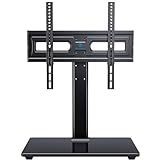

Our Top Picks
 Perlegear Universal Swivel TV Stand Base for 32–7032-70 Inch17.13 x 10.24 x 4.17 inches10.3 poundsCheck on Amazon
 PERLESMITH Universal TV Stand Legs for 32-65 inch32-65 Inch Screen10.87 x 2.32 x 17.6 inches9.9 poundsCheck on Amazon
 Rfiver Mobile TV Stand for 23-65 Inch Flat/Curved23-65 Inch21.2 x 16.1 x 56 Inches16 PoundsCheck on Amazon

Top 3 picks at a glance
Quick comparison: which type suits your 65-inch TV?
| Stand type | Recommended width | Useful capacity | Best for | Main compromise |
|---|---|---|---|---|
| Low media console | 60–72 inches | 100–150 lb | Wide feet, soundbars, consoles and a clean living-room setup | Less vertical storage |
| Tall cabinet stand | 60–70 inches | 100–150 lb | Rooms where the TV needs additional height or concealed storage | Can raise the screen too high |
| Open shelving unit | 60–80 inches | 120–200 lb | AV receivers, gaming PCs, consoles and airflow | More visible cables and equipment |
| Universal tabletop TV stand | Width depends on the base | Commonly 88–110 lb | Replacing a wide factory pedestal or fitting furniture you already own | Requires careful VESA and weight checks |
| Wall-mounted floating console | 60–72 inches | Often 50–100 lb | Minimal floorspace and easy vacuuming | Wall structure and installation matter |
Start with the TV’s actual base, not the advertised screen size
A 65-inch television is measured diagonally, so two TVs with the same screen size can have very different feet. A wide-set pair of legs may be almost 50 inches apart, while a central pedestal may occupy less than 20 inches. Measure the outside-to-outside distance between the feet and the depth of each foot before choosing a console.
For a conventional two-leg TV, choose a top at least 4 inches wider than the total foot span. For example, if the feet are 47 inches apart, a 52-inch top is the bare minimum; a 60–72-inch stand gives more side clearance and is safer if people may brush past the furniture. The feet must sit fully on the top, not partly over a rounded edge or unsupported shelf.
Check the TV’s bottom edge as well. A soundbar, center speaker, or game console may need 3–6 inches of space below the display. If the stand is too low, a soundbar can block the lower part of the image or interfere with the infrared remote sensor.
Height: calculate the viewing position
For most sofas, the center of the screen should be close to seated eye level. A useful calculation is:
Stand height = seated eye height − half of the TV’s visible height − any gap above the stand.
A typical 65-inch 16:9 screen is about 32 inches tall. If your seated eye height is 40 inches and you want a 4-inch gap above the console, the calculation is:
40 − 16 − 4 = 20 inches.
That points to a stand around 18–22 inches high. Reclining seating, a tall sofa, or a TV viewed from a bed may justify a taller cabinet, but avoid choosing a 30-inch stand simply because it offers more storage. A screen that is too high can make long gaming sessions and movie watching less comfortable.
Weight capacity: leave a useful margin
Do not match the stand’s maximum rating exactly to the television’s shipping weight. Use the TV’s installed weight without its original pedestal, then add the equipment that will sit on the furniture. A practical target is at least 25% more capacity than the calculated load.
For example, suppose a TV weighs 52 pounds, a soundbar weighs 12 pounds, and a center speaker weighs 18 pounds:
Total load = 52 + 12 + 18 = 82 pounds.
Adding a 25% margin gives 102.5 pounds, so a stand rated for at least 110 pounds is a sensible minimum. If the manufacturer gives separate ratings for the top, shelves and cabinets, use the lowest relevant rating. A console may support 150 pounds overall while a single adjustable shelf supports only 30 pounds.
Storage and ventilation: match the furniture to the equipment
For consoles and streaming devices
Closed cabinets keep dust and controllers out of sight, but they need ventilation openings at the back and preferably at the top or sides. Do not push a cabinet flush against the wall if it traps warm air around a console or streaming box. Leave at least 2 inches behind heat-producing equipment, or follow the equipment manufacturer’s clearance instructions.
For an AV receiver or gaming PC
Choose open shelves or a cabinet with large rear cutouts. AV receivers and desktop gaming PCs can produce substantially more heat than a streaming stick. Measure the equipment’s width, depth and height with cables attached, then add clearance: approximately 2 inches above an AV receiver and 3–4 inches around a compact PC is a useful starting point when the equipment maker does not specify otherwise.
Open shelving is generally the safer choice for a gaming PC. It also makes it easier to reach USB ports, power buttons and rear video connections. A tall stand with narrow cubbies may look tidy but can force a PC’s intake or exhaust against a side panel.
Cable management is a fit issue, not just a cosmetic feature
Look for rear openings large enough for HDMI plugs, power connectors and a surge protector—not merely a small circular hole intended for one cable. A useful stand has either a full-width rear gap or several openings positioned behind each shelf.
- Keep AC power cables separated from delicate signal cables where practical.
- Leave a gentle loop behind the TV so an HDMI connector is not bent against the wall.
- Route console, soundbar and TV cables toward the same rear opening to avoid crossing the front of a shelf.
- Use removable cable sleeves or hook-and-loop ties rather than tight plastic ties that make upgrades difficult.
- Ensure the power strip remains accessible; hiding it permanently inside a closed compartment makes troubleshooting harder.
For a 65-inch 4K TV with a console, soundbar and streaming device, plan for at least six connections: TV power, TV-to-soundbar connection, console power and HDMI, streaming-device power and HDMI. Extra ports are valuable because replacing a stand is harder than adding one more cable.
Head-to-head: low console versus universal tabletop stand
Choose a low console when:
- The factory feet already fit a 60–72-inch top.
- You want storage for consoles, discs, controllers or a receiver.
- You need a stable base that is difficult to tip.
- The TV is already at a comfortable viewing height.
Choose a universal tabletop stand when:
- The TV’s feet are wider than your existing furniture.
- You want to replace a damaged pedestal without buying a new console.
- You need height adjustment to raise the screen above a soundbar.
- The stand supports the TV’s VESA pattern and exceeds its installed weight.
A universal stand is not automatically safer. Confirm the VESA hole spacing, screw size and required screw length, and make sure the bracket does not cover ventilation openings or ports. The base plate should sit flat and be wider or at least as deep as the television’s lower support area.
Decision matrix for common 65-inch TV setups
| Your situation | Prioritize | Recommended configuration |
|---|---|---|
| Wide-set feet, no soundbar | Top width and anti-tip stability | 60–72-inch low console with a top rating of 100 lb or more |
| Central pedestal, soundbar below screen | Height adjustment and soundbar clearance | Low console or universal stand with 4–6 inches of clearance |
| PS5, Xbox Series X or similar console | Open rear ventilation and shelf depth | Open shelving with at least 2 inches of rear clearance |
| Gaming PC beside the TV | Airflow, floor load and cable access | Wide open console, or a separate PC surface that does not block vents |
| Children or pets at home | Anti-tip hardware and low center of gravity | Heavy low console secured to wall studs where possible |
| Small room or rented apartment | Depth and visual clearance | Shallow 60–65-inch console or wall-mounted floating unit rated for the wall structure |
Safety checks before placing the TV
- Confirm the TV’s installed weight, foot spacing, foot depth and VESA specification.
- Verify that every foot is fully supported and not resting on a movable cabinet door.
- Check that drawers and doors cannot strike the screen or pinch cables.
- Attach the anti-tip strap or bracket, especially with tall cabinets or homes with children and pets.
- Keep the TV away from direct heat sources and ensure vents are not covered by the stand.
- Test the remote sensor, HDMI cables and power switch before pushing the furniture into its final position.
What should you spend?
Basic engineered-wood stands commonly sit around $100–$250, sturdier consoles with better hardware and cable openings often cost $250–$500, and solid-wood, metal-frame or premium modular furniture can exceed $500. Pay for the dimensions, load rating, ventilation and construction quality rather than decorative features alone. For a 65-inch TV, a cheaper stand with a narrow top or weak rear panel is a poor value if it forces a replacement later.
In most rooms, the best choice is a stable 60–72-inch console around 18–22 inches high, rated for at least 100 pounds, with open or ventilated shelving and several large cable passages. If your TV has unusually wide feet, a soundbar that needs extra clearance, or a pedestal that does not suit the furniture, measure those parts first and consider a compatible universal tabletop stand instead.









