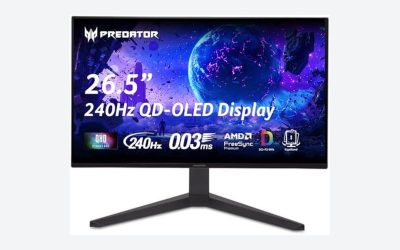
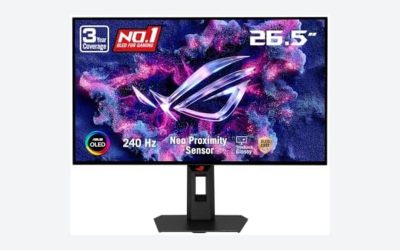
Designing a dedicated home office or multi-purpose entertainment corner in a sunlit room requires balancing interior aesthetics with visual performance. Sun-drenched spaces with floor-to-ceiling windows or light-toned walls make for an inviting atmosphere, but high ambient lighting creates challenges for modern displays. For years, setting up a high-end display meant choosing between the dull contrast of traditional LCD screens and the susceptibility of self-emissive panels to room reflections.
Today, the debate centers on two dominating panel technologies: Quantum Dot OLED (QD-OLED) and White OLED (WOLED). When choosing a qd oled vs woled monitor for daylight room use, the decision comes down to panel construction, anti-glare coatings, and how ambient ambient light interacts with screen surfaces. Selecting the right monitor impacts not only your viewing comfort during peak afternoon sunlight, but also how seamlessly your desk layout blends into your living space.
As an Amazon Associate we earn from qualifying purchases at no extra cost to you.


Our Top Picks
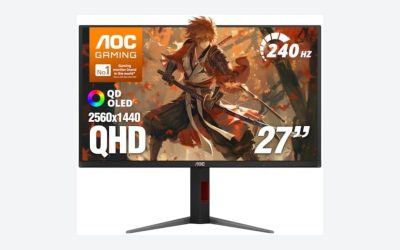
 AOC 27" Gaming Monitor QHD 240Hz QD OLED27" 240Hz AOC Gaming7.5 x 23.99 x 17.89 inches17.7 poundsCheck on Amazon
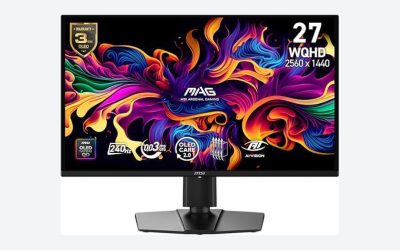
 msi MAG 274QP QD-OLED X24 27-Inch WQHD Gaming14" x 24" x 2.6"23.9 x 9.5 x 16.8 inches20.7 poundsCheck on Amazon
Top 3 picks at a glance
Quick Verdict
For spaces exposed to un-curtained afternoon sun or bright overhead lighting, a WOLED monitor for daylight room setups holds a distinct advantage. WOLED panels typically incorporate effective anti-reflective matte coatings and internal polarizers that preserve deep black levels, preventing the screen from looking washed out when hit by direct ambient light.
Conversely, QD-OLED displays excel in color volume, purity, and peak HDR vibrancy. However, because many QD-OLED panels lack a traditional ambient light polarizer, incoming sunlight can bounce off the quantum dot layer, turning deep blacks into an elevated, purplish-gray tone. If you can manage light levels with sheer curtains or light-filtering shades, QD-OLED remains a visually stunning choice; otherwise, WOLED offers superior contrast maintenance in bright environments.
Side by Side
| Feature | QD-OLED | WOLED |
|---|---|---|
| Visual Comfort (Daylight) | ||
| Durability & Longevity | Excellent pixel health management; average lifespan 5–7 years under typical usage. | Highly durable panel structure with burn-in mitigation features; 5–7 year average lifespan. |
| Price Range | $320 – $1,200+ (accessible entry options like the AOC 27″ Gaming Monitor QHD 240Hz QD OLED NVIDIA G-SYNC Compatible Q27GAZD at around $330). | $450 – $1,300+ (entry-level 27-inch models start slightly higher on average). |
| Maintenance | Requires specialized microfiber cleaning to avoid scratching semi-gloss coatings. | Standard anti-glare matte surface is easier to wipe clean of dust and smudges. |
| Space Needed | Compact footprint; typical 27-inch display dimensions (~24″ x 14″) fit desks 24″ to 30″ deep. | Similar physical profile; 27 to 34-inch panels weigh between 11 lbs and 18 lbs without arm mounts. |
| Look & Finish | Sleek, ultra-thin profiles with vibrant glossy or semi-gloss glass aesthetics. | Professional appearance with textured matte, non-reflective screen surfaces. |
| Resale Value | Strong secondary market demand due to quantum dot color saturation prestige. | Steady resale demand, especially among productivity users seeking glare protection. |
| Best For | Controlled lighting, evening gaming, creative color work, and flexible window layouts. | Brightly lit home offices, open-concept living rooms, and desks positioned facing windows. |
Where Qd Oled Wins
QD-OLED technology pairs a high-energy blue OLED backlight with a layer of quantum dots that convert light into precise red and green wavelengths. This structure eliminates the need for white subpixels, preserving saturation even at peak luminance levels. For home designers and content creators who prioritize visual impact, QD-OLED displays deliver striking color richness that makes artwork, digital media, and video pop off the screen.
Options like the msi MAG 274QP QD-OLED X24 27-Inch WQHD Gaming Monitor, 2560 x 1440 Quantum Dot OLED Panel, 240Hz, 0.03ms, Adaptive-Sync, HDMI2.1, DP 1.4a, Tilt/Height Adjustable, Black (around $350) demonstrate how far this panel architecture has come, delivering lightning-fast response times and color accuracy in an accessible, ergonomic package. Modern QD-OLED displays balance high refresh rates with a thin footprint, allowing them to sit gracefully on minimalist solid wood or floating wall-mounted desks without dominating room space.
When positioned in rooms with ambient side-lighting or adjustable blinds, QD-OLED provides unmatched picture quality. The color volume remains pure across wide viewing angles, making it ideal for shared spaces where family members or guests might view the screen from off-center seating arrangements.
Where Woled Monitor for Daylight Room Wins
Where WOLED panels truly shine in a bright living environment is in their handling of ambient reflections and light absorption. WOLED screens utilize a white subpixel alongside traditional red, green, and blue subpixels, backed by an anti-reflective coating layer. In sun-drenched home offices, incoming natural light hits the display surface and is diffused or absorbed, preventing black levels from rising or shifting color cast.
When comparing a qd oled vs woled monitor for daylight room applications, WOLED maintains its deep, ink-black appearance under strong ambient light. The screen surface resists glare from overhead recessed LEDs, window openings, and wall-mounted light fixtures. This makes WOLED a practical choice for dual-purpose workspaces that cannot accommodate blackout drapes or heavy window treatments.
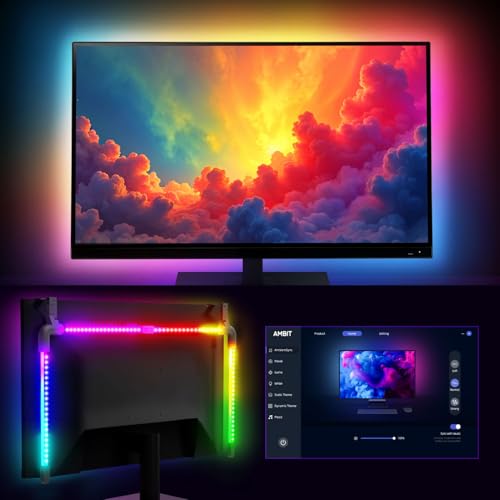
To further enhance visual ergonomics during ambient light transitions—such as early morning sun or dusk—adding subtle backlighting solutions like the Fosmon for PC Computer Monitor Backlight RGB Light Strip for Gaming Room (around $21) helps equalize background illumination. Bias lighting minimizes eye strain by reducing the stark luminance contrast between the monitor screen and the wall behind it.
Cost Over 5 Years
Evaluating the total cost of ownership for high-end monitor technology involves analyzing purchase price, energy draw, and long-term durability. Across a five-year lifecycle, both QD-OLED and WOLED panels operate efficiently, consuming significantly less power than older plasma or early-generation television displays.
- Initial Purchase Price: Premium 27-inch to 34-inch panels range from $320 to $1,200 depending on panel generation, refresh rate, and brand features. Mid-tier QD-OLED models like the AOC 27″ Gaming Monitor QHD Q27GAZD (around $330) provide low entry barriers.
- Electricity Consumption: An OLED panel operating 8 hours daily at average brightness draws between 35 watts and 65 watts. At an average U.S. electricity rate of around $0 per kWh, powering the monitor costs roughly $16 to $30 annually, translating to $80 to $150 over five years.
- Durability and Burn-in Mitigation: Displays manufactured heading into 2026 incorporate active pixel-shifting, static element dimming, and automated panel refresh cycles. These built-in maintenance routines prevent image retention, helping the display retain resale value and operational quality throughout its 5-year expected lifespan.
Which One for Your Home
Small Apartment
In a compact urban apartment where a single room serves as a bedroom, office, and living area, space management is paramount. A 27-inch WOLED monitor with a clean matte coating handles unpredictable light bouncing off nearby light-colored walls and compact window setups. Its non-reflective surface allows you to place your desk near a window without sacrificing viewability during morning work hours.
Family with Kids/Pets
For open-plan family areas where desks are situated in high-traffic zones, screen durability and easy maintenance are vital considerations. WOLED monitors feature resilient anti-glare surfaces that hide dust and handle occasional fingerprints better than semi-glossy QD-OLED panels. Additionally, WOLED’s wide viewing angles ensure kids can watch movies or play games together from different seating positions without color degradation.
Rental
Renters often face constraints on window modifications, making it impossible to install heavy blackout shades or specialized light-blocking blinds. In a sunlit rental room with sheer curtains or standard venetian blinds, a WOLED monitor is the safer bet. It resists ambient washout, ensuring clean text and crisp images regardless of how light enters through non-modifiable windows.
Long-Term Home
Homeowners with full control over light management, smart shade installations, and room layout can unlock the full visual power of QD-OLED. Pairing a high-performance monitor like the msi MAG 274QP QD-OLED X24 (around $350) with customized ambient bias lighting lets you take advantage of quantum dot color accuracy. In a home office equipped with motorized blinds or indirect lighting, QD-OLED delivers an unmatched cinematic experience.
FAQ
Does QD-OLED really turn purple in bright daylight?
Yes, under direct or strong ambient light, many QD-OLED panels display a purplish or dark-gray tint in dark regions of the screen. This occurs because early and current panel designs omit a standard front polarizing layer to maximize brightness and color purity, allowing room light to react with the internal quantum dot layer.
Is a matte or glossy screen better for a brightly lit home office?
A matte screen treatment, commonly found on WOLED displays, is generally better for bright rooms because it diffuses light reflections across the panel surface. Glossy and semi-gloss screens offer sharper contrast in dark rooms but act like mirrors when placed directly opposite open windows or bright lamps.
How much power does an OLED monitor consume daily?
On average, a 27-inch OLED display draws between 35 and 65 watts during normal desktop productivity or gaming. Over an 8-hour workday, this equates to roughly 0.28 to 0.52 kWh, costing only a few cents per day on standard residential utility rates.
Can adding a monitor backlight strip help with daytime eye strain?
Yes, installing a bias lighting strip behind your monitor creates a soft perimeter glow on the wall behind the screen. This reduces the luminance gap between a bright panel and its surrounding environment, easing eye fatigue during high-brightness daytime hours and dark evening sessions alike.