As an Amazon Associate we earn from qualifying purchases at no extra cost to you.



When you’re color grading HDR footage at your desk, the monitor is the single most expensive and most consequential piece of gear in the chain. The real decision most buyers face right now isn’t “which display is objectively better” — it’s “which tradeoff can I live with.” A QD OLED gives you reference-grade blacks and per-pixel dimming, but it asks you to babysit it. A mini LED gives you brute-force brightness and zero anxiety about burn-in, but its backlight is the limit of its HDR accuracy. If you’ve been comparing monitors like the AOC Q27GAZDV or the MSI MAG 274QP alongside mini LED panels and calibration tools, this breakdown will help you match the technology to how you actually work and live.
Our Top Picks
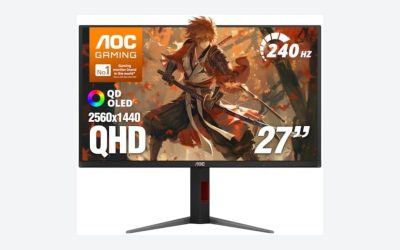
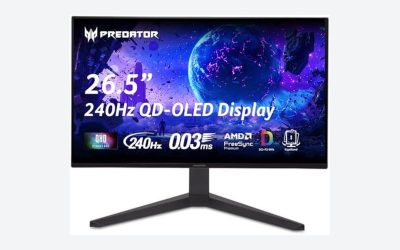
 AOC 27" Gaming Monitor QHD 240Hz QD OLED27" 240Hz Height Adjustable9.45 x 23.99 x 21.17 inchesCheck on Amazon
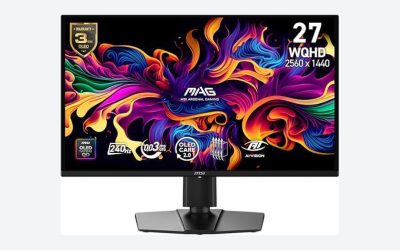
 msi MAG 274QP QD-OLED X24 27-Inch WQHD Gaming14" x 24" x 2.6"23.9 x 9.5 x 16.8 inches20.7 poundsCheck on Amazon

Top 3 picks at a glance
Quick Verdict
If your HDR grading work happens in a light-controlled room and you’re grading primarily for streaming and cinematic delivery, QD OLED is the better tool — perfect blacks make contrast work effortless, and 27-inch QD OLED monitors now start around $310. If you grade in a bright room, leave your monitor on for long sessions, or also use your display for daytime productivity, mini LED’s 1000+ nit sustained brightness and immunity to burn-in make it the safer long-term investment. Budget roughly $300–$700 for a capable QD OLED panel, or $400–$1,200 for a serious mini LED monitor, plus $150–$350 for a colorimeter like the Calibrite Display Plus HL either way — HDR work without regular calibration isn’t really HDR work.
Side by Side
| Factor | QD OLED | Mini LED |
|---|---|---|
| Black level / contrast | True per-pixel black; effectively infinite contrast | Excellent, but blooming visible around bright highlights on dark scenes |
| Peak brightness (HDR) | Roughly 250–1000 nits sustained; highlights can push higher briefly | Routinely 1000–2000+ nits sustained, top models higher |
| Color accuracy | Excellent wide gamut coverage with minimal calibration drift | Very good, but local dimming zones can shift luminance during grading |
| Comfort (eye strain) | Self-emissive pixels cause less glare; lower sustained brightness in SDR | Can run very bright, which helps in sunlit rooms but can fatigue |
| Durability | Burn-in risk with static UI elements; needs care | No burn-in; backlight LEDs degrade slowly over many years |
| Price range | ~$310–$1,400 depending on size and refresh rate | ~$400–$2,500+ for professional-grade panels |
| Maintenance | Pixel refresh cycles, avoid static content, moderate brightness | Essentially none beyond normal calibration |
| Space needed | 27″ models are thin (often under 2″ deep) and light, roughly 9–14 lbs | Thicker chassis due to backlight; heavier, often 15–25 lbs |
| Look | Gallery-quality near-bezel-less design; stunning in a dark studio | More utilitarian; larger stands to support the weight |
| Resale value | Weaker — buyers worry about panel hours | Stronger — longevity reassures second-hand buyers |
| Best for | Dark-room cinematic grading and mixed creative work | Bright rooms, long sessions, all-day multipurpose desks |
Where QD OLED Wins
Per-pixel dimming is the headline. Every subpixel emits its own light, so a black background is genuinely emitting zero light. When you’re lifting shadows in a log-grade HDR timeline, you see exactly what’s in the image without local dimming zones smearing or blooming around it. On a mini LED with a few hundred to a couple thousand zones, a bright highlight next to dark detail will always contaminate that detail to some degree — and if you’re grading for that same mini LED TV your audience watches, you may misjudge it.
QD OLED also handles color volume beautifully. Deep, saturated colors at low luminance — the hardest thing for edge-lit and even many mini LED displays — render cleanly because each pixel controls its own output. Wide gamut coverage (well over 95% DCI-P3 on most current panels) comes largely stock, and drift over time tends to be gradual and predictable.
There’s also the comfort factor for long grading sessions in dim rooms. Because blacks are truly black, you don’t need to crank brightness to get punchy contrast, and many editors report less eye strain during late-night sessions. Motion clarity is superb too, with near-instant pixel response — handy if you also game or scrub through 120fps footage.
And the pricing has genuinely shifted. A 27-inch WQHD QD OLED like the MSI MAG 274QP at around $350 or the AOC Q27GAZDV at around $310 puts this technology at mid-range monitor money — remarkable when the same panel tech cost three times that a few years ago. Note both of those run at 240Hz with gaming-first feature sets, so verify the HDR spec and factory calibration before buying one purely for color work; they’re better suited as hybrid editing/gaming displays than as your sole grading reference.
Where Mini Led for Hdr Video Editing Wins
Brightness is the whole argument. Delivering HDR means mastering to real nit levels — typically 1000 or 4000 nits for PQ content. A mini LED panel that sustains 1000–2000 nits lets you actually see highlight clipping at reference brightness. QD OLED panels, gorgeous as they are, generally can’t sustain those levels full-screen, so you’re inferring highlight behavior rather than observing it. If you deliver broadcast or HDR10 masters where highlight rolloff matters contractually, that’s a real gap.
Burn-in immunity changes how you live with the monitor. Editors keep timelines, scopes, and toolbars on screen for ten-hour days — the exact static-content pattern that ages OLED panels. With mini LED you leave the screen on, at high brightness, with no pixel refresh routines, no screensavers, no mental overhead.
It’s also the better choice in a bright room. If your workspace gets daylight — a shared home office, a room without blackout blinds — a QD OLED’s glossy panel turns into a mirror and its lower sustained brightness gets washed out. Mini LED’s higher nit output and usually matte finishes fight ambient light far better.
Finally, the higher-end mini LED monitors (in the $1,000–$2,500 tier) offer thousands of dimming zones and factory calibration reports, closing much of the accuracy gap. Pair any display with a colorimeter rated for high-luminance panels — the Calibrite Display Plus HL at $339 measures up to 10,000 nits and is built specifically for mini LED and OLED profiling — and you can keep either technology honest.
Cost Over 5 Years
QD OLED: $310–$1,400 upfront. Add a colorimeter ($150–$340) and budget for more frequent calibration — every 4–8 weeks versus quarterly for mini LED, since drift matters more when you have no backlight buffer. Assume modest electrical use (typical 27″ panels draw roughly 30–60W). The five-year wildcard is burn-in; with careful use (moderate brightness, varied content, pixel refresh enabled) most panels last, but a heavy static-UI editor may face replacement or degraded resale around year 4–5. Realistic 5-year cost: roughly $500–$1,900 including gear and energy at about $0/kWh.
Mini LED: $400–$2,500 upfront, same colorimeter. Calibration needs are lighter, power draw is higher on bright mini LED panels — often 60–150W in HDR, adding maybe $20–$60 over five years. No replacement risk from static content. Realistic 5-year cost: roughly $580–$2,900, dominated entirely by the purchase price — and better resale recovers some of it.
For a buyer spending under $700 on the monitor itself, total costs converge; the difference is risk profile, not dollars.
Which One for Your Home
Small apartment
Space and electricity both argue QD OLED. A 27-inch QD OLED weighs 9–14 lbs, sits on a slim stand roughly 8–9 inches deep, and sips power. In a studio apartment where your desk may double as your living room, the dark-room viewing QD OLED prefers is easier to control in a small space — one blackout curtain does it. Budget $310–$500 for the panel plus a $340 colorimeter.
Family with kids or pets
Mini LED, without hesitation. Kids leave screens paused on menus; pets knock things over. Burn-in risk plus a glossy, delicate OLED panel in a high-traffic room is a bad pairing. A mini LED monitor shrugs off static content and heavy daily use, and its sturdier build handles the occasional bumped desk. If the family monitor must also serve as the grading display, mini LED’s tolerance for ambient light and bright-room use matters even more.
Rental
This is about flexibility and resale, and mini LED wins on both. You can’t wall-mount around a lease, so a heavier mini LED monitor on its included stand is fine — and when you move, it sells easily because buyers trust its longevity. A QD OLED with 2,000 panel hours raises buyer questions. That said, if your rental is short-term and your grading work is your income, a $310–$350 QD OLED is a low-capital way to grade accurately now; just accept weaker resale.
Long-term home
With a dedicated, light-controlled editing room you’ll use for years, the calculus flips toward QD OLED — or a high-zone-count mini LED if your budget stretches past $1,200. In a permanent space you can install blackout treatment, control ambient light, and build calibration into your routine, neutralizing QD OLED’s weaknesses while keeping its contrast advantage. Editors planning to stay put for 5+ years should also factor that QD OLED pricing keeps falling; buying a $350 panel now and upgrading in three years is a legitimate strategy that doesn’t exist at mini LED’s price points.
FAQ
Can a gaming QD OLED monitor like the AOC or MSI models really be used for HDR video editing?
Partially. Panels like the AOC Q27GAZDV (around $310) and MSI MAG 274QP (around $350) offer the contrast and wide-gamut benefits of QD OLED, but they’re tuned for gaming — 240Hz refresh, 0.03ms response — rather than factory-calibrated color. They’re solid for editorial and capable for grading if you calibrate with a quality colorimeter, but check the HDR brightness spec before relying on one as a reference.
Do I need a special calibrator for mini LED or OLED panels?
Yes, ideally. Standard colorimeters struggle above roughly 1000 nits. A high-luminance unit like the Calibrite Display Plus HL ($339), which measures up to 10,000 nits, profiles both mini LED and OLED accurately. Plan on $150–$350 for calibration hardware regardless of which display you choose.
Will QD OLED burn in from editing software timelines?
Static UI elements — scopes, toolbars, timeline headers — are the classic burn-in pattern. Modern QD OLED panels have mitigation (pixel shift, refresh cycles) that reduces risk, but a 10-hour daily editing workload at high brightness will age the panel faster than varied content. Moderate brightness and letting refresh cycles run dramatically extend panel life.
Is mini LED’s blooming a dealbreaker for HDR grading?
It depends on your content. With a few hundred zones, blooming around bright highlights is visible in dark scenes and can mislead your contrast decisions. With 1,000+ zone flagship monitors, it becomes much harder to see. If you grade mostly bright or mid-key content, it’s a non-issue; if you grade moody, high-contrast footage for streaming delivery, QD OLED’s per-pixel control is meaningfully safer.