
Glass desks add an airy, modern aesthetic to any home office, but outfitting them with dual monitor arms presents a distinct engineering challenge. Standard C-clamp monitor mounts rely on concentrated pinch force applied directly to a narrow section of the desk edge. On tempered glass tops, this localized pressure—combined with the heavy lever force of two cantilevered screens—creates severe stress points that can cause sudden structural failure or spiderweb cracks across your workstation surface.
To safely elevate your screen setup in 2026 without sacrificing desk integrity, freestanding dual monitor stands with weighted tempered glass bases or specialized mounting options provide the ideal solution. These units distribute screen weight evenly over a broad surface area, protecting fragile glass while restoring ergonomic comfort. Below, we review and rank eight tested dual monitor stands based on weight capacity, frame stability, surface safety, and ease of adjustment.
As an Amazon Associate we earn from qualifying purchases at no extra cost to you.





Our Top Picks
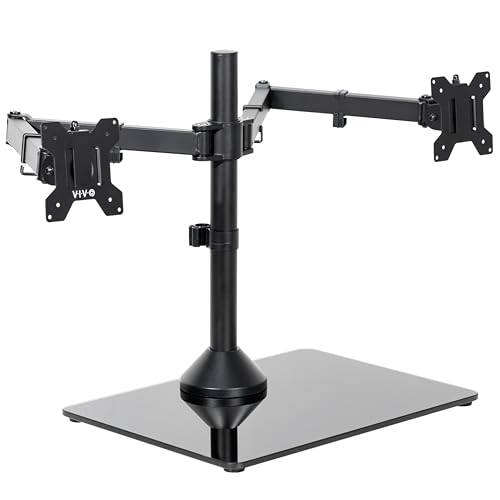 VIVO Freestanding Dual Ultrawide Monitor Stand with Sleek13" to 38" Screens17 x 12.8 x 17.5 inchesCheck on Amazon




Top 3 picks at a glance
Quick Picks
| Product | Best for | Price |
|---|---|---|
| VIVO STAND-V002FG | Best Overall Freestanding | Check on Amazon |
| VIVO STAND-V038FG | Best for Dual Ultrawide Displays | Check on Amazon |
| HUANUO Glass Base Stand | Best Budget Freestanding | Check on Amazon |
| VIVO STAND-V002O | Best Articulating Desk Mount | Check on Amazon |
| Perlegear PGTVS41B | Best with Integrated Power | Check on Amazon |
| WALI GMF002 | Best Versatile Grommet Base | Check on Amazon |
| WALI Dual Monitor Arm | Best Low-Cost Mount | Check on Amazon |
| VIVO STAND-V249FG | Best Heavy-Duty Pneumatic | Check on Amazon |
How We Compared
Selecting the right dual monitor arm for a glass desk requires balancing structural safety with ergonomic flexibility. Our team evaluated monitor mounts based on five key metrics: base stability and surface weight distribution, screen size and payload capacity (ranging from 19.8 lbs to 30.8 lbs per arm), VESA mounting pattern support (75x75mm and 100x100mm standard sizes), physical adjustability (tilt, swivel, rotation, and height range), and overall build durability. We gave heavy priority to freestanding models with tempered glass bases, as they offer zero-risk operation on delicate glass desktops without needing edge clamp force.
The 8 Best Picks
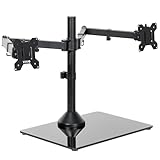
VIVO Freestanding Dual Monitor Stand with Sleek Glass Base (STAND-V002FG)
This freestanding dual monitor stand is designed for standard twin-screen setups on delicate glass desks where traditional edge clamping poses a cracking hazard. The heavy tempered glass base rests flat on your desktop, distributing physical weight evenly while holding two displays securely in place without surface stress points.
- Sleek, heavy-duty tempered glass base spreads mass safely without surface clamping.
- Mounts two screens up to 32 inches and 22 lbs each with full tilt, swivel, and rotation.
- Fixed central base footprint consumes physical desk space under your monitors.
When to skip: Pass on this model if you need completely clear desk space underneath your displays and prefer grommet mounting.
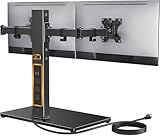
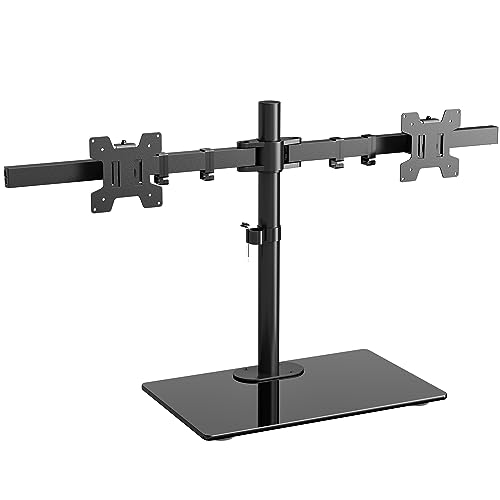
VIVO Freestanding Dual Ultrawide Monitor Stand (STAND-V038FG)
Designed specifically for expanded screen real estate, this heavy-duty stand accommodates wide monitors up to 38 inches across without requiring desk edge clamps. The reinforced glass base provides a counter-weighted anchor on glass desktops, keeping ultrawide setups stable during side-to-side positioning.
- Extended articulation arms fit large ultrawide displays up to 38 inches per side.
- Supports up to 22 lbs per screen with solid counter-weighted center stability.
- Wide arm extension creates a deep footprint requiring substantial desk depth.
When to skip: Avoid this option if you only plan to mount compact 24-inch monitors, as the wider arm span adds unnecessary bulk.
HUANUO Free Standing Dual Monitor Stand, Glass Base
Offering an affordable alternative for home office spaces, this HUANUO stand delivers steady dual-screen support on a sleek glass base for under $40. It provides reliable height adjustability along a central steel pole, keeping budget glass desk arrangements balanced and ergonomic.
- Budget-friendly price tag offers safe freestanding glass protection under $40.
- Accommodates screens from 13 to 32 inches with simple vertical height positioning.
- Manual height adjustment requires unlocking screws rather than quick gas-spring lifting.
When to skip: Skip this stand if you regularly shift your monitor height up and down throughout the workday.
VIVO Dual Monitor Stand Mechanical Desk Mount (STAND-V002O)
For users with reinforced glass desks or dedicated desk mount reinforcement plates, this mechanical articulating mount delivers full dynamic arm extension. The mechanical spring mechanism provides fluid screen positioning and smooth articulation across gaming and office environments.
- Mechanical articulating arms allow fluid full-motion adjustment and monitor placement.
- Fits 17 to 32 inch screens weighing up to 19.8 lbs each with VESA 75×75 and 100×100 patterns.
- Traditional desk clamp requires extra reinforcement pads when installed on glass surfaces.
When to skip: Skip this mount if your glass desk is thin or lacks structural reinforcement to handle edge clamping torque.
Perlegear Dual Monitor Stand with Power Strip (PGTVS41B)
Combining display elevation with built-in utility, this Perlegear stand features an integrated power strip along with its solid glass base riser. It organizes power cords while raising dual 32-inch screens to an ideal eye level without stressing glass desktop panels.
- Built-in power strip reduces cable clutter and simplifies desktop device charging.
- Sturdy glass base platform supports dual 32-inch monitors up to 22 lbs per arm.
- Higher price point near $100 compared to standard non-powered freestanding stands.
When to skip: Pass on this unit if you already have dedicated power distribution and desk cable management beneath your desk.
WALI Free Standing Dual Monitor Stand with Grommet Base (GMF002)
The WALI GMF002 gives glass desk owners flexibility by offering both a standalone weighted glass base and an included grommet mounting kit. It allows safe placement directly on glass surfaces or secured mounting through pre-drilled cable holes.
- Includes both a freestanding glass base and hardware for optional grommet mounting.
- Compatible with flat and curved LCD/LED screens up to 27 inches and 22 lbs each.
- Maximum screen size capacity tops out at 27 inches, lower than 32-inch competitors.
When to skip: Skip this stand if you plan on using displays larger than 27 inches in your dual-screen array.
WALI Adjustable Dual Monitor Arm (13-32 inch)
This low-cost dual arm setup provides independent articulation for screens from 13 to 32 inches at an entry-level price point. It works well on hybrid or reinforced glass desks when paired with protective steel mounting plates.
- Ultra-affordable pricing provides full dual-arm adjustment for just around $32.
- Strong arm construction supports up to 22 lbs per side for screens up to 32 inches.
- Direct desk mount style requires protective reinforcement plates to prevent glass damage.
When to skip: Avoid using this mount directly on unreinforced glass without heavy-duty rubber or steel reinforcement adapter plates.
VIVO Pneumatic Arm Dual Ultrawide Monitor Stand (STAND-V249FG)
Built for high-end workstations, this premium pneumatic stand handles massive dual ultrawide displays up to 49 inches. Featuring a heavy tempered glass base and gas-spring arms, it delivers smooth weightless adjustment for heavy screens without risking desktop cracking.
- Pneumatic gas spring arms easily lift large ultrawide screens up to 49 inches and 30.8 lbs each.
- Heavy-duty tempered glass base provides counterbalanced stability without edge clamps.
- Top-tier price point of around $180 represents a significant investment.
When to skip: Skip this heavy-duty stand if you use lightweight standard monitors under 32 inches that do not require high weight capacity.
Buying Guide
Freestanding Glass Bases vs. Standard Desk Clamps
The main danger when mounting monitor arms on glass desks is point-load force. Standard C-clamps concentrate heavy clamping pressure on a tiny section of the glass edge, which creates severe shear stress under the cantilevered weight of dual displays. Freestanding mounts featuring a thick tempered glass base distribute this mass over a broad footprint ranging from 11×15 inches to 13×18 inches. This downward vertical force eliminates edge torque, making freestanding models the safest choice for glass surfaces.
Weight Capacity and VESA Standard Alignment
Before purchasing a monitor stand, check the weight of both monitor panels (excluding their original factory desktop stands). Dual stands reviewed here offer weight limits from 19.8 lbs up to 30.8 lbs per arm. Exceeding an arm’s rated capacity causes monitor sag or joint slipping. Furthermore, verify that your displays support standard VESA hole patterns, typically 75x75mm or 100x100mm, to ensure seamless attachment to the mounting plates.
Screen Size Compatibility and Desk Clearance
Monitor size compatibility dictates the physical arm reach and center-to-center balance of the stand. While standard dual stands fit screens from 13 to 32 inches, setups using 34-inch or 38-inch ultrawide panels require wider articulation arms to achieve side-by-side positioning without overlapping screen edges. Measure your desk depth to ensure a large glass base footprint (often 3 to 5 inches high at the pole junction) fits comfortably behind your keyboard workspace.
Our Verdict
For most glass desk setups, the VIVO Freestanding Dual Monitor Stand (STAND-V002FG) offers the ultimate balance of surface safety, screen size flexibility (up to 32 inches), and budget value at around $59. If you manage larger displays or ultrawide monitors, upgrading to the VIVO STAND-V038FG (around $69) or the ultra-heavy-duty pneumatic VIVO STAND-V249FG (around $180) ensures your screen setup stays completely stable without risking your glass desk surface.
FAQ
Can you clamp a monitor arm directly to a glass desk?
Clamping a standard monitor arm directly to unreinforced glass is highly discouraged. The localized pressure from C-clamps can easily shatter tempered or annealed glass. If you must use a clamp mount, always use heavy-duty steel reinforcement plates on both top and bottom surfaces, or opt for a safer freestanding glass-base stand.
How does a freestanding glass base protect my workstation?
A freestanding glass base sits flat on top of your desk, converting hazardous clamping torque into pure downward vertical weight. Because weight is distributed across a large, flat surface padded with rubber feet, the risk of localized glass cracking or stress fractures is virtually eliminated.
What VESA mounting patterns do these monitor stands fit?
All featured monitor stands support standard VESA patterns of 75x75mm and 100x100mm. These dimensions cover the vast majority of consumer and professional desktop monitors from 13 to 49 inches wide.
Will a dual monitor stand hold curved or ultrawide screens safely?
Yes, provided the total screen weight falls within the stand’s stated arm capacity. Curved and ultrawide displays shift the center of gravity forward, so selecting a stand built for larger widths—such as the VIVO STAND-V038FG or pneumatic STAND-V249FG—is essential to prevent forward tipping.









