Designing a home office is no longer just about buying a desk and pulling up a spare dining chair. Today, our workspaces are fully integrated into our living environments, meaning the technology we choose must balance peak productivity with home aesthetics. When organizing a workstation, the display setup is the most important decision you will make. It dictates your desk size, your cable management strategy, and how much visual clutter spills over into your room.
The debate between a dual 27 inch vs 49 inch ultrawide setup is the ultimate modern workspace dilemma. On one hand, dual 27-inch monitors offer a familiar, highly customizable layout that segment tasks cleanly. On the other hand, a single 49-inch curved ultrawide brings a futuristic, seamless aesthetic that looks incredibly clean in a modern home. Choosing between them requires looking beyond simple screen size to consider desk depth, weight limits, interior design impact, and how you actually interact with your digital work.
As an Amazon Associate we earn from qualifying purchases at no extra cost to you.


Our Top Picks
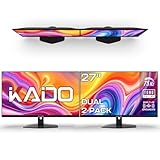
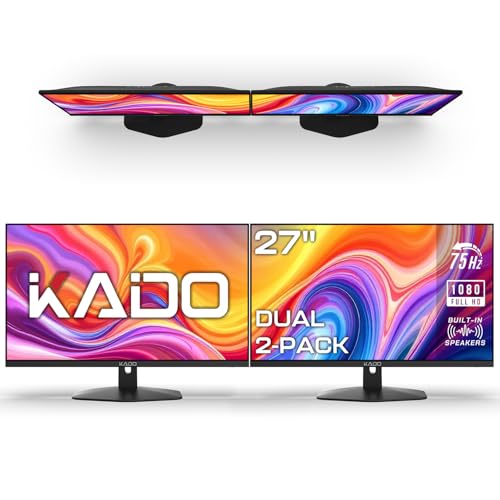 Kado 2-Pack Dual 27" Flat Screen 1920x1080 75Hz27" Flat 2-Pack2.74 x 24.37 x 14.51 inches9.37 poundsCheck on Amazon
 Kado 2-Pack Dual 27" Curved 1500R 1920x1080 75Hz27" Curved 2-Pack2.83 x 24.46 x 14.56 inches11 PoundsCheck on Amazon
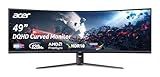
 Acer Nitro 49in DQHD 5120x1440 Curved 120Hz Office22.5 x 45.3 x 15.6 inches20.5 PoundsCheck on Amazon

Top 3 picks at a glance
Quick Verdict
For most dedicated home offices where clean design and minimal cable clutter are the priority, the 49-inch curved ultrawide is the superior choice. It eliminates the central bezel, simplifies your power needs to a single cable, and creates a striking, high-end visual focal point. However, if you require extreme multi-tasking flexibility—such as rotating one screen vertically for reading long documents—or if you are working on a strict budget, a dual 27-inch setup remains the most practical and cost-effective solution.
Side by Side
To help you visualize how these two configurations compare in a home environment, here is a breakdown of their primary differences:
| Feature | Dual 27-Inch Monitors | 49-Inch Ultrawide Monitor |
|---|---|---|
| Visual Comfort | Excellent for distinct app separation; center bezel can cause neck turn. | Immersive and seamless; no central bezel to break up your view. |
| Durability & Setup | Two separate units; if one fails, your system still functions. | Single fragile panel; moving it requires extreme care. |
| Price Range | $130 to $600+ (highly budget-friendly options available). | $500 to $1,500+ (premium investment). |
| Maintenance | More cables to dust and organize; multiple power bricks. | Single power cord and input cable; very easy to keep clean. |
| Space Needed | Requires 48–52 inches of desk width; flexible angling. | Requires 47–48 inches of desk width and substantial desk depth. |
| Aesthetic Look | Can look busy or corporate due to multiple stands and cables. | Sleek, minimalist, and high-tech; ideal for open-concept rooms. |
| Resale Value | Easier to sell individually; high demand for standard 27-inch screens. | Niche market; harder to ship safely to secondary buyers. |
| Best For | Data entry, vertical coding, and multi-source input. | Video editing, immersive gaming, and clean desk enthusiast setups. |
Where Dual 27 Inch Wins
The primary advantage of a dual 27-inch setup is its unmatched flexibility. When you have two physically separate monitors, you can orient them however you see fit. For example, programmers, writers, and editors often choose to mount one screen horizontally for their primary work and the other vertically for reading long documents, slack channels, or code. A 49-inch ultrawide simply cannot be split or rotated vertically in this manner.
Budget is another area where dual screens dominate. You can acquire a highly functional dual-screen setup for a fraction of the cost of a premium ultrawide. Budget-conscious buyers can opt for entry-level packages such as the Kado 2-Pack Dual 27″ Flat Screen 1920×1080 75Hz FHD Computer Monitor (priced at around $140), which provides massive screen real estate for a highly accessible price. If you want a more ergonomic, wrapped view, the Kado 2-Pack Dual 27″ Curved 1500R 1920×1080 75Hz FHD Computer Monitor (around $200) offers curved panels that reduce eye strain at the outer edges without pushing you into the premium price tier.
Additionally, dual monitors offer built-in redundancy. If one monitor experiences a technical failure or accidental damage, you can continue working on the second screen while waiting for a replacement. With a single ultrawide, any panel issue immediately leaves you without a display.
Where 49 Inch Ultrawide Wins
The most compelling argument for the 49-inch ultrawide is the complete absence of a center bezel. When using dual monitors, the plastic frames of the screens meet directly in the center of your field of view. This forces you to either stare directly at a plastic seam or turn your neck to focus on one primary monitor while using the second as an off-center auxiliary display. A 49-inch curved ultrawide provides a continuous, unbroken canvas that matches the natural curvature of the human eye.
For creative professionals working on timeline-based software—such as video editors using Adobe Premiere or audio engineers using Pro Tools—the massive horizontal space of a 49-inch screen is revolutionary. You can view an entire project timeline without constantly zooming in and out. High-performance models like the CRUA 49″ DQHD 165Hz Ultrawide Curved Gaming Monitor, 1500R, FreeSync, Black (around $540) or the office-oriented Acer Nitro 49in DQHD 5120×1440 Curved 120Hz Office Monitor EI491CUR J0 (around $550) offer double quad high-definition (DQHD) resolution, giving you the exact screen real estate of two 1440p monitors side-by-side but with a beautiful, seamless curve.
From an interior design standpoint, the ultrawide is the undisputed winner. It requires only one power cable and one display cable, instantly eliminating the bird’s nest of cords that typically hangs behind a dual-monitor setup. If your desk is positioned in the middle of a room or face-out toward a living space, the clean back panel of a single ultrawide looks significantly more sophisticated and intentional than a cluster of dual screens and mounting arms.
Cost Over 5 Years
When assessing the true cost of ownership over a five-year period, the purchase price of the monitors is only one part of the equation. You must also factor in power consumption, mounting hardware, and potential upgrade paths.
- Power Consumption: Two 27-inch monitors running simultaneously will typically draw between 50 and 80 watts combined, depending on brightness and panel type. A single 49-inch DQHD ultrawide generally draws between 60 and 90 watts. Over five years of daily home office use, the electricity cost difference between the two is negligible, though a single ultrawide is slightly more efficient due to running only one internal scaler and motherboard.
- Mounting Hardware: Standard dual-monitor desk mounts are inexpensive, often costing between $30 and $60. However, a 49-inch ultrawide monitor is heavy—often weighing between 22 and 30 pounds without its stand. To mount a massive screen like the Acer Nitro or CRUA 49-inch models on an arm, you will need a heavy-duty, premium gas-spring mount, which can easily cost between $150 and $300.
- Technology Longevity: Looking forward to 2026 and beyond, display standards are rapidly shifting toward higher resolutions and cleaner workspace integrations. High-resolution DQHD ultrawides hold their relevance well because they mimic the premium feel of modern luxury workspaces. Conversely, entry-level 1080p dual setups may feel dated sooner, potentially prompting an earlier upgrade.
Which One for Your Home
Small Apartment
In a tight living space, every inch of desk depth matters. A 49-inch curved ultrawide requires a deep desk (at least 30 inches) because the aggressive curve of the screen pushes the center of the display closer to your face. If your desk is shallow, the screen will feel overwhelmingly close. In this scenario, dual 27-inch flat screens are much easier to manage. You can push them flat against a wall on a shallow 24-inch desk, preserving precious floor space in your apartment.
Family with Kids or Pets
If your home office is in a shared space where children play or pets roam, stability is paramount. A 49-inch ultrawide monitor has a very wide footprint and a high center of gravity, making it vulnerable to tipping if bumped. Its large, exposed, curved panel is also a prime target for stray toys. A dual 27-inch setup mounted to a heavy-duty desk clamp is significantly more stable, less fragile, and much cheaper to repair or replace if a household accident occurs.
Rental
If you move frequently between rental properties, portability is a major factor. Packing and transporting a 49-inch curved monitor is incredibly stressful; the panels are prone to flexing and cracking during transit if not packed in their original, massive boxes. Dual 27-inch monitors are far more durable, fit easily into standard moving boxes, and are light enough to carry without assistance.
Long-Term Home
If you have a dedicated, permanent home office, the 49-inch ultrawide is the ultimate choice. It allows you to build a clean, minimalist, high-end desk setup that elevates the entire room’s decor. Mounted on a premium desk arm over a beautiful wood standing desk, a large curved screen becomes a clean piece of functional art that makes sitting down to work a genuine pleasure.
FAQ
Can you split a 49-inch ultrawide to act like two separate monitors?
Yes. Most modern 49-inch ultrawide monitors feature Picture-by-Picture (PBP) technology. This allows you to plug in two separate cable inputs—even from two different computers—and display them side-by-side on the single screen, functioning exactly like two 27-inch monitors without the center bezel.
Do I need a special graphics card to run a 49-inch DQHD monitor?
Yes, running a DQHD resolution (5120×1440) requires a modern graphics card with sufficient video memory. While standard office laptops can usually drive this resolution for basic productivity tasks at 60Hz, you will need a mid-to-high-range dedicated graphics card to take full advantage of high-refresh-rate gaming on these displays.
Is a curved screen necessary for dual 27-inch monitors?
While flat 27-inch screens are excellent for general tasks, curving them helps maintain consistent viewing angles at the outer edges. At 27 inches, flat panels are perfectly usable, but if you angle your dual monitors inward, curved panels provide a more natural, wrap-around feel that reduces eye fatigue during long work sessions.
How wide must my desk be to support these setups?
For both setups, you should have a desk that is at least 48 inches wide. A 49-inch ultrawide is physically about 47 inches wide, meaning it will sit edge-to-edge on a 4-foot desk. Dual 27-inch monitors, when angled slightly inward, require roughly 48 to 50 inches of physical width.