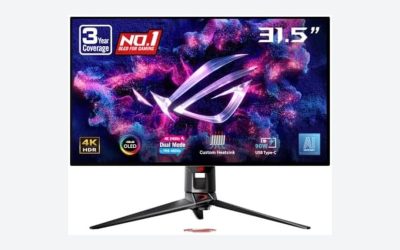
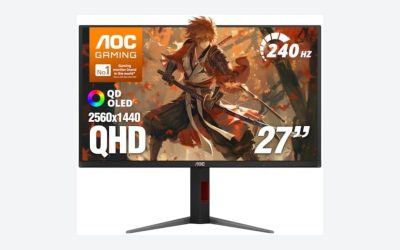
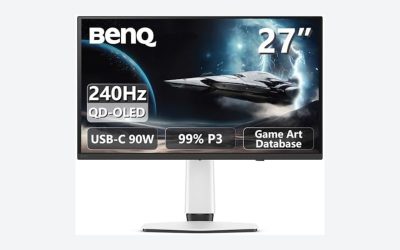
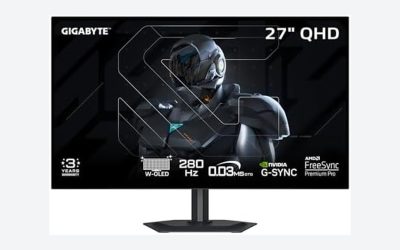
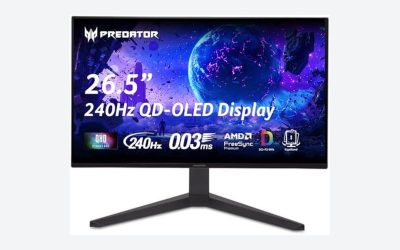
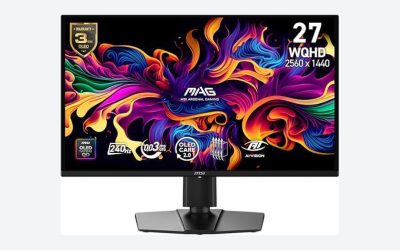
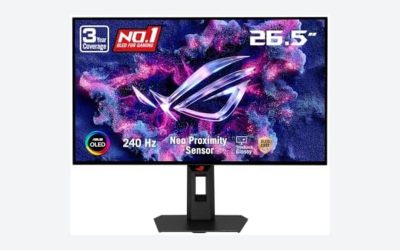
Choosing between mini LED and OLED for photo editing is less about chasing the “best” screen technology and more about matching a display to the way you live and work. An OLED can make finished images look strikingly lifelike, with inky blacks and excellent contrast in a dim studio or bedroom office. A mini LED display is usually the steadier choice for long editing days, bright rooms, shared family spaces, and anyone who leaves Lightroom, Photoshop, or tool palettes open for hours at a time.
The real decision is whether you prioritize absolute black levels and a sleek premium look, or brightness, durability, and flexibility. For many home editors, a well-calibrated mini LED monitor is the more practical daily workspace. For photographers who edit in controlled light and want to judge shadow detail and contrast with exceptional precision, OLED can be deeply rewarding.
As an Amazon Associate we earn from qualifying purchases at no extra cost to you.




Our Top Picks
 AOC 27 Inch Gaming Monitor QHD 180Hz Mini-LED27" 180Hz Mini-LED10.19 x 23.82 x 20.94 Inches15.6 poundsCheck on Amazon
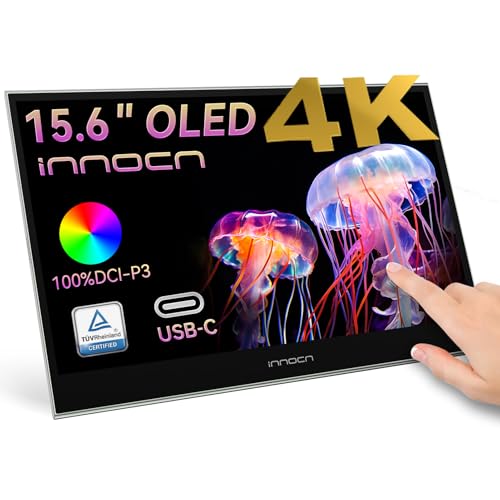 INNOCN 15.6" Portable Monitor OLED Touch Second Screen15.6''0.26 x 14.1 x 9.17 inchesCheck on Amazon

Top 3 picks at a glance
Quick Verdict
For most households, mini LED is the safer all-around choice for photo editing. It delivers high brightness, strong HDR performance, and less concern about static-interface wear from editing software. It also works well in rooms with windows, overhead lighting, kids, pets, and multiple uses throughout the day.
OLED is the better pick when image depth, black-level detail, wide viewing angles, and a refined visual experience matter most. It is especially appealing for a dedicated editing nook used in moderate or low ambient light. The tradeoff is that OLED needs a little more care: hide static panels when possible, use screen-saving features, and avoid treating it as a nonstop dashboard display.
If your budget is under $300, mini LED offers more practical options, such as the 27-inch AOC Q27G3XMN QHD mini LED monitor at about $230. At the same time, portable OLED is becoming attainable: the 15.6-inch INNOCN PU15 Pre C6 OLED touch monitor is around $280 and can be useful as a travel or second-screen editing display. For a larger, multipurpose home screen, the 55-inch Samsung M70H Series mini LED smart TV is listed at around $300, though a TV of that size is best viewed from several feet away rather than used as a traditional desk monitor.
Side by Side
| Factor | Mini LED | OLED |
|---|---|---|
| Comfort for long editing sessions | Excellent in bright rooms; high brightness can reduce window glare. | Excellent in controlled lighting; lower perceived glare in dark rooms. |
| Durability | Generally better suited to static menus, timelines, and toolbars. | Requires more care with persistent static elements and very long sessions. |
| Typical price range | About $200 to $1,500+ for 27- to 32-inch monitors. | About $280 to $2,000+ for portable, desktop, and premium creator displays. |
| Maintenance | Basic dusting, calibration, and sensible brightness settings. | Basic cleaning plus pixel-care features, screen sleep settings, and panel awareness. |
| Space needed | Commonly 27 to 32 inches wide; 32-inch models need roughly a 40-inch-wide desk. | Available from 15.6-inch portable screens to 42-inch-plus desk displays. |
| Look in the room | Usually a conventional monitor profile, though premium models can be slim. | Often exceptionally thin with a polished, high-end appearance. |
| Resale appeal | Broad appeal for office, gaming, and household use. | Strong appeal when well cared for, but buyers may ask about panel condition. |
| Bright-room performance | Usually the stronger option for sunlit offices and multipurpose rooms. | Best when reflections and direct window light are controlled. |
| Best for | Daily editing, shared spaces, HDR work, and value-focused buyers. | Dedicated creative spaces, contrast-focused editing, and compact premium setups. |
Where Mini LED Wins
Mini LED is an LCD display with a much denser backlight system than a standard LED monitor. That added backlight control can create bright highlights and stronger contrast than ordinary LCD screens, while retaining the practical benefits of LCD technology. For photo editing, its biggest advantage is usability in a normal home.
If your desk sits near a window, a mini LED monitor gives you more latitude. You can work at a comfortable brightness without closing every blind or waiting until evening. This matters in kitchens, open-plan living rooms, guest rooms, and home offices where the lighting changes throughout the day. It is also helpful when reviewing HDR images or working with bright outdoor photography.
Mini LED is also easier to recommend to editors who keep the same interface visible for long stretches. Lightroom’s side panels, Photoshop’s toolbars, capture software, file browsers, and editing timelines all create static areas on screen. Modern OLED panels include protective measures, but mini LED removes much of the anxiety around leaving those windows open while you take a call, make dinner, or step away from the desk.
Value is another clear advantage. A 27-inch QHD mini LED monitor can fit comfortably on a desk that is 48 inches wide and 24 inches deep, while remaining affordable enough to leave room in the budget for a calibration device, external drive, printer, or better desk chair. The AOC Q27G3XMN, at approximately $230, illustrates why mini LED has become appealing to budget-conscious buyers who want strong brightness and HDR capability without moving into premium-display pricing.
For a hybrid household, mini LED scales up well. A large mini LED television can serve as a family screen, presentation display, and occasional photo-viewing surface. The 55-inch Samsung M70H Series, a 2026 model priced around $300, may suit a media room or large studio wall, but it is not a substitute for a close-up desktop monitor. At 55 inches, plan on viewing it from roughly 6 to 8 feet away for comfortable general use.
Where OLED for Photo Editing Wins
OLED’s main strength is pixel-level light control. Each pixel can turn off independently, which produces true black instead of relying on a backlight that must be dimmed behind dark portions of the image. For photographers, that can make night scenes, black-and-white images, moody portraits, and shadow-rich landscapes easier to evaluate with a sense of depth that LCD-based displays struggle to match.
OLED also excels when you are editing from slightly off-center. If you share a desk with a partner, show a proof to a client, or simply shift around in a chair, OLED generally holds color and contrast more consistently at wider viewing angles. The panel’s slim build can also make a compact home office feel less crowded.
Portable OLED is particularly attractive for photographers who edit across more than one room or work while traveling. A 15.6-inch 4K screen typically takes up about the footprint of a large laptop, weighs roughly 1.5 to 2.5 pounds depending on its stand and case, and can connect over USB-C. The INNOCN 15.6-inch PU15 Pre C6 is one example of a portable OLED second screen marketed with 100% DCI-P3 coverage, 10-bit support, and touch capability. At about $280, it can make sense beside a laptop, though 15.6 inches is better for focused adjustments and reviewing than for an all-day primary workspace.
OLED is at its best in a deliberate editing environment: indirect lighting, a neutral wall behind the monitor, and a desk position away from direct sunlight. Use a dimmable lamp instead of harsh overhead lighting, and consider a monitor hood if reflections are a recurring issue. In that setting, OLED’s contrast can make image review feel closer to looking at a finished print under thoughtful gallery lighting.
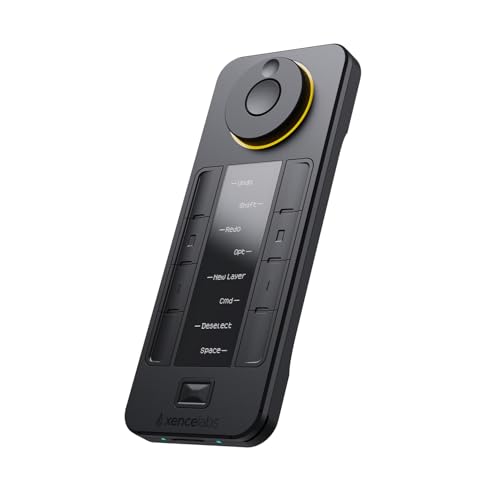
For retouchers, an OLED display pairs naturally with workflow tools that reduce time spent staring at menus. A device such as the Xencelabs Quick Keys, with its OLED display and 44 customizable shortcuts, can keep common brush, zoom, crop, and export commands within reach. It is not essential, but at around $79, it can be a useful ergonomic add-on for frequent photo retouching.
Cost Over 5 Years
The five-year cost is not just the purchase price. Include electricity, accessories, potential replacement risk, and the value of using the display comfortably enough to keep it longer.
A midrange 27-inch mini LED monitor may cost $200 to $700 upfront. Many desktop monitors draw roughly 25 to 80 watts depending on screen size, brightness, and HDR use. If a 50-watt monitor runs 6 hours per day, it uses about 110 kilowatt-hours per year. At an electricity rate of around $0 per kilowatt-hour, that is about $18 annually, or roughly $90 over five years.
An OLED monitor may cost $500 to $1,500 or more, although portable models can start below $300. Its power use varies significantly with image content because dark scenes can require less power than bright white editing interfaces. Over five years, the electricity difference between comparable displays is usually modest compared with the initial price. The more meaningful financial consideration is how you use it. If an OLED is exposed to static content for many hours every day and you later feel compelled to replace it early, the ownership cost rises quickly.
Budget another $100 to $300 for a hardware calibration tool if color-critical work is part of your income or print workflow. Both mini LED and OLED benefit from calibration. Also expect to replace cables or a monitor arm eventually; a solid VESA arm generally costs $40 to $150 and can free up valuable desk space.
Which One for Your Home
Small apartment
Choose OLED if you need a visually elegant, compact setup and edit mostly at night or in a room where you can control light. A 15.6-inch portable OLED works well with a 13- to 16-inch laptop on a desk as narrow as 36 inches. Choose mini LED instead if your apartment’s main work area is bright during the day. A 27-inch mini LED monitor is usually the better balance of screen area, price, and daily resilience.
Family with kids or pets
Mini LED is the practical choice. Shared spaces bring fingerprints, changing light, accidental pauses in workflow, and long periods where editing software remains open. Select a 27- or 32-inch monitor with an adjustable stand or mount it on an arm so it can sit farther back from curious hands and tails. Keep the screen at least 20 to 30 inches from your eyes for a typical desktop setup.
Rental
Renters should favor flexibility. A 27-inch mini LED monitor on a freestanding stand is easy to move and works in almost any room. If you do not have a dedicated desk, a portable OLED second screen can be easier to pack away in a drawer or carry between rooms. Avoid wall-mounting a large television for editing unless your lease allows it and you truly have the viewing distance.
Long-term home
For a dedicated, light-controlled creative office, OLED is a compelling long-term luxury. Build the room around it with window treatments, adjustable task lighting, and disciplined sleep settings. For a home office that will evolve with work, school, gaming, and family needs, mini LED is the more adaptable investment. It is bright, robust, and easier to hand down or repurpose later.
FAQ
Is mini LED or OLED more accurate for photo editing?
Either can be accurate when it has appropriate color coverage, good calibration controls, and is calibrated for your workflow. OLED has an advantage in black levels and viewing angles. Mini LED often has an advantage in sustained brightness and bright-room use. Do not choose based on panel type alone; check resolution, color-space support, connectivity, and calibration options.
Can I use an OLED TV as a photo-editing monitor?
Yes, but it works best from a deeper desk or with a large viewing distance. A 42-inch screen can be manageable on a 30-inch-deep desk, while a 55-inch TV is generally more comfortable several feet away. Make sure the TV supports a suitable computer input mode and use sensible static-image precautions.
Will mini LED blooming affect photo editing?
It can. Blooming is a faint halo effect around bright objects against dark backgrounds, caused by backlight zones rather than individual pixel control. You may notice it most in high-contrast images, dark editing interfaces, or HDR content. For most daylight and general photo work, it is not a deal-breaker, but OLED remains stronger for judging very dark scenes.
Do I need a 4K display for photo editing?
Not always. A 27-inch QHD display is a practical, sharp option for many home editors and is often easier on the budget. A 27- to 32-inch 4K display provides more room for full-resolution previews and editing panels. Prioritize screen quality, calibration, and a comfortable workspace before paying extra for resolution alone.