
A 256GB flash drive occupies an awkward middle ground in portable storage. It is large enough to carry full-resolution video files, game modding packs, or a complete operating system installer, yet it is often priced close to drives that offer dramatically better sustained write performance. The buyers who feel this trade-off most are students shuttling coursework between machines, IT professionals imaging hardware on the go, and creators exporting 4K footage to a laptop or gaming rig that lacks spare NVMe slots.
What separates a worthwhile drive from a mediocre one is not headline read speed—almost every USB 3.0 or 3.2 Gen 1 model clears that bar—but how quickly it finishes writing a large file without thermal throttling, whether the connector housing survives repeated insertion in a shallow laptop port, and whether the price per unit stays competitive when you need more than one. The eight drives below were compared on published interface specifications, manufacturer-listed transfer rates, real price points, and aggregated owner feedback to surface which models handle these concerns best in 2026.
As an Amazon Associate we earn from qualifying purchases at no extra cost to you. Product prices and availability are accurate as of the date shown and are subject to change.




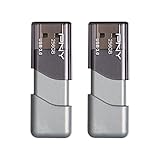
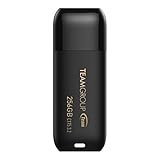
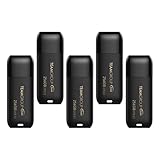

Top 3 picks at a glance
Quick Picks
| Product | Best for | Price |
|---|---|---|
| PNY Attaché X USB 3.2 Gen 1 | Best overall single-drive value | $29.99 |
| PNY Turbo Attaché 3 USB 3.0 3-Pack | IT teams and classroom deployment | $69.99 |
| SANDISK Ultra USB 3.0 | Brand-name reliability for daily carry | $41.98 |
| Lexar D40E Dual USB 3.2 Gen 1 Type-C | Modern laptops and tablets with USB-C only | $49.99 |
| PNY Turbo Attaché 3 USB 3.0 2-Pack | Redundant backup without buying twice | $49.99 |
| TEAMGROUP C175 USB 3.2 Gen 1 | Tightest budget for a single 256GB drive | $24.99 |
| TEAMGROUP C175 5-Pack USB 3.2 Gen 1 | Large-scale fleet or event setup | $124.99 |
| PNY Turbo Attaché 3 USB 3.0 single | No-frills backup for older hardware | $27.99 |
How We Picked
We narrowed this list using four criteria: published interface generation (USB 3.0 versus 3.2 Gen 1), manufacturer-listed or owner-reported read speeds, connector compatibility with current hardware, and effective price per gigabyte when multipacks are considered. Durability of the housing and the presence or absence of a lanyard hole also informed placement, since owners in review forums consistently flag cheap plastic shells as the first thing to crack on pocket-carry drives.
The 8 Best 256Gb Flash Drive in 2026
PNY 256GB Attaché X USB 3.2 Gen 1
This drive targets anyone who wants a straightforward, modern-interface thumb drive without paying a brand premium. Its USB 3.2 Gen 1 controller places it a step above the USB 3.0 models in the same price bracket, and the compact metal housing earns praise from owners who carry it loosely in a jeans pocket. The capless design eliminates the risk of losing a protective cover, though it does expose the connector to dust. For file transfers under ten gigabytes, write performance holds steady; pushing larger volumes can cause the drive to dip in speed as thermal limits approach.
- Pro: USB 3.2 Gen 1 interface at a sub-$30 price.
- Pro: Metal housing resists pocket carry wear.
- Con: Write speed throttles on sustained large-file transfers.
Skip this one if your workflow involves repeatedly copying folders over twenty gigabytes, where a drive with a faster NAND configuration would finish sooner.
PNY 256GB Turbo Attaché 3 USB 3.0 3-Pack
Buying three identical drives from a single pack cuts the per-unit cost well below the standalone price of comparable models. This 3-pack suits IT support staff who need bootable media on multiple machines simultaneously, or teachers distributing project files across several student stations. The Turbo Attaché 3 line uses the USB 3.0 interface, which is slightly older than 3.2 Gen 1 but still delivers read speeds that feel instantaneous for typical office workloads. Owners report the plastic housing flexes more than the Attaché X line, making it a drive better kept in a padded sleeve than a jacket pocket.
- Pro: Per-unit cost drops meaningfully with the three-pack bundle.
- Pro: Consistent performance across drives for parallel file distribution.
- Con: Plastic shell lacks the rigidity of metal-housed alternatives.
Skip this if a single drive suffices and you would rather spend the savings on a model with faster sustained writes.
SANDISK 256GB Ultra USB 3.0
Sandisk’s Ultra line remains one of the most recognizable names in flash storage, and this black-cased 256GB model appeals to buyers who want a drive they can grab without researching compatibility or firmware quirks. Published read performance lands at the upper end of USB 3.0 drives, and owners consistently report that the compact form factor clears adjacent ports on desktop motherboards. The write speed, however, trails the PNY Attaché X when transferring folders with many small files, and the price reflects brand positioning rather than a spec-sheet advantage.
- Pro: High brand recognition and broad warranty support.
- Pro: Short housing fits tightly packed rear-panel ports.
- Con: Noticeably slower on mixed small-file write operations.
Skip this if you prioritize cost per gigabyte over a familiar logo, since functionally similar drives appear for less.
Lexar D40E 256GB Dual USB 3.2 Gen 1 Type-C
The dual-connector design—a standard USB-A plug on one end and a USB-C plug on the other—makes this drive the obvious choice for anyone moving files between a USB-C-only ultrabook and an older desktop or gaming rig. The champagne silver housing feels solid in hand, and the USB 3.2 Gen 1 protocol ensures competitive read throughput on both connector types. The trade-off is size: the swivel mechanism adds bulk that can block adjacent ports on compact laptops, and the dual connector means the drive is wider than single-endpoint competitors.
- Pro: Works with USB-A and USB-C devices without an adapter.
- Pro: USB 3.2 Gen 1 interface on both connectors.
- Con: Swivel body blocks neighboring ports on tight laptop layouts.
Skip this if your machines all use USB-A and you prefer the slimmest possible profile.
PNY 256GB Turbo Attaché 3 USB 3.0 2-Pack
A two-drive pack at this price delivers the same core benefit as the three-pack—lower per-unit cost—while keeping the total outlay modest enough for personal use. This option fits someone who wants a primary and a mirror copy of critical project files, or a student who needs one drive for a desktop and another for a dorm laptop. Performance matches the other Turbo Attaché 3 units: adequate USB 3.0 reads, reliable daily-task writes, and the same plastic-housing durability concern that owners flag across the line.
- Pro: Per-unit price undercuts most single-pack competitors.
- Pro: Two identical drives simplify backup and portability workflows.
- Con: Plastic casing flexes under pressure.
Skip this if you already own a compatible drive and only need one replacement.
TEAMGROUP C175 256GB USB 3.2 Gen 1
At just under twenty-five dollars, the TEAMGROUP C175 is the least expensive single 256GB drive on this list that still uses the USB 3.2 Gen 1 interface. The matte black shell is understated and the published read speed of 100MB/s, while not class-leading, clears the threshold most owners consider “fast enough” for document and media transfers. Owner feedback highlights the small, low-profile form factor as a strength and the write speed—unlisted by TEAMGROUP—as a mild question mark for users copying very large single files.
- Pro: Lowest single-unit price with a USB 3.2 Gen 1 controller.
- Pro: Compact, unobtrusive matte finish.
- Con: Manufacturer does not publish write speed, creating uncertainty for write-heavy tasks.
Skip this if you need guaranteed write performance for video editing or large database exports.
TEAMGROUP C175 256GB 5-Pack USB 3.2 Gen 1
Five drives for under $125 works out to roughly twenty-five dollars per unit, matching the single-drive price and making this pack a practical tool for conference organizers, school labs, or small IT departments that need several identical drives at once. The USB 3.2 Gen 1 interface and the same 100MB/s read specification as the C175 single apply here. The primary drawback is identical to the standalone model: no published write-speed figure, so buyers with heavy write workloads should verify through owner reports before committing to a bulk order.
- Pro: Per-unit cost equals the single-drive price for bulk deployment.
- Pro: Uniform USB 3.2 Gen 1 spec across all five units.
- Con: Write speed remains unpublished by the manufacturer.
Skip this if you need fewer than three drives; the single-pack saves cash without sacrificing performance.
PNY 256GB Turbo Attaché 3 USB 3.0 single
The standalone Turbo Attaché 3 at just under twenty-eight dollars remains a sensible choice for buyers whose systems still run USB 3.0 ports and who do not see value in a 3.2 Gen 1 controller. It is compact, reliable for everyday document and media transfers, and backed by PNY’s warranty network. The main limitation relative to the Attaché X on this list is the older interface generation, which caps peak throughput on newer machines that support 3.2 Gen 1.
- Pro: Low price for a reputable-brand single drive.
- Pro: Widely available and backed by established warranty support.
- Con: USB 3.0 interface leaves throughput on the table versus 3.2 Gen 1 models.
Skip this if your hardware supports USB 3.2 Gen 1 and you want every available megabyte per second.
Buying Guide
Interface Generation: USB 3.0 versus 3.2 Gen 1
USB 3.2 Gen 1 is the marketing name for the same five-gigabit-per-second protocol that older drives labeled “USB 3.1 Gen 1” or “USB 3.0.” In practice, a well-implemented USB 3.0 drive and a USB 3.2 Gen 1 drive deliver comparable throughput. The real differentiator is NAND quality and controller firmware, which determine whether read speeds stay near 100MB/s or climb higher. Do not pay a premium solely for the newer label if the write performance is identical.
Connector Type and Physical Compatibility
USB-C has become standard on new ultrabooks, tablets, and many gaming laptop rear panels. If your workflow crosses between USB-A desktops and USB-C laptops, a dual-connector drive like the Lexar D40E eliminates adapter hassle. For purely USB-A environments, a single-connector drive is smaller, cheaper, and less likely to block adjacent ports. Measure clearance on your specific laptop model before assuming a compact drive will not interfere with a neighboring port.
Multipack Math: Per-Unit Cost and Use Case
A three-pack or five-pack makes sense when you need multiple drives simultaneously—booting several machines, distributing files at an event, or maintaining a mirrored backup. For personal use where one drive suffices, the single-unit price is what matters, and the cheapest single drive here delivers the same interface spec as the pricier multipack contents. Calculate per-unit cost rather than sticker price when comparing, and avoid buying a multipack only if you have a concrete use for each unit.
Our Verdict
The PNY 256GB Attaché X is the top pick for most buyers: USB 3.2 Gen 1, a durable metal housing, and a price under thirty dollars. The TEAMGROUP C175 single drive is the budget pick, undercutting every other option while retaining the same interface generation. If your laptop or tablet has shifted entirely to USB-C and you refuse to carry adapters, the Lexar D40E dual-connector wins despite its higher price.
FAQ
Is 256GB enough for a flash drive?
256GB handles several hours of 1080p video, a full Windows installation image, thousands of documents, or a moderate Steam library of smaller titles. For 4K video editing or large game installs, a 512GB or 1TB drive reduces the number of copy sessions, but 256GB remains the sweet spot for everyday portability and price.
Do USB 3.2 Gen 1 drives work in older USB 2.0 ports?
Yes. USB 3.2 Gen 1 drives are backward compatible with USB 2.0 ports, but throughput drops to USB 2.0 limits, typically around 30MB/s or less. If you are still running machines with only USB 2.0, the speed advantage of a newer drive is lost until you upgrade the host port.
What write speed is acceptable for a 256GB flash drive?
Owner feedback and published specs suggest that any drive sustaining at least 50MB/s on writes will feel responsive for typical daily tasks like moving documents, photos, or game saves. Write-heavy workloads such as exporting rendered video benefit from drives that hold 100MB/s or higher, but the cheapest options on this list do not always publish write figures.
Should I buy a multipack or individual drives?
A multipack is worth it when you need two or more drives at the same time and the per-unit savings are real, as with the PNY Turbo Attaché 3 packs. If you are replacing a single lost drive or adding one more to a bag of mismatched devices, the cheapest standalone option delivers the same performance without over-buying.


