
Designing a home office or multi-purpose entertainment corner often comes down to balancing aesthetic integration, desk real estate, and visual performance. When choosing a display that can double as a daytime workhorse and an evening entertainment hub, display technology plays a pivotal role. The debate between a mini led vs traditional edge lit local dimming monitor represents a critical juncture for home buyers. You are choosing between established edge-lit architectures—prized for their sleek physical footprints and budget-friendly pricing—and full-array Mini-LED backlighting, which brings cinema-grade contrast, high peak brightness, and deep black levels to your desktop.
Every ambient light factor in your room matters. A sunny home office with south-facing windows demands backlight intensity that standard screens struggle to deliver. Meanwhile, a minimal floating desk setup requires careful consideration of panel depth, weight, heat generation, and power draw. Deciding between a mini led vs traditional edge lit local dimming monitor requires looking past raw display specifications to understand how these technologies fit into your daily life, your room layout, and your long-term interior investment.
As an Amazon Associate we earn from qualifying purchases at no extra cost to you.



Our Top Picks
 AOC 27 Inch Gaming Monitor QHD 180Hz Mini-LED27" 180Hz Mini-LED10.19 x 23.82 x 20.94 Inches15.6 poundsCheck on Amazon


Top 3 picks at a glance
Quick Verdict
If your priority is image quality, high dynamic range (HDR) immersion, and fighting daytime glare in bright rooms, a Mini-LED monitor is the clear winner. By utilizing thousands of miniature diodes grouped into hundreds or thousands of full-array dimming zones, Mini-LED panels deliver deep contrast without washing out shadows, making them ideal for creative work, media consumption, and high-end gaming.
However, if you operate on a strict budget, perform mostly basic text editing or spreadsheet tasks in controlled lighting, and prefer an ultra-slim monitor profile with minimal power draw and lower heat output, a traditional edge-lit local dimming monitor remains a practical, cost-effective choice. While its local dimming is far less precise—often resulting in visible vertical banding or backlight bleed—it gets the job done for everyday productivity at a lower entry price.
Side by Side
To help you visualize how these two display architectures compare across real-world home usage factors, here is a direct technical and aesthetic comparison:
| Feature Category | Mini-LED Local Dimming Monitor | Traditional Edge-Lit Local Dimming Monitor |
|---|---|---|
| Visual Comfort & Contrast | Exceptional contrast (up to 1,000,000:1 dynamic); 500–1,400+ nits brightness; minimal haloing. | Moderate contrast (1,000:1 to 3,000:1 static); 250–400 nits; visible zone banding in dark scenes. |
| Durability & Lifespan | High durability; direct-lit arrays dissipate heat across the back chassis evenly. | Good durability; edge LEDs concentrate heat along lower or side bezels over time. |
| Price Range | $230 – $800+ depending on resolution and refresh rate. | $120 – $250 for standard productivity models. |
| Maintenance & Heat | Generates mild to moderate warmth (35W–90W draw); requires clean airflow around rear vents. | Runs cool (20W–40W draw); minimal rear ventilation needed. |
| Space Needed & Weight | Slightly thicker panel profile (1.8–2.8 inches depth); weight ranges from 11 to 22 lbs. | Ultra-slim panel profile (0.7–1.4 inches depth); lightweight (7 to 13 lbs). |
| Look & Aesthetic Integration | Substantial, modern, high-tech aesthetic; pairs well with heavy-duty monitor arms. | Sleek, minimalist profile; fits thin-depth desks and minimalist wall mounts effortlessly. |
| Resale Value | Strong retention due to modern HDR standard adoption. | Lower retention; edge-lit local dimming is increasingly phased out in premium tiers. |
| Best For | Bright rooms, HDR streaming, photo/video editing, gaming, and dual-purpose living setups. | Dedicated office work, text writing, spreadsheet tasks, low-budget home desk setups. |
Where Mini Led Wins
The primary advantage of Mini-LED lies in backlighting precision. Traditional screens rely on a handful of light-emitting diodes mounted along the outer frame of the display, firing light inward across a diffuser plate. Mini-LED replaces this setup with thousands of microscopic LEDs placed directly behind the LCD layer. This full-array local dimming (FALD) structure divides the screen into hundreds—sometimes thousands—of individually controlled zones.
This architectural shift solves the biggest issue facing home displays: glare and washed-out visuals in brightly lit spaces. A top-tier Mini-LED panel easily reaches peak brightness levels between 1,000 and 1,400 nits. If your home desk sits directly adjacent to unfiltered natural sunlight, a Mini-LED display cuts through reflections without turning dark scenes into muddy gray blocks.
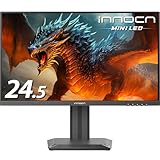
Color accuracy and dynamic range are equally impressive. Whether you are reviewing high-resolution media or streaming 4K content, blacks remain pitch dark while bright objects—like a sunburst or streetlamp—shine without blooming across the entire screen. For gamers seeking rapid response times alongside stunning visual fidelity, compact monitors like the INNOCN 24.5″ 2K QHD 2560x1440P 240Hz Mini LED Gaming Monitor, Black, 25M2S (around $300) show how far this backlight tech has come in delivering ultra-fast refresh rates alongside true local dimming depth.
For mid-sized dual-purpose desks, options such as the AOC 27 Inch Gaming Monitor QHD 180Hz Mini-LED HDR1000, Q27G3XMN (around $230) deliver high-end HDR color coverage at an accessible price point. When upgrading to top-tier desk setups requiring native 4K sharpness, the msi MPG 274URDFW E16M 27-inch 3840 x 2160 (UHD) Gaming Monitor, 320Hz, AMD FreeSync Premium Pro, NVIDIA G-SYNC Compatible, HDR Ready, HDMI, VGA Port, VESA, Tilt, 0.5ms, White (around $490) demonstrates how Mini-LED backlighting pairs with premium white chassis aesthetics for clean home decor integration.
Where Traditional Edge Lit Local Dimming Monitor Wins
While Mini-LED dominates in visual metrics, traditional edge-lit local dimming monitors retain distinct functional advantages in home environments where space, aesthetics, and simplicity dictate choices.
First and foremost is physical profile. Because edge-lit panels house their LEDs exclusively along the perimeter, the display housing can be constructed remarkably thin—often under an inch in depth. For compact home desks, shallow floating shelves, or minimalist wall setups, an edge-lit display sits flush against the wall and takes up virtually no desktop depth. They are also significantly lighter (frequently under 10 pounds for a 27-inch model), allowing you to use slim, budget-friendly mounting arms that do not require heavy desk clamps.
Thermal performance and power consumption are second major strengths. Mini-LED monitors drive hundreds of backlight zones simultaneously, drawing 60 to 90 watts during high-brightness HDR playback. Edge-lit monitors generally operate between 20 and 40 watts. This lower power draw produces minimal thermal output—a distinct benefit if you work in a tiny nook, an enclosed closet office, or a non-air-conditioned room during summer months.
Finally, there is cost efficiency. If your daily work consists primarily of word processing, web browsing, data entry, or video conferencing, local dimming is largely unnecessary. In SDR (Standard Dynamic Range) workflows, an edge-lit display provides bright, uniform light across text documents at a fraction of the price of a Mini-LED display.
Cost Over 5 Years
To evaluate the true value of a mini led vs traditional edge lit local dimming monitor for your home, consider total ownership costs over a typical 5-year operational lifecycle:
- Upfront Purchase Price: An entry-level edge-lit monitor costs roughly $130 to $220. A quality Mini-LED monitor ranges from $230 to $500+. The initial cost gap is roughly $100 to $280.
- Electricity Consumption: Assuming an average usage of 8 hours per day at an electricity rate of around $0 per kWh:
- Edge-Lit Monitor (30W average): Consumes ~87.6 kWh per year (around $14/year). 5-year power cost = .
- Mini-LED Monitor (65W average across SDR/HDR usage): Consumes ~189.8 kWh per year (around $30/year). 5-year power cost = .
- Functional Longevity & Resale Value: Mini-LED backlights distribute heat evenly across a wide rear panel board, minimizing localized thermal stress on individual diodes. Furthermore, as modern operating systems and streaming services standardize on HDR output, Mini-LED displays maintain significantly higher secondary market value. An edge-lit monitor purchased today will feel visually outdated sooner, whereas a Mini-LED model easily retains utility over a 5-year span.
For versatile home hubs that blur the line between a high-end desktop monitor and an entertainment display, hybrid solutions like the Samsung 55-Inch Class M70H Series, Mini LED, 4K, Smart TV, 2026 Model (around $300) highlight how Mini-LED technology delivers incredible long-term value by serving double duty as a workstation screen and an ambient living room smart TV.
Which One for Your Home
Small Apartment or Bedroom Office
In tight living quarters where your desk shares space with a bed or living room sofa, physical dimensions matter. If desktop depth is less than 20 inches, a lightweight edge-lit monitor keeps your work surface open. However, if your desk sits directly next to a bright window, a 24.5-inch to 27-inch Mini-LED display gives you the high brightness needed to overcome glare without requiring massive desk space.
Family Home or High-Traffic Multi-Use Space
For shared family spaces where a single display handles remote work, homework, evening movie watching, and console gaming, Mini-LED is the clear choice. Its wide viewing angles, robust contrast, and intense brightness ensure high visual quality whether someone is sitting directly centered for work or watching from an angle on a nearby couch.
Rental or Flexible Layout
If you move frequently or change room layouts often, weight, power needs, and mounting flexibility are primary considerations. Edge-lit monitors are simple to transport, lightweight enough for fast temporary mounting, and place negligible demand on electrical circuits. They offer an easy plug-and-play setup for temporary work spaces.
Long-Term Home Upgrade
If you are building a permanent, high-end home office or custom studio desk, invest in a Mini-LED monitor. Its superior color precision, dense dimming zones, and future-proof HDR capabilities guarantee your display remains visually impressive for years to come, seamlessly matching modern interior aesthetics.
FAQ
Does a Mini-LED monitor produce visible blooming or halos around text?
While early full-array local dimming displays suffered from haloing (a faint glow around white objects on dark backgrounds), modern Mini-LED monitors feature hundreds to thousands of individual zones controlled by fast microprocessors. This fine spatial control reduces blooming to imperceptible levels during typical work and view conditions.
Can I turn off local dimming on a Mini-LED monitor for everyday office work?
Yes. Virtually all Mini-LED monitors allow you to disable local dimming directly through the On-Screen Display (OSD) menu. Disabling local dimming sets the backlight to a uniform SDR level, ideal for writing, coding, and spreadsheet tasks, while reducing overall power draw and heat.
Why are edge-lit local dimming monitors less effective for HDR content?
Edge-lit screens use a small number of vertical or horizontal light zones (often only 8 to 32 zones). When a bright object appears in the center of a dark scene, the monitor must illuminate an entire vertical column from top to bottom, causing noticeable light bars that lower overall contrast ratio.
Do Mini-LED monitors require special desk mounts or monitor arms?
Not necessarily, but you should check weight ratings. Because Mini-LED displays include a dense array of diodes and internal heatsinks, they typically weigh 2 to 6 pounds more than equivalent edge-lit models. Standard VESA mounts (75x75mm or 100x100mm) work fine, but ensure your monitor arm supports at least 15 to 20 pounds for stability.









