
Creating a beautiful, cohesive home workspace requires balancing aesthetic design with technical utility. Whether you are curating interior mood boards, proofing digital prints for gallery walls, or editing high-resolution photos in your home studio, screen color accuracy directly impacts your final creative results. When setting up a color-managed workspace, the central decision comes down to choosing a colorimeter vs spectrophotometer for monitor calibration. Both devices hang over your display to align brightness, white point, and color reproduction, but they operate on distinctly different optical technologies, price points, and physical footprints.
Understanding how these two calibration instruments perform in a residential office environment—where space is at a premium, lighting conditions fluctuate throughout the day, and long-term durability matters—will help you invest in the right tool for your creative workflow.
As an Amazon Associate we earn from qualifying purchases at no extra cost to you.


Our Top Picks
 Calibrite ColorChecker Studio Spectrophotometer for Complete Color Management5 x 4 x 2 inches0.9 poundsCheck on Amazon


Top 3 picks at a glance
Quick Verdict
For roughly 90% of home office setups, a colorimeter provides the ideal balance of speed, compact size, and value. It measures red, green, and blue light through optical filters, calibrating standard LED, IPS, and basic wide-gamut monitors in under two minutes with virtually zero learning curve.
A spectrophotometer is the definitive choice for professional home design studios, fine art printmakers, and colorists who work across multiple media types. By measuring the full visible light spectrum wavelength by wavelength, a spectrophotometer accurately calibrates specialized display backlights (such as Mini-LED, Quantum Dot, and OLED) and allows you to create custom ICC profiles for home printers, fine art paper stock, and physical materials.
Side by Side
| Feature / Metric | Colorimeter | Spectrophotometer |
|---|---|---|
| Price Range | $70 – $300 | $550 – $2,200+ |
| Physical Footprint | Ultra-compact (~2.8″ x 1.4″ x 1.4″, ~2.5 oz) | Substantial (~7.5″ x 2.6″ x 2.8″, ~1.1 lbs) |
| Setup & Calibration Speed | Fast (approx. 1 to 3 minutes) | Moderate to slow (approx. 5 to 15 minutes) |
| Measurement Method | RGB tri-stimulus optical filters | Full spectral band (wavelength diffraction grid) |
| Paper & Print Profiling | No (emitted display light only) | Yes (measures emitted and reflected light) |
| Sensor Aging / Longevity | Filter materials can degrade over 5–8 years | Optics do not degrade over time |
| Power Consumption | Low (USB 5V, under 0.5W) | Moderate (USB 5V, up to 2.5W) |
| Resale Value Retention | Moderate (40%–50% after 3 years) | High (65%–75% after 3 years) |
| Best For | Everyday photo editing, home offices, web design | Fine art printing, multi-media design, OLED profiling |
Where Colorimeter Wins
The colorimeter remains the undisputed champion of practical home workspace efficiency. Built around a set of red, green, and blue optical filters overlaid on photo-diodes, a colorimeter mimics the way the human eye perceives light. This straightforward architecture allows manufacturers to build lightweight, highly portable devices that tuck effortlessly into a shallow desk drawer or tech pouch.
Key advantages of choosing a colorimeter for monitor calibration include:
- Speed and Simplicity: Most modern colorimeters complete a full screen calibration and generate a custom display profile in 60 to 180 seconds. The software handles target luminance and white point selection automatically, making it ideal for non-technical users.
- Low Desk Footprint: Measuring under 3 inches long and weighing less than 3 ounces, a colorimeter adds zero clutter to an aesthetic home workspace setup. It hangs unobtrusively over the top bezel of your monitor using a counterweighted USB cable.
- Low Energy Draw: Operating on standard 5V USB power draws less than 100mA (0.5W), allowing it to run effortlessly through unpowered USB hubs or laptop docking stations.
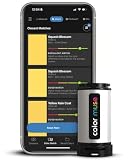
- Budget Accessibility: High-performing monitor colorimeters cost between $150 and $300. For casual interior palette scanning, entry-level color matching tools like the COLOR MUSE Colorimeter (around $69) or the rugged Nix Mini 3 Color Sensor Colorimeter ($129) demonstrate how accessible color-sensing technology has become for everyday design projects.
Where Spectrophotometer for Monitor Calibration Wins
While a colorimeter uses optical filters tailored to specific display technologies, a spectrophotometer operates by splitting light into narrow spectral bands across the visible spectrum (typically 380nm to 730nm). Instead of measuring color based on three fixed channels, it analyzes the precise spectral distribution curve of the light source.
This fundamentally higher level of precision gives the spectrophotometer clear advantages in specialized home studio scenarios:
- Backlight Agnostic Calibration: Modern displays rely on complex backlight chemistries, including Mini-LED arrays, Quantum Dot layers, and self-emissive OLED panels. Because a spectrophotometer reads direct spectral wavelengths, it calibrates emerging display technologies without requiring factory-installed spectral matrix offset files.
- Complete Print-to-Screen Matching: A spectrophotometer measures both emitted light (from monitors) and reflected light (from physical objects). Mid-range instruments like the Calibrite ColorChecker Studio Spectrophotometer ($569) allow you to calibrate displays, digital projectors, and build custom ICC paper profiles for home inkjet photo printers.
- Extreme Brightness Handling: Professional-grade hardware like the X-Rite i1Pro 3 Spectrophotometer ($2075) handles ultra-bright HDR displays up to 5000 nits without sensor saturation, making it indispensable for high-end video mastering and broadcast production environments.
- Permanent Sensor Stability: Spectrophotometer optical diffraction gratings do not suffer from the atmospheric moisture absorption or UV breakdown that can gradually alter organic colorimeter filters over many years of exposure.
Cost Over 5 Years
Evaluating the financial impact of a colorimeter vs spectrophotometer for monitor calibration requires looking past the initial retail price and considering long-term ownership costs.
A quality display colorimeter costs approximately $180 upfront. Because internal optical filters can slowly shift in baseline accuracy over a 5-to-7-year period when exposed to ambient humidity and room temperature swings, most home professionals refresh their colorimeter every 5 years. Assuming zero software subscription fees, the total cost over 5 years sits at approximately $180 to $250 (or roughly $36–$50 per year).
A professional spectrophotometer requires an upfront investment of $569 (for studio-tier models) to over $2,000 (for broadcast-tier devices). However, because its internal optics do not degrade over time, a spectrophotometer maintains pinpoint accuracy for a decade or longer. When factoring in high secondary-market resale value, a 5-year ownership calculation for a model like the Calibrite Studio equates to roughly $569 upfront with a retained asset value of ~$350, bringing the net 5-year cost down to roughly $219 (or ~$44 per year).
Which One for Your Home
Small Apartment / Compact Workspace
If your home office double-duties as a living room corner or dining table nook, space and clutter management are paramount. A compact colorimeter takes up minimal room in a desk organizer, requires zero calibration tiles or external cradles, and plugs directly into a laptop dongle. Its 2-minute routine lets you calibrate quickly before packing your gear away.
Family Home with Kids or Pets
In high-traffic shared living spaces, sensitive optical gear can get knocked off desks or bumped by pets. Colorimeters feature robust, solid-state internal assemblies with minimal glass components. For home decorators scanning room trim or wall paint alongside digital editing, portable color sensors such as the Nix Mini 3 Color Sensor Colorimeter offer IPX4 splash and dust resistance, making them durable enough to handle everyday domestic environments.
Rental Property / Flexible Home Office
Renters who frequently adjust their home layout or shift desks to maximize natural window light need a tool that handles changing ambient lighting conditions effortlessly. A colorimeter with built-in ambient light monitoring continuously measures shifting daylight entering through windows and adjusts your screen’s perceived brightness profiles accordingly.
Long-Term Home / Dedicated Design Studio
For creative professionals who have invested in a dedicated home studio with wide-gamut monitors, fine-art printing equipment, and custom lighting, a spectrophotometer is the ideal central calibration engine. In 2026, as home displays continue incorporating advanced QD-OLED and high-density Mini-LED backlights, owning a spectral-level device like the Calibrite ColorChecker Studio or X-Rite i1Pro 3 ensures your physical prints precisely mirror what you view on screen, preventing wasted ink, expensive paper re-runs, and client revisions.
FAQ
1. Can I use a display colorimeter to scan physical objects like wall paint and fabric?
Standard monitor colorimeters are designed strictly to measure light emitted from active displays and cannot measure reflective physical surfaces. If you need to match wall paint, furniture upholstery, or physical swatches to digital palettes, you will need a specialized surface color sensor (such as the COLOR MUSE Colorimeter) or a full-spectrum spectrophotometer capable of reflective profiling.
2. Do colorimeter optical filters degrade over time in a home office?
Older colorimeters utilizing gelatin-based optical filters were susceptible to humidity and thermal degradation over 3 to 5 years. Modern mid-to-high-end colorimeters utilize glass-sealed, inorganic filters that resist atmospheric aging significantly better, though professional studios still replace them every 5 to 7 years to guarantee absolute precision.
3. Why are spectrophotometers so much more expensive than colorimeters?
Spectrophotometers contain complex precision optics, including internal light sources, holographic diffraction gratings, and linear sensor arrays that separate light into precise individual nanometer wavelengths. Manufacturing these miniaturized optical assemblies requires tight tolerances and individual factory calibration, resulting in higher production costs.
4. How often should I calibrate my home workspace display?
For standard graphic design, interior photo editing, and general content creation, calibrating your display once every 2 to 4 weeks is sufficient. Modern LED-backlit displays are highly stable, but subtle shifts in graphics card drivers, operating system updates, and aging display backlights make regular calibration essential for consistent visual accuracy.









