
The best TV wall mounts are a fixed mount for a slim, centered installation, a tilting mount for TVs above eye level, and a full-motion mount when you need to aim the screen around a room; the correct choice also depends on VESA pattern, TV weight, wall construction, and the clearance behind the display.
As an Amazon Associate we earn from qualifying purchases at no extra cost to you.


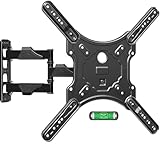
Our Top Picks
 Mounting Dream Full Motion TV Wall Mount forFor 32" to 70" TVs, 16" Studs11.16 poundsCheck on Amazon



Top 3 picks at a glance
Quick comparison: which mount type fits your TV?
| Situation | Best mount type | Useful specifications to target | Why it fits |
|---|---|---|---|
| 32–55-inch TV, eye-level viewing | Low-profile fixed | At least 1.5× the TV weight rating; VESA up to 400 × 400 mm | Lowest cost and smallest wall gap, with no unnecessary moving parts |
| 55–85-inch TV above a fireplace or high console | Tilt mount | 10–15 degrees of downward tilt; 2.5 inches or more of vertical adjustment | Reduces neck strain and ceiling-light reflections |
| TV viewed from a sofa and dining area | Full-motion arm | 15–25 degrees of swivel per side; extension of at least 16 inches | Lets you point the screen toward different seats |
| 75–100-inch TV on a wide wall | Heavy-duty fixed or long-arm full-motion | Weight rating above 100 pounds where required; VESA up to 800 × 600 mm | Provides adequate structural margin and supports large mounting patterns |
| TV over a mantel with a limited vertical opening | Pull-down mount | Enough downward travel to bring the screen near eye level | A normal tilt mount changes the angle but does not lower the TV |
How to choose the best TV wall mounts
1. Check VESA compatibility before comparing features
VESA is the horizontal-by-vertical spacing, in millimeters, between the threaded mounting holes on the back of the TV. Common patterns include 200 × 200, 300 × 300, 400 × 200, 400 × 400, 600 × 400, and 800 × 600 mm. A mount advertised as “up to 400 × 400” cannot safely accommodate an 800 × 600 TV, even if its weight rating is high enough.
Find the pattern in the TV manual or measure from the center of one hole to the center of the next. Do not measure the outside edges of the hole group. Also verify that the mount includes the correct screw diameter and length. Many TVs use M6 or M8 hardware, but the required length varies with the TV’s recessed mounting area and any spacers.
For unusually large patterns, recessed holes, or a TV with a protruding rear enclosure, choose a mount with wide vertical and horizontal rails rather than a compact universal bracket. A mount that technically fits but leaves its rails touching the TV housing can damage the set or prevent it from sitting flat.
2. Treat the weight rating as a limit, not a target
Use the TV’s weight without its stand, then leave a meaningful margin. A practical calculation is:
Required mount rating = TV weight × 1.5
For example, if a 75-inch TV weighs 72 pounds without its feet, choose a mount rated for at least 108 pounds. For a full-motion mount, a margin closer to 2× is sensible when the TV will frequently be extended from the wall, because the arm creates leverage on the wall plate and fasteners.
Do not add the mount’s own weight to the TV weight when checking the manufacturer’s TV capacity unless the manufacturer specifically instructs you to do so. The more important issue is whether the wall and fasteners can carry the combined load.
Best TV wall mounts by screen size
32–43 inches: compact fixed or tilting mount
Small TVs are usually light enough for a narrow, low-profile bracket. A fixed mount is the cleanest choice for a bedroom, office, or gaming room where the screen is directly in front of the viewer. Choose a tilt mount if the TV is mounted above a desk or dresser.
Look for support for VESA patterns from 75 × 75 through 200 × 200 mm, a rating of at least 50 pounds, and a wall gap of roughly 1–2 inches. Full-motion hardware is useful only if the TV sits in a corner or must be viewed from a nearby bed. On a small screen, a thick arm can be more visible and less stable than a simple bracket.
50–65 inches: tilt for height, full motion for flexibility
This is the most versatile size range. A Sanus VLT6-B1-style advanced tilt mount is a strong fit for a living-room TV mounted above normal seated eye level. Its category offers controlled downward tilt, lateral adjustment after installation, and enough separation from the wall to route cables.
Choose a fixed mount when the center of the screen will be close to eye level and every seat faces the wall. Choose full motion when the room has an angled sofa, an adjacent dining table, or glare that changes during the day. A full-motion option such as the Sanus BLF328-B1 class is preferable when the TV is heavy and needs smooth, controlled extension rather than a short, stiff arm.
For a 65-inch TV, verify the VESA pattern carefully: many models use 300 × 300 or 400 × 300, while others use 400 × 400. Do not assume that screen size predicts the hole pattern.
70–85 inches: heavy-duty tilt or long-arm full motion
Large TVs magnify small installation errors. A heavy-duty tilt mount is usually the best balance for a wide, flat wall. It keeps the display close to the wall while providing enough downward angle to counter a high mounting position. Look for support for at least 600 × 400 mm and a rating comfortably above the TV’s actual weight.
Use full motion only when you need it. A large screen extended from the wall places substantial torque on the bracket, especially when someone pushes the edge of the TV while changing its angle. A full-motion mount should have a large wall plate, two or more horizontal rails, positive locking hardware, and a stated stud-spacing range that matches your wall.
For an 85-inch TV weighing 100 pounds, a 2× rating target would be 200 pounds for a frequently extended full-motion installation. That does not replace proper structural fastening, but it provides a more appropriate safety margin than choosing a 110-pound mount simply because it technically exceeds the TV weight.
86–100 inches: fixed is safest unless movement is essential
Very large TVs often use VESA patterns of 600 × 400, 800 × 400, or 800 × 600 mm and can weigh well over 100 pounds. A heavy-duty fixed bracket is usually the most stable choice. Select a model whose rails span the TV’s mounting holes without adapters that bend or flex.
If you need to angle a screen this large, consider a short tilt mount rather than full motion. Long articulated arms for extra-large TVs can be expensive—often around $400–$600—and require especially careful anchoring. A professional installation is worth considering when the TV is large, the wall is unfamiliar, or the mount must attach to masonry.
Wall and stud requirements
For drywall over wood studs, fasten the wall plate into two studs whenever the mount design allows it. Locate studs with a stud finder, then confirm their positions with a small pilot hole. The supplied lag bolts must enter the structural wood by the depth specified in the mount manual, not merely the drywall.
Never rely on ordinary drywall anchors for a full-size TV or a moving arm. Hollow-wall anchors may be acceptable only when the mount manufacturer explicitly permits them and the TV is small and lightweight.
For concrete or concrete block, use the correct masonry anchors and drill bit. For brick, avoid placing fasteners in mortar joints unless the installation instructions specifically approve it. Metal-stud walls need a different solution, such as structural blocking, a properly rated mounting board secured to multiple studs, or professional reinforcement. A toggle bolt through one thin metal stud is not an automatic substitute for a structural attachment.
Installation space and cable planning
Measure the entire installation, not just the bracket. A fixed mount with a 1-inch gap may be too tight for a right-angle HDMI connector, a power plug, or a streaming device. Tilt mounts commonly need around 2–4 inches of working space, while full-motion mounts may need 4–25 inches depending on whether the arm is folded or extended.
Leave enough room to reach the release clips and to remove the TV without pulling on cables. If you are routing cables inside the wall, use an in-wall-rated cable or a listed recessed cable-management kit; do not run an ordinary extension cord inside the wall.
For a gaming TV, install HDMI cables with the required bandwidth before mounting. A 4K signal at 120 Hz requires an HDMI 2.1-capable connection and an Ultra High Speed HDMI cable rated for up to 48 Gbps. The mount itself does not improve bandwidth, but an overly tight bend behind the display can loosen a connector or prevent the TV from sitting level.
Adjustment features that matter in daily use
- Post-install leveling: Essential on large TVs because a few millimeters of error are obvious across a wide screen.
- Lateral shift: Lets you center the TV on the wall after the studs force the wall plate slightly off-center.
- Tilt tension adjustment: Prevents a heavy TV from slowly returning to a flat position.
- Swivel range: Check the range with the TV’s width, not just the bracket’s advertised angle. A very wide TV may hit the wall before reaching the stated angle.
- Low-profile depth: Useful for a clean appearance, but do not sacrifice connector clearance.
- Locking and release mechanism: Choose pull straps or accessible release points that can be reached after the TV is mounted.
Recommended decision matrix
| Your priority | Choose | Avoid |
|---|---|---|
| Smallest possible gap | Fixed low-profile mount | Full-motion arm with unused extension |
| TV mounted above eye level | Tilting mount with 10–15 degrees of adjustment | Fixed mount pointed directly at the ceiling |
| Multiple seating positions | Full-motion mount with adequate arm length | Short-arm mount whose TV hits the wall before swiveling |
| Brick or concrete wall | Masonry-rated bracket and anchors | Wood-stud lag bolts or generic drywall anchors |
| Large TV with unusual VESA pattern | Heavy-duty universal mount with wide rails | Compact bracket whose advertised maximum pattern barely matches |
Final buying checklist
- Record the TV’s exact weight without its stand.
- Confirm the VESA pattern and screw size from the TV manual.
- Choose a rating of at least 1.5× the TV weight, or closer to 2× for a frequently extended arm.
- Match the bracket to wood studs, masonry, or a reinforced metal-stud wall.
- Measure connector clearance and the mount’s folded and extended depth.
- Buy tilt or full motion only when the viewing position requires it.
- Plan cable routing before lifting the TV onto the bracket.
For most living rooms, a quality tilt mount is the best all-round answer for a 55–85-inch television. Pick a low-profile fixed bracket for a clean eye-level installation, a full-motion model for genuinely changing viewing positions, and a heavy-duty fixed or tilt mount for very large screens where stability matters more than movement.









