
The best laminators for most homes and classrooms are the Fellowes Saturn 3i 125 or GBC Fusion 3100L, while offices that process large batches should step up to the Fellowes Venus 2 125; choose a cold-capable model if you laminate heat-sensitive photos, labels, or inkjet prints.
As an Amazon Associate we earn from qualifying purchases at no extra cost to you.


Our Top Picks
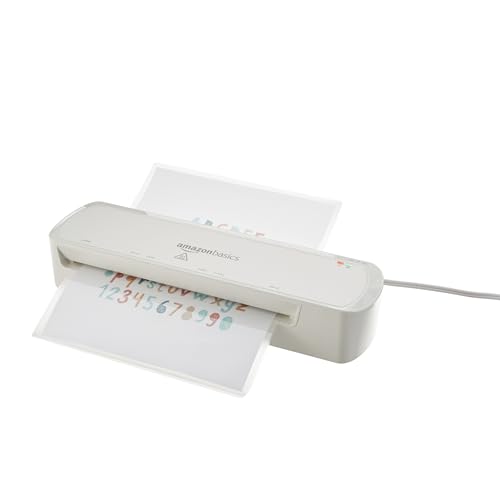 Amazon Basics 9-Inch Thermal Laminator Machine with Quick9-Inch13.94 x 4.41 x 2.64 inches2.47 poundsCheck on Amazon


Top 3 picks at a glance
Best laminators at a glance
| Model | Best for | Warm-up time | Maximum pouch thickness | Cold mode | Jam-release design |
|---|---|---|---|---|---|
| Fellowes Saturn 3i 125 | Home offices and classrooms | About 60 seconds | Up to 5 mil | Yes | Release lever for manual pouch removal |
| GBC Fusion 3100L | Frequent school and small-office use | About 60 seconds | Up to 5 mil | Yes | Reverse or jam-release control |
| Fellowes Venus 2 125 | Fast office batch work | About 30–60 seconds | Up to 10 mil | Yes | Automatic reverse plus manual release controls |
| Fellowes Ion 125 | Occasional home use | About 4 minutes | Up to 5 mil | Yes | Manual release lever |
Warm-up and pouch ratings can vary slightly by production revision and region, so check the manual before buying replacement pouches. The table is most useful as a comparison of each machine’s intended class: compact laminators prioritize simplicity, while office models add speed, stronger rollers, and thicker-pouch support.
Best overall: Fellowes Saturn 3i 125
The Saturn 3i 125 is a strong all-round choice for worksheets, menus, certificates, flash cards, and occasional photos. Its approximately one-minute warm-up is short enough for classroom use without making it unnecessarily expensive or bulky. It accepts pouches up to 12.5 inches wide, covering letter-size documents and many smaller teaching materials.
The practical advantage is its balance of features. It supports both hot and cold laminating, has an automatic shutoff for safer unattended periods, and includes a release mechanism that helps remove a misfed pouch before it hardens around the rollers. Its 5-mil limit is suitable for most paper documents, although it is not the right choice when you need rigid 10-mil signage or ID-card stock.
Best for classrooms and small offices: GBC Fusion 3100L
The GBC Fusion 3100L is suited to users who laminate repeatedly throughout the week. It warms in roughly one minute and is designed for common letter- and legal-size pouches up to 5 mil. A reverse or jam-release control is particularly useful in classrooms, where a pouch may enter crookedly while someone is working quickly between lessons.
Choose it over a basic home laminator when several people will use the machine. The simpler controls reduce setup errors: select the pouch thickness, wait for the ready indicator, and feed the sealed edge first. It handles worksheets and visual aids well, but you should leave a cooling gap between large batches if the manual recommends one.
Best for thick pouches and office batches: Fellowes Venus 2 125
The Venus 2 125 is the better choice when durability matters more than a compact footprint. It supports pouches up to 10 mil, giving documents a stiffer, more protective finish than 3- or 5-mil film. That is useful for frequently handled reference cards, signs, restaurant menus, and classroom manipulatives.
Its fast warm-up and automatic reverse functions make it better for batches than an entry-level machine. The trade-off is cost and size: it usually occupies more desk space and commonly costs more than compact 5-mil models. For a home user laminating a few pages each month, that extra capacity may never be used.
Best for occasional home use: Fellowes Ion 125
The Fellowes Ion 125 is a reasonable home option for calendars, craft projects, school projects, and small document batches. It accepts pouches up to 12.5 inches wide and supports hot and cold operation. Its longer warm-up, around four minutes, matters less when you only laminate a few sheets at a time.
Because it is intended for lighter use, it is most appealing when low cost and uncomplicated controls matter more than speed. Keep a release tool or lever accessible, feed pouches carefully, and avoid treating it like a production machine.
Hot versus cold laminating: which mode should you use?
Use hot mode for ordinary paper
Hot laminating uses heat-activated adhesive inside the pouch. It is the default for printer paper, worksheets, schedules, flash cards, and most cardstock. The heat bonds the film tightly and usually produces the clearest, most durable seal.
Allow fresh ink to dry before laminating. A practical rule is to wait at least 15 minutes for normal office printing and longer for dense inkjet images. Moisture or uncured ink can cause cloudiness, smearing, bubbles, or weak adhesion.
Use cold mode for heat-sensitive materials
Cold pouches use pressure-sensitive adhesive rather than heat. Select this mode for thermal paper, heat-sensitive labels, some ultrasound or specialty prints, materials with wax or crayon, and documents whose inks may react badly to heat. Cold mode is also useful when you cannot confirm that a photo or printed surface is heat-safe.
Cold laminating usually requires more careful alignment because the adhesive begins bonding as the pouch enters. Feed slowly, keep the document centered, and do not attempt to pull the pouch backward unless the machine specifically permits it.
How to choose pouch thickness
- 3 mil: Flexible protection for temporary notices, worksheets, and pages that need to be folded.
- 5 mil: The best general-purpose choice for menus, classroom cards, certificates, and frequently handled documents.
- 7–10 mil: A noticeably stiffer finish for signs, reference cards, badges, and items that must survive heavy handling.
Thickness is measured for one side of the pouch, not the combined finished thickness. A 5-mil pouch has approximately 10 mil of film around the document, excluding the paper. Do not put a 10-mil pouch into a laminator rated only for 5 mil: the rollers may not reach the required temperature and pressure, increasing the risk of a cloudy seal or jam.
Decision matrix: match the laminator to the job
| Your situation | Recommended class | Why | Priority feature |
|---|---|---|---|
| Five or fewer pages per month | Compact 5-mil laminator | Lower cost and smaller storage footprint | Simple controls and cold mode |
| Weekly worksheets and teaching aids | Fast 5-mil laminator | Short warm-up reduces waiting between lessons | Jam release and automatic shutoff |
| Daily office batches | Heavy-duty 5- or 10-mil model | Better throughput and stronger finished documents | Automatic reverse and fast warm-up |
| Photos or uncertain printed surfaces | Hot/cold model | Cold mode avoids exposing sensitive media to heat | Reliable cold-feed control |
| Menus, signs, and reusable cards | 10-mil-capable model | Thicker film resists bending and edge wear | 10-mil pouch support and wide entry |
Worked example: estimating batch time
Suppose a classroom needs to laminate 30 letter-size worksheets with a machine that warms in 60 seconds and processes one page in about 45 seconds. The approximate active time is:
60 seconds warm-up + (30 × 45 seconds) = 1,410 seconds, or about 23.5 minutes.
That estimate excludes loading, trimming, and pauses. A model that cuts processing to 30 seconds per page would reduce the active estimate to 16 minutes, saving about 7.5 minutes per 30-page batch. This is why warm-up time matters less than feed speed when you laminate large quantities.
Preventing and clearing pouch jams
- Use the correct pouch thickness. An oversized pouch rating is a common cause of incomplete sealing and resistance.
- Keep the document away from the pouch edges. Center it with an even border, leaving approximately 3–5 mm of sealed film on every side.
- Feed the sealed edge first. The folded edge keeps the pouch aligned and prevents the loose film layers from separating inside the rollers.
- Do not force a stalled pouch. Press reverse or the jam-release button specified by the manufacturer. Pulling aggressively can stretch the film or damage the rollers.
- Let the machine cool before opening it. Hot adhesive can remain soft and may smear onto internal parts.
If a finished page has bubbles, first check whether the document was damp or the pouch was too thick for the selected setting. If only one corner is open, the document may have been positioned too close to the edge. If repeated pages emerge cloudy, confirm that the laminator reached ready temperature and that the pouch’s sealed edge entered first.
Frequently asked questions
Can I laminate legal-size documents with these machines?
Yes, the Fellowes Saturn 3i 125 accepts pouches up to 12.5 inches wide, and the GBC Fusion 3100L is designed for common letter- and legal-size pouches up to 5 mil. Before laminating, select the appropriate pouch thickness, wait for the ready indicator, and feed the sealed edge first.
How long should printed documents dry before laminating?
Allow fresh ink to dry before laminating, waiting at least 15 minutes for normal office printing and longer for dense inkjet images. Moisture or uncured ink can cause cloudiness, smearing, bubbles, or weak adhesion. This precaution is especially useful when laminating worksheets, photos, schedules, or other printed materials.
Which laminator is suitable for laminating 10-mil pouches?
The Fellowes Venus 2 125 is the model described as supporting pouches up to 10 mil. That thicker film creates a stiffer, more protective finish for frequently handled reference cards, signs, restaurant menus, and classroom manipulatives. Do not use a 10-mil pouch in a laminator rated only for 5 mil.
What should I do if a pouch stops moving inside the laminator?
Do not force a stalled pouch or pull it aggressively. Press the reverse or jam-release control specified by the manufacturer, then let the machine cool before opening it because hot adhesive may remain soft. Release mechanisms vary, including automatic reverse, a manual release lever, or a manual pouch-removal control.
How much sealed film should remain around a document?
Leave approximately 3–5 mm of sealed film on every side by keeping the document centered and away from the pouch edges. Feed the sealed edge first because the folded edge helps keep the pouch aligned and prevents loose film layers from separating inside the rollers. Incorrect positioning can leave a corner open.
Bottom line
Buy the Fellowes Saturn 3i 125 for the best balance of warm-up speed, safety, hot/cold flexibility, and everyday 5-mil performance. Choose the GBC Fusion 3100L for a busy classroom or small office, the Fellowes Venus 2 125 for thick 10-mil materials and larger batches, and the Fellowes Ion 125 when occasional home laminating is the priority. The most important match is not the brand: it is choosing a machine whose maximum pouch thickness, release design, and operating modes fit the documents you actually protect.









