The best Black Friday RGB lighting deals are almost always on 5-metre RGBIC strip kits at roughly $25–$60, because a single strip delivers the most lit wall area per dollar and fits nearly any desk. Panels — usually $100–$250 per kit — only earn their price if you want a feature wall, and smart color bulbs at $12–$30 each are the cheapest way to wash an entire room in one colour. The practical answer for most gaming setups is two of the three: a strip behind the desk, bulbs for the rest of the room, and panels only if you have a blank wall to fill.
As an Amazon Associate we earn from qualifying purchases at no extra cost to you.

Our Top Picks
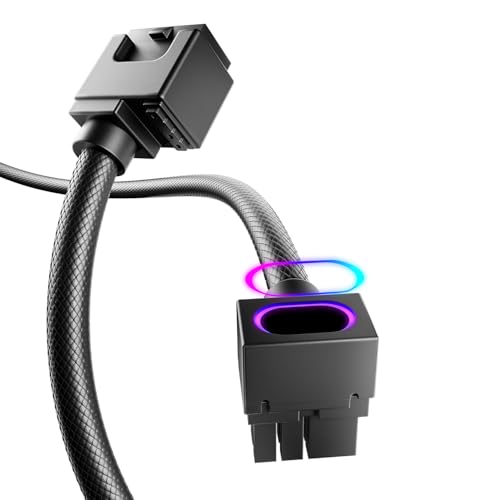 AsiaHorse Hydrus-8PIN GPU PSU Extension Cable ARGB LightFor GPU 8pin-TYPE B(11.8in/30cm)Check on Amazon


Top 3 picks at a glance
Quick comparison: which RGB kit type to buy
| Pick | Best for | Key specs | Black Friday price range |
|---|---|---|---|
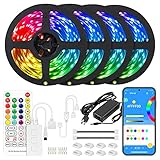
| RGBIC strip kit (Govee RGBIC class, 5 m) | Best overall — desk and monitor backlight | 12 V / 2 A, 60 LEDs per metre, addressable zones, app + music sync | usually $25–$60 |
| Smart colour bulbs (Philips Hue White & Color, WiZ, Kasa class) | Best for whole-room fill | E26/E27, 800–1100 lumens, 16M colours plus tunable white, Wi-Fi or Zigbee | usually $12–$30 each; 4-packs $40–$90 |
| Hexagon / line panels (Nanoleaf Shapes, Nanoleaf Lines, Govee Glide class) | Best for a feature wall | 9–15 panels, roughly 100–200 lumens per panel, per-panel colour, Thread or Wi-Fi | usually $100–$250 per kit |
| Screen-sync bars and gradient strips (Philips Hue Play, Corsair iCUE LS100 class) | Best for reactive game lighting | Hue Bridge + Hue Sync desktop app, or software screen capture; ~500 lumens per Play bar | bars usually $130–$200 a pair; gradient strip $180–$250 |
Best overall: RGBIC strip kits
An addressable RGBIC strip is the default recommendation because it solves the two things that make cheap RGB look bad — flat single-colour output and visible dotting. “RGBIC” means the strip is divided into individually controllable segments, so a 5 m run can show a gradient, chase effects, or react to audio instead of glowing one solid colour. Per Govee’s published spec sheets, its M-series strips run at 60 LEDs per metre on 12 V, which is the density you want for wall-washing.
Who it suits: anyone lighting a single desk, monitor or shelf. A 5 m strip covers a 160 cm desk plus one side wall, and most kits include a 12 V adapter, an inline controller and a phone app with music-reactive modes.
Main trade-off: adhesive quality. The included tape is pressure-sensitive and lifts off textured or freshly painted walls within weeks. Budget for mounting clips or an aluminium diffuser channel — a few dollars that also hides the dot pattern at close range.
Best for whole-room fill: smart colour bulbs
Bulbs are the most underrated part of an RGB setup. Strips are local: they light the wall behind them and not much else. A pair of 800–1100 lumen bulbs in the room’s ceiling fixture or a floor lamp raises the entire room’s ambient colour, which is what makes a strip read as part of a scheme rather than a floating glow. Philips Hue White & Color, WiZ and Kasa all sit in the same general band, with Hue using Zigbee via a Bridge and the other two connecting directly over Wi-Fi.
Who it suits: bedrooms and small gaming rooms under about 12 m², and anyone who wants the lights to also work as normal white lighting for study or work.
Main trade-off: price per lumen. You are paying for wireless control and colour accuracy, not raw brightness. Four bulbs cost roughly what a good strip kit does and light far less wall area — but they light the whole room rather than one surface.
Best for a feature wall: hexagon and line panels
Panels are decor first and lighting second. Nanoleaf Shapes and Lines and the Govee Glide range are typically 100–200 lumens per panel, so a 15-panel kit produces roughly the same total light as a single 1100 lumen bulb — spread across a much larger surface. The point is the geometry: a wall of hexagons reads as a design element in a way a strip never will, and per-panel colour control makes slow ambient animations possible.
Who it suits: streamers, anyone with a blank wall behind the desk, and rooms where the lighting is meant to be looked at rather than just to fill space.
Main trade-off: cost per unit of light, and installation. Panels need a flat, clean, non-textured surface and careful layout planning before the first one goes up, because repositioning them damages the mounting tape.
Best for reactive game lighting: screen-sync bars and gradient strips
If you want the lighting to change with what is on screen, you need either a software capture solution or a camera. Philips Hue’s approach is a Bridge plus the Hue Sync desktop app, which captures the screen and drives Hue Play bars or a gradient strip; Corsair’s iCUE LS100 works on the same principle through iCUE. Camera-based systems like Govee’s DreamView line point a small camera at the monitor instead and need no software integration at all.
Who it suits: players who want ambience that reacts to on-screen colour, and anyone already inside a Hue or Corsair ecosystem.
Main trade-off: software capture reads the desktop framebuffer, and DRM-protected fullscreen playback can return a black image in some apps — so sync is at its best with games and non-DRM video, not with every streaming service. Sync systems also cost three to five times a basic strip kit.
How to choose: the numbers that actually matter
LED density decides whether you see dots
Density is measured in LEDs per metre. At 30 LEDs/m the individual emitters are about 33 mm apart, which is fine if the strip sits 30 cm or more from the surface it lights — the gaps blur out. At 60 LEDs/m the spacing drops to roughly 17 mm, which is the practical minimum for a wall wash from 5–10 cm. Above 100 LEDs/m you are paying for smoothness you can only see up close, plus a higher power draw.
A worked power budget
Take a typical 5 m RGBIC strip rated 12 V / 2 A. That is 12 × 2 = 24 W at full output, spread across 5 × 60 = 300 LEDs, or 0.08 W per LED. Now plug the same strip into a USB port rated 5 V / 2 A: the available power is 5 × 2 = 10 W, only about 42% of what the strip is rated to draw. That is exactly why USB-powered strips look acceptable in saturated red or blue — a single colour channel draws roughly a third of full power — but wash out to a weak pink when you ask for white, which uses all three channels at once. If white light matters to you, buy a strip with a dedicated white channel (RGB+W or RGBCCT) and run it from its own 12 V adapter, never from a shared USB hub.
Room-size decision matrix
| Your situation | What to buy | Rough light output | Approx. Black Friday spend |
|---|---|---|---|
| Single desk, no wall space | 1–2 m strip, or one light bar | 300–500 lumens | $15–$40 |
| Small bedroom, 6–9 m² | 5 m strip + 2 colour bulbs | ~1,800 lumens total | $50–$110 |
| Mid-size gaming room, 10–15 m² | Two 5 m strips + 4 bulbs | ~3,500 lumens total | $100–$200 |
| Two-wall setup or stream room, 20 m²+ | Two strips + 6 bulbs + panel feature wall | ~5,000 lumens total | $250–$450 |
Assembly tips for desks and gaming rooms
- Clean the surface with isopropyl alcohol first. The adhesive is pressure-sensitive, and it bonds to the surface, not to dust or chalky paint — skipping this is the single most common reason strips fall down within a month.
- Mount on the rear edge of the desk or on the wall behind it, never under the desk. Under-desk mounting throws light at the floor and leaves the wall dark, which is the opposite of the effect most people are buying.
- Leave 5–10 cm between the strip and the wall. At 10 cm the light spreads into a soft wash; at 2 cm you get a hard bright line with obvious hotspots. At 30 cm or more, a 30 LEDs/m strip is smooth enough.
- Do not bend the strip at a 90° corner — use a corner connector or clip. The copper pads and tape do not survive tight folds, and a lifted corner takes the whole run with it.
- Cut only at the marked cut points, then rejoin with a solderless connector. Cut points are spaced every few LEDs; cutting anywhere else breaks the circuit for everything downstream.
- Power the strip from its own 12 V adapter. A USB hub splitting 10 W across four ports cuts brightness roughly in half at white, as the calculation above shows.
- Keep the controller out of the monitor’s line of sight and away from metal and Wi-Fi routers. Most controllers use 2.4 GHz, and a metal desk leg or a router next to it produces exactly the input lag people blame on the app.
- Use a diffuser channel if the strip sits closer than 15 cm to the wall. An aluminium channel with a frosted cover turns the dot pattern into a continuous line for a modest extra cost.
Frequently Asked Questions
How much should I expect to pay for RGB lighting on Black Friday?
Strips and bulbs see the deepest discounts, generally landing 30–50% below list during the late-November sale window, which puts a good 5 m RGBIC strip at $25–$60 and colour bulbs at $12–$30 each. Panels discount less — typically 10–20% — because they are lower-volume products with less margin to give away. If you are building a whole setup, buy the strip and bulbs on sale and wait on panels.
Do I need a hub or bridge for RGB lighting?
Not for strips, bulbs or panels sold as Wi-Fi or Bluetooth devices — those connect straight to your phone. You do need a hub for Philips Hue’s Zigbee range if you want the Hue Sync desktop app, and Hue’s screen-sync features specifically require the Bridge plus a Play or Gradient product. If you want reactive lighting without a hub, a camera-based sync system is the alternative.
Are cheap RGBIC strips bright enough for a room?
For ambient wall light, yes — a 5 m strip at 24 W puts a usable wash across a 3–4 m wall. They will not light a room for reading or work. Treat strips as accent lighting and pair them with bulbs or a main ceiling light for anything task-related, which is also why the room-size matrix above pairs strips with bulbs at every size above a single desk.
Can I sync my lights to games without a camera?
Yes, with software screen capture. Hue Sync and Corsair iCUE both read the screen and drive the lights from it, so no camera is needed. The caveat is DRM: some protected fullscreen playback returns a black frame to the capture layer, so sync works best with games and unprotected video. Camera-based systems avoid that limitation but add a visible camera above or below the monitor.
How many metres of strip do I need for a desk?
Measure the rear edge of the desk, then add the wall or shelf run you want to cover. A 160 cm desk needs about 1.7 m for the edge alone; most people buy 5 m so they can continue around a side wall or along a shelf. Buying 5 m when you need 2 m is not wasted — you can cut at a marked point and keep the remainder for a second run.
Is 30 LEDs/m or 60 LEDs/m better?
60 LEDs/m is the safer default for desk and wall setups, because it stays smooth at the 5–10 cm distances most people mount at. Choose 30 LEDs/m only if the strip will sit 30 cm or more from the surface, where the wider spacing is invisible and the lower power draw means the included adapter runs cooler. Above 100 LEDs/m you are paying for smoothness you will not see from normal viewing distance.