
Shopping for a fast, sharp monitor without blowing past $400 used to mean settling for 60Hz disappointment or a sketchy no-name panel. Not anymore. Right now, you can walk away with a 27-inch, 1440p display pushing 180Hz for well under $200 — and a few of the best options dip below $150. After digging through specs, panel types, and real-world usability, we ranked eight monitors that nail the sweet spot: crisp QHD resolution, high refresh rates, and pricing that leaves room in the budget for a decent desk chair.
The catch? Not every 180Hz monitor is worth your money. Some cut corners on stands, some use VA panels that smear in fast games, and some overpromise on HDR. We sorted the genuine value plays from the filler so you can spend less time comparing spec sheets and more time gaming, editing, or working.
As an Amazon Associate we earn from qualifying purchases at no extra cost to you.







Our Top Picks
 ASUS TUF Gaming VG27AQ3A 27 Inch 1440p 180Hz14.4" x 24.2" x 2.1"24.2 x 8.4 x 17.9 inches10.1 poundsCheck on Amazon
Pros & cons
- 180Hz QHD panel with 1ms response suits competitive play
- ELMB Sync combines low blur with variable refresh rate
- Wide 130% sRGB gamut aids color-accurate visuals
- At over 10 pounds, it needs a sturdy desk or mount
- HDR10 support is basic compared to premium HDR tiers
 Acer Nitro 27in QHD 2560x1440 IPS 180Hz Gaming27-inch8.28 x 24.2 x 18.14 Inches12.1 poundsCheck on Amazon
Pros & cons
- USB-C hub lets one cable handle video, data, and power
- ELMB Sync combines low blur with variable refresh rate
- Includes a 3-month Adobe Creative Cloud subscription
- At 14.6 pounds, it needs a stable desk or mount
- HDR support is basic rather than a premium HDR tier



Top 3 picks at a glance
Quick Picks
| Product | Best for | Price |
|---|---|---|
| ASUS TUF Gaming VG27AQ3A | Best overall | $199 |
| Acer Nitro KG271U N3bmiipx | Best budget pick | Check on Amazon |
| ASUS ROG XG27ACS | Best for USB-C connectivity | $229 |
| AOC CQ27G4H | Best curved option | Check on Amazon |
| Acer Nitro XV271U M3bmiiprx | Best mid-range value | Check on Amazon |
| KTC H27S5C | Best cheap curved pick | Check on Amazon |
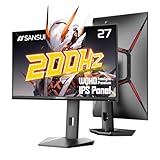
| SANSUI 27 Inch WQHD IPS (200Hz) | Best for sRGB color coverage | Check on Amazon |
| SANSUI Gaming Monitor (200Hz) | Best ultra-budget alternative | Check on Amazon |
How We Compared
We set hard limits: 27 inches of screen real estate, 2560×1440 resolution, at least 144Hz (with 180Hz as the target refresh rate), and a price ceiling of $400 — though nearly everything here lands under $230. From there, we weighed panel technology (IPS for color and viewing angles, VA for contrast), adaptive sync support, stand ergonomics, port selection, and whether each monitor actually delivers the basics well rather than padding the spec sheet with marketing fluff.
We also factored in who each monitor serves best. A competitive shooter player has different needs than a Sunday-morning sim racer or someone splitting time between spreadsheets and Steam. Every pick below has a clear audience, a clear strength, and a price that makes sense in 2026’s crowded budget-monitor market.
The 8 Best Picks
1. ASUS TUF Gaming VG27AQ3A 27 Inch 1440p 180Hz G-SYNC Gaming Monitor — Best Overall
At $199, the ASUS TUF VG27AQ3A hits the sweet spot between build quality, image clarity, and performance. The 27-inch IPS panel delivers accurate color and wide viewing angles, while the 180Hz refresh rate and G-SYNC compatibility keep fast games tear-free. ASUS’s TUF line is known for reliable stands with height, tilt, swivel, and pivot adjustments, so dialing in a comfortable viewing position is easy. It’s the pick for gamers who want a dependable all-rounder that doesn’t compromise on essentials.
- Full ergonomic stand with height, tilt, swivel, and pivot adjustment
- IPS panel with strong color accuracy for both gaming and content work
- Price sits at the higher end of this budget list
Skip it if you’re strictly gaming on a tight budget and don’t need the premium stand or ASUS ecosystem features — the cheaper picks below will still get you 180Hz.
2. Acer Nitro KG271U N3bmiipx 27in QHD 2560×1440 IPS 180Hz Gaming Monitor — Best Budget Pick
At around $150, the Acer Nitro KG271U is the cheapest way into a 27-inch, 1440p, 180Hz IPS panel, and it doesn’t feel like a compromise. You get the same core specs as monitors costing $80 more, plus AMD FreeSync support for smooth, tear-free gameplay. IPS means consistent color and wide viewing angles, making this a solid pick for students, first-time builders, or anyone upgrading from a 1080p 60Hz display. It’s the monitor we’d hand to a budget-conscious gamer without hesitation.
- IPS panel at a genuinely budget price point
- FreeSync support for smooth gameplay across GPU brands
- Stand ergonomics are basic compared to pricier options
Pass on this if you need USB-C or extensive height adjustment — step up to the ASUS or Acer XV271U models instead.
3. ASUS ROG XG27ACS 27 Inch 1440p 180Hz USB-C G-SYNC HDR Gaming Monitor — Best for USB-C
The ASUS ROG XG27ACS is the “treat yourself” option here at $229. Its standout feature is USB-C connectivity, letting you drive video, data, and charging from a single cable — perfect for laptop users or anyone with a minimalist desk setup. The IPS panel delivers solid HDR performance and strong color reproduction for the price, and G-SYNC compatibility keeps gaming smooth. This is the pick for creators, hybrid workers, and gamers who dock a laptop and want one cable to do it all.
- USB-C with power delivery simplifies laptop and console setups
- HDR support and strong IPS color reproduction for creative work
- Highest price on this list, though still well under budget
Pass on it if you’ll never use USB-C — the ASUS TUF VG27AQ3A offers similar core performance for $30 less.
4. AOC 27″ Curved Gaming Monitor CQ27G4H 2K QHD 180Hz VA AMD FreeSync Premium — Best Curved Option
For around $160, the AOC CQ27G4H wraps a 27-inch VA panel in a gentle curve that pulls you into the action without the aggressive wraparound some curves demand. The VA panel delivers deeper blacks and better contrast than IPS, which shines in dark, moody games. FreeSync Premium certification means tear-free gameplay with low-framerate compensation. This is the pick for sim racing, RPGs, and movie watching — anything where immersion and contrast matter more than split-second panel response.
- Curved VA panel with strong contrast for immersive gaming and media
- FreeSync Premium with low framerate compensation
- VA panels can show smearing in fast-paced competitive titles
Skip it if you mainly play competitive shooters or need flat-panel accuracy for color-critical work.
5. Acer Nitro XV271U M3bmiiprx 27in QHD 2560×1440 IPS 180Hz Gaming Monitor — Best Mid-Range Value
Sitting between the budget KG271U and premium ASUS options at around $170, the Acer Nitro XV271U M3bmiiprx is the Goldilocks pick. You get the same 27-inch 1440p IPS panel and 180Hz refresh rate, but with the XV series’ step-up features — typically better stand ergonomics and additional connectivity — that make daily use more pleasant. It’s the right choice for gamers who want a bit more polish than the cheapest options offer without crossing into premium pricing.
- Balanced mix of price, panel quality, and features
- IPS panel with 180Hz covers both gaming and general productivity
- Doesn’t include USB-C, which limits laptop-docking convenience
If your budget is strictly under $150, the KG271U delivers nearly everything this does for less.
6. KTC H27S5C 27 Inch Curved Gaming Monitor 1440P QHD 144Hz HDR 400 — Best Cheap Curved Pick
The KTC H27S5C trades 36Hz of refresh rate (144Hz vs 180Hz) for a curved panel and HDR 400 support at around $160. HDR 400 won’t transform your viewing experience, but it adds a touch more dynamic range in supported content. The curve and VA-style contrast make this a solid pick for immersive single-player gaming and general media consumption on a budget. KTC is a newer name in Western markets, but their value proposition here is hard to argue with.
- HDR 400 support adds subtle dynamic range
- Curved design enhances immersion for under $160
- 144Hz falls short of the 180Hz standard elsewhere on this list
Skip it if competitive refresh rates matter most to you — the AOC CQ27G4H offers a curved 180Hz alternative for the same price.
7. SANSUI 27 Inch WQHD 2560 x 1440 IPS Gaming Monitor (200Hz/180Hz, 120% sRGB) — Best for Color Coverage
The SANSUI (model with DP 1.2 x2, HDMI 2.0 x2, VESA mount, and included DP cable) punches above its around $140 price with a claimed 120% sRGB coverage and up to 200Hz refresh rate (180Hz in standard mode). The IPS panel and generous port selection make this a smart pick for students, casual creators, and gamers who care about color accuracy. The included DisplayPort cable and metal stand are nice touches at this price.
- 120% sRGB coverage for vibrant color at a budget price
- Four video inputs (dual DP, dual HDMI) plus included DP cable
- Brand support and quality control less established than ASUS or Acer
Consider skipping if brand reputation and warranty support are priorities — established brands offer more peace of mind.
8. SANSUI Gaming Monitor 27 inch 1440p 200Hz 180Hz — Best Ultra-Budget Alternative
At around $140, this SANSUI variant is functionally a sibling to the pick above, offering 1440p resolution and up to 200Hz refresh (180Hz standard) for budget-minded buyers. If you find this configuration discounted relative to the other SANSUI model, it’s a perfectly capable display for casual gaming, esports titles, and everyday productivity. It’s the pick for anyone who simply wants the cheapest credible entry into high-refresh 1440p gaming.
- High refresh rate capability at an entry-level price
- 1440p sharpness on a 27-inch panel for under $150
- Feature set and accessories are more basic than the higher-listed SANSUI
Pass on it if the difference between around $140 and around $140 doesn’t matter — the other SANSUI offers more for essentially the same money.
Buying Guide
Panel Type: IPS vs VA
IPS panels (ASUS, Acer, SANSUI picks) offer wider viewing angles and more consistent color — the safer choice if you also work, edit photos, or watch with friends. VA panels (AOC, KTC) deliver deeper blacks and higher contrast, which makes dark scenes pop in single-player games and movies. The tradeoff is potential smearing in fast motion. If you play competitive shooters, lean IPS; if you play immersive RPGs, VA is worth a look.
Refresh Rate and Adaptive Sync: What Actually Matters
Everything here hits at least 144Hz, with most hitting 180Hz — a meaningful jump from 60Hz for smoothness. But refresh rate only pays off if your GPU can push frames. Pair a 180Hz panel with adaptive sync (G-SYNC Compatible or FreeSync) to eliminate tearing when frame rates fluctuate. If you game at 100-140 fps rather than a locked 180, adaptive sync matters more than the last 30Hz of refresh rate.
Connectivity, Stands, and Long-Term Value
Check the ports before you buy: DisplayPort is essential for hitting 180Hz at 1440p, while HDMI 2.0 caps you at 144Hz. USB-C (as on the ROG XG27ACS) is a genuine quality-of-life upgrade for laptop users. A VESA mount (100x100mm is standard) lets you bypass a weak stock stand with an arm, and an ergonomic stand — height, tilt, swivel — protects your neck over long sessions. Weight and footprint matter too: expect these 27-inch monitors to run roughly 10-15 pounds with stands attached, so confirm your desk can handle the depth and width.
Our Verdict
If we could only recommend one, it’s the ASUS TUF Gaming VG27AQ3A at $199 — it balances panel quality, ergonomics, and performance better than anything else here. Budget shoppers should grab the Acer Nitro KG271U at around $150, which delivers the core 1440p/180Hz IPS experience for less. Laptop users who value one-cable convenience should stretch to the ASUS ROG XG27ACS at $229, and immersion seekers will love the AOC CQ27G4H’s curved VA panel at around $160. Whichever you choose, every monitor on this list proves you don’t need $400 — or even $250 — to game sharp and smooth in 2026.
FAQ
Is 180Hz enough for competitive gaming?
For the vast majority of players, yes. The jump from 60Hz to 180Hz is dramatic, and the difference between 180Hz and 240Hz+ is far subtler. Pair your 180Hz monitor with adaptive sync and a GPU that can push 140+ fps, and you’ll have a setup that competes comfortably at any level below professional esports.
Is 1440p better than 1080p for a 27-inch monitor?
At 27 inches, 1440p (2560×1440) hits roughly 109 pixels per inch versus 1440p’s sharper detail over 1080p’s 81 PPI. Text is noticeably crisper, and games look meaningfully sharper. At this screen size, 1080p starts to look soft, so 1440p is the resolution we recommend for 27-inch displays.
Do I need a special cable for 180Hz?
You’ll want DisplayPort — DP 1.2 or newer handles 1440p at 180Hz without issue. HDMI 2.0 tops out around 144Hz at this resolution, so use DisplayPort whenever possible. Handy bonus: the SANSUI monitor listed above includes a DP cable in the box, though most monitors here ship with one.
Is HDR worth it on a budget monitor?
Manage your expectations. HDR 400-class monitors (like the KTC H27S5C) add modest dynamic range but lack the brightness and local dimming for true HDR. Treat it as a bonus, not a buying priority — at this price, panel quality, refresh rate, and ergonomics matter far more than an HDR badge.









