
Most people shopping for a monitor light bar for night gaming get it wrong twice. First, they buy an ambient RGB strip and wonder why their eyes still hurt after a three-hour session — the real job of a light bar is to reduce the contrast between a bright screen and a dark room, not just look cool. Second, they overspend on sync features they’ll use for a week and ignore the specs that actually matter: color temperature range, glare control, mounting fit, and whether the light spills onto the screen. This guide walks through what actually matters, in the order you should think about it, so you can pick between a $15 eye-care bar and a $55 smart RGB unit with confidence.
Our Top Picks



Top 3 picks at a glance
Decide These 3 Things First
Before comparing any models, answer these three questions. They eliminate most of the field immediately.
As an Amazon Associate we earn from qualifying purchases at no extra cost to you.




1. What’s the primary job: eye comfort or ambience? If you game at night and want less eye strain, you need a front-mounted bar with adjustable color temperature (ideally 2700K–6500K) and dimming down to very low output. If you mainly want your desk setup to glow for streams or aesthetics, an under-monitor RGB bar with color modes and a remote will do, and it costs less. Some products try to do both; few do both well under $60.
2. Will it mount on top of your monitor, or sit behind it? Top-mount bars (the classic monitor light bar shape) illuminate your desk and keyboard while keeping glare off the screen. Under-monitor bars sit behind or below the display and cast light onto the wall — pure ambience with minimal anti-fatigue benefit. Check which one you actually want before falling for product photos.
3. What monitor are you mounting it on? Measure your monitor’s top bezel thickness and whether it curves. Most top-mount bars fit flat panels with bezels roughly 0.3–1.2 inches thick, and ultrawide-specific bars are cut for panels around 30–35 inches. A curved monitor needs a clip with enough articulation to sit level, or the light pool will be uneven.
Size and Fit
Size is the most common return reason, so measure before you buy. For a top-mount bar, the light bar should cover roughly 60–80% of your monitor’s width to light your desk evenly without overhanging. A 24–27 inch monitor pairs well with a bar in the 15–17 inch range; a 32 inch or ultrawide panel wants an 18–22 inch bar. The SAMPHON-style bars at 15.7 inches are sized for standard 24–27 inch setups, while 16.6 inch models split the difference for 27–30 inch panels.
Check three numbers against your monitor: bar length, clip depth (how thick a bezel it grips — typically 0.3 to 1.5 inches), and clip clearance at the back (usually 1 to 2.5 inches, which matters if your monitor has a bulging rear housing). For under-monitor RGB bars in the 12–16 inch range, fit is forgiving — you’re just confirming the bar fits the shelf space behind your keyboard deck or under the panel.
Weight matters more than people expect on slim monitors. A clip-on bar weighing 1 to 1.5 pounds is fine on most stands, but on very light 24 inch panels it can tip the balance. If your monitor wobbles when touched, favor bars under 1 pound or under-monitor designs that add no top weight at all.
Material and Build Quality
Night gaming means the bar runs for hours in a fixed position, so construction separates a two-year purchase from a two-month one.
Housing: Aluminum alloy bodies dissipate heat better than ABS plastic, which matters if you run the bar at higher brightness. Aluminum also resists the slight warping that makes cheap plastic bars develop rattles or uneven light. That said, a well-made ABS bar in the $15–25 range is perfectly acceptable — just avoid hollow-feeling plastic with visible seams.
Diffuser: The diffuser is where glare control lives. Look for a milky, frosted diffuser rather than clear plastic — it spreads light evenly and eliminates hotspots that reflect into your eyes or onto the screen. Premium bars use asymmetric optics that throw light forward onto the desk and away from the panel; budget bars use simple diffuse strips. If the product page doesn’t mention asymmetric or glare-free design, assume the light will spill onto your screen to some degree.
Clip mechanism: A metal or reinforced composite clip with a foam or rubber pad protects the monitor finish and grips without slipping. Test the hinge tension in reviews — clips that are too loose slide down mid-session; too tight, and they stress thin bezels.
Cable and controls: USB-powered bars draw 5V and typically 5–10W at full brightness. A braided or at least reasonably thick USB-A cable of 4–6 feet is the practical minimum for reaching a PC or monitor USB port. Touch controls on the bar itself are more reliable over time than cheap inline-button remotes.
Light Quality: Comfort and Performance
This is the factor that determines whether the bar actually solves night gaming eye strain.
Color temperature range: You want adjustable white light, ideally 2700K (warm, pre-sleep friendly) to 6500K (cool, daylight-neutral). A bar with fixed 4000K only is workable but far less flexible — warm light late at night is genuinely easier on your circadian rhythm. Bars offering 3 color temperature presets plus stepless dimming, like the SAMPHON-type models, hit the practical sweet spot at budget pricing.
Dimming range: Stepless (continuous) dimming matters because night sessions need very low light levels. Look for dimming down to roughly 5–10% of maximum output. A bar that bottoms out too bright defeats the purpose at 1 a.m.
CRI and flicker: A CRI of 90+ renders your desk and peripherals accurately and is standard on decent eye-care bars. Flicker-free driving (DC dimming rather than cheap PWM) matters for anyone sensitive to headaches — check listings for “flicker-free” or “no visible flicker” claims, and read reviews from users who game for long sessions.
Glare control: The best bars are engineered so light lands on the desk, not the panel. If you have a glossy screen, this is non-negotiable. Under-monitor RGB bars sidestep the problem by shining away from you entirely — one reason the two product types rarely compete head-to-head.
RGB and sync features: If you want ambience, RGBIC or addressable LEDs (as on the around $54 Govee smart bar) let sections of the bar show different colors and react to screen content or music. This is fun and genuinely good for streams, but it’s an aesthetic feature — it doesn’t improve eye comfort. Some hybrid bars do both: adjustable white light for work, RGB for play.
Price Tiers: What You Get at Each Level
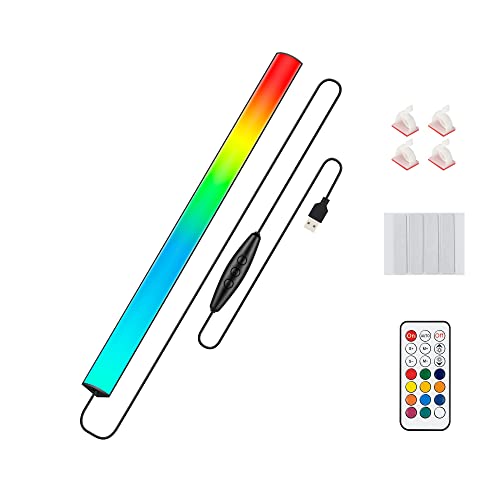
Budget ($13–25): The around $15 SAMPHON and around $14 under-monitor RGB bar live here. Expect basic but honest specs: 3 color temperatures, stepless dimming, USB power, plastic or light aluminum housing. Under-monitor RGB bars in this tier throw in 350+ color modes and remotes. You give up asymmetric glare optics, app control, and premium materials. For most night gamers on a standard flat monitor, this tier solves the core problem.
Mid ($25–45): The around $25 16.6 inch RGB bar sits at the entry of this tier. You get better diffusers, wider monitor fit, sometimes a white-light-plus-RGB hybrid, and improved build. This is the sweet spot if you want one bar that handles both eye care and looks.
Premium ($45–70): The around $54 Govee represents this tier: RGBIC addressable LEDs, app and voice control, screen-sync modes, and usually a chunkier aluminum build. Buy here if ambience and smart-home integration are priorities, not if pure eye comfort is your goal — a $16 bar with good optics will outperform a $55 sync toy for reducing strain.
Warranty and Support
Light bars are simple devices, but drivers and touch controls fail. Look for a minimum 12-month warranty; the better brands in this space offer 18 to 24 months. Check whether support replaces the whole unit or just sends a cable. For sub-$20 products, treat the warranty as a nice-to-have — at $16, a failure a year in isn’t a financial disaster. For anything over $40 with app features, confirm the companion app is actively updated; abandoned apps are the most common complaint on smart lighting products.
Delivery and Setup
Light bars ship small and light — most arrive in boxes under 2 pounds, so shipping is cheap and fast, and damage in transit is rare. Setup is genuinely tool-free: clip the bar onto the bezel (or peel adhesive for under-monitor bars), route the USB cable to a powered port, and you’re done in under five minutes. Two setup tips: plug into a USB port that stays live when the PC sleeps if you don’t want the bar dying mid-download, and on under-monitor bars, clean the mounting surface with alcohol first — adhesive failures are almost always dirty-surface failures.
Spec Checklist
| Spec | Budget ($13–25) | Mid ($25–45) | Premium ($45–70) |
|---|---|---|---|
| Type | Basic top-mount or under-monitor | Top-mount, some hybrid white+RGB | Smart top-mount or RGBIC system |
| Length | 12–15.7 in | 16–18 in | 17–22 in, ultrawide options |
| Color temperature | 3 presets, 2700K–6500K | 3–5 presets or stepless CCT | Stepless CCT plus RGB/RGBIC modes |
| Dimming | Stepless, min ~10% | Stepless, min ~5% | Stepless, app-controlled, min ~1–5% |
| Housing | ABS plastic or thin aluminum | Aluminum alloy | Aluminum alloy, braided cable |
| Glare control | Basic frosted diffuser | Improved optics, reduced screen spill | Asymmetric, glare-free optics |
| Power | USB, ~5W | USB, ~5–8W | USB, ~8–10W |
| Controls | Touch or inline buttons, remote | Touch + dial or remote | Touch, app, voice assistant |
| Warranty | 12 months | 12–18 months | 18–24 months |
Red Flags
No color temperature numbers listed. If the listing says “warm and cool light” without Kelvin ratings, the manufacturer is hiding a narrow or poorly calibrated range.
Fixed brightness or 3-step-only dimming. For night gaming, low-end dimming matters more than maximum brightness. Skip anything that can’t go very dim smoothly.
“RGB” on a bar marketed as an eye-care lamp. Saturated colored light does nothing for eye comfort and can increase strain. If a listing blurs these categories, the eye-care claims are marketing.
No clip dimensions. Missing bezel-thickness and clearance specs on a clip-on bar is a return waiting to happen, especially on curved monitors.
PWM flicker complaints in reviews. If long-session users consistently mention headaches or visible flicker on camera, believe them over the spec sheet.
Smart features with no named app. Vague phrases like “works with an app” without a brand and update history suggest abandoned software within a year.
FAQ
Do monitor light bars actually reduce eye strain at night?
Yes, when used correctly. The strain from night gaming comes from your eyes adapting between a bright screen and a near-black room. A light bar that illuminates your desk at a low, warm setting shrinks that contrast. The key is low brightness and warm color temperature after dark — a bar blasting cool white light at full power doesn’t help.
Can I use a monitor light bar on a curved or ultrawide monitor?
Usually, yes, with caveats. Most clips fit bezels up to about 1.2 inches thick, and the bar pivots so it can sit level on a gentle curve. For aggressive 1000R curves or panels over 34 inches, buy a bar explicitly rated for curved monitors or sized for ultrawides (18+ inches), or the light pool will be uneven and the clip may not seat properly.
Is a $15 light bar good enough, or do I need a $55 one?
For pure eye comfort on a standard flat 24–27 inch monitor, a $15–16 eye-care bar with 3 color temperatures and stepless dimming does the real job. Spend $45–55 only if you want app control, screen sync, and RGBIC ambience for streaming or aesthetics. The expensive features are fun; they don’t reduce strain better than the cheap ones.
What’s the difference between a top-mounted bar and an under-monitor RGB bar?
A top-mounted bar clips over the screen and lights your desk and keyboard, improving comfort and visibility. An under-monitor bar mounts behind or below the display and casts colored light onto the wall — it’s decoration and bias lighting, not task lighting. If your goal is fewer sore eyes, get the top-mounted style with adjustable white light; if your goal is a glowing setup, the around $14 under-monitor type is the cheaper route.









