
Our Top Picks

The Short Answer
It depends: a high refresh monitor is worth it for casual single-player games if you also use your computer for fast-moving games, scrolling, or everyday desktop work and can buy one without giving up image quality, resolution, or a comfortable screen size.
For a player who mostly enjoys turn-based strategy, visual novels, card games, puzzle games, classic RPGs, city builders, or slower story-driven adventures, moving from 60Hz to 144Hz is pleasant but not essential. You will notice smoother cursor movement, cleaner camera pans, and less blur during motion, but it will not transform the game in the way better contrast, higher resolution, or a larger screen often can.
As an Amazon Associate we earn from qualifying purchases at no extra cost to you.

For many shoppers in 2026, the sensible sweet spot is a 24- to 27-inch monitor with a 144Hz or 165Hz refresh rate, a 1440p resolution, and adaptive sync support. That combination makes casual games feel responsive while still giving you enough detail for reading, work, and cinematic single-player worlds.
What You Actually Get
A monitor’s refresh rate is the number of times it can update the picture each second. A standard 60Hz display refreshes up to 60 times per second. A 144Hz display can refresh up to 144 times per second, while 165Hz and 180Hz models go somewhat higher.
In practical terms, higher refresh rates make movement look more continuous. When you rotate the camera in a third-person adventure, race through an open-world area, or move the mouse across your desktop, the image can appear smoother than it does on a 60Hz screen. Input can also feel more immediate because the display has more opportunities to show the next frame.
There is an important limitation: your PC or console must be able to produce enough frames per second for you to see the full benefit. If a demanding single-player game runs at 45 to 60 frames per second, a 144Hz monitor will not magically make it run at 144 fps. It can still be useful, especially with adaptive sync, but resolution, graphics settings, and your computer’s hardware matter just as much.
Adaptive sync, commonly labeled AMD FreeSync, NVIDIA G-SYNC Compatible, or VRR, matches the monitor’s refresh timing more closely to the game’s frame rate. This can reduce screen tearing and make inconsistent frame rates look less distracting. For casual single-player gaming, adaptive sync is arguably more valuable than chasing the difference between 144Hz and 240Hz.
Screen type matters, too. A 27-inch 1440p IPS monitor often offers a balanced mix of sharp text, broad viewing angles, and respectable color. A VA panel can provide deeper blacks for moody games and movies, though some models show more dark-motion smearing. OLED monitors offer excellent contrast and very fast pixel response, but they cost more and require more consideration for static desktop elements. A 27-inch 1440p 144Hz monitor commonly costs about $180 to $350, while premium OLED gaming monitors can run from roughly $550 to $1,000 or more.
Pros
- Smoother motion: Camera movement, driving sequences, action combat, and simple mouse movement look noticeably more fluid at 120Hz, 144Hz, or 165Hz than at 60Hz.
- A better everyday computer experience: The advantage is not limited to games. Scrolling long pages, dragging windows, and moving through menus can feel more polished.
- Useful for mixed gaming habits: Even if you mainly play solo games, a high refresh display leaves room for occasional racing, fighting, action, or multiplayer titles.
- Adaptive sync can improve uneven performance: A variable-refresh-rate monitor can make frame-rate dips less visually jarring than a fixed 60Hz display.
- Good value in the middle of the market: High refresh is no longer reserved for expensive specialty monitors. Many 24-inch 1080p 144Hz models sell for about $120 to $200, and 27-inch 1440p versions are widely available below $350.
- Longer useful life: Buying 144Hz or 165Hz now can keep a monitor feeling current if you later upgrade your graphics card or start playing faster games.
Cons
- The improvement can be subtle in slow games: In a turn-based game, deck builder, or traditional puzzle game, better contrast and a sharper image may matter more than refresh rate.
- Your hardware may not keep up: Modern cinematic games can be demanding at 1440p or 4K. If your computer usually runs them near 60 fps, an ultra-high refresh panel delivers limited extra benefit.
- Price trade-offs are real: At the same budget, a faster monitor may have weaker HDR, lower resolution, a less adjustable stand, or poorer black levels than a 60Hz alternative.
- Higher refresh can use more power: Actual use varies by panel and brightness, but a typical 24- to 27-inch monitor may draw roughly 20 to 45 watts in use. OLED and larger high-refresh displays can draw more, particularly with bright HDR content.
- Console compatibility needs checking: PlayStation 5 and Xbox Series X|S can support 120Hz in compatible games, but you need the right input specifications and cable support. A monitor with HDMI 2.1 is the safest choice for 4K at 120Hz; not every high-refresh monitor includes it.
- Very high refresh rates bring diminishing returns: The jump from 60Hz to 120Hz or 144Hz is substantial. The jump from 144Hz to 240Hz is smaller for most casual players and rarely worth sacrificing screen quality or spending substantially more.
Who Should Buy It
Buy a high refresh monitor if you want one screen that handles casual single-player games, general computer use, and the occasional fast-paced title. It is especially worthwhile for players who enjoy action RPGs, platformers, driving games, sports games, hack-and-slash games, shooters played solo, or open-world games with frequent camera movement.
A 27-inch 1440p 144Hz or 165Hz monitor is the strongest all-around recommendation for a desk setup. It is large enough to feel immersive from a typical 24- to 30-inch viewing distance without overwhelming a standard desk. Look for a height-adjustable stand if possible; a comfortable screen position usually matters more over a long gaming session than an extra 15Hz of refresh rate.
Choose a 24- or 25-inch 1080p 144Hz monitor if your budget is tighter, your desk is shallow, or your graphics hardware is modest. These displays are generally about 21 to 22 inches wide and fit easily on smaller desks. They are also easier for a midrange PC to drive at high frame rates.
It is also a good purchase for someone building a flexible home setup. A high refresh monitor makes ordinary use feel smoother, and it can handle everything from a sprawling adventure game to a quick solo brain teaser without feeling specialized.
Who Should Skip It
Skip the upgrade, or keep it modest, if you primarily play slow-paced games and are happy with your current 60Hz monitor. If your display is already sharp, comfortable, and color-accurate, spending money on better speakers, a controller, a larger SSD, or more games may improve your experience more.
You should also skip high refresh if your priority is a large, cinematic image on a strict budget. For example, a good 32-inch 4K 60Hz monitor may be more satisfying for scenic adventure games than a smaller 24-inch 1080p 180Hz model. Likewise, if you play from a couch, a 43- to 55-inch TV with solid 4K picture quality may make more sense than a desk monitor.
Finally, do not pay a premium for 240Hz, 360Hz, or higher solely for relaxed solo gaming. Those speeds are aimed chiefly at competitive players who can sustain extremely high frame rates and care about every small reduction in motion blur and input delay.
Cheaper Alternatives
| Option | Cost | Trade-off |
|---|---|---|
| Keep a current 60Hz monitor and adjust game settings | $0 | Lowering demanding settings can produce steadier frame rates, but motion will remain limited to 60Hz. |
| 24-inch 1080p 75Hz monitor | About $80–$130 | A small smoothness upgrade for desktop use, but far less noticeable than 120Hz or 144Hz. |
| Used or sale-priced 24-inch 1080p 144Hz monitor | About $100–$160 | Excellent motion value, though it may have a basic stand, fewer ports, or lower brightness. |
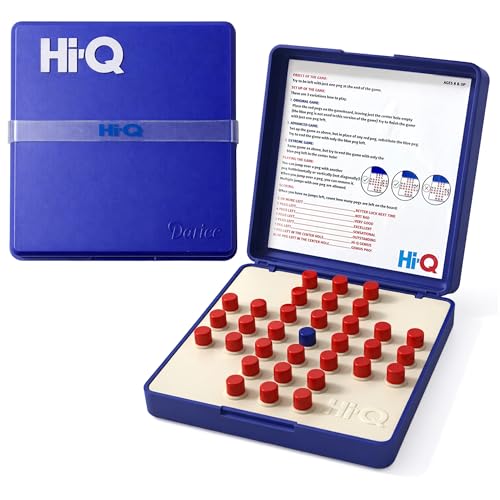
| Original HI-Q Solitaire Game | Check on Amazon | A portable solo puzzle diversion, not a replacement for a monitor or digital gaming setup. |
| Educational Insights Kanoodle | Check on Amazon | Another compact screen-free puzzle option; it offers no visual upgrade for PC or console games. |
FAQ
Is 144Hz noticeably better than 60Hz for single-player games?
Yes, particularly in games with frequent movement, quick camera turns, driving, combat, or platforming. The difference is less important in slower strategy, card, puzzle, and narrative-focused games.
Do I need 144 fps to use a 144Hz monitor?
No. The monitor will work at lower frame rates, and adaptive sync can help those rates look smoother. You get the full motion benefit only when your system can deliver frame rates near the monitor’s refresh rate.
Is 4K 60Hz or 1440p 144Hz better for casual gaming?
Choose 4K 60Hz if detail, large-screen clarity, and cinematic visuals are your priority. Choose 1440p 144Hz if you want a more responsive, smoother all-purpose experience and your PC can run games well at that resolution.
Is 165Hz worth paying extra for over 144Hz?
Only if the price difference is small. The improvement from 144Hz to 165Hz is modest. Prioritize panel quality, resolution, adaptive sync, ports, warranty coverage, and an adjustable stand before paying extra for that small refresh-rate increase.









