The best vertical pivot monitor is usually a 24 to 27 inch IPS screen with a stand that rotates a full 90 degrees, adjusts in height and keeps its cables out of the way. This guide lists nine models where the listing mentions pivot, a height-adjustable stand, or both, from a budget 22-inch touchscreen to a 32-inch 4K LG. Portrait mode is for reading, coding, long documents and feeds, not for games, so the choices focus on text sharpness and stand range. Because some titles do not say pivot outright, we flag those. Pivot also changes how you work: a tall window shows more lines of code, more of a web page and more of a document without scrolling, and it pairs well with a landscape screen for reference material. For coding setups, see our monitors for programming guide.
Our Top Picks
 LG 27UP650K-W 27-inch Ultrafine 4K UHD27-inch and HDMI9.42 x 24.15 x 22.41 inches12.3 PoundsCheck on Amazon

Top 3 picks at a glance
At a glance
As an Amazon Associate we earn from qualifying purchases at no extra cost to you.



- LG 27UP650K-W – best 4K 27-inch for text in portrait
- LG 32UP83AK-W – best large 4K with USB-C charging
- LG 32UR550K-B – best big 4K screen at a lower stated feature level
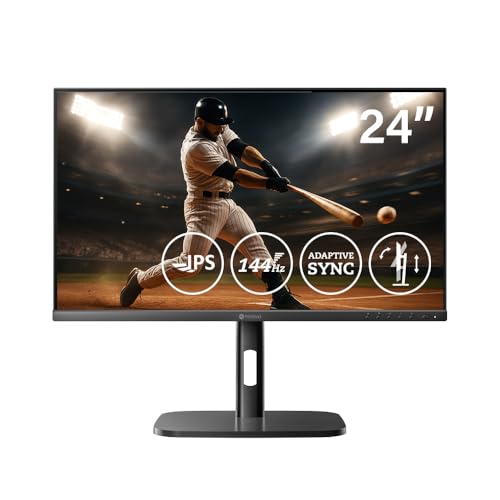
- AG Neovo MH2404 – best 24-inch with 144Hz and speakers
- Acer CB242Y bir – best simple 23.8-inch IPS office screen
- LG 27G440A-B – best for gamers who want a second portrait screen
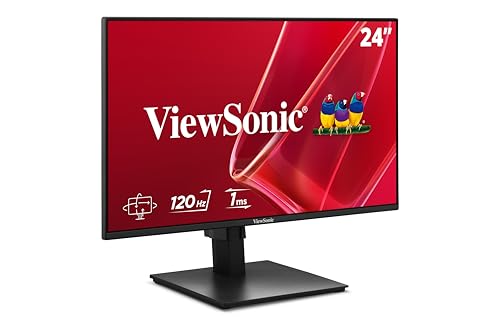
- ViewSonic VA2448-MHJ – best budget 24-inch IPS, pivot to be confirmed
- Edgequora 22-inch touchscreen – best for touch and USB-C tasks
- AG Neovo MH2704 – 27-inch option with a very short listing, check details
Side-by-side specs
| Model | Size and resolution | Key specs as stated in the title | Pivot stated? | Best for |
|---|---|---|---|---|
| AG Neovo MH2404 | 24 in, resolution not stated | 144Hz, Adaptive Sync, HDMI, DP, VESA, speakers | Yes | Fast 24-inch portrait |
| LG 27UP650K-W | 27 in, 4K UHD | IPS, 60Hz, 5ms, DisplayHDR 400, Reader Mode | Yes | Text and documents |
| LG 32UR550K-B | 32 in, 4K UHD | HDR10, 60Hz, HDMI, DisplayPort | Yes | Large portrait canvas |
| ViewSonic VA2448-MHJ | 24 in, 1080p | IPS, 120Hz, 1ms, 300 nits, HDMI, VGA | Check the listing | Budget home office |
| AG Neovo MH2704 | 27 in, resolution not stated | Height adjustable only in title | Check the listing | Possible 27-inch fit |
| LG 32UP83AK-W | 32 in, 4K UHD | IPS, HDR10, speaker, USB-C 60W PD | Yes | Single-cable laptop desk |
| Edgequora 22-inch touch | 22 in, 1080p | VA, 10-point touch, USB-C, KVM, 75Hz, speakers | Yes | Touch tasks |
| LG 27G440A-B | 27 in, 1080p | IPS, 240Hz, 1ms, G-SYNC Compatible, HDMI 2.1 | Yes | Gamer’s side screen |
| Acer CB242Y bir | 23.8 in, 1080p | IPS, 75Hz, FreeSync, HDMI, VGA | Yes | Home office |
Nine pivot-ready monitors
LG 27UP650K-W
This is a 27-inch 4K UHD IPS monitor with 60Hz, 5ms, DisplayHDR 400, Reader Mode and Flicker Safe, plus a tilt, height and pivot adjustable stand. In portrait the 4K density keeps text crisp across the long dimension, which is the whole point of rotating a screen. The title lists HDMI and DisplayPort but no USB-C, so check what your computer needs. Flicker Safe is LG’s label for a backlight that avoids visible flicker, a small comfort point during long reading sessions. Because the title lists a white finish, it also suits a bright desk, and the 5ms figure is a stated response time, not a gaming claim.
Pros
- 4K text sharpness at 27 inches
- Pivot is stated and Reader Mode targets documents
Cons
- 60Hz only
- No USB-C in the title
Who it’s for: writers, analysts and coders. Who should skip it: buyers who want high refresh.
LG 32UP83AK-W
A 32-inch 4K UHD IPS model with HDR10, a built-in speaker, Reader Mode, HDMI, DisplayPort and USB Type-C with 60W power delivery, on a tilt, height and pivot stand. The 60W figure covers many thin laptops, so one cable can feed video and power. At 32 inches the rotated panel is roughly 28 inches tall, so confirm you have the room for it. The built-in speaker is convenient for calls but should not be expected to replace desk speakers. White finish and Reader Mode round out a model aimed at document-heavy work more than games.
Pros
- USB-C charging for laptop users
- Very large portrait canvas for timelines and tall documents
Cons
- Tall in portrait and may overpower a small desk
- More features usually mean a higher price, so check the listing
Who it’s for: laptop owners who want a roomy tall screen. Who should skip it: small-desk users.
LG 32UR550K-B
This 32-inch 4K UHD monitor lists HDR10, 60Hz, HDMI, DisplayPort, and a tilt, height and pivot stand in black. The title does not state panel type, speakers or USB-C, so the feature set is leaner than the UP83AK above. If you only need a big, sharp portrait display on a desktop PC, that may be enough, but confirm the panel type on the listing. As with any 32-inch 4K screen, Windows display scaling will matter, since unscaled text becomes very small. Compare it side by side with the UP83AK to see whether USB-C is worth the difference.
Pros
- 32-inch 4K for a tall, detailed workspace
- Pivot stand stated
Cons
- Panel type is not in the title
- No USB-C or speaker mentioned
Who it’s for: desktop users who want a very large vertical display. Who should skip it: laptop docking.
AG Neovo MH2404
The MH2404 is a 24-inch height-adjustable monitor with 144Hz, Adaptive Sync, pivot, swivel, tilt, HDMI and DisplayPort inputs, VESA compatibility and speakers. The title gives no resolution or panel type, so check both before ordering; a 24-inch screen is comfortable in portrait either way. The 144Hz rate is a nice extra for scrolling. Built-in speakers help on a small desk, and VESA compatibility gives you a fallback if you later prefer an arm. A brand with fewer buyer reviews than the big names means warranty and return terms deserve a close read.
Pros
- Stand adjusts in many directions including pivot
- 144Hz with Adaptive Sync
Cons
- Resolution and panel type not in title
- Lesser-known brand
Who it’s for: buyers who want a 24-inch fast screen. Who should skip it: those needing 4K sharpness.
Acer CB242Y bir
A 23.8-inch Full HD IPS monitor with a Zero Frame design, AMD FreeSync, 1ms VRB, 75Hz, and a height-adjustable stand with tilt and pivot. Inputs are HDMI and VGA only, which is fine for office PCs but means no DisplayPort. The thin bezels make it tidy beside another screen. FreeSync and the 1ms VRB claim are aimed at smoother motion, though at 75Hz this is first an office monitor. It suits a desk where a VGA or HDMI cable is already in place.
Pros
- IPS with pivot at a modest size
- Thin bezels for side-by-side setups
Cons
- No DisplayPort in the title
- 1080p at this size is serviceable but not crisp
Who it’s for: home office and student desks. Who should skip it: people who want high-resolution text.
LG 27G440A-B
An LG UltraGear 27-inch Full HD IPS gaming monitor with 240Hz, 1ms, G-SYNC Compatible, FreeSync Premium, HDMI 2.1, DisplayPort, and a tilt, height, swivel and pivot stand. In landscape it is a fast gaming display; rotated, it can hold chat, documents or a feed beside your main screen. At 27 inches, 1080p is the soft spot for text. HDMI 2.1 and DisplayPort give modern console and PC options, and G-SYNC Compatible plus FreeSync Premium cover both graphics brands. The same stand that rotates also swivels, which makes it easy to turn toward a guest.
Pros
- Pivot stand on a 240Hz IPS gaming panel
- Works as a main game screen and a rotated side screen
Cons
- 1080p at 27 inches looks coarse for reading
- Gaming features add little in portrait
Who it’s for: gamers who also want a rotated screen. Who should skip it: text-heavy workers.
ViewSonic VA2448-MHJ
A 24-inch 1080p IPS monitor with 120Hz, variable refresh rate, 1ms, 300 nits, HDMI and VGA, frameless design and an ergonomic height-adjustable stand. The title does not say pivot, so ask whether the stand rotates before you count on portrait. If it only tilts and adjusts height, the screen works fine in landscape but not vertically unless you add a VESA arm. The 300 nits figure is a stated brightness, adequate for typical indoor rooms. VGA is a legacy input, so older office PCs can connect but modern laptops will want HDMI.
Pros
- Inexpensive 24-inch IPS with 120Hz
- Frameless look
Cons
- Pivot not stated in the title
- HDMI and VGA only
Who it’s for: budget portrait use if pivot is confirmed. Who should skip it: anyone who needs a confirmed rotating stand.
Edgequora 22-Inch USB-C Touchscreen
This 22-inch 1080p VA touchscreen lists 10-point touch, USB-C, DisplayPort, HDMI, USB-B, two USB-A ports, KVM, 75Hz, 100% sRGB, 3000:1 contrast, two 3W speakers, VESA and a height, pivot, swivel and tilt stand. It is the odd one in this list. Touch works well in portrait for kiosks, notes and reading, but VA panels can shift contrast at steep angles, and the brand is unfamiliar, so check the return policy. The built-in KVM function lets one keyboard and mouse switch between two computers, which helps small desks. Check the USB-C mode for video and power before assuming it replaces a dock.
Pros
- Touch, USB-C and a hub in one small screen
- Full-motion stand with pivot
Cons
- VA panel with vertical viewing-angle limits
- Unfamiliar brand, so warranty detail matters
Who it’s for: touch and utility use. Who should skip it: color-sensitive work.
AG Neovo MH2704
The title says only “27 Inch Height Adjustable Monitor”, so every other detail needs to be confirmed on the listing, including whether the stand pivots. It appears to be the 27-inch sibling of the MH2404 above, which does state pivot, but that is not confirmed here. Treat it as a maybe and compare it with the LG 27-inch models before buying. If the listing eventually shows pivot, resolution and ports that suit you, it becomes a straightforward 27-inch choice. Until then, ask the seller or read the manufacturer sheet, and compare against the LG 27UP650K-W and LG 27G440A-B.
Pros
- 27-inch size with a height-adjustable stand
- Same maker as the MH2404, which does state pivot
Cons
- Almost no specs in the title
- Pivot not confirmed
Who it’s for: shoppers who verify specs themselves. Who should skip it: buyers who need certainty.
How the list was built
We compared the nine listings on stand adjustments, panel size, resolution, panel type and input ports using published specifications, manufacturer documentation and buyer reviews. Only facts that appear in each listing title are used for specific models, and gaps are marked “check the listing”. Nobody on the team used or measured these units. Where two listings looked like related models from the same maker, we noted it. We flagged listings that do not mention pivot, because a height-adjustable stand is not necessarily a rotating one.
What matters when you rotate a monitor
Stand pivot range and clearance
A true pivot stand rotates the head 90 degrees without the corner hitting the base or the desk. Even then, the rotated screen has to clear the surface, so you may need to raise the height before turning. The table below gives approximate heights for 16:9 panels when rotated, based on geometry, not on any listing.
| Screen size | Approx. width (landscape) | Approx. height rotated |
|---|---|---|
| 22 in | 19.2 in | 19.2 in |
| 23.8 to 24 in | 20.7 to 20.9 in | 20.7 to 20.9 in |
| 27 in | 23.5 in | 23.5 in |
| 32 in | 27.9 in | 27.9 in |
Add the bezel and stand foot, then compare to your shelf or wall.
Panel type and viewing angles
In portrait the screen’s wide viewing direction turns vertical, so top and bottom edges are viewed at a steeper angle. IPS handles this best. VA, like the Edgequora, can show contrast changes, and TN panels shift color more. Check the panel type on any listing that omits it.
Resolution and pixel density for text
Portrait mode is mostly about reading, so pixel density matters. A 27-inch 1080p screen has a visible grid, while 27-inch 4K is sharp but needs display scaling. For code, long documents and spreadsheets, 24 inches at 1080p or 27 inches at 1440p or above is comfortable. Our refresh rate guide explains why 144Hz matters little for static text.
Ports, cables and software rotation
Cables should exit downward, away from the rotation path. USB-C power delivery helps laptop users. Windows rotates the desktop from Settings, then Display, then Display orientation. Some monitors detect rotation automatically; many do not, so expect a manual step.
Brightness, coating and room lighting
A rotated screen reflects different parts of the room than a landscape one, so glare can change after you turn it. Brightness figures are stated for only some models, such as the 300 nits on the ViewSonic. A matte coating helps near windows. If a lamp sits above or beside the desk, check the screen at both orientations before settling on a position.
VESA mounts as an alternative
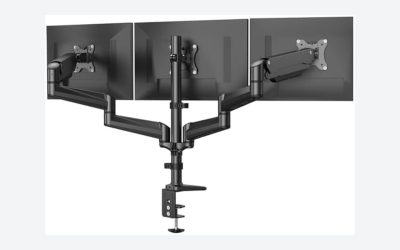
If your monitor has a tilt-only or height-only stand, a VESA arm can add pivot. Check the VESA pattern and weight limit on the listing. The AG Neovo MH2404 and Edgequora titles mention VESA. Arms also free desk space, and a gas-spring arm can rotate more smoothly than a basic stand, though you should confirm the weight range and clamp type before buying.
A short portrait-readiness checklist
- The listing uses the word pivot, not only height adjustable
- The panel is IPS, or you accept the viewing-angle trade-off
- Resolution fits the task: at least 1440p at 27 inches for text, 1080p acceptable at 24 inches
- Ports match your computer, with USB-C power delivery wattage checked for laptops
- Rotated height fits your desk, shelf and wall
- Warranty and return window are clear, especially for lesser-known brands
Run the checklist for each finalist, and drop any model that fails two items. A monitor that fails one can still be a good buy if the trade-off is acceptable, such as lower resolution on a small, inexpensive screen.
Where buyers go wrong
The most frequent error is assuming a height-adjustable stand also rotates; confirm the word pivot on the listing. Another is choosing a large 32-inch panel without measuring the room, then discovering the rotated screen cannot clear the desk or hits a shelf. Some buyers pick a low-resolution screen for text work and find 1080p at 27 inches looks coarse. Others forget that Windows needs a manual rotation setting, or that a flipped cable path can catch the stand. Finally, gaming features like 240Hz add cost but do little for portrait reading. A last mistake is mixing a rotated screen with a landscape one of a different size or color tone, which makes windows look different as you drag them across. Where possible, match panel type and brightness, and keep the bezels close.
Our pick
For text work, the LG 27UP650K-W is the strongest overall choice among these listings because it states 4K, IPS and pivot together. Laptop owners should look at the LG 32UP83AK-W for USB-C, while the Acer CB242Y bir is the simple, lower-cost 24-inch route. Gamers who want a rotated second screen can consider the LG 27G440A-B. Confirm pivot before ordering any model that does not state it. If you want the lowest-risk option for reading and code, stay with the LG 4K models; if you are trying to save, the Acer is the cleanest budget route among those with a stated pivot stand.
Related guides
- Low Latency 1080P High Refresh Monitors
- Gaming Monitor For Competitive Shooters
- Monitor Refresh Rate Vs Frame Rate Explained
Frequently asked questions
What is a pivot monitor?
A pivot monitor has a stand that lets you rotate the screen 90 degrees from landscape to portrait without removing it. The stand usually also adjusts height, and the display software or Windows settings then rotate the picture to match. Pivot is handy for coding, long documents, web pages and vertical video editing. Check each listing, because some stands only tilt and height-adjust.
Do you need an IPS panel for portrait mode?
IPS is the safest choice because color and brightness stay consistent when you view the screen from the side, and in portrait the horizontal angle becomes a vertical one. VA panels can show shifts in contrast from above or below, and cheaper TN panels fade more. Most monitors in this list use IPS, but check the listing for the exact panel on any model that does not state it.
How do you rotate the screen in Windows?
Open Settings, go to System, then Display, pick the monitor, and change Display orientation to Portrait. Windows then rotates the desktop to match the physical position. Graphics driver control panels from NVIDIA, AMD and Intel offer the same option. If the picture is upside down, choose Portrait (flipped). Some monitors also rotate their on-screen menu automatically through a built-in sensor, but many do not.
Is a 27-inch monitor too tall in portrait mode?
It depends on your desk. A 27-inch 16:9 panel is roughly 23.5 inches tall when rotated, which is a lot of height to sweep your eyes across. Many people find 24 inches easier for reading and 27 inches better for stacked windows and long spreadsheets. Check that the stand base can rotate and that your wall or shelf leaves enough room above the desk.
Can a gaming monitor be used vertically?
Yes, if the stand supports pivot, as the LG 27G440A-B listing states. Games usually expect a landscape picture, so the portrait position is better for browsing, chat, coding or a stream chat window beside a main display. High refresh rate still works in portrait. Panel viewing angles and the stand design matter more than gaming features for this use.