The best VESA mount adapter is the one built around your exact monitor. If yours appears in the title of the HumanCentric Dell or Acer listings, or the VIVO Sceptre listing, start there; otherwise a universal kit such as the Mount-It! or Pholiten covers 13 to 27 inch screens that lack standard holes. An adapter only solves one problem: it gives a monitor with a smooth or non-standard back a 75×75 or 100×100 millimetre pattern for an arm or wall plate. Prices in this set are low, so fit and load limits matter far more than cost, and a wrong guess costs a return rather than a replacement monitor.
Our Top Picks
 HumanCentric VESA Mount Adapter Compatible with Dell MonitorsVersion 2 Single-Pack0.7 poundsCheck on Amazon
At a glance

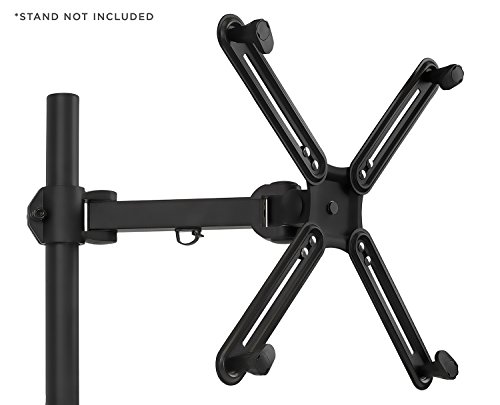
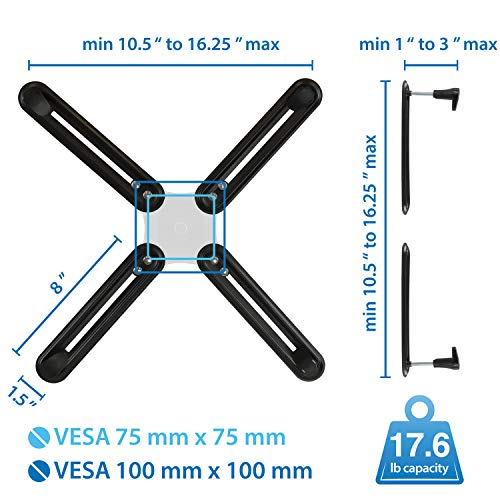
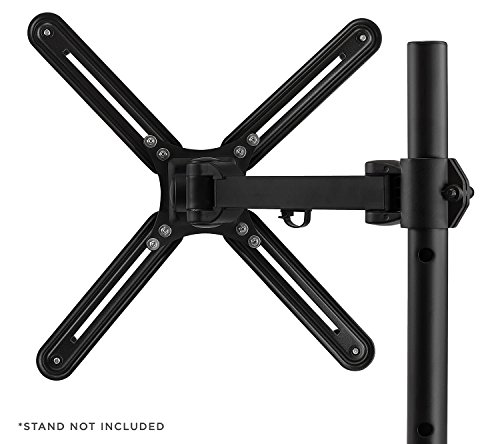
Mount-It! Non-VESA Monitor Mount Adapter Kit – Universal VESA Mount Adapter for 13–27 Inch LCD LED Screens, Converts to 75x75 & 100x100, Heavy Duty Steel Bracket for Desk





As an Amazon Associate we earn from qualifying purchases. Product prices and availability are accurate as of the date/time indicated.
HUANUO Universal VESA Mount Adapter Kit, Non-VESA Adapter for 17 to 27 Inch Monitor Screens to 75x75 VESA Mount


As an Amazon Associate we earn from qualifying purchases. Product prices and availability are accurate as of the date/time indicated.

VIVO VESA Adapter Designed for Compatible Sceptre Monitors, MOUNT-SRC30 | Black, Adapter Plate Bracket Designed for Sceptre C25, C30, and C34 Monitors, VESA up to 100x100mm


As an Amazon Associate we earn from qualifying purchases. Product prices and availability are accurate as of the date/time indicated.
HumanCentric VESA Mount Adapter Compatible with Dell Monitors 75x75|100x100 | Fits SE2416HX, SE2717HX, SE2717HR, SE2717H, S2216M, S2216H, SE2716H, SE2216H, SE2417HG, SE2416H, 75x75mm - 100x100mm Patterns




As an Amazon Associate we earn from qualifying purchases. Product prices and availability are accurate as of the date/time indicated.
HumanCentric VESA Mount Adapter Bracket Compatible with Acer Monitor | Fits R240HY bidx, R221Q, R271, SB220Q, R241Y, RT240Y, RT270, SA220Q, SA230 bi, SA240Y, SA270 Bbix, SB230, SB240Y


As an Amazon Associate we earn from qualifying purchases. Product prices and availability are accurate as of the date/time indicated.

Pholiten VESA Mount Bracket Adapter Monitor Arm Mounting Kit | For 13 to 27 inch Screens, 75x75mm/100x100mm VESA


As an Amazon Associate we earn from qualifying purchases. Product prices and availability are accurate as of the date/time indicated.
| Model | Key point from title | Price tier | Best for |
|---|---|---|---|
| Mount-It! Non-VESA Adapter Kit | 13-27 inch, 75×75 and 100×100, steel | Budget | Mixed-brand screens |
| HUANUO Universal Adapter Kit | 17-27 inch, converts to 75×75 | Premium | Arms with 75×75 plates |
| VIVO MOUNT-SRC30 | Sceptre C25, C30, C34, up to 100×100 | Budget | Sceptre owners |
| HumanCentric Dell adapter | Lists SE and S series models | Mid-range | Named Dell monitors |
| HumanCentric Acer adapter | Lists R, SB, SA series models | Mid-range | Named Acer monitors |
| Pholiten Bracket Adapter Kit | 13-27 inch, 75×75 and 100×100 | Budget | Lowest-cost universal fit |
Six adapters compared
Mount-It! Non-VESA Monitor Mount Adapter Kit
This universal kit targets 13 to 27 inch LCD and LED screens and converts them to either 75×75 or 100×100 millimetre patterns, so it can serve a wider mix of arms than a single-pattern adapter. The title calls the bracket heavy-duty steel and mentions desk use, which are seller claims; no weight limit appears, so look for it in the specification. As with any universal kit, fit depends on your monitor’s stand neck and back shape, which the title cannot confirm. In practice that means checking how the bracket clamps or screws to the panel, what clearance it needs around ports, and whether the stand must come off first. Read the listing images and buyer questions for those details.
Pros
- Two hole patterns from one kit
- Broad 13 to 27 inch size range
- Steel bracket claimed
Cons
- No weight rating in the title
- Fit relies on your own measuring
- Hardware list not visible in the title
Who it’s for: owners of an unbranded or older screen with no VESA holes who want one kit that works with either arm pattern.
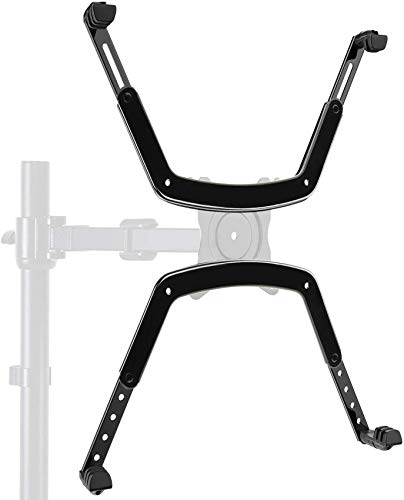
HUANUO Universal VESA Mount Adapter Kit
The wording here is narrower than its rivals: it covers 17 to 27 inch screens and converts them to 75×75 only. That is fine if your arm’s head accepts the smaller pattern, which many do, but a plate that is 100×100 only would not match without extra hardware. It sits in the highest price tier in this group, though the gap is small in absolute terms. The title mentions no model list, so universal fit is assumed. Before buying, compare your arm’s plate against 75×75 and make sure the monitor’s width sits within the 17 to 27 inch range, since a screen at either edge of that range leaves little margin for error.
Pros
- Clear 17 to 27 inch range
- Suitable for compact 75×75 arm plates
Cons
- No 100×100 option stated
- Higher price tier than the other universal kits
- No weight limit in the title
Who it’s for: small and mid-size monitors paired with a 75×75 arm, where the compact pattern is already what the arm expects.
VIVO MOUNT-SRC30 for Sceptre monitors
A purpose-shaped plate for the Sceptre C25, C30 and C34 monitors, supporting VESA up to 100×100 millimetres. Model-specific kits remove most guesswork about where the bracket should sit, but only if your monitor matches the title exactly. The title does not say whether these screens are curved, so check that point; back curvature complicates universal brackets. If you own a different Sceptre model, ask the seller before ordering. The model code in the title is the identifier that counts, and the wording “up to 100×100” suggests the plate may offer more than one pattern, which is worth confirming against your arm.
Pros
- Designed around named Sceptre models
- Tailored to C25, C30 and C34
Cons
- Useless outside the named models
- “Up to 100×100” wording is loose, so confirm the exact pattern
Who it’s for: Sceptre C-series owners adding a monitor arm.
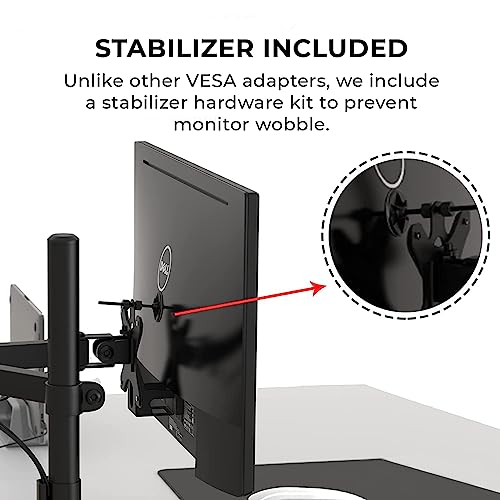
HumanCentric VESA Mount Adapter for Dell monitors
The title lists exact Dell models, among them SE2416HX, SE2717HX, SE2716H and S2216M, and offers 75×75 or 100×100 patterns. Because it is aimed at specific monitors, there is little ambiguity about fit, provided your model code is in the list. Check the code printed on your monitor’s back label, not the marketing name, and confirm it matches character for character before ordering. The listing is clear about its purpose, which is a point in its favour next to vaguer universal kits, though it still gives no weight figure.
Pros
- Named model list reduces fit risk
- Both common patterns
Cons
- Only for the models listed
- No weight rating in the title
Who it’s for: owners of the listed Dell SE and S series screens.
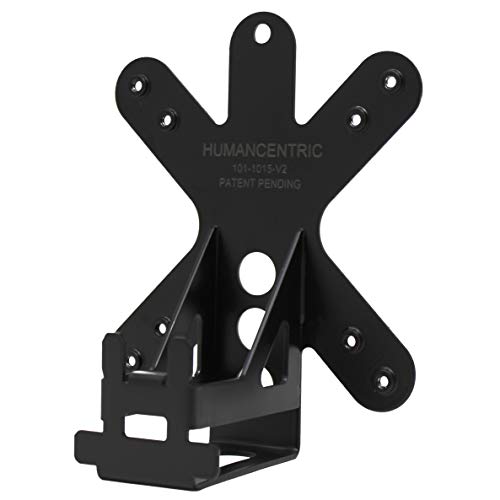
HumanCentric VESA Mount Bracket Adapter for Acer monitors
The Acer sibling follows the same idea with a different list: R240HY bidx, R221Q, R271, SB220Q, RT270, SA270 Bbix and others, again with the standard pattern options. Check whether your variant suffix matches, since similar Acer codes can differ in stand design. It shares the Dell version’s strengths and limits, so choose it only if your exact code appears; otherwise its universal rivals are the safer purchase. A mismatch is the main way this kind of listing goes wrong, and a return can cost more time than the part cost to buy.
Pros
- Long list of named Acer models
- Same brand and format as the Dell kit
Cons
- No help if your code is missing
- Variant suffixes can cause confusion
Who it’s for: owners of the listed Acer R, SB and SA series screens.
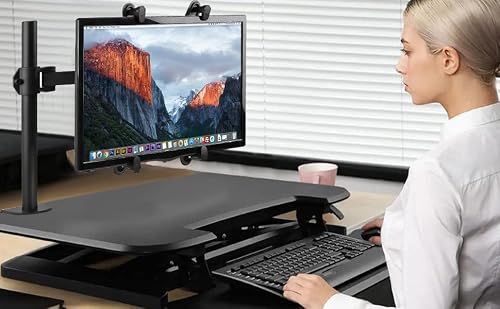
Pholiten VESA Mount Bracket Adapter Monitor Arm Mounting Kit
Another universal kit for 13 to 27 inch screens with 75×75 and 100×100 patterns, and the lowest-priced item in the set. The title is short on detail, so do not assume anything it does not say: no weight limit, no hardware list and no mention of curved screens. Treat it as a budget attempt to solve a fit problem, and keep the return option open if the bracket does not seat flat. It overlaps heavily with the Mount-It! kit in size range and patterns, so the choice between them comes down to price and the detail you can find on each listing page.
Pros
- Lowest price tier here
- Both hole patterns on a 13-27 inch range
Cons
- Sparse title detail
- Overlaps with the Mount-It! kit
- No stated approach for curved or recessed backs
Who it’s for: tight budgets and lighter monitors, ideally on a desk arm rather than an overhead wall mount.
How these were picked
We compared titles, published specifications and buyer feedback to sort universal kits from model-specific ones. Compatibility lists and hole patterns come from title wording only. Nobody on the team used or measured these units. Please confirm model codes, patterns and weight ratings on each listing before ordering. Where a title is vague we have said so rather than filling the gap from memory, and where two kits overlap we call that out instead of inventing a difference between them.
Checking fit before you buy
A four-step compatibility routine
- Look at the back of the monitor. Four threaded holes in a square already mean VESA.
- Measure centre to centre in millimetres, horizontally then vertically.
- Read the arm’s plate pattern: 75×75, 100×100 or both.
- Pick the adapter that outputs a pattern the arm accepts, then check the model list or size range.
A load example, with stated assumptions
Assume a 24-inch monitor weighs roughly 3.5 kg without its stand, the adapter about 0.4 kg, and the arm is rated for 8 kg. The load is 3.9 kg, about 49% of the arm’s rating. Swap in a 27-inch screen at an assumed 5 kg and the load is 5.4 kg, about 68%. These are estimates; replace them with your monitor’s spec sheet figures. Arms also lose capacity when the screen sits far from the pivot, so use the extended-reach rating if the manual gives one. If the margin comes out under about 25% on your numbers, look for a higher-rated arm.
Hardware that often gets overlooked
Screw length matters, and so does thread size; M4 is the usual choice on 75×75 and 100×100 patterns, but check your monitor’s manual: too long can press on internal parts, too short may not grip. Recessed back panels may need spacers. Curved backs can leave gaps, and a bracket that does not sit flush concentrates load on a few screws. Tighten evenly and re-check after a week of use. The adapter and its fixings must also hold your monitor’s weight on their own, not only the arm. For compatibility basics see our guide on choosing VESA mount compatibility, and for the next link in the chain, VESA wall mounts for gaming monitors.
Mistakes buyers make
- Buying an adapter for a monitor that already has VESA holes.
- Reading a model-specific title loosely. Names like “Compatible with Dell” do not cover every Dell.
- Ignoring weight, particularly adapter plus monitor against the lowest rating in the chain, which is often the wall or desk fixing rather than the arm itself.
- Assuming 75×75 and 100×100 are interchangeable. Your arm must accept the one you create, and a few plates accept only one of them.
- Using longer screws than supplied, which can damage the panel.
- Trusting the seller’s size range alone. A 27-inch screen with a heavy stand neck and a 27-inch ultralight panel behave very differently on the same bracket.
Verdict
If your monitor is named in a title, pick the matching HumanCentric or VIVO adapter for the lowest fit risk. For anything else, the Mount-It! kit is the most flexible on paper, the Pholiten the cheapest, and the HUANUO suits 75×75 arms only. None states a weight limit in its title, so ask the seller or check the manufacturer documentation before mounting a heavy screen overhead. Measure twice, order once, and keep packaging until the monitor has hung level for a few days. If your screen is named in a model-specific title, that route is usually the shortest path to a secure fit.
Frequently asked questions
Do I need an adapter if my monitor already has four screw holes on the back?
Usually not. Four threaded holes in a 75×75 or 100×100 millimetre square generally mean the monitor is already VESA compatible and can take an arm or wall bracket directly. An adapter is for panels with a smooth back, recessed or oddly spaced holes, or a stand design that blocks the standard pattern. Check the manual or measure the hole spacing first.
What do 75×75 and 100×100 mean?
They are the centre-to-centre distances in millimetres between the four mounting holes, horizontally and vertically. Many 22 to 27 inch monitors use one of these two patterns. The arm or wall plate must support the pattern your adapter produces. If an adapter produces only 75×75, as the HUANUO title states, confirm your arm accepts that spacing. Most arms list the patterns they support in their specifications.
Are model-specific adapters better than universal ones?
They can be easier to fit because the bracket is shaped around a named monitor, and the HumanCentric and VIVO titles list the models they target. The trade-off is that they are useless if your model is not on the list. Universal kits cover more screens but depend on your own measuring and a secure grip. For an unusual or very new monitor, universal is often the only choice.
How much weight can an adapter hold?
The titles here do not state weight limits, so check the listing or the manufacturer documentation. Add the monitor’s weight without its stand to the adapter’s own weight, then compare the total with the lowest rating in the chain: adapter, arm and wall or desk fixing. Leave a margin rather than loading anything to its limit, and re-check the fixings after the first week.
Will an adapter work with a curved monitor?
It might, but curvature changes how flat the back sits against a bracket. None of the titles here mention curved panels, so ask the seller with your exact model number before ordering. A bracket that rocks on the back of the panel is not a safe fit. Look for an adapter that states curved compatibility explicitly, and check the bracket sits flush without gaps. Note too that adapters fitted to a curved back may sit slightly off-axis, which can tilt the screen once it hangs on the arm.