
The best monitor with a built-in webcam depends on how much desk you want around the camera: the 24-inch ASUS and SKitphrati screens keep spending low, the 27-inch ASUS BE279QSK and Thinlerain add room, and the 34-inch Philips and Samsung models fold a camera into an ultrawide workspace. Below are eight listings, from 1080p office panels to 1440p and docking-ready ultrawides. Our notes come from listing titles, published specifications and buyer feedback, so camera quality claims are the sellers’ own. Where a title leaves out something that decides call quality, such as shutter or cable needs, we say so plainly, since those gaps are what buyers usually have to chase down.
Our Top Picks
 ASUS BE24EQK 24 Inch 1080P Computer Monitor24 Inch24.02 x 19.45 x 6 inches12.8 PoundsCheck on Amazon
 ASUS BE279QSK 27 Inch 1080P FHD Computer Monitor27 Inch15.67 x 24.06 x 10.47 Inches14.99 poundsCheck on Amazon
 SKitphrati 23.8" 1080P IPS 120Hz Monitor for Business23.89.45 x 21.26 x 17.32 inches9.9 poundsCheck on Amazon
At a glance: eight screens with a camera built in
ASUS BE24EQK 24 Inch 1080P Computer Monitor, Webcam, HDMI, DisplayPort, VGA | Full HD IPS, Eye Care, 2MP Webcam, Mic Array, Stereo speaker, Video Conference, VESA Wall Mount, EPEAT, Ergonomic


As an Amazon Associate we earn from qualifying purchases. Product prices and availability are accurate as of the date/time indicated.
ASUS BE279QSK 27 Inch 1080P FHD Computer Monitor, Webcam, HDMI, DisplayPort | Full HD, IPS, VGA, Built-in 2MP Webcam, Mic Array, Speakers, Eye Care, VESA Wall Mount, Frameless, Height Adjustable, EPEAT


As an Amazon Associate we earn from qualifying purchases. Product prices and availability are accurate as of the date/time indicated.

Philips 34E1C5600HE 34" UltraWide QHD 21:9 Monitor with Built-in Windows Hello Webcam & Noise Canceling Mic, USB-C Docking, Stereo Speakers, 100Hz, 4-Year Advance Replacement,Black


As an Amazon Associate we earn from qualifying purchases. Product prices and availability are accurate as of the date/time indicated.

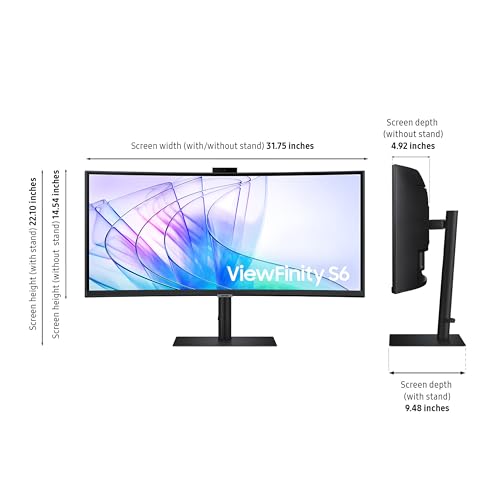
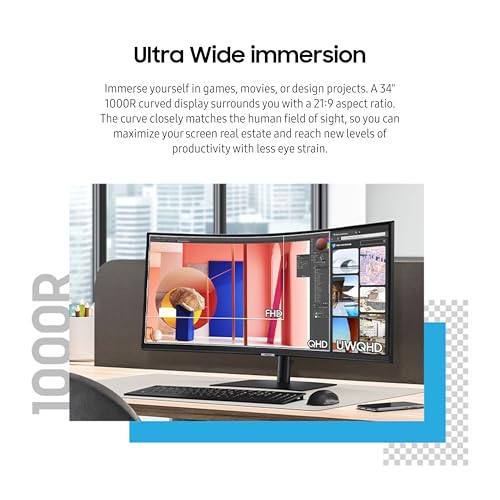
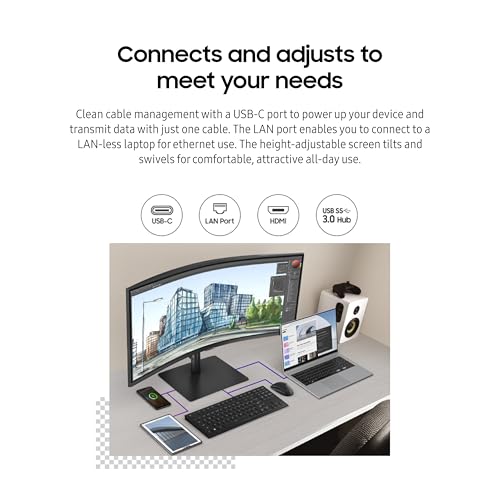
Samsung 34" ViewFinity (S65VC) Series Ultra-WQHD Curved Computer Monitor | 100Hz, AMD FreeSync, HDR10, USB-C, Built-in Speaker, Camera, KVM Switch, Eye Care, Eco-Packaging (LS34C650VANXGO)







As an Amazon Associate we earn from qualifying purchases. Product prices and availability are accurate as of the date/time indicated.
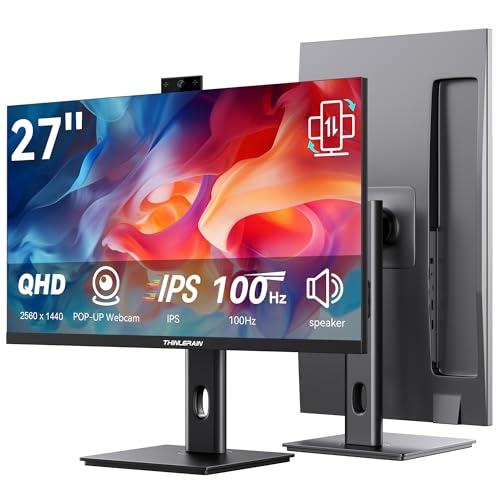
Thinlerain 27 Inch Monitor with Pop-Up Webcam - 2K 2560 x 1440 IPS Computer Monitor, 100Hz Vertical Gaming PC Screen, Built-in 3MP Webcam & Microphone, HDMI, DisplayPort, Display for Office Home Work


As an Amazon Associate we earn from qualifying purchases. Product prices and availability are accurate as of the date/time indicated.
SKitphrati 23.8" 1080P IPS 120Hz Monitor for Business & Gaming - Built-in Adjustable 3MP Webcam, Mic Array, Dual Speakers, Frameless, Eye Care, HDMI/DP/VGA/USB


As an Amazon Associate we earn from qualifying purchases. Product prices and availability are accurate as of the date/time indicated.
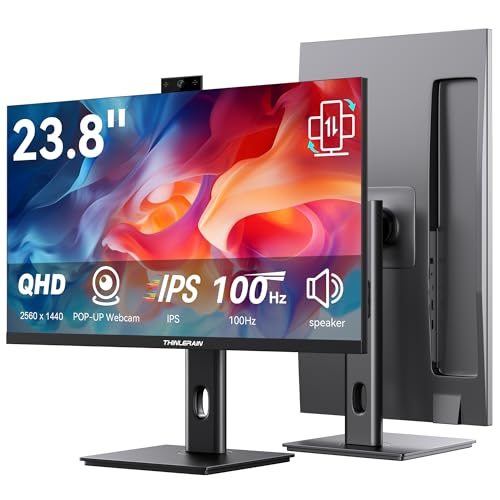
Thinlerain 23.8 Inch Monitor with Pop-Up Webcam - 2K 2560 x 1440 IPS Computer Monitor, 100Hz Vertical Gaming PC Screen, Built-in 3MP Webcam & Microphone, HDMI, DisplayPort, Display for Office Home


As an Amazon Associate we earn from qualifying purchases. Product prices and availability are accurate as of the date/time indicated.

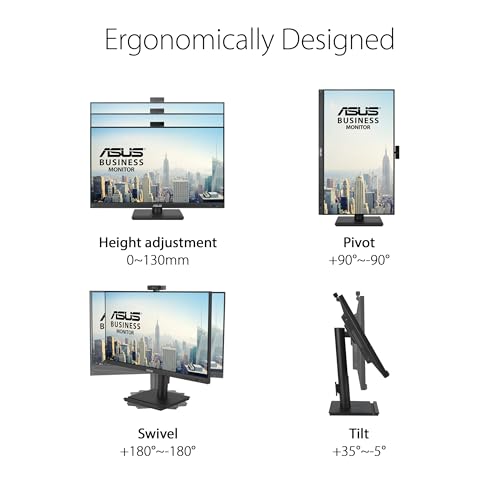
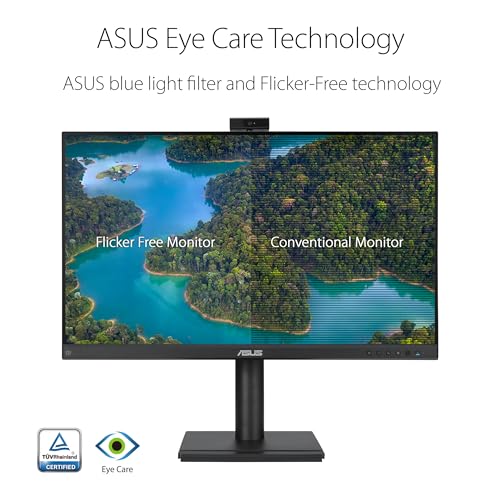
ASUS BE249QFK 24 Inch 1080P FHD Computer Monitor, Webcam, HDMI, DisplayPort | IPS, FHD 100Hz, Frameless, VGA, Mic Array, Speakers, Height Adjustable, Ergonomic, Eye Care, VESA Wall Mount, EPEAT Gold




As an Amazon Associate we earn from qualifying purchases. Product prices and availability are accurate as of the date/time indicated.
| Model | Key point from title | Price tier | Best for |
|---|---|---|---|
| ASUS BE24EQK | 24-inch 1080p IPS, 2MP webcam, mic array | Budget | Simple call desk |
| SKitphrati 23.8-inch | 1080p IPS, 120Hz, adjustable 3MP webcam | Budget | Calls plus casual games |
| Thinlerain 23.8-inch | 1440p IPS, 100Hz, pop-up 3MP webcam | Budget | Sharp small screen |
| ASUS BE249QFK | 24-inch 1080p IPS, 100Hz, height adjustable | Mid-range | Daily office work |
| Thinlerain 27-inch | 1440p IPS, 100Hz, pop-up 3MP webcam | Mid-range | Roomy 1440p desk |
| ASUS BE279QSK | 27-inch 1080p IPS, 2MP webcam, height adjustable | Mid-range | Larger 1080p screen |
| Philips 34E1C5600HE | 34-inch ultrawide QHD, Windows Hello webcam, USB-C dock | Premium | Laptop docking |
| Samsung ViewFinity S65VC | 34-inch Ultra-WQHD, USB-C, KVM, camera | Premium | Two-computer setups |
The eight monitors, one at a time
ASUS BE24EQK 24-Inch 1080P Webcam Monitor
The title lists a 24-inch Full HD IPS panel, 2MP webcam, mic array, stereo speaker and HDMI, DisplayPort and VGA inputs. The VGA port suits an older office PC. No refresh rate appears, so assume a standard office panel. The 2MP camera equals the pixel count of a 1080p frame, so expect nothing sharper. A privacy shutter is not mentioned; look for one in the product images. Because it is the cheapest ASUS here, it also gives the clearest view of what the brand charges extra for elsewhere in the set: taller stands and a faster panel.
Pros
- Wide input choice including VGA
- Camera, mic and speaker in one unit
Cons
- Refresh rate not stated
- 1080p at 24 inches leaves little room for side-by-side windows
Who it’s for: a budget buyer who wants a plain video-call desk.
SKitphrati 23.8-Inch 1080P IPS 120Hz Webcam Monitor
This listing pairs a 23.8-inch 1080p IPS panel with 120Hz, an adjustable 3MP webcam, mic array and dual speakers, with HDMI, DP, VGA and USB. The 120Hz figure is a seller claim; check the listing for the supported input. We have no brand history to point to, so read buyer feedback on camera and support. It carries the highest stated refresh rate in the set, so it is the natural choice if a younger family member also wants the monitor for weekend gaming after the workday ends.
Pros
- 120Hz claimed at a budget tier
- Adjustable camera angle per the title
Cons
- Unfamiliar brand, so support is harder to judge from the listing
- Panel is 1080p, so text looks coarser than on the 1440p units
Who it’s for: someone splitting time between meetings and casual games.
Thinlerain 23.8-Inch 2K Monitor With Pop-Up Webcam
A 23.8-inch 2560×1440 IPS panel with 100Hz, a pop-up 3MP webcam and microphone, plus HDMI and DisplayPort inputs. The pop-up design means the lens is hidden when closed, which acts as a physical privacy measure. The phrase “100Hz Vertical Gaming PC Screen” is ambiguous, so confirm the refresh rate and whether the stand pivots. At this size 1440p is about 123 pixels per inch, the sharpest screen in the set. The title does not mention speakers, so plan on a headset or a small desktop speaker for audio.
Pros
- Highest pixel density here
- Lens hidden when the camera is retracted
Cons
- Ambiguous wording about refresh and orientation
- Speakers are not mentioned in the title
Who it’s for: a buyer who values sharp text on a small desk.
ASUS BE249QFK 24-Inch 1080P 100Hz Webcam Monitor
The title names a 24-inch Full HD IPS panel at 100Hz with a frameless design, VGA, HDMI and DisplayPort, mic array, speakers and height adjustment. Height adjustment is the useful part: it lets you set the lens near eye level without books under the stand. It also carries an EPEAT Gold mention. The webcam resolution is not in this title, unlike its siblings, so check the listing. It is also the model to compare against the SKitphrati if you prefer a recognizable name over a higher claimed refresh rate.
Pros
- Height adjustable stand per title
- 100Hz is smoother than 60Hz for scrolling
Cons
- Camera resolution not shown in the title
- Still 1080p at 24 inches
Who it’s for: an office worker who wants an adjustable desk screen.
Thinlerain 27-Inch 2K Monitor With Pop-Up Webcam
This is the larger version of the 1440p Thinlerain: 27 inches, IPS, 100Hz, pop-up 3MP camera and microphone, HDMI and DisplayPort. At 27 inches 1440p works out near 109 pixels per inch, a good balance for text. It is a seller-claimed spec set from a brand we cannot vouch for, and the same ambiguous “Vertical Gaming” phrase appears. It is a near-twin of the 23.8-inch model, differing mostly in size. If your desk allows 27 inches, the extra room is worth more for tiled windows than for video calls themselves.
Pros
- 1440p at 27 inches gives roomy, readable windows
- Retractable camera
Cons
- Same unclear refresh and orientation wording
- Brand support history is unclear
Who it’s for: a buyer who wants a bigger 1440p workspace without paying ultrawide money.
ASUS BE279QSK 27-Inch 1080P Webcam Monitor
A 27-inch Full HD IPS monitor with a built-in 2MP webcam, mic array, speakers, HDMI, DisplayPort and VGA, height adjustable and frameless. At 1080p, a 27-inch panel is about 82 pixels per inch, so fine text looks softer than on the 1440p units. Where it helps is brand familiarity and a stand that adjusts height. It costs more than the 1440p Thinlerain 27-inch here, which is a fair reason to compare them. Its title also lists the EPEAT mention and a frameless design, which suit offices with procurement rules.
Pros
- Height adjustable per title
- Familiar brand with the same feature set as its smaller siblings
Cons
- Lower pixel density than the 1440p models
- Priced above a 1440p alternative in this set
Who it’s for: someone who prefers a known brand over a resolution upgrade.
Philips 34E1C5600HE 34-Inch UltraWide QHD Webcam Monitor
The title lists a 34-inch 21:9 UltraWide QHD panel at 100Hz with a Windows Hello webcam, noise-canceling mic, USB-C docking, stereo speakers and a four-year advance replacement. USB-C docking suits laptop users who want one cable for video, data and charging. “QHD” here is ambiguous for a 21:9 screen, so confirm the exact pixel count. Check the listing for USB-C power output if charging matters, and for the camera’s own USB path. The extra width is also handy for keeping a call window beside a document without overlapping.
Pros
- USB-C docking and a Windows Hello camera in one
- Long replacement coverage per the title
Cons
- Pixel count needs confirming
- Ultrawide width needs a deep desk
Who it’s for: a laptop user who wants one cable for meetings and a wide workspace.
Samsung ViewFinity S65VC 34-Inch Curved Webcam Monitor
This 34-inch Ultra-WQHD curved panel lists 100Hz, AMD FreeSync, HDR10, USB-C, speaker, camera and a KVM switch. KVM lets one keyboard and mouse switch between two computers, which is handy for a work laptop plus a personal PC. The title says “Camera” without resolution or type, so check the listing. It sits at the top of the price tiers in this set, so confirm the camera and KVM behaviour in buyer feedback before committing, since this is where a missing detail costs most.
Pros
- KVM switch for two computers
- Ultra-WQHD curved panel with USB-C
Cons
- Camera details are missing from the title
- Most expensive screen in the set
Who it’s for: a professional juggling two machines on one desk.
Where the lens sits: a gaze-offset estimate
Webcams on top bezels make you look slightly away from the lens when you read the screen. Assuming you sit about 26 inches back, look at the screen centre and the lens sits at the top edge, the offset angle is atan(half screen height / distance). A 24-inch 16:9 panel is about 11.8 inches tall, giving roughly 13 degrees. A 27-inch panel is about 13.2 inches tall, giving roughly 14 degrees. A 34-inch 21:9 panel is about 13 inches tall, so also roughly 14 degrees. These are estimates; bezels are ignored.
The spread is small, so keeping the call window near the top of the screen, close to the lens, helps eye contact more than screen size does.
What to look for in a monitor with a webcam
Camera pixels and lighting
A 2MP camera records roughly 1920×1080 pixels, while 3MP sensors are commonly around 2048×1536, though titles rarely give exact figures. More megapixels do not guarantee a better picture. Lens quality, sensor size and processing matter more, and the titles say nothing on those. Plan for a lamp placed in front of you, not behind; it improves any small built-in sensor. Backlight from a window behind you does the opposite, so face the light source when possible.
Microphones, speakers and shutters
All eight mention a microphone, array or noise-canceling mic, and most mention speakers. Listing wording cannot tell you how they sound. If you game with a headset, speakers matter less; our guide to built-in monitor speakers covers that trade-off. Privacy matters too: a pop-up lens is hidden when closed, while a fixed lens may rely on a slider or software switch. Check whether the mic array is described as noise-canceling and whether the listing mentions a mute button on the bezel.
Cables the camera needs
The monitor’s video cable carries picture only. The camera and mic typically need a USB link to the computer, either a dedicated upstream cable or a USB-C connection that carries data. Find the upstream port in the listing images. For laptops with limited ports, a monitor with a built-in USB hub can cut cable clutter. Confirm that the same cable carries camera data before you rely on it, and note that charging a laptop over USB-C needs enough wattage in the listing.
Size versus sharpness
A worked example with stated assumptions: a 24-inch 1080p screen is about 2,203 pixels along the diagonal divided by 24 inches, roughly 92 pixels per inch. Other estimates: 24-inch 1080p is about 92 pixels per inch, 27-inch 1080p about 82, 23.8-inch 1440p about 123 and 27-inch 1440p about 109. Lower density makes text look coarser at desk distance. If you compare resolution tiers, our 1080p vs 1440p vs 4K comparison explains the trade-offs. As a rule, pick the 1440p models if you spend most of the day reading text.
How we picked these
We compared listing titles, published specifications, manufacturer documentation and buyer reviews, and kept only monitors whose titles state a built-in camera. Nobody on the team used or measured these units. We placed no weight on star ratings or review counts, and we did not compare prices beyond placing each listing into a relative tier. Spec claims in titles, such as refresh rates and webcam megapixels, are the sellers’ and are flagged where unclear. Price tiers are relative to this set only.
Mistakes buyers make with camera monitors
The first is assuming the webcam works over the video cable; most need USB. The second is trusting a megapixel number as a quality score. The third is overlooking the privacy shutter or pop-up design if the monitor sits in a bedroom or shared office. The fourth is buying a 34-inch screen for a shallow desk, when an ultrawide of that size is roughly 31 inches wide and sits further back. The fifth is ignoring ambiguous wording, such as the “Vertical Gaming” phrase on the Thinlerain titles, instead of confirming it with the seller. Finally, do not forget the stand: a camera set too low produces an upward angle that no software setting can fix.
Verdict
For a straightforward setup, the ASUS BE249QFK balances height adjustment, 100Hz and a familiar brand. The budget pick is the ASUS BE24EQK, with the Thinlerain 23.8-inch worth a look if you want sharper text. For laptops, the Philips 34E1C5600HE adds USB-C docking and Windows Hello, while the Samsung suits two-computer desks. Always confirm webcam details on the listing, and keep your spending proportional to how many hours a week you actually spend on camera, since a plain 1080p screen covers most meetings.
Questions buyers ask
Do monitors with a built-in webcam work without extra cables?
Usually not entirely. The panel needs a video cable, but the camera and microphone commonly need a separate USB connection to the computer so they appear as devices. Some listings do not make this clear, so check the manual or the product images for an upstream USB port before you order. Docking models such as the Philips 34E1C5600HE route data through USB-C, which can cover this with one cable.
Is a 2MP built-in webcam good enough for video calls?
For most meetings, yes. A 2MP sensor matches the pixel count of a 1080p frame, which is the ceiling for many conferencing apps anyway. Picture quality still depends on lighting, lens and software processing, none of which the listing titles describe. If calls are a main use, read buyer feedback about the camera specifically.
Can I use a monitor webcam for streaming or recording?
You can, but treat it as a convenience camera. Fixed lenses at the top bezel give limited framing control, and the titles give no detail on autofocus or low-light behaviour. Casual streams and recorded meetings are realistic; for polished video, a separate camera on an arm gives more control over height, angle and lighting.
What does Windows Hello on a monitor mean?
Windows Hello is Microsoft’s face sign-in feature. It generally depends on a camera that supports it, and the Philips 34E1C5600HE title says its webcam does. Confirm the details on the listing and that your PC runs a supported version of Windows. The other monitors here do not mention it in their titles, so do not assume it.
Which of these is best for a gaming PC that also takes calls?
The 1440p Thinlerain screens and the SKitphrati 120Hz panel have the most gaming-friendly specs in the titles, though refresh claims are seller statements and the Thinlerain wording is unclear. If you care mainly about resolution, the 1440p models give sharper text and games than the 1080p ASUS units, at the cost of more demand on the graphics card.









