
A scratch on your monitor is one of those small disasters that feels bigger every time you notice it. Before you reach for toothpaste or a buffing compound from a car forum, understand what you are actually dealing with. Most modern monitors have a delicate coating, and the wrong “fix” turns a faint line into a permanent cloudy patch.
As an Amazon Associate we earn from qualifying purchases at no extra cost to you.

Our Top Picks
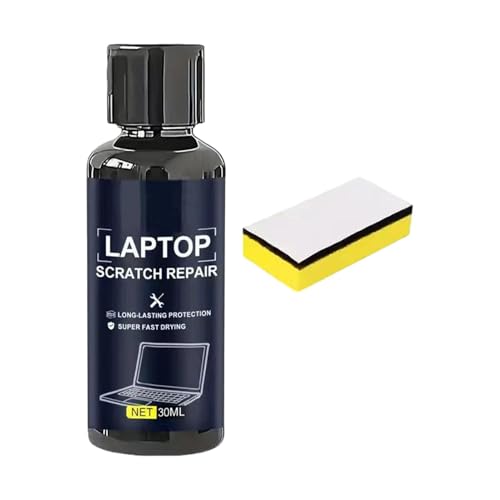

Top 3 picks at a glance
First, figure out what you are seeing
Smudge, coating scuff, or real scratch?
Turn the monitor off so the black screen shows marks clearly. Many “scratches” are just grease or a dried cleaning streak that wipes away with a proper microfiber cloth and a little distilled water. If it survives gentle cleaning, gently run a fingernail across it: if your nail catches, it is a physical gouge in the panel or coating and cannot be truly removed, only made less visible.
What is safe and what destroys screens
Monitors use an anti-glare (matte) or anti-reflective coating over the panel. Abrasive pastes, toothpaste, alcohol above about 70%, acetone and ammonia-based glass cleaners all attack these coatings and can strip them unevenly, leaving a bright, permanent haze that looks worse than the scratch.
| Method | Verdict |
|---|---|
| Microfiber + distilled water | Safe, try first |
| 50/50 distilled water + white vinegar (lightly) | Usually safe for stubborn grime |
| Toothpaste / abrasive paste | Avoid, damages coating |
| Acetone, ammonia, high-percent alcohol | Avoid, strips coating |
| Paper towels | Avoid, micro-scratches |
Realistic options for a genuine scratch
Minimize its visibility
A very shallow scuff in a matte coating can sometimes be made less noticeable by cleaning thoroughly so no debris highlights it. Deeper scratches are permanent. A matte-screen scratch tends to show as a shiny line; there is no reliable home method to refill the coating without risking a bigger blemish.
Cover or work around it
If the scratch sits at an edge, you may simply learn to ignore it. Some people apply a matte screen protector film to hide fine surface marks and reduce further damage, accepting a slight change in image clarity. For a scratch dead-center on an expensive panel, check whether accidental-damage coverage or a repair quote makes sense before living with it.
Cleaning technique that prevents new marks
Most screen damage comes from cleaning, not accidents. Always power the monitor off and let it cool so smudges show and cleaner does not dry into streaks. Spray distilled water or a screen-safe solution onto the cloth, never directly onto the panel, where liquid can seep into the bezel and electronics. Wipe gently in one direction with a clean microfiber cloth, using no pressure; pressing hard on an LCD can cause temporary or permanent discoloration. Rotate to a fresh section of cloth as it picks up grime so you are not dragging grit across the surface. Done this way, you will avoid the fine swirl scratches that build up over years of careless wiping.
FAQ
Can toothpaste really fix a monitor scratch?
No. The toothpaste trick came from glossy phone screens and even there it just polishes. On a monitor’s anti-glare coating it acts as an abrasive that removes coating unevenly, creating a permanent shiny smear. Do not use it.
How do I avoid scratches in the first place?
Clean only with a clean microfiber cloth and distilled water, never dry-wipe dust (lift it gently), keep pens and rings away from the panel, and use a dust cover if the monitor sits unused for long periods.
Bottom line
Confirm whether the mark is a smudge or a true scratch by cleaning it off first with microfiber and distilled water. Real scratches in a monitor coating are permanent, and abrasive “hacks” almost always make them worse, so your safe options are to minimize visibility, add a matte protector, or decide it is livable. Prevention through gentle cleaning beats every repair.









