The Ryzen Threadripper 1920X is a 12-core, 24-thread high-end desktop (HEDT) processor from 2017 for the TR4 socket and X399 motherboards. For gaming in 2026 it is not worth buying: its Zen 1 cores are slow per thread by modern standards, the platform is expensive to source, and a Ryzen 7 5700X or newer chip plays games better for less. It only makes sense if you already own an X399 system.
This guide covers the AMD Ryzen Threadripper 1920X (also searched as “1920X” or “Threadripper 1920X”) in plain terms: specs, what it can still do in games, what it does well outside games, platform requirements, and what to buy instead. Figures come from published specification sources; game frame rates are given only as approximate ranges.
Our Top Picks


Top 3 picks at a glance

Quick verdict: should you buy a Threadripper 1920X for gaming?
- Buy or keep it if: you already own an X399 board and want a cheap way to get 12 cores for rendering, virtual machines, compiling or heavy multitasking, with some gaming on the side.
- Skip it if: your main goal is gaming, you are building a new PC, or you care about power draw and noise. A modern 8-core AM4 or AM5 chip is faster in games and uses far less power.
The 1920X was a flagship-class product when it launched in 2017. Today it is a legacy part found mostly on the used market, often inside old workstations. Treat it as a workstation chip that can also run games, not the other way round.
Ryzen Threadripper 1920X specifications
| Spec | Threadripper 1920X |
|---|---|
| Architecture | Zen (first generation), 14 nm |
| Cores / threads | 12 / 24 |
| Base / boost clock | 3.5 GHz / up to 4.0 GHz (XFR can add roughly 200 MHz when conditions allow) |
| L3 cache | 32 MB |
| TDP | 180 W |
| Socket / chipset | TR4 (also written sTR4) / X399 |
| Memory | Quad-channel DDR4-2666 officially |
| PCIe | 64 lanes, PCIe 3.0 |
| Multiplier | Unlocked |
| Launch | 2017 (high-end desktop flagship tier at the time) |
| Integrated graphics | None; a discrete GPU is required |
Some listings write the socket as “TR4” and others as “sTR4”; they refer to the same socket. The chip is large and heavy, and it does not fit any mainstream Ryzen socket.
Gaming performance of the 1920X
The 1920X can run games, but it is held back by first-generation Zen behaviour: lower instructions per clock than modern chips, a multi-die design with higher internal latency, and boost clocks around 4 GHz. Most games use only a handful of fast threads, so the extra cores rarely help.
1080p gaming with a graphics card
With a mid-range or high-end card, expect playable results in most titles, but lower and less consistent frame rates than a modern 6- or 8-core chip. In CPU-bound esports games, approximate results are often well below what a current mainstream chip delivers, and 1% lows can be uneven. At 60 fps targets it is usually fine; at 144 Hz and above it is the limiting part in many games.
1440p and 4K
Resolution shifts the load to the GPU, so the gap narrows. At 1440p and 4K with a demanding game, the 1920X can feel acceptable with a fast GPU. The catch is that you would be pairing an old platform with a graphics card that may be bottlenecked in the games that matter to you, and PCIe 3.0 is the maximum link on this platform, so a PCIe 4.0 card runs at 3.0 speeds.
Approximate gaming expectations
| Scenario | Approximate outcome (varies by game, patch and GPU) |
|---|---|
| 1080p, 60 fps target, AAA games | Usually fine |
| 1080p, 144 Hz esports | Often CPU limited; modern 6-8 core chips are clearly ahead |
| 1440p, 60-100 fps | Mostly GPU limited; acceptable |
| 4K, 60 fps | GPU limited; the CPU matters little |
| CPU-heavy simulation and strategy | Slower than modern chips; large maps and late-game turns suffer |
These are directional ranges based on how this class of chip behaves, not numbers we recorded ourselves.
Game Mode and why it exists
Threadripper processors from this era were designed with two operating styles. In the default mode all cores and memory channels are active, which is best for creative work. A “Game Mode” in AMD’s Ryzen Master software disables half the cores to reduce latency for games that dislike very high core counts. Some older games behaved better this way. It is a useful trick on an old system, but it also shows why a plain 8-core mainstream chip is a simpler gaming answer.
Where the 1920X is still useful
Twelve cores and twenty-four threads remain a respectable amount of parallel hardware. Good uses include:
- Video rendering and encoding that scale across many threads.
- Virtual machines and containers: 64 PCIe lanes and 128 GB-class memory support (platform dependent) are handy for home labs.
- Software compiling and code builds.
- Streaming and gaming at once on a single PC, using the extra threads for the encoder.
- Many-lane builds with several NVMe drives and add-in cards, which mainstream platforms cannot offer.
The weakness in all of these is energy use and per-thread speed. A modern 12- or 16-core AM4 or AM5 chip can match or beat it in many multi-thread tasks at much lower power.
Platform notes: X399, memory, cooling and power
- Motherboard: X399 boards only. Boards are large (ATX or E-ATX), and a quality used board is the main cost of an old Threadripper build. New “X399-compatible” boards sold by obscure third-party brands are a risk; look for known manufacturers’ original boards and check seller feedback and warranty.
- Memory: quad-channel DDR4. Use four matched modules to benefit from the full bandwidth. Theoretical bandwidth for DDR4-2666 in four channels is 2666 x 8 x 4 = about 85.3 GB/s, roughly double a dual-channel setup at the same speed. Faster kits may run on some boards after tuning, but treat anything above 2666 as not certain.
- Cooler: the large socket needs a cooler that explicitly lists TR4/SP3 support; a normal AM4 cooler will not cover the chip properly. Mounting kits for TR4 are specific.
- Power supply: see the calculation below.
- Graphics: no integrated graphics, so you need a discrete card from day one.
Worked example: power budget for a 1920X gaming build
- CPU: up to 180 W rated; overclocking raises this considerably.
- Mid-range GPU (200-250 W class): about 220 W.
- Motherboard, four RAM modules, SSDs, fans: about 60-90 W.
- Total peak: roughly 180 + 220 + 75 = 475 W.
Aim for a quality 650-750 W unit for a mid-range GPU build. With a high-end GPU or any overclocking, move to 850 W. Compared with an 8-core Ryzen build that peaks near 300-350 W, the Threadripper costs more to run and needs more airflow.
Thermals, noise and overclocking
A 180 W part needs a big air cooler or a 280-360 mm liquid cooler designed for the socket. The cooler is usually the largest single accessory cost. Overclocking is possible because the multiplier is unlocked, but gains are small compared to the power increase, and since boost already reaches about 4 GHz, many users simply leave the chip at stock and tune memory instead. Keep case airflow strong; the VRMs on X399 boards also need cooling.
Alternatives to the Threadripper 1920X
| Chip | Cores / threads | Best for | Why choose it |
|---|---|---|---|
| Ryzen 7 5700X | 8 / 16 | Gaming plus general work | Much faster in games; AM4 platform is cheap |
| Ryzen 9 5900X | 12 / 24 | Gaming and heavy multitasking | Same core count as the 1920X with far better single-thread speed |
| Ryzen 9 5950X / 5900XT | 16 / 32 | Creator workloads on a budget | More threads than the 1920X on a mainstream board |
| Ryzen 5 5600 | 6 / 12 | Lowest-cost gaming | Strong value for 1080p gaming |
| Current Threadripper (7000 series and later) | 24 cores and up | True workstation use | Modern platform, memory and PCIe, but a high cost |
Is the Threadripper 1920X still worth buying in 2026?
For gaming, no. For hobby workstation work it can be, but only when the whole used platform is cheap and in good condition. If you can buy the entire system for the cost of a modern 8-core CPU alone, it may suit a home lab. If you are starting from scratch, a Ryzen 9 5900X gives the same 12 cores with better gaming performance, a cheaper board and lower power use.
Buying options: used, bundles and what to watch
- The chip is a legacy part; expect used or refurbished stock.
- Ask for photos of the socket pins on the board (Threadripper boards use LGA pins, which bend easily) and the chip contacts.
- Ask for a full bundle test video and return window from the seller rather than relying on a description alone.
- Avoid listings with unclear brand, no model numbers or generic “fit for” boards; they are hard to support.
- Check that the BIOS version supports your CPU, and keep a spare supported CPU in mind if you buy a mismatched board.
We did not find this exact chip in the store catalogue we reference, so the picks below cover the cooler and the practical alternatives. We have not used these products; the descriptions rely on manufacturer specifications.
Recommended companion parts
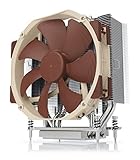
Noctua NH-U14S TR4-SP3
A single-tower air cooler built for the TR4/SP3 socket with a mounting kit sized for the large processor. At 165 mm tall, check your case clearance. It is a common choice for quiet operation on Threadripper builds.
As an Amazon Associate we earn from qualifying purchases at no extra cost to you.
SilverStone XE04-SP3B (4U)
A compact cooler for the SP3/TR4 socket intended for 4U cases and small workstation chassis. Choose it when height is the limit, expecting more fan noise than a large tower.

AMD Ryzen 9 5900X (the modern 12-core)
Twelve cores and twenty-four threads on AM4 with much faster cores than the 1920X. It needs a separate cooler but works on mainstream B550 or X570 boards. It is the most direct replacement for someone who wanted 12 cores mainly for gaming and work.
AMD Ryzen 7 5700X
An 8-core, 16-thread chip with a 65 W-class rating that is excellent for gaming and general use. It is the value option if you do not need 12 cores.

Crucial Pro 32 GB DDR4 kit (2 x 16 GB)
A dual-channel desktop memory kit rated up to 3200 MHz, suited to a mainstream AM4 replacement build. For an X399 system you would need four modules to use all channels.

How to decide: a situation-to-choice matrix
| Your situation | Best choice | Reason |
|---|---|---|
| Own an X399 board with a 1920X already | Keep it | Replacing the platform costs more than the gaming gain is worth |
| Own an X399 board with a smaller Threadripper (1900X) | 1920X is a reasonable upgrade | Four extra cores for rendering and virtual machines |
| Building a new gaming PC | Ryzen 5 5600 or Ryzen 7 5700X | Faster in games, far cheaper platform |
| Need 12 cores and good gaming | Ryzen 9 5900X | Same core count, much faster cores, mainstream board |
| Need many PCIe lanes and quad-channel memory | 1920X or a modern workstation chip | Mainstream sockets offer far fewer lanes |
| Streaming plus gaming on one PC | Ryzen 7 5700X or Ryzen 9 5900X | Efficient encoding threads without the 180 W penalty |
Buyer checklist for a used 1920X system
- Confirm the exact motherboard model and that its BIOS lists the 1920X.
- Ask for photos of the socket and the chip underside; bent pins or scratches are a reason to walk away.
- Check what cooler comes with the system and whether it includes the TR4 mounting kit.
- Count memory modules: four in matched slots is ideal for quad channel.
- Confirm the power supply is at least 650 W and has the right number of CPU power connectors; these boards often use two.
- Ask about the return window, and run a stress test and a memory check as soon as it arrives.
- Update the BIOS only if needed, following the board maker’s instructions, and note the original settings first.
Setup tips if you already own one
- Memory mode: leave memory in the default distributed mode for creative tasks; try the local mode only if a specific game stutters.
- Game Mode: use it only for titles that behave badly with many threads, and remember it reduces rendering speed while active.
- Power plan: use the Ryzen balanced or high-performance plan in Windows so cores wake quickly.
- Fan curve: tune fans on the cooler and the case so the chip holds boost under sustained load without loud noise.
- Storage: use NVMe drives on the CPU-attached lanes for the lowest latency; the platform has plenty of lanes.
- Drivers: install the latest chipset drivers from the board maker for your Windows version.
How the 1920X compares with its siblings
| Chip | Cores / threads | Base / boost | Role |
|---|---|---|---|
| Threadripper 1900X | 8 / 16 | 3.8 / 4.0 GHz | Entry; best base clock, fewest cores |
| Threadripper 1920X | 12 / 24 | 3.5 / 4.0 GHz | Middle; balanced for work and some gaming |
| Threadripper 1950X | 16 / 32 | Not confirmed here | Top of the first generation for heavy multi-thread work |
The 1920X sits in the middle. It offers a useful jump in threads over the 1900X, but it gives up some base clock, which is why gaming results are similar between them in lightly threaded titles.
Common problems on old Threadripper systems
| Symptom | Likely cause | What to check |
|---|---|---|
| No boot after install | BIOS too old or poor cooler contact | Update BIOS with a supported chip; re-seat the cooler and check mounting pressure |
| Random crashes under load | Memory not stable at the set speed | Return memory to the official 2666 setting and try again |
| Stutter in games | Memory mode or thread scheduling | Try Game Mode or local memory mode for that title |
| High temperatures | Cooler not made for the socket, or poor airflow | Use a TR4-compatible cooler and add case airflow |
| Missing memory capacity | Module not seated or wrong slots | Reseat modules and follow the manual’s slot order |
What would change this verdict
The advice above treats the 1920X as a used, legacy chip. If you can obtain a complete, working X399 system with a quality board, memory and cooler at a very low total cost, it becomes a reasonable project build for rendering, virtual machines and light gaming. If the seller asks close to the cost of a new mainstream gaming CPU and board for the chip alone, the answer stays firmly “skip”. Always compare total platform cost, not just the processor.
Frequently Asked Questions
Is the Threadripper 1920X good for gaming?
It is playable but not good value. Its first-generation Zen cores are slower than modern chips, so it trails a Ryzen 5 5600 in most games despite having twelve cores.
What socket does the Threadripper 1920X use?
TR4, sometimes written sTR4, with X399 chipset motherboards. It does not fit AM4 or AM5 boards.
How many PCIe lanes does the 1920X have?
64 PCIe 3.0 lanes, according to launch specifications. That is far more than mainstream desktop chips of its era and useful for multiple GPUs or NVMe drives.
Does the 1920X support DDR4-3200?
Its official memory support is quad-channel DDR4-2666. Faster kits may work on some boards but are not certain, so check the motherboard memory list.
Do I need a special cooler?
Yes. You need a cooler or AIO that supports the TR4/SP3 socket, because the chip is much larger than a mainstream desktop processor.
Is the 1920X better than a Ryzen 5 5600?
For multi-thread work it can be closer, but for gaming the 5600 is generally faster and much cheaper to run. The 1920X wins only in heavy parallel tasks and in PCIe lane count.
Should I buy a used 1920X system?
Only if the whole system is priced very low and the seller offers returns. For most buyers, a modern mainstream chip is the safer and faster purchase.
Sources
- AMD Ryzen Threadripper launch specifications
- TechPowerUp CPU database
- HEXUS Threadripper 1950X and 1920X review
- PCWorld Threadripper overview
Last updated: October 2026