
Adaptive sync stops screen tearing by matching your monitor’s refresh rate to your GPU’s frame rate in real time, and it has become a near-standard feature on gaming displays. But the badges on the box, FreeSync, FreeSync Premium, FreeSync Premium Pro, G-Sync Compatible, G-Sync, and G-Sync Ultimate, describe different certification tiers with real differences. Knowing what each guarantees helps you avoid overpaying and spot which features actually matter.
As an Amazon Associate we earn from qualifying purchases at no extra cost to you.



Our Top Picks
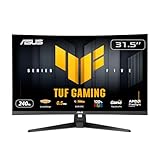
 ASUS TUF Gaming VG27AQ3A 27 Inch 1440p 180Hz14.4" x 24.2" x 2.1"24.2 x 8.4 x 17.9 inches10.1 poundsCheck on Amazon
Pros & cons
- 180Hz QHD panel with 1ms response suits competitive play
- ELMB Sync combines low blur with variable refresh rate
- Wide 130% sRGB gamut aids color-accurate visuals
- At over 10 pounds, it needs a sturdy desk or mount
- HDR10 support is basic compared to premium HDR tiers


Top 3 picks at a glance
The two families
AMD’s FreeSync runs over the open VESA Adaptive-Sync standard and is royalty-free, which is why it appears on inexpensive monitors. NVIDIA’s G-Sync originally required a dedicated hardware module inside the monitor, adding cost but guaranteeing strict quality. Today the lines blur: NVIDIA GPUs can use FreeSync monitors under the “G-Sync Compatible” label, and both families share the same underlying idea of variable refresh rate (VRR).
FreeSync tiers at a glance
Standard FreeSync guarantees basic tear-free VRR. FreeSync Premium adds a minimum 120Hz at 1080p and Low Framerate Compensation (LFC), which keeps sync working when your fps drops below the panel’s minimum by repeating frames. FreeSync Premium Pro layers on validated HDR support with low latency in HDR mode. Each step up is a stricter certification, not a different technology.
| Tier | Guarantees | LFC | HDR validation |
|---|---|---|---|
| FreeSync | Basic tear-free VRR | Not required | No |
| FreeSync Premium | 120Hz+ at 1080p, LFC | Yes | No |
| FreeSync Premium Pro | Premium + HDR path | Yes | Yes |
| G-Sync Compatible | Validated VRR (no module) | Yes | No |
| G-Sync | Hardware module, full range | Yes | No |
| G-Sync Ultimate | Module + validated HDR | Yes | Yes |
What LFC actually does
Low Framerate Compensation is the feature most worth caring about. A VRR panel has a minimum refresh, often around 48Hz. If your frame rate falls under that, tearing or stutter can return. LFC fixes this by duplicating frames (showing a 40 fps frame twice to hit an 80Hz refresh, for example), keeping motion smooth in demanding scenes. Any Premium-or-higher tier includes it, which is why those tiers are worth seeking out.
The G-Sync module: still worth it?
Native hardware G-Sync monitors include a module that handles variable overdrive and guarantees a wide sync range down to 1Hz, plus features like no flicker at low frame rates. For most players, a well-reviewed G-Sync Compatible (or FreeSync Premium) monitor delivers 95% of that experience at a lower price. The module matters most at the high end where variable overdrive keeps motion clarity consistent across the whole refresh range.
Cross-compatibility today
Modern NVIDIA and AMD GPUs can both drive most VRR monitors regardless of badge, because they use the same VESA Adaptive-Sync signaling over DisplayPort and HDMI 2.1. In practice, buy the panel that fits your needs and check the manufacturer’s list to confirm it is validated for your GPU brand. The badge is a quality assurance, not a lock-in.
FAQ
Do I need FreeSync Premium Pro or G-Sync Ultimate for HDR gaming?
Those tiers validate that HDR VRR works with low latency, which is nice, but the bigger factor for HDR is the panel’s actual brightness and local dimming. A DisplayHDR 600 or True Black panel matters more than the sync badge for how good HDR looks.
Will a FreeSync monitor work with an NVIDIA card?
Usually yes. Most FreeSync monitors function as G-Sync Compatible on NVIDIA GPUs; some are officially validated, and others simply work once you enable G-Sync in the driver. Check reviews to confirm the sync range performs well.
Bottom line
Aim for at least FreeSync Premium or G-Sync Compatible so you get LFC and a solid sync range, which cover the essentials for tear-free gaming. The Pro and Ultimate tiers mainly add validated HDR, worthwhile only on a panel bright enough to earn it. Do not pay a big premium for a G-Sync module unless you specifically want its variable overdrive at the high end.









