
Adding a 49-inch super ultrawide display to your desk is as much an interior design decision as it is a technology upgrade. Spanning nearly four feet in width, these expansive panels alter the footprint of your workspace, dictate desk depth requirements, and influence how light moves through your home office. When choosing between display arcs, the debate around a curved 1000r vs 1800r for ultrawide gaming monitor setups comes down to physical room dimensions, visual ergonomics, and how multi-functional your living space needs to be.
The “R” in monitor specs stands for radius in millimeters. A 1000R screen forms a tighter arc based on a 1,000 mm (1 meter) radius, wrapping sharply into your peripheral vision. An 1800R screen uses a gentler 1,800 mm (1.8 meter) radius, resulting in a flatter profile that sits further back on your desk. Understanding how these structural curves impact daily comfort, room traffic, and utility helps ensure your desk investment seamlessly integrates into your home.
As an Amazon Associate we earn from qualifying purchases at no extra cost to you.

Our Top Picks
 Samsung 49” Odyssey G9 Series DQHD 1000R Curved240Hz Refresh Rate16.6 x 45.2 x 22.4 inches34.4 poundsCheck on Amazon
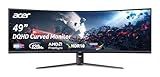
 Acer Nitro 49in DQHD 5120x1440 Curved 120Hz Office22.5 x 45.3 x 15.6 inches20.5 PoundsCheck on Amazon

Top 3 picks at a glance
Quick Verdict
If you have a deep, dedicated desk (30 to 36 inches deep) and prioritize extreme immersive gaming or single-user focus, a 1000R curve is ideal. Its aggressive bend fills your peripheral vision and reduces eye movement across a 49-inch display. However, if your desk is shallower (24 to 28 inches deep), or if you use your setup for a mix of spreadsheet work, video editing, and casual gaming, an 1800R curve offers better versatility, easier off-angle viewing, and a less obtrusive footprint in your room.
Side by Side
| Feature / Attribute | 1000R Curved Ultrawide | 1800R Curved Ultrawide |
|---|---|---|
| Ergonomic Comfort | Optimal for direct center seating; wraps peripheral vision evenly at 1 meter focal distance. | Relaxed arc; requires slightly more neck movement across outer edges at close distances. |
| Durability & Build Torque | High screen tension; requires heavy-duty VESA arms due to forward-shifted center of gravity. | Standard structural balance; works well with standard heavy-duty monitor arms and stock stands. |
| Price Range | $680 – $900 (High-performance gaming emphasis) | $550 – $850 (Broad range from budget workplace to gaming) |
| Maintenance & Cleaning | Deeper recess collects ambient dust in center nook; requires microfiber reach. | Flatter surface profile; easy to wipe clean across the entire front glass edge-to-edge. |
| Space Needed (Desk Depth) | Requires 30 to 36 inches of desk depth to account for 7 to 10 inches of screen depth protrusion. | Requires 24 to 30 inches of desk depth; screen protrusion is limited to roughly 4 to 6 inches. |
| Visual Look in Home | Bold, futuristic aesthetic; commands significant physical presence in open rooms. | Subtle, classic curve; blends smoothly into modern residential furniture and home offices. |
| Resale & Market Demand | High demand among hardcore simulator and FPS gamers. | Broad resale appeal for home-office workers, general gamers, and content creators. |
| Best For | Solo immersive gaming, sim racing, flight simulators, dedicated dark room setups. | Hybrid work-from-home setups, productivity spreadsheets, shared rooms, shallow desks. |
Where Curved 1000r Wins
The primary advantage of a 1000R arc on a 49-inch ultrawide display is human optical alignment. Human peripheral vision naturally curves at approximately 1000R. When you sit 3 feet away from a display like the Samsung 49” Odyssey G9 Series DQHD 1000R Curved Gaming Monitor, 1ms(GtG), VESA DisplayHDR 1000, 240Hz, AMD FreeSync Premium Pro, Height Adjustable Stand, Ultrawide Screen, LS49CG954ENXZA, every pixel on the 5120×1440 panel stays at an equal focal distance from your eyes. This drastically reduces focal fatigue, as your eyes do not need to constantly readjust when tracking targets from the center of the screen out to the far edges.
In sim racing, flight simulators, and first-person shooters, the steep curve fills your visual field entirely. You get a sense of speed and spatial depth that flatter panels cannot replicate. Because the outer wings bend inward toward your shoulders, glare from side windows in your home is directed away from your sightline rather than bouncing across the glass.
From an aesthetic perspective, 1000R displays serve as dramatic focal points in modern gaming spaces. However, that physical presence comes with real spatial requirements. A 1000R panel can protrude forward by 8 to 10 inches from its mounting point. On a narrow desk, the center of the screen pushes right into your keyboard area, making a deep desk essential.
Where 1800r for Ultrawide Gaming Monitor Wins
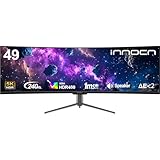
While 1000R prioritizes total immersion, an 1800R display prioritizes spatial efficiency and versatility. The gentler curve of an 1800R display—found on options like the INNOCN 49″ Curved DQHD 5120 x 1440P 240Hz 1800R Ultrawide Gaming Monitor or the budget-friendly Acer Nitro 49in DQHD 5120×1440 Curved 120Hz Office Monitor EI491CUR J0—extends forward only 4 to 6 inches from the back edge. This allows you to comfortably position the screen on standard 24-inch to 28-inch deep furniture without feeling squeezed out of desk space.
For hybrid workers who handle spreadsheets, architecture blueprints, or timeline-based video editing during the day and game at night, 1800R is often the more practical choice. Tighter curves can distort long horizontal lines, making straight rows in Excel or vector lines in CAD software look artificially bent. An 1800R curve provides enough sweep to prevent off-angle color shifting across a 47-inch wide cabinet while keeping straight lines visually accurate.
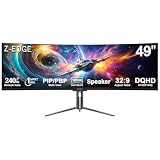
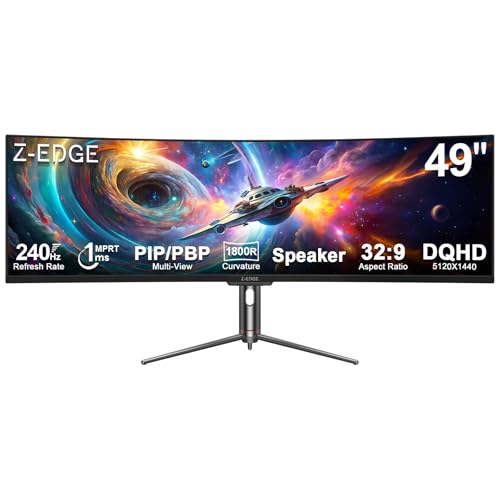
Additionally, 1800R panels are much easier to share. If a family member sits next to you to watch a stream or review documents, the relaxed curve maintains picture clarity and brightness from side angles. Options like the Z-Edge 5K 49 Inch Curved Gaming Monitor, DQHD 240Hz Ultrawide Computer highlight how an 1800R profile easily pivots between high-refresh gaming and daily computing without feeling overwhelmingly tight around a single user.
Cost Over 5 Years
When calculating the total cost of ownership for a 49-inch ultrawide, the purchase price of the display is only part of the equation. Expect to budget across three main areas over a 5-year operational lifespan:
- Initial Display Purchase: Standard 1800R ultrawides typically range between $550 and $850, while top-tier 1000R panels generally sit between $680 and $900.
- Desk & Support Hardware: A 49-inch monitor weighs between 22 and 33 pounds without its stock stand. Because a 1000R monitor extends its center of mass forward, standard monitor arms often fail under the rotational torque. Upgrading to a heavy-duty gas-spring arm rated for aggressive curves costs between $100 and $250. If your current desk is under 30 inches deep, upgrading to a solid wood or heavy-duty standing desk adds another $250 to $600.
- Electricity Draw: These high-resolution panels draw between 65 watts and 120 watts during active use. Running the monitor for 8 hours daily at an average national residential rate results in roughly $25 to $45 per year in power consumption, totaling $125 to $225 over 5 years.
Overall, a complete 5-year investment ranges from roughly $750 to $1,100 for an 1800R setup on an existing desk, and between $950 and $1,750 for a 1000R setup requiring heavy-duty mounting arms or deeper office furniture.
Which One for Your Home
Small Apartment Desk Setups
In compact living spaces or nook offices where your desk is only 24 to 26 inches deep, an 1800R monitor is the superior choice. Its flatter back profile leaves adequate space for your keyboard, mousepad, and wrists. A 1000R monitor on a shallow desk sits far too close to your face, causing visual strain and leaving almost no room for physical desk work.
Shared Family Spaces with Kids or Pets
In multi-use family rooms, an 1800R display offers better side-angle viewing for shared movie watching or co-op gaming. Its center of gravity sits closer to the mounting point, making it less vulnerable to tipping if a pet or child bumps the desk. Furthermore, its relaxed profile avoids sweeping far out over the front edge of the furniture, keeping it safe from accidental knocks.
Rental Apartments and Temporary Workspaces
If you move frequently or rely on modular furniture, an 1800R screen offers maximum adaptability. It fits on almost any standard commercial desk without requiring specialized ultra-deep tabletops. It is also easier to re-pack and transport safely in standard vehicles, as the shallower curve puts less structural stress on the glass casing during transport.
Dedicated Long-Term Home Offices
If you have a dedicated home office outfitted with a 30-inch to 36-inch deep desk and an ergonomic task chair, a 1000R monitor offers an unmatched personal viewing experience. As desktop ergonomics standards evolve into 2026, creating an enclosed optical sweet spot becomes a priority for power users. The tight 1000R arc provides an ultra-immersive focal field that isolates your line of sight from room distractions, maximizing productivity and gaming enjoyment alike.
FAQ
Is a 1000R or 1800R curve better for productivity tasks like spreadsheets?
An 1800R curve is generally better for productivity. Its gentler arc keeps straight lines in spreadsheets, graphic design, and video editing timelines looking naturally flat, whereas a 1000R curve can make horizontal lines appear slightly bowed when viewed near the edges.
How deep should my desk be for a 1000R 49-inch monitor?
You should ideally have a desk depth of 30 to 36 inches. Because a 1000R display curves forward by 7 to 10 inches from its rear mount, a deep desk ensures the screen remains 28 to 36 inches away from your eyes for comfortable viewing.
Do 1000R curved monitors require special VESA mounting arms?
Yes. Due to the pronounced curve, the center of gravity on a 1000R monitor sits further forward than on flat or 1800R screens. You will need a heavy-duty monitor arm specifically rated for high-torque curved ultrawide displays to prevent the screen from tilting downward on its head joint.
Will an 1800R curve still provide good gaming immersion?
Yes, an 1800R curve on a 49-inch super ultrawide still provides fantastic immersion compared to a standard flat screen. While it does not wrap around your head as tightly as a 1000R screen, the 32:9 aspect ratio fills almost your entire forward visual field without feeling overly restrictive.









