
The best UHD monitor for most people in October 2026 is the MSI MPG 321URX QD-OLED. It is a 31.5-inch 4K screen with a 240Hz refresh rate, near-instant OLED response, a 90W USB-C port with a built-in KVM switch and a three-year warranty that covers burn-in. If you want a 4K screen for everyday work, light gaming and laptop docking at a far lower price tier, the runner-up is the Dell S2725QC, a 27-inch 4K 120Hz IPS display with 65W USB-C charging and built-in speakers.
UHD (Ultra HD) and 4K are used interchangeably for consumer monitors: both mean 3840 x 2160 pixels, four times the pixel count of 1080p. Below you will find seven main picks covering gaming, creative work, office use and tight budgets, plus a buying guide with clear thresholds for size, refresh rate, HDR and connectivity.
Disclosure: We may earn a commission from qualifying purchases made through links on this page, at no extra cost to you.
Our Top Picks
Pros & cons
- Neo Proximity sensor helps guard against OLED burn-in
- DisplayPort 2.1a with 80Gbps bandwidth future-proofs connections
- 3-year coverage includes burn-in protection
- Nearly 17-pound panel needs a sturdy stand or mount
- 4th-gen QD-OLED still needs care around static images
 ASUS ProArt PA279CRV 27 Inch 4K UHD USB-C27 Inch24.1 x 8.46 x 16.07 Inches18.25 poundsCheck on Amazon
Top Picks at a Glance
- Best Overall: MSI MPG 321URX QD-OLED, 32-inch 4K 240Hz OLED with 90W USB-C and KVM.
- Best Value: Dell S2725QC, 27-inch 4K 120Hz IPS with 65W USB-C and speakers.
- Best Value Gaming: LG UltraGear 27G810A-B, 4K 180Hz or 1080p 360Hz dual-mode IPS.
- Best Premium 27-Inch: ASUS ROG Swift OLED PG27UCDM, 4K 240Hz QD-OLED with DisplayPort 2.1.
- Best for Creators: ASUS ProArt PA279CRV, Calman Verified, 99% DCI-P3 and Adobe RGB, 96W USB-C.
- Best Budget 4K: Dell S2725QS, 4K 120Hz IPS without the USB-C premium.
- Best Budget 32-Inch: LG UltraFine 32UR550K-B, large 4K VA panel with a fully adjustable stand.
Best UHD Monitors Comparison Table
| Monitor | Best For | Size / Panel | Refresh | Key Feature | Watch For | Price Tier |
|---|---|---|---|---|---|---|
| MSI MPG 321URX | Overall, gaming | 31.5″ QD-OLED | 240Hz | 90W USB-C, KVM, burn-in warranty | USB-A ports are USB 2.0 | Upper-mid |
| Dell S2725QC | Office, laptops | 27″ IPS | 120Hz | 65W USB-C, 2x 5W speakers | No DisplayPort input | Budget to mid |
| LG 27G810A-B | Value gaming | 27″ IPS | 180Hz (360Hz at 1080p) | Dual-mode, DisplayHDR 400 | No speakers | Mid-range |
| ASUS ROG PG27UCDM | Premium 27″ | 26.5″ QD-OLED | 240Hz | DP 2.1 UHBR20, 90W USB-C | Premium price | Premium |
| ASUS ProArt PA279CRV | Photo and video | 27″ IPS | 60Hz | Delta E under 2, 96W USB-C | Not for fast gaming | Mid-range |
| Dell S2725QS | Budget 4K | 27″ IPS | 120Hz | HDMI 2.1 + DP, speakers | No USB-C | Budget |
| LG 32UR550K-B | Budget big screen | 31.5″ VA | 60Hz | Height and pivot stand, speakers | 250 nits, 60Hz | Budget |
1. MSI MPG 321URX QD-OLED: Best UHD Monitor Overall

msi MPG 321URX QD-OLED, 32" 4K UHD Quantum Dot OLED Gaming Monitor, 3840 x 2160, 0.03ms, 240Hz, True Black HDR 400, 90W USB Type C, HDMI, DP Port


As an Amazon Associate we earn from qualifying purchases. Product prices and availability are accurate as of the date/time indicated.
- Panel: 31.5-inch flat QD-OLED, 3840 x 2160, 0.03ms GtG
- Refresh / sync: 240Hz, FreeSync Premium Pro, G-SYNC Compatible, HDMI 2.1 VRR
- HDR / color: VESA DisplayHDR True Black 400, 99% DCI-P3, true 10-bit, up to 1,000 nits on small highlights
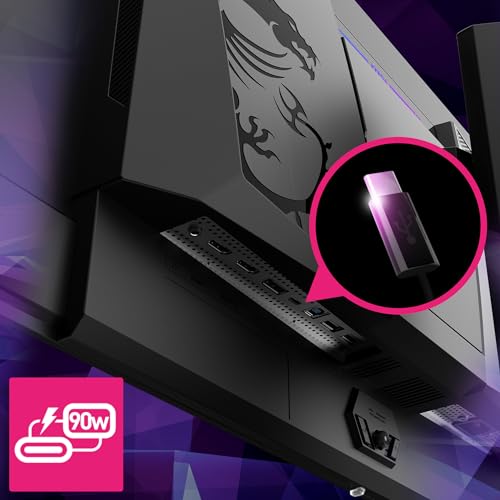
- Inputs: 1x DisplayPort 1.4a (DSC), 2x HDMI 2.1 (48Gbps), USB-C DP Alt Mode with 90W charging
- Extras: KVM switch, fanless design, three-year warranty including burn-in
Best for: gamers and hybrid users who want one large 4K screen for PC, console and laptop. Skip if: you leave static windows on screen for many hours a day and worry about OLED wear.
Why we picked it: The 321URX gives you the big-ticket features of a flagship 4K OLED without stepping into the very top price bracket. The 31.5-inch QD-OLED panel delivers per-pixel contrast, true blacks and a 240Hz refresh rate, which means motion looks far cleaner than on any IPS monitor. At 32 inches, 4K works out to about 140 pixels per inch, sharp enough for text at normal desk distance with modest scaling.
Its connectivity is what pushes it to the top. Both HDMI 2.1 ports run at the full 48Gbps, so a PS5 or Xbox Series X can run 4K at 120Hz with VRR. The USB-C port carries video at the full 240Hz and charges a laptop at up to 90W, and the built-in KVM lets you share one keyboard and mouse between a desktop and a laptop. That makes it as useful for a work-from-home setup as for gaming. Some rival 4K OLEDs offer only 15W over USB-C.
Longevity matters with OLED, and MSI addresses it with a three-year warranty that explicitly covers burn-in, plus a fanless design with no fan to wear out. The main trade-offs: the USB-A hub ports are only USB 2.0, and full-screen brightness tops out around 250 nits, so very bright rooms favor an IPS screen.
Pros
- 4K 240Hz OLED with excellent contrast and motion clarity
- Two full-bandwidth HDMI 2.1 ports for consoles
- 90W USB-C plus KVM for laptop docking
- Burn-in covered by a three-year warranty
Cons
- USB-A hub ports run at USB 2.0 speed
- Full-screen brightness is lower than good IPS panels
- No black frame insertion mode
2. Dell S2725QC: Best Value UHD Monitor

Dell 27 Monitor S2725QC, 4K UHD IPS, 120Hz, 99% sRGB, 4ms, FreeSync Premium | 3840x2160, 163 PPI, USB-C, HDMI, DisplayPort, Anti-Glare, Eye Comfort Technology, LED Edgelight System






As an Amazon Associate we earn from qualifying purchases. Product prices and availability are accurate as of the date/time indicated.
- Panel: 27-inch IPS, 3840 x 2160, 99% sRGB, 350 nits, 1500:1 contrast
- Refresh / sync: 120Hz, AMD FreeSync Premium, 48 to 120Hz range
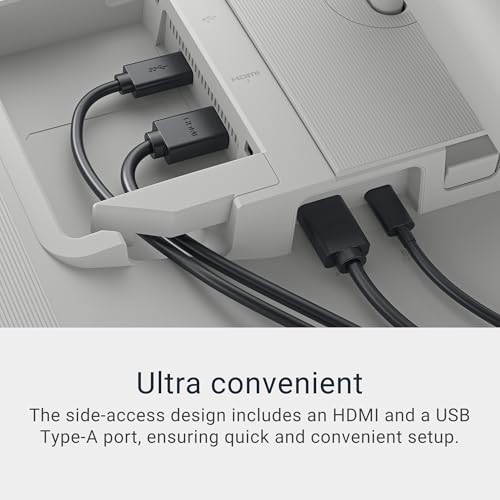
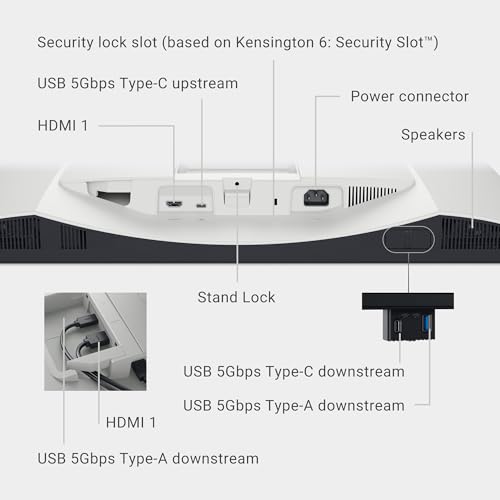
- Inputs: 2x HDMI 2.1, USB-C upstream (DP 1.4 Alt Mode, 65W charging)
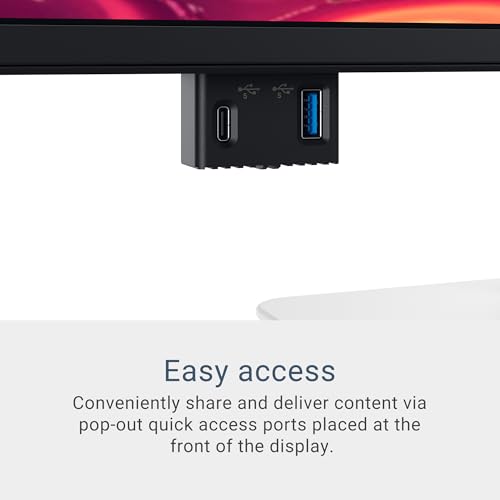
- Hub: USB-C downstream (15W) plus USB-A ports
- Extras: dual 5W speakers, height-adjustable stand with pivot
Best for: laptop users and home offices that want a crisp 4K screen with one-cable docking. Skip if: your desktop only has DisplayPort outputs or you want high-refresh gaming.
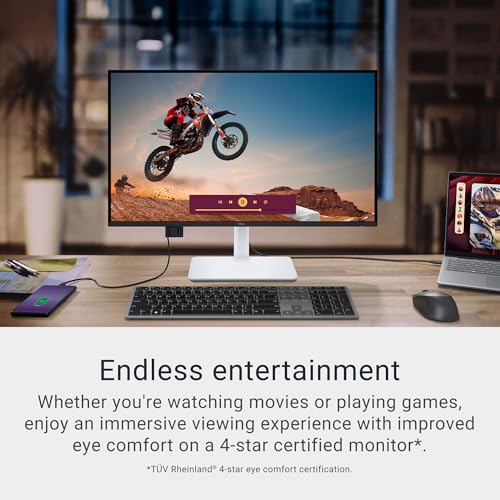
Why we picked it: The S2725QC is the 4K monitor that does the most for the least. It pairs a 27-inch IPS panel with a 120Hz refresh rate, which is unusual at this price tier, where many 4K office screens are still stuck at 60Hz. That higher refresh makes scrolling, window dragging and casual gaming feel noticeably smoother. At 27 inches, 4K gives about 163 pixels per inch, so text looks very sharp with 150 percent scaling.
The USB-C port is the reason to choose this model over its sibling. One cable carries video, data and up to 65W of power, enough for most ultrabooks and many 14-inch work laptops. Add the two 5W speakers and a stand that adjusts for height and rotates to portrait, and you have a tidy, low-clutter desk with no extra accessories.
Compared with the Dell S2725QS further down, the picture and refresh rate are the same; you are paying a little more for USB-C. Compared with the LG 27G810A-B, it is less suited to fast games but much better for laptop docking. Its 99% sRGB coverage is fine for web and office color, though creatives working in wider gamuts should look at the ProArt.
Pros
- 4K at 120Hz in an affordable tier
- 65W USB-C single-cable docking
- Built-in speakers and fully adjustable stand
- Sharp 163 PPI text at 27 inches
Cons
- No DisplayPort input
- 65W may be short for high-power laptops
- Basic HDR capability
3. LG UltraGear 27G810A-B: Best Value 4K Gaming Monitor

LG 27G810A-B 27-inch Ultragear 4K UHD (3840 x 2160) IPS Gaming Monitor, Dual Mode UHD 180Hz or FHD 360Hz, 1ms, NVIDIA G-Sync, AMD FreeSync Premium, VESA DisplayHDR 400, HDMI 2.1, Black





As an Amazon Associate we earn from qualifying purchases. Product prices and availability are accurate as of the date/time indicated.
- Panel: 27-inch IPS, 3840 x 2160, 1ms GtG, 95% DCI-P3, 400 nits typical
- Refresh: 4K at 180Hz or 1080p at 360Hz (VESA Certified Dual-Mode)
- HDR: HDR10, VESA DisplayHDR 400
- Inputs: 2x HDMI 2.1, 1x DisplayPort 1.4 with DSC, USB 3.0 hub
- Stand: 130mm height, tilt, swivel, pivot
Best for: PC gamers who split time between beautiful single-player games and fast competitive shooters. Skip if: you want deep OLED contrast or built-in speakers.
Why we picked it: Dual-mode monitors used to be a premium OLED feature. The 27G810A-B brings the idea to a mid-range IPS panel. In 4K mode it runs at up to 180Hz, a big step above the 120Hz Dell models, and with a hotkey or software toggle it switches to 1080p at 360Hz for esports titles where frame rate matters more than detail. You effectively get two monitors in one.
The panel is factory calibrated, covers 95% of DCI-P3 and carries DisplayHDR 400 certification. That is entry-level HDR, so think of it as a small boost to highlights rather than a true HDR experience, but SDR colors look rich and accurate out of the box. Two HDMI 2.1 ports handle 4K 120Hz from current consoles, and the stand adjusts in every direction. For 180Hz at 4K from a PC, the DisplayPort input uses DSC compression, which is visually lossless for gaming.
Against the OLED picks above, you give up per-pixel contrast and instant response, but you also avoid any burn-in concerns and pay substantially less. To make use of 4K at high frame rates, plan on an upper-mid or better graphics card.
Pros
- 4K 180Hz and 1080p 360Hz in one screen
- Factory calibrated, 95% DCI-P3
- Two HDMI 2.1 ports for consoles
- Fully adjustable stand
Cons
- IPS contrast of about 1000:1
- Entry-level DisplayHDR 400
- No built-in speakers
4. ASUS ROG Swift OLED PG27UCDM: Best Premium 27-Inch 4K

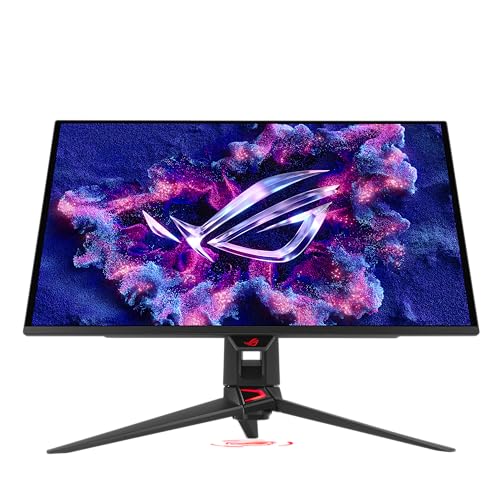
ASUS ROG PG27UCDM 27 Inch 4K 240Hz OLED Gaming Monitor QD-OLED | OLED Care Pro, Neo Proximity Sensor, Custom Heatsink, DisplayPort 2.1, G-SYNC Compatible, True 10-bit, for PS5 and Xbox




As an Amazon Associate we earn from qualifying purchases. Product prices and availability are accurate as of the date/time indicated.
- Panel: 26.5-inch viewable QD-OLED, 3840 x 2160, 0.03ms GtG
- Refresh / sync: 240Hz, FreeSync Premium Pro, G-SYNC Compatible
- HDR / color: DisplayHDR True Black 400, 99% DCI-P3, 1,000 nits peak HDR
- Inputs: DisplayPort 2.1a UHBR20 (80Gbps), 2x HDMI 2.1, USB-C with DP Alt Mode and 90W
- Extras: KVM, three USB 3.0 ports, tripod mount, three-year warranty with burn-in coverage
Best for: enthusiasts who want the sharpest OLED image and the most future-proof connectivity. Skip if: you want a larger screen for the money; the 32-inch MSI is better value per inch.
Why we picked it: The PG27UCDM packs 4K into a 27-class OLED, which gives it noticeably higher pixel density than 32-inch OLEDs. Text and fine game detail look crisper, and the smaller size is easier to take in at a typical desk without moving your head. It runs at 240Hz with OLED’s near-instant pixel response, so fast motion is extremely clear.
Its standout feature is DisplayPort 2.1 at the full UHBR20 80Gbps bandwidth. That allows 4K at 240Hz without compression, which matters if you use features that do not play well with DSC or want headroom for future graphics cards. It also adds a 90W USB-C port, a KVM, a proper USB 3.0 hub and a camera tripod mount on the stand, so it doubles as a polished streaming or work monitor. ELMB is available up to 120Hz for even clearer motion at lower frame rates.
Compared with the MSI 321URX, you pay more for a smaller screen but get DP 2.1, a faster USB hub and higher pixel density. Note that newer panels using the same or improved technology have arrived, so check that the price is competitive before buying.
Pros
- Very sharp 4K OLED at 27 inches
- Uncompressed 4K 240Hz over DP 2.1 UHBR20
- 90W USB-C, KVM and USB 3.0 hub
- Burn-in covered by warranty
Cons
- Premium price for a 27-inch screen
- Newer rivals offer similar specs
- OLED full-screen brightness limits
5. ASUS ProArt PA279CRV: Best UHD Monitor for Creators
ASUS ProArt PA279CRV 27 Inch 4K UHD USB-C HDR Professional Monitor for Mac | Calman Verified, Delta E<2, Daisy Chain, IPS, USB-C PD 96W, Height Adjustable, 99% DCI-P3, 99% Adobe RGB


As an Amazon Associate we earn from qualifying purchases. Product prices and availability are accurate as of the date/time indicated.
- Panel: 27-inch IPS, 3840 x 2160, 163 PPI, anti-glare, 350 nits typical, 400 nits HDR peak
- Color: 99% DCI-P3, 99% Adobe RGB, 100% sRGB, 10-bit, factory calibrated to Delta E under 2, Calman Verified
- Refresh: 60Hz, VESA MediaSync, DisplayHDR 400
- Inputs: USB-C (DP Alt Mode, 96W), 2x DisplayPort 1.4 with daisy chain, 2x HDMI 2.0
- Hub / extras: 3x USB-A and 1x USB-C (USB 3.2 Gen 1), 2x 2W speakers, 130mm height stand with pivot
Best for: photographers, video editors and designers who need accurate color on a budget. Skip if: gaming is your priority; 60Hz feels slow next to the other picks.
Why we picked it: The PA279CRV is the most color-accurate monitor in this guide and one of the best-value professional displays you can buy. It covers 99% of both DCI-P3 and Adobe RGB, so it works for video grading and print photography alike, and every unit is calibrated at the factory to a Delta E below 2, with Calman Verified certification. ProArt presets switch between sRGB, Adobe RGB, DCI-P3, Rec.709, Rec.2020 and DICOM modes in a couple of button presses.
It is also a great laptop dock. The USB-C port delivers up to 96W, enough for 14-inch and many 16-inch MacBook Pro and Windows workstation configurations, and the hub adds four more USB ports. Two DisplayPort inputs support daisy chaining for a second monitor, and the stand adjusts for height, tilt, swivel and pivot, which helps when you are editing portrait photos.
The trade-off is speed: 60Hz and a 5ms response time are fine for editing and office work but not for fast games. If you need both creative accuracy and gaming, the MSI OLED covers 99% DCI-P3 at 240Hz, though without the ProArt’s hardware-level calibration focus.
Pros
- Factory calibrated to Delta E under 2, Calman Verified
- 99% DCI-P3 and 99% Adobe RGB
- 96W USB-C with a four-port hub
- Daisy chain and ergonomic stand
Cons
- 60Hz refresh rate
- Entry-level HDR
- Small 2W speakers
6. Dell S2725QS: Best Budget UHD Monitor

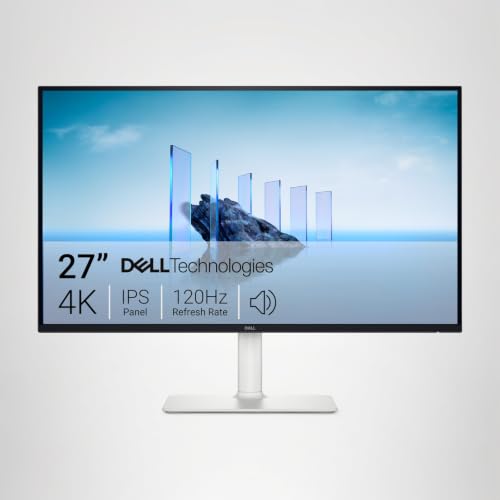
Dell 27 Monitor S2725QS, 4K UHD IPS, 120Hz, 5ms, FreeSync Premium | 350 cd/m2 Brightness, 1,500:1 Contrast, 99% sRGB, Anti-Glare, HDMI, DisplayPort, USB‑C, Height Adjustable, Swivel, Pivot


As an Amazon Associate we earn from qualifying purchases. Product prices and availability are accurate as of the date/time indicated.
- Panel: 27-inch IPS, 3840 x 2160, 99% sRGB, 350 nits
- Refresh / sync: 120Hz, AMD FreeSync Premium
- Inputs: 2x HDMI 2.1, 1x DisplayPort 1.4
- Extras: dual 5W speakers, height-adjustable stand with pivot
Best for: desktop PC users and console players who want 4K at 120Hz for the lowest outlay. Skip if: you want single-cable laptop charging.
Why we picked it: The S2725QS uses the same 27-inch 4K 120Hz IPS panel, speakers and stand as the S2725QC above. The only real difference is connectivity: instead of a USB-C port with 65W charging, you get a standard DisplayPort input. For a desktop PC that already has DisplayPort, that is the better fit, and it typically lands in a lower price tier.
That makes it one of the most cost-effective ways into 4K. The 120Hz refresh rate is a real upgrade over 60Hz budget screens for everyday smoothness, two HDMI 2.1 ports handle consoles, and the stand adjusts properly instead of tilting only. Think of it as a balanced first 4K monitor for work, streaming and casual gaming. Competitive players should still look at the LG dual-mode model for higher refresh options.
Pros
- 4K 120Hz in the budget tier
- HDMI 2.1 plus DisplayPort
- Speakers and adjustable stand included
Cons
- No USB-C
- Limited HDR
- Dated on-screen menu, per owner feedback
7. LG UltraFine 32UR550K-B: Best Budget 32-Inch UHD Monitor

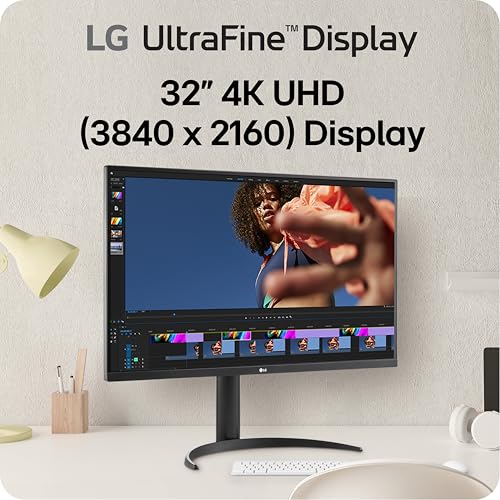
LG 32UR550K-B 32-inch Ultrafine 4K UHD (3840 x 2160) Computer Monitor, HDR10, 60Hz, HDMI, DisplayPort, Tilt/Height/Pivot Adjustable Stand, Black






As an Amazon Associate we earn from qualifying purchases. Product prices and availability are accurate as of the date/time indicated.
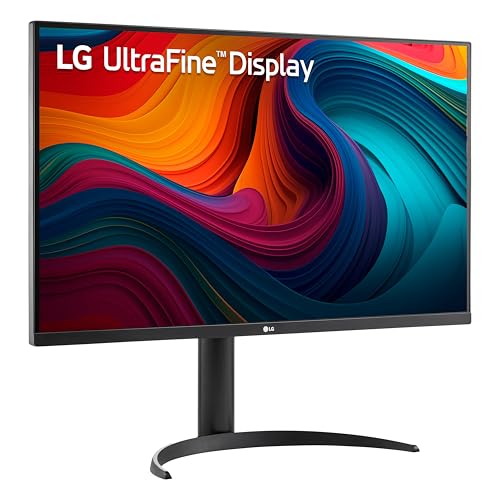
- Panel: 31.5-inch VA, 3840 x 2160, 4ms GtG, 90% DCI-P3, 250 nits
- Refresh: 60Hz, HDR10
- Inputs: 2x HDMI, 1x DisplayPort
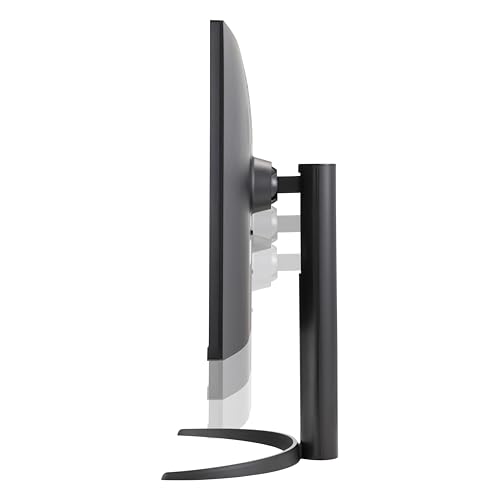
- Extras: 2x 5W speakers, 110mm height adjustment, tilt and pivot
Best for: office workers, students and streamers who want a large 4K canvas for little money. Skip if: you play fast games or work in a very bright room.
Why we picked it: Many budget 32-inch 4K monitors come with tilt-only stands. The 32UR550K-B stands out because it adds 110mm of height adjustment and portrait pivot, which makes a real difference to posture over a full workday. The VA panel offers higher native contrast than IPS, so movies and dark scenes look deeper, and 90% DCI-P3 coverage is generous at this tier.
At 31.5 inches, 4K gives roughly the same text size as a 24-inch 1080p screen at 100 percent scaling, but with much finer detail, or lots of extra workspace at 125 percent scaling. That is ideal for spreadsheets, coding and side-by-side windows. Two 5W speakers handle calls and casual video.
Limitations are clear: 60Hz, 250 nits typical brightness and basic HDR10 support. Be careful not to confuse it with the cheaper 32UR500K-B, which shares the panel but has a tilt-only stand.
Pros
- Large 32-inch 4K screen in the budget tier
- Height, tilt and pivot adjustment
- High VA contrast and 90% DCI-P3
Cons
- 60Hz only
- Modest 250-nit brightness
- No USB-C
Also Consider
Acer Predator X32 X

Acer Predator 31.5in Curved 4K 3840x2160 QD-OLED 240Hz Gaming Monitor X32 X | 0.03ms, AMD FreeSync Premium, NVIDIA G-Sync Compatible, DCI-P3 99%, 2xHDMI 2.1, 2xDP, USB-C 65W, HDR400, 1700R, Ergo Stand


As an Amazon Associate we earn from qualifying purchases. Product prices and availability are accurate as of the date/time indicated.
Best for: gamers who prefer a gentle curve. It is a 31.5-inch 4K 240Hz QD-OLED with a 1700R curve, 99% DCI-P3, a 65W USB-C port, KVM and dual 5W speakers, plus a stand with 150mm of height travel. Trade-off: reviewers measured SDR brightness around 250 nits, and it costs more than the flat MSI with similar core specs. Do not confuse it with the X32 X2, a different model without USB-C.
ASUS TUF Gaming VG27UQ1A

ASUS TUF Gaming VG27UQ1A 27 Inch 4K 160Hz G-SYNC Gaming Monitor | ELMB Sync, 1ms, 95% DCI-P3, FreeSync Premium, DisplayWidget Center, for PS5 and Xbox




As an Amazon Associate we earn from qualifying purchases. Product prices and availability are accurate as of the date/time indicated.
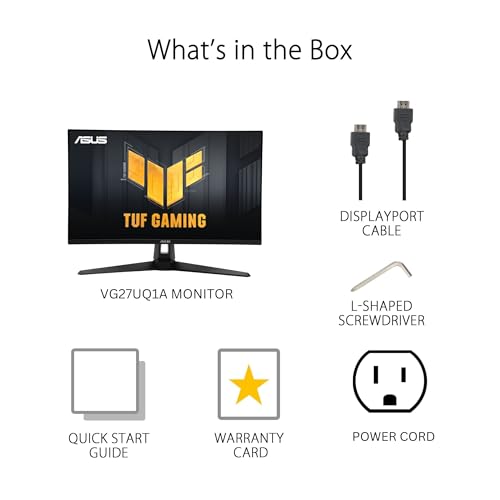
Best for: a budget 4K gaming screen. It is a 27-inch Fast IPS panel at 160Hz with ELMB Sync, 95% DCI-P3, two HDMI 2.1 ports for 4K 120Hz console play and small built-in speakers. Trade-off: the stand only tilts, and it uses 8-bit color, so it is less refined than the LG 27G810A-B.
Acer Nitro VG270K L1

Acer Nitro 27in 4K 3840x2160 IPS 72Hz DFR 144Hz Gaming Monitor VG270K L1 | 0.5ms, AMD FreeSync, DCI-P3 95%, 2xHDMI, DisplayPort, Speaker, VESA Mountable, Bluelight Filter, Flickerless Technology




As an Amazon Associate we earn from qualifying purchases. Product prices and availability are accurate as of the date/time indicated.
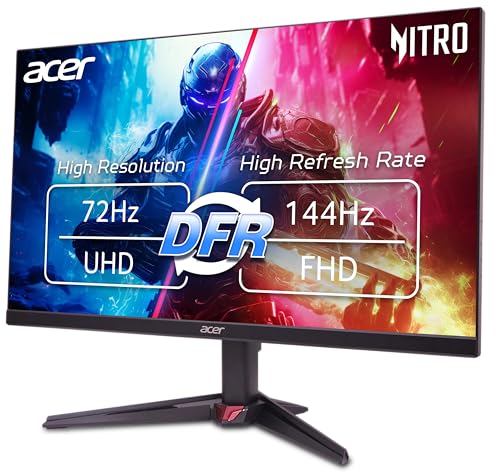
Best for: the lowest-cost entry to 4K gaming and work. This 27-inch IPS screen runs 4K at up to 72Hz and switches to 144Hz at 1080p through dynamic frequency mode. Trade-off: 72Hz at 4K is only slightly smoother than 60Hz, so it suits office use and slower games best.
LG UltraFine 27UP850K-W

LG 27UP850K-W 27-inch UltraFine 4K UHD IPS DisplayHDR 400 Computer Monitor | (3840 x 2160), Built-in Speaker with Maxx Audio, DCI-P3 95% (Typ), 60Hz, USB Type-C 90W PD, DP, HDMI, Tilt/Height/Pivot Stand


As an Amazon Associate we earn from qualifying purchases. Product prices and availability are accurate as of the date/time indicated.
Best for: Mac users who want a clean white 4K screen with USB-C laptop charging. It is a 27-inch 4K IPS panel with DisplayHDR 400 and wide color coverage. Trade-off: 60Hz only, and the ProArt PA279CRV offers stronger color calibration for similar money.
How We Chose
These recommendations are research-based; we did not physically evaluate every monitor. We started with current 4K monitors sold in the US and filtered them on:
- Panel quality: panel type (OLED, IPS, VA), contrast, brightness and color gamut from manufacturer spec sheets.
- Motion: refresh rate, response time and adaptive sync support.
- Connectivity: HDMI 2.1 for consoles, DisplayPort version, USB-C power delivery and KVM.
- Ergonomics: stand adjustment and VESA mounting.
- Warranty: especially burn-in coverage on OLED models.
- Price tier: at least one pick per budget band, with a maximum of two main picks per brand.
Specs were taken from ASUS, Dell, LG, MSI and Acer product pages and cross-checked against independent monitor reviews. Where sources disagreed, we used the manufacturer’s figure or left the detail out. Performance remarks are estimates based on each spec tier.
UHD Monitor Buying Guide
27-inch or 32-inch 4K?
At 27 inches, 4K delivers about 163 PPI, which is extremely sharp but usually needs 150 percent scaling for comfortable text. At 32 inches, you get about 140 PPI and can run 125 percent scaling for more usable workspace. Choose 27 inches if your desk is less than about 60cm deep or you sit close; choose 32 inches for spreadsheets, timelines and immersive gaming at a normal arm’s-length distance. Above 40 inches, a 4K screen starts to look soft at desk distances.
How much refresh rate do you need?
60Hz is fine for office and creative work. 120Hz to 144Hz is the sweet spot for everyday smoothness and console play, since the PS5 and Xbox Series X top out at 4K 120Hz. 160Hz to 240Hz benefits PC gamers with strong graphics cards. As a rough rule, high-refresh 4K gaming needs an upper-mid or flagship GPU; with a mid-range card, upscaling (DLSS, FSR or XeSS) becomes essential.
OLED, IPS or VA?
OLED offers perfect blacks, the best HDR and near-instant response, but costs more and carries some burn-in risk, so look for at least a three-year warranty that covers it. IPS gives accurate color, wide viewing angles and higher full-screen brightness, and is the safest choice for static desktop work. VA has higher contrast than IPS at a low price but slower dark transitions, which can smear in fast games.
Does HDR certification matter?
Yes, but read the label. DisplayHDR 400 on an IPS or VA screen is entry-level and adds only mild highlights. DisplayHDR True Black 400 on OLED looks far better thanks to perfect blacks, despite the similar number. For a punchy LCD HDR picture you need DisplayHDR 600 or higher with local dimming. If HDR movies and games matter, OLED is the simplest route.
Ports: HDMI 2.1, DisplayPort and USB-C
For consoles, you need HDMI 2.1 to get 4K at 120Hz. For PCs, DisplayPort 1.4 with DSC handles 4K up to 240Hz, while DisplayPort 2.1 UHBR20 does it without compression. For laptops, USB-C with power delivery lets one cable handle video, data and charging; 65W suits most ultrabooks, while 90W to 96W covers larger performance laptops. A KVM is worth having if you switch between two computers.
Stand and ergonomics
Look for at least 100mm of height adjustment plus tilt. Pivot is useful for coding and portrait photography. If the stand only tilts, budget for a VESA arm; most monitors in this guide accept standard 100 x 100mm VESA mounts.
Is 4K Worth It Over 1440p?
For work and creative tasks, yes, almost always. A 4K screen shows far crisper text and fits more content on screen, which reduces eye strain and scrolling. At 27 inches the jump from 109 PPI at 1440p to 163 PPI at 4K is obvious the first time you read a document.
For gaming, it depends on your graphics card. Rendering 4K means pushing 2.25 times as many pixels as 1440p. With a mid-range GPU, a 1440p 240Hz monitor often delivers a smoother experience. With an upper-mid or flagship card, or when using upscaling, 4K at 120Hz to 240Hz looks noticeably more detailed, especially on larger screens. Console players benefit from 4K directly, because current consoles output 4K and upscale lower internal resolutions well.
A dual-mode monitor such as the LG 27G810A-B splits the difference: 4K for detail and 1080p at 360Hz when frame rate matters. If you keep monitors for five years or more, 4K is the safer long-term buy as graphics cards and upscaling continue to improve.
FAQ
What is the difference between UHD and 4K?
For monitors, UHD and 4K mean the same thing: 3840 x 2160 pixels. Strictly speaking, cinema 4K (DCI 4K) is 4096 x 2160, but consumer displays labelled 4K almost always use the UHD standard, so you can treat the terms as interchangeable when shopping.
What is the best UHD monitor for gaming?
The MSI MPG 321URX QD-OLED is the best UHD gaming monitor for most players, offering 4K at 240Hz, OLED response, two HDMI 2.1 ports and a burn-in warranty. For a lower price tier, the LG UltraGear 27G810A-B offers 4K 180Hz or 1080p 360Hz on an IPS panel.
Is a 27-inch 4K monitor too small?
No. A 27-inch 4K monitor is very sharp at about 163 PPI and is a popular size for desks. You will usually run 150 percent scaling, so text looks crisp rather than tiny. Choose 32 inches only if you want more physical workspace or sit farther back.
Do I need a powerful GPU for a 4K monitor?
For office work, video and creative apps, no; most modern integrated graphics can drive a 4K desktop. For gaming at native 4K, you need an upper-mid or flagship graphics card, or you should rely on upscaling like DLSS, FSR or XeSS to keep frame rates high.
Can the PS5 and Xbox Series X use a 4K 120Hz monitor?
Yes, as long as the monitor has an HDMI 2.1 port. Both consoles support 4K at up to 120Hz with VRR over HDMI 2.1. Every main pick here except the ProArt and LG 32UR550K-B offers HDMI 2.1 with at least 120Hz support.
Is OLED burn-in still a concern in 2026?
It is much less of a concern than it used to be. Modern QD-OLED monitors use pixel refresh routines and logo dimming, and models like the MSI 321URX and ASUS PG27UCDM include three-year warranties that cover burn-in. Heavy static desktop use still favors IPS.
Which UHD monitor is best for MacBooks?
A USB-C monitor with enough power delivery is ideal. The ASUS ProArt PA279CRV offers 96W and accurate color, while the Dell S2725QC offers 65W and 120Hz. Both carry video, data and charging over a single cable.
Is 60Hz enough for a 4K monitor?
60Hz is enough for office work, photo editing and movies. For smoother scrolling and any gaming, 120Hz or more makes a clear difference. Budget models like the Dell S2725QS now offer 4K 120Hz, so 60Hz is mainly worth choosing for color-focused or very low-cost screens.
Which UHD Monitor Should You Buy?
- You want the best all-round 4K screen for gaming and work: MSI MPG 321URX QD-OLED.
- You use a laptop and want one-cable docking on a budget: Dell S2725QC.
- You play both story games and competitive shooters: LG UltraGear 27G810A-B.
- You want the sharpest OLED and DP 2.1: ASUS ROG Swift PG27UCDM.
- You edit photos or video professionally: ASUS ProArt PA279CRV.
- You have a desktop PC and a tight budget: Dell S2725QS.
- You want maximum screen space for the money: LG UltraFine 32UR550K-B.
Start by deciding between OLED and LCD, then pick the size that suits your desk. Those two choices narrow the list faster than any other spec.
Sources
- MSI MPG 321URX QD-OLED official specifications
- ASUS ROG Swift OLED PG27UCDM, ProArt PA279CRV and TUF VG27UQ1A tech spec pages
- Dell S2725QC and S2725QS product pages
- LG UltraGear 27G810A-B and UltraFine 32UR550K-B product pages
- VESA DisplayHDR certification tiers
Last updated: October 10, 2026









