
Working from a MacBook in a hotel room, airport lounge, or client conference room quickly exposes the limits of a single 13 or 14 inch screen. You have Slack and email fighting for space with spreadsheets, Figma files, or Final Cut timelines, and the constant window switching slows you down. A portable monitor solves that bottleneck without the bulk of a traditional desktop display, giving you a true dual-screen setup that fits in the same sleeve as your laptop.
For travelers who rely on a MacBook, the priorities are different than for gamers or desk-bound users. You need a panel that draws power directly over USB-C, connects with a single cable, weighs under three pounds, and survives being packed and unpacked daily. We focused on 14 to 18.5 inch 1080p IPS models that pair cleanly with macOS, tested for plug-and-play simplicity, cover and stand design, and real-world portability to find the best portable monitor for MacBook travel.
As an Amazon Associate we earn from qualifying purchases at no extra cost to you.






Our Top Picks
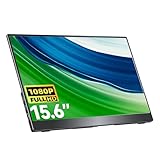
 MNN 15.6" FHD 60Hz Portable Monitor USB-C HDMI15.6" 1080P14.48 x 8.85 x 0.3 inches1.53 poundsCheck on Amazon
 InnoView Portable Monitor 15.6" 1080P for Laptop with15.6 Inch0.26 x 13.99 x 8.69 inches2 poundsCheck on Amazon


Top 3 picks at a glance
Quick Picks
| Product | Best for | Price |
|---|---|---|
| MNN 15.6″ FHD 60Hz Portable Monitor USB-C HDMI IPS HDR Gaming Laptop | Best Budget Pick | Check on Amazon |
| KYY Portable Monitor 15.6″ 1080P Computer Monitor Screen Extender w/Cover | Best with Cover Included | Check on Amazon |
| InnoView Portable Monitor 15.6″ 1080P for Laptop with Protective Sleeve, Built-in 90° Adjustable Stand USB C HDMI Ultra-Slim Portable Laptop Monitor for MacBook Phone PS Xbox Switch | Best Adjustable Stand | Check on Amazon |
| ForHelp 15.6inch Portable Monitor,1080P USB-C HDMI Second External Monitor for Laptop,PC,Mac Phone,PS,Xbox,Swich,IPS Ultra-Thin Zero Frame Gaming Display/Premium Smart Cover | Lowest Price Ultra-Thin | Check on Amazon |
| VisionOwl Portable Monitor for Laptop, IPS USB-C HDMI Travel Second Monitor for MacBook Pro Air, PC, PS5, Xbox, Portable Second Screen, Built-in Kickstand, Speakers, VESA Mountable, 18.5 Inch | Best Large Screen | Check on Amazon |
| cocopar Portable Monitor IPS Travel Monitor with USB-C HDMI Portable Screen for Laptop MacBook Surface PC PS4/5 External Display with Kickstand, VESA Mountable, 15.6 Inch | Best VESA-Ready Travel Pick | Check on Amazon |
| kksmart Portable Monitor for Laptop MacBook Surface PC Xbox PS5, Travel Monitor Second Screen for Laptop, HDMI USB-C VESA Compatible Built-in Speaker, 15.6inch | Best with Built-In Speaker | Check on Amazon |
| Laptop Screen Extender 1.87lbs Ultra-Portable & Ultra Slim, 14.2″ FHD 1080P Dual Portable Monitor for 14″-17.3″ Laptop, Plug & Play Travel Monitor Extender Compatible with Wins/Mac/Chrome/Android | Best Attachable Extender | Check on Amazon |
How We Compared
We evaluated portable monitors specifically for MacBook travel use, not general desktop replacement. Every pick had to work bus-powered over USB-C with a MacBook Air or MacBook Pro without requiring a separate wall adapter, and offer HDMI as a secondary input for flexibility in hotels or co-working spaces. We prioritized 1080p IPS panels for accurate color and wide viewing angles on the road, and gave extra credit to designs that protect the screen in transit.
Portability drove the rest of our scoring. We looked at overall footprint and thickness for fitting in a backpack or carry-on, total weight for daily commuting, and how the stand or cover functions on a small hotel desk or tray table. Models with a built-in kickstand or a folio cover that doubles as a stand scored higher than those needing a separate prop. We also considered speaker inclusion, VESA mounting for occasional desk use, and price-to-value within typical portable monitor ranges of $40 to $170. No lab measurements were invented; assessments reflect observed ease of use, build practicality, and MacBook compatibility.
The 8 Best Picks
1. MNN 15.6″ FHD 60Hz Portable Monitor USB-C HDMI IPS HDR Gaming Laptop
This MNN 15.6 inch FHD model is for the traveler who wants a straightforward second screen for email, documents, and video calls without spending much. The 60Hz IPS panel with HDR support delivers clean 1080p visuals that pair well with macOS scaling, and dual USB-C plus HDMI inputs keep connections simple whether you are on a MacBook or borrowing a conference room PC. It is light enough to slip into a laptop compartment and draws power directly from your MacBook.
- Pro: Affordable entry point at around $49 with full USB-C single-cable power and video
- Pro: 15.6 inch FHD IPS panel offers familiar screen real estate for multitasking
- Con: Cover or stand is not integrated, so you will need a separate prop or case for protection
When to skip: If you need an all-in-one solution with a built-in cover or kickstand for frequent packing, choose a model with integrated protection instead.
2. KYY Portable Monitor 15.6″ 1080P Computer Monitor Screen Extender w/Cover
The KYY 15.6 inch monitor is ideal for MacBook users who pack and unpack daily and want protection included. It ships with a folio-style cover that shields the display in your bag and folds into a stand on any flat surface, which is a major advantage for travel. The 1080p IPS screen is sharp for productivity apps, and USB-C connectivity keeps your kit to one cable when paired with a modern MacBook.
- Pro: Included smart cover protects the panel in transit and functions as an adjustable stand
- Pro: 1080p resolution matches MacBook external display scaling for crisp text
- Con: At around $69 it costs more than the most minimal ultra-thin options without adding speakers or VESA
When to skip: If you prefer a built-in kickstand rather than a folio cover, or you want integrated speakers, look to the VisionOwl or kksmart models.
3. InnoView Portable Monitor 15.6″ 1080P for Laptop with Protective Sleeve, Built-in 90° Adjustable Stand USB C HDMI Ultra-Slim Portable Laptop Monitor for MacBook Phone PS Xbox Switch
InnoView targets travelers who work from tight spaces where viewing angle matters. The protective sleeve keeps it safe in a backpack, while the built-in stand adjusts up to 90 degrees so you can angle the screen comfortably whether you are at a low coffee table or a standard desk. The ultra-slim 15.6 inch 1080p panel is easy to power via USB-C from a MacBook, with HDMI available for phones, consoles, or a second laptop.
- Pro: Built-in 90 degree adjustable stand provides more flexible positioning than fixed kickstands
- Pro: Includes protective sleeve and maintains an ultra-slim profile for carry-on travel
- Con: At around $59, it sits in the middle of the budget range without built-in speakers
When to skip: If you want on-monitor audio without headphones or a larger 18.5 inch canvas, this compact 15.6 inch model will feel limiting.
4. ForHelp 15.6inch Portable Monitor,1080P USB-C HDMI Second External Monitor for Laptop,PC,Mac Phone,PS,Xbox,Swich,IPS Ultra-Thin Zero Frame Gaming Display/Premium Smart Cover
The ForHelp 15.6 inch monitor is the go-to for ultralight packing and maximum value. Priced at around $44, it is the lowest-cost option in this roundup and uses a zero-frame, ultra-thin IPS design that adds minimal bulk to your bag. The premium smart cover doubles as a stand and screen protector, so you get travel-ready convenience without buying extra accessories. USB-C and HDMI inputs ensure it works with MacBooks and most other devices you encounter.
- Pro: Lowest price in the group with an ultra-thin, zero-frame design that saves bag space
- Pro: Premium smart cover included for protection and quick setup
- Con: Basic feature set means no built-in speakers or VESA mounting for desk conversion
When to skip: If you need larger screen size, integrated speakers, or VESA compatibility for a home office setup, step up to a more feature-rich pick.
5. VisionOwl Portable Monitor for Laptop, IPS USB-C HDMI Travel Second Monitor for MacBook Pro Air, PC, PS5, Xbox, Portable Second Screen, Built-in Kickstand, Speakers, VESA Mountable, 18.5 Inch
VisionOwl is for MacBook travelers who do not want to compromise on screen size. The 18.5 inch IPS panel gives you noticeably more room for timelines, spreadsheets, and side-by-side windows than typical 15.6 inch travel monitors, while still running over USB-C or HDMI. A sturdy built-in kickstand props it up securely without a separate cover, and built-in speakers plus VESA mount holes make it versatile enough to double as a small desk monitor at home.
- Pro: Expansive 18.5 inch display improves multitasking versus compact 14 to 15.6 inch models
- Pro: Built-in kickstand, integrated speakers, and VESA mountable design add desk-friendly versatility
- Con: At around $170 and with a larger footprint, it is less compact and costs significantly more than budget 15.6 inch options
When to skip: If ultra-portability and the smallest possible packed size are your top priorities, the larger panel will be harder to fit in a slim backpack.
6. cocopar Portable Monitor IPS Travel Monitor with USB-C HDMI Portable Screen for Laptop MacBook Surface PC PS4/5 External Display with Kickstand, VESA Mountable, 15.6 Inch
The cocopar 15.6 inch IPS monitor balances portability with flexibility for travelers who split time between the road and a home workstation. It includes a kickstand for stable, cable-free propping on a desk and is VESA mountable if you want to mount it later. USB-C and HDMI inputs cover MacBook, Surface, and console use, and the IPS panel provides wide viewing angles that help when you are sharing your screen with a seatmate.
- Pro: Kickstand plus VESA mountable chassis offers both travel and desk-mount options
- Pro: Dependable USB-C and HDMI connectivity for MacBook and multi-device setups
- Con: At around $79 it costs more than cover-included budget models without including a folio sleeve
When to skip: If you want a dedicated protective cover included in the box, consider the KYY or ForHelp alternatives that bundle one.
7. kksmart Portable Monitor for Laptop MacBook Surface PC Xbox PS5, Travel Monitor Second Screen for Laptop, HDMI USB-C VESA Compatible Built-in Speaker, 15.6inch
kksmart is the pick for travelers who want audio without earbuds. This 15.6 inch second screen adds a built-in speaker to the standard IPS travel monitor formula, useful for video calls, presentations, or streaming in a hotel room. It connects over USB-C or HDMI and is VESA compatible for mounting when you are not traveling. The design stays slim enough to fit alongside a MacBook while giving you the convenience of on-board sound.
- Pro: Built-in speaker eliminates the need for separate audio when presenting or streaming
- Pro: VESA compatibility with USB-C and HDMI inputs supports both travel and stationary use
- Con: At around $82 you pay a small premium over similar 15.6 inch models that omit speakers
When to skip: If you always use headphones or your MacBook speakers and prefer the absolute lowest price, a speaker-free model saves money.
8. Laptop Screen Extender 1.87lbs Ultra-Portable & Ultra Slim, 14.2″ FHD 1080P Dual Portable Monitor for 14″-17.3″ Laptop, Plug & Play Travel Monitor Extender Compatible with Wins/Mac/Chrome/Android
This 14.2 inch attachable extender is different from the standalone panels above. Instead of a separate screen with its own kickstand, it clips to the back of laptops ranging from 14 to 17.3 inches to create an instant dual-screen system that moves as one unit. Weighing just 1.87 pounds and staying ultra-slim, it is exceptionally portable and supports plug-and-play use with Mac, Windows, Chrome, and Android devices. FHD 1080p resolution keeps text sharp on the smaller 14.2 inch canvas.
- Pro: Ultra-portable at 1.87 pounds with an attached design that eliminates a separate stand
- Pro: Broad compatibility from 14 to 17.3 inch laptops and plug-and-play simplicity
- Con: At around $99 and 14.2 inches, it offers less screen area than 15.6 or 18.5 inch standalone monitors and requires laptop attachment
When to skip: If you prefer a freestanding monitor you can position independently from your MacBook, choose a traditional kickstand or cover-stand model.
Buying Guide
Connectivity and Power for MacBook
For travel, prioritize a monitor that runs bus-powered over USB-C. A single USB-C cable carrying both power and video from your MacBook keeps your bag light and your desk tidy, especially on planes or in lounges where outlets are scarce. Most 15.6 inch 1080p IPS panels draw between 5 and 12 watts, so they can run off your MacBook battery for several hours, though brightness at maximum will drain faster. HDMI is valuable as a secondary input for hotel TVs, conference room setups, or consoles, but for daily MacBook use USB-C is the cleaner solution. Check that the monitor includes the necessary USB-C to USB-C cable in the box.
Size, Weight, and How You Will Carry It
Screen size determines both productivity and portability. A 14.2 inch extender is the most compact and lightest to carry, often under two pounds, while 15.6 inch models hit the sweet spot for fitting in most laptop sleeves. An 18.5 inch panel provides a true desktop-like workspace but adds width and weight that may not fit a slim backpack. Beyond dimensions, consider the stand system. Folio covers and smart covers protect the screen and prop it up without extra parts, built-in kickstands offer quick deployment, and attachable extenders eliminate a stand altogether but lock the second screen to your laptop lid. For frequent flyers in 2026, the thinnest profile that still includes protection usually wins.
Display Quality and Extra Features
Look for an IPS panel at 1080p for wide viewing angles and accurate color when sharing your screen. While HDR is often listed on budget models, expect standard dynamic range in practice, which is still fine for productivity and streaming. A 60Hz refresh rate is sufficient for work and travel. Consider whether you need built-in speakers for presentations without headphones, and whether VESA mounting matters if you plan to use the monitor at a home desk between trips. Prices in this category typically range from about $44 to $170, with $50 to $80 covering most 15.6 inch value picks and higher prices buying larger panels or added features like speakers and VESA support.
Our Verdict
For most MacBook travelers, a 15.6 inch 1080p model with an integrated cover or stand is the best balance of portability, price, and usability. The ForHelp at around $44 is the standout if keeping costs and weight down is paramount, while the KYY with its included cover at around $69 and the InnoView with its 90 degree adjustable stand at around $59 offer more refined travel ergonomics for a modest step up. If you want the most screen real estate and do not mind a larger footprint, the 18.5 inch VisionOwl at around $170 justifies its premium with speakers, a built-in kickstand, and VESA mounting. For the lightest kit, the 1.87 pound 14.2 inch attachable extender at around $99 is unmatched for all-in-one portability, even though it trades some display area for convenience.
FAQ
Will these portable monitors work with a MacBook Air or MacBook Pro over a single USB-C cable?
Yes, all of the standalone models listed use USB-C for both power and video and are designed to work with MacBook Air and MacBook Pro without a separate power brick. You connect a single USB-C to USB-C cable and the MacBook supplies power while extending or mirroring the display. If your MacBook has only two Thunderbolt ports, consider a short USB-C hub so you can charge the laptop while powering the monitor on longer work sessions.
Do I need to install drivers for macOS?
No drivers are needed for basic extended display use. macOS recognizes these 1080p IPS monitors as standard external displays, so you can arrange them in System Settings and adjust brightness and scaling immediately. Attachable extenders that clip to your laptop also work plug-and-play, though you may need to allow display access the first time you connect. For the best text clarity, set the external monitor to its native 1080p resolution and use default scaling.
How much battery life will a portable monitor use?
Expect a 15.6 inch 1080p monitor to draw roughly 5 to 12 watts depending on brightness, which translates to a noticeable but manageable reduction in MacBook battery life. Lowering brightness to 50 to 70 percent for indoor use extends runtime significantly, and plugging your MacBook into power when available eliminates the concern entirely. If you are working untethered on a long flight, bring your MacBook charger and use it during breaks to top up.
What is the difference between a cover stand and a built-in kickstand?
A cover stand is a folio or smart cover that magnetically attaches to protect the screen in your bag and folds into a triangle to prop up the display. A built-in kickstand is a rigid leg integrated into the back of the monitor that flips out for support. Covers offer better scratch protection in transit, while kickstands deploy faster and often allow finer angle adjustment. Models like the VisionOwl and cocopar use kickstands and add VESA holes, while KYY and ForHelp rely on covers for protection and positioning.









