
MOBAs sit in a sweet spot between twitch shooters and slow strategy games. In League of Legends, Dota 2, or Smite you need quick reactions for skill-shots and dodges, but you also spend the whole match reading a fixed-camera top-down view with a dense HUD. The right monitor balances a genuinely useful high refresh rate with a sharp, comfortable panel, and it does not have to be expensive.
Our Top Picks
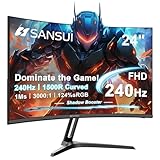
 ViewSonic VX2418C 24 Inch 1080p Curved Gaming Monitor24 Inches21.3 x 16.3 x 8.2 Inches6.8 PoundsCheck on Amazon
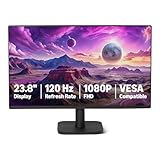
 Acer 23.8in FHD 1920x1080 IPS 120Hz Office Monitor23.8-inch4.53 x 21.21 x 16.7 Inches7.7 PoundsCheck on Amazon
 ViewSonic VX2718-2KPC-MHD 27 Inch 1440p Curved Gaming Monitor27 Inches17.4 x 27 x 6.1 inches8.6 PoundsCheck on Amazon


Top 3 picks at a glance

Refresh rate: the one place speed helps
Unlike a 60 fps fighting game, MOBAs run at high frame rates on modest hardware, and a smoother display makes skill-shot dodging and last-hitting feel more precise. A 144Hz panel is the practical sweet spot: the jump from 60Hz to 144Hz is dramatic for cursor tracking and animation cancels. Going to 240Hz is a smaller, diminishing improvement that competitive players may still want, but casual players will barely notice.
As an Amazon Associate we earn from qualifying purchases at no extra cost to you.


Why 60Hz holds you back
At 60Hz a new frame appears every 16.7 ms; at 144Hz it is every 6.9 ms. That shorter gap means you see an enemy’s telegraphed ability sooner and your dodge feels more connected to your input. Because League and Dota run well above 144 fps on mid-range GPUs, you will actually feed those frames, unlike in a GPU-limited AAA game.
Resolution and size
A 27-inch 1440p panel is the ideal MOBA monitor: crisp minimap, readable ability icons, and enough size to see teamfights without being so large you lose track of the corners on a fixed camera. 1080p on a 24-inch screen is a fine budget choice and keeps frame rates sky-high. Ultrawide is not recommended, since MOBAs lock the camera to a set aspect and often just letterbox 21:9, wasting the extra width.
| Tier | Panel | Refresh | Price | Best for |
|---|---|---|---|---|
| Budget | 24″ 1080p IPS | 144Hz | $130-180 | High fps, tight budget |
| Sweet spot | 27″ 1440p IPS | 144-165Hz | $220-320 | Most players |
| Competitive | 24-27″ 1080p/1440p | 240Hz+ | $300-450 | Ranked grinders |
Panel type and clarity
A fast IPS panel is the right call. You get accurate colors for spotting particle effects, wide viewing angles so the whole map stays consistent, and quick enough response (around 1 ms GtG) that skill-shots do not smear. VA panels can ghost on the dark backgrounds common in Dota’s jungle, so avoid slow VA for competitive play.
Do not forget adaptive sync
FreeSync or G-Sync Compatible eliminates tearing when your frame rate bounces around during a chaotic five-on-five. It costs almost nothing on modern monitors and keeps the image clean without the input-lag penalty of old-school V-Sync.
Comfort matters in ranked climbs
Ranked sessions run long. A flicker-free backlight, a low-blue-light setting, and a matte finish reduce eye strain over back-to-back games. An adjustable stand that puts the screen at eye level keeps your posture healthy through a climb.
FAQ
Is 240Hz worth it for League or Dota?
For most players, 144Hz already captures the biggest gains and 240Hz is a modest extra. If you grind ranked at a high level and your PC pushes 240+ fps, it is a reasonable upgrade; otherwise put the money into a 1440p panel instead.
Should I play a MOBA on an ultrawide?
Generally no. MOBAs lock the camera to 16:9, so an ultrawide usually shows black bars on the sides and gives no competitive benefit. A 27-inch 16:9 1440p panel is the better buy.
Bottom line
The ideal MOBA monitor is a 27-inch 1440p fast IPS at 144-165Hz with adaptive sync. It delivers the smoothness that genuinely sharpens skill-shot dodging, the resolution for a readable HUD, and the comfort for long ranked sessions, all without paying the premium of a 240Hz esports panel most players do not need.









