
Cloud gaming flips the usual monitor math. Because the game renders on a remote server and streams to you as compressed video, the qualities that matter most are smooth motion handling, a resolution and refresh that match the stream, and a panel that keeps compressed footage looking clean. This guide covers what to prioritize when picking a monitor mainly for GeForce Now, Xbox Cloud Gaming, or similar services.
Our Top Picks
 New! Sceptre Curved 34-inch Prime Gaming Monitor 344034 inches8.5 x 31.8 x 18 inches14 PoundsCheck on Amazon
 ASUS TUF Gaming VG259QMRL5A 25 Inch 1080p 310Hz13" x 22" x 2.4"8.2 x 22 x 20.8 Inches10.8 PoundsCheck on Amazon
 New! Sceptre Curved 27-inch Prime Gaming Monitor DisplayPort27 inches7.7 x 24.4 x 17.9 InchesCheck on Amazon
 AOC 27" Gaming Monitor QHD 260Hz Overclocked IPS27" 240Hz IPS7.46 x 24.17 x 17.7 InchesCheck on Amazon
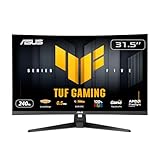
 ASUS TUF Gaming VG27AQ3A 27 Inch 1440p 180Hz14.4" x 24.2" x 2.1"24.2 x 8.4 x 17.9 inches10.1 poundsCheck on Amazon
Pros & cons
- 180Hz QHD panel with 1ms response suits competitive play
- ELMB Sync combines low blur with variable refresh rate
- Wide 130% sRGB gamut aids color-accurate visuals
- At over 10 pounds, it needs a sturdy desk or mount
- HDR10 support is basic compared to premium HDR tiers

Top 3 picks at a glance
Match the monitor to the stream, not to a local GPU
Top cloud tiers commonly stream around 1080p to 1440p at 60fps, with premium tiers reaching 4K and up to 120fps. Buying a 4K 240Hz panel to play a 1080p 60fps stream is wasted money because the source never fills it. Aim for a resolution and refresh you will actually receive: a 1440p 120Hz or 165Hz panel is a strong sweet spot that covers most tiers without overpaying.
As an Amazon Associate we earn from qualifying purchases at no extra cost to you.



| Cloud tier (typical) | Stream target | Sensible monitor |
|---|---|---|
| Free / basic | 1080p 60fps | 1080p 75-100Hz IPS |
| Standard paid | 1080p-1440p 60fps | 1440p 100-144Hz IPS |
| Premium | 1440p-4K, up to 120fps | 1440p 165Hz or 4K 120Hz |
Why panel type still matters
Motion clarity
Cloud streams already soften fast motion because of compression, so a panel with fast pixel response (a good IPS or OLED) avoids adding its own smear on top. Sluggish VA panels with dark-transition ghosting can compound the softness. A clean 100 to 165Hz IPS handles streamed motion gracefully.
Color and gradients
Compression is hardest on smooth gradients like skies and smoke, where you may see banding. A panel with solid 8-bit or 8-bit+FRC color and good uniformity hides compression artifacts better than a cheap, low-contrast screen that exaggerates them.
Latency: the honest truth
Your network is the dominant latency factor in cloud gaming, often 30 to 80ms of round-trip on a good connection. A 240Hz monitor cannot fix a laggy stream. Still, a higher-refresh panel with low input lag avoids adding needless delay, and a wired Ethernet connection plus a nearby server matters far more than shaving a millisecond off the display.
HDR and connectivity
Some premium tiers stream HDR. A monitor with at least a credible HDR mode (ideally with local dimming) makes those streams pop, but do not overpay for HDR if you mostly play SDR titles. For laptops and handhelds, a USB-C monitor with power delivery lets you drive the display and charge the device over one cable, which is handy for a couch or dorm cloud setup.
Network and settings matter more than specs
No monitor can compensate for a weak connection, so treat your network as part of the setup. A wired Ethernet link to the streaming device beats Wi-Fi for stability, and a server geographically close to you cuts round-trip latency far more than any display feature. Aim for enough bandwidth to sustain your chosen tier, roughly 15 to 25Mbps for 1080p 60 and 35Mbps or more for 4K, with low jitter for smooth frame pacing.
Match the panel to your seating
For desk play, a 24 to 27-inch panel at 1080p or 1440p keeps the image sharp at close range. For a couch or dorm setup viewed farther away, a 27 to 32-inch screen is comfortable and hides the lower pixel density of a streamed image. Because compression already softens fine detail, an oversized 4K panel viewed up close will not look as pristine as its resolution suggests.
Convenience features worth having
Built-in speakers, a USB-C input that powers a laptop or handheld over one cable, and a clean on-screen menu all make a cloud-gaming monitor easier to live with. Since the heavy lifting happens in the cloud, these quality-of-life touches often matter more day to day than chasing a refresh rate the stream will never fill.
FAQ
Do I need a 4K monitor for cloud gaming?
Only if you pay for a 4K tier and have the bandwidth (roughly 35Mbps or more) to receive it. Otherwise a sharp 1440p panel looks better with a 1440p stream than a 4K panel upscaling a lower-resolution feed.
Is a high refresh rate pointless for cloud gaming?
Not pointless, but bounded by the stream. If your service caps at 60fps, a 60 to 100Hz panel is plenty; buy higher refresh only if you use a 120fps tier or also game locally.
Bottom line
For cloud gaming, buy the monitor that matches your stream: a fast 1080p-1440p IPS at 100 to 165Hz suits most players, with a 4K 120Hz panel reserved for premium tiers and strong internet. Prioritize clean motion, good gradients, low input lag, and USB-C convenience over chasing specs the stream will never deliver.









