
There’s a specific kind of frustration that comes with watching a movie on a monitor that claims HDR support but delivers a washed-out glow instead of punchy highlights. Standard edge-lit panels simply can’t hit the brightness levels or local dimming precision that HDR10 content demands, so explosions look gray, starfields lose their sparkle, and dark scenes turn into muddy murk. Mini-LED backlighting fixes this by packing hundreds — often 500 to more than 1,000 — of tiny LEDs behind the panel, allowing the monitor to dim specific zones while keeping bright highlights blazing. The result is HDR that actually looks like HDR, with contrast that approaches OLED territory at a fraction of the price.
The good news is that 2026 has brought an impressive wave of mini-LED monitors priced for real budgets, many under $350. The challenge is sorting through confusing marketing: local dimming zone counts, HDR1000 certifications, refresh rates that matter more for gaming than movies, and smart TV features that some buyers want and others don’t need. We’ve organized the eight most compelling options below, from a $230 value king to a 32-inch 4K flagship, so you can find the right balance of movie performance, desk space, and price.
As an Amazon Associate we earn from qualifying purchases at no extra cost to you.

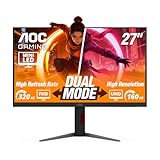


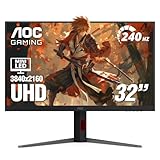

Our Top Picks
 AOC 27 Inch Gaming Monitor QHD 180Hz Mini-LED27" 180Hz Mini-LED10.19 x 23.82 x 20.94 Inches15.6 poundsCheck on Amazon
 AOC 27" Gaming Monitor 4K Mini-LED Dual Mode27" 4K 160Hz Mini-LED9.45 x 24.17 x 20.34 inchesCheck on Amazon


Top 3 picks at a glance
 AOC 27 Inch Gaming Monitor QHD 180Hz Mini-LED HDR1000, Q27G3XMNCheck priceSamsung 55-Inch Class M70H Series, Mini LED, 4K, Smart TV, 2026 ModelCheck priceAOC 27" Gaming Monitor 4K Mini-LED Dual Mode 320Hz NVIDIA G-SYNC U27G4XMCheck price
Quick Picks
| Product | Best for | Price |
|---|---|---|
| AOC Q27G3XMN 27″ QHD 180Hz Mini-LED HDR1000 | Best overall value for HDR movies | Check on Amazon |
| Samsung 55″ M70H Mini LED 4K Smart TV | Best for a dedicated movie room setup | Check on Amazon |
| AOC U27G4XM 27″ 4K Mini-LED Dual Mode 320Hz | Best for 4K movies plus high-speed gaming | Check on Amazon |
| KTC M27T6S 27″ 1440P 210Hz HDR1000 | Best for smooth motion in fast content | Check on Amazon |
| KTC M27T6S 27″ 1440P 200Hz (White) | Best for bright, stylish desk setups | Check on Amazon |
| Mini Monitor 7 Inch HDMI/AV/VGA Display | Best secondary/utility display or media projects | Check on Amazon |
| AOC U32G4ZMN 32″ 4K Mini-LED 240Hz HDR1000 | Best premium cinematic experience | Check on Amazon |
| KOORUI 27″ QHD Mini-LED IPS 200Hz HDR1000 | Best budget alternative under $260 | Check on Amazon |
How We Compared
Every monitor in this roundup features genuine mini-LED backlighting with local dimming, the single most important technology for credible HDR movie playback. We prioritized HDR1000-certified panels where available, since that certification targets 1,000 nits of peak brightness — the range where HDR highlights genuinely pop in a dim room. We also weighed panel size and resolution (1440p vs. 4K), because movie sharpness depends heavily on pixel density at your viewing distance, and we considered smart features for buyers who want to stream without a PC. Refresh rates and adaptive sync matter less for films, but we noted them since many buyers split time between movies and gaming. All prices reflect current listed pricing, and every pick comes from a brand with established monitor or TV distribution in the US.
The 8 Best Picks
1. AOC Q27G3XMN — Best Overall Value for HDR Movies
The Q27G3XMN has become the default recommendation for affordable mini-LED HDR, and for good reason. Its 27-inch QHD (2560×1440) VA panel pairs with a mini-LED backlight rated HDR1000, delivering the local dimming and peak brightness that make movie highlights sing. The 180Hz refresh rate and 1ms response are aimed at gamers, but movie watchers benefit most from the deep contrast VA panel provides. If you want the most HDR performance per dollar for film nights at a desk, this is it.
- Pros: HDR1000-rated mini-LED backlight at an unbeatable around $230; excellent VA contrast for dark-room movie watching
- Pros: 180Hz QHD panel handles gaming and streaming equally well
- Con: 1440p resolution is less sharp than 4K for very close viewing
Skip it if you insist on native 4K movie playback on a large screen — you’ll want the AOC U27G4XM or U32G4ZMN instead.
2. Samsung 55-Inch M70H — Best for a Dedicated Movie Room
This one breaks the monitor mold: a 55-inch mini LED 4K smart TV that doubles as an oversized desktop display. For buyers watching movies from a couch or across a room rather than at a desk, the M70H’s sheer size and built-in smart streaming (no PC required) make it a compelling around $300 proposition. Mini LED local dimming gives it the contrast chops for HDR films, and 4K resolution at 55 inches is comfortable from eight or more feet away.
- Pros: Massive 55-inch 4K mini LED panel for the price of a small monitor
- Pros: Built-in Smart TV streaming means no computer needed for movie night
- Con: Too large for typical desks, and pixel density is low at close range
Skip it if your setup is desk-bound — a 27- or 32-inch monitor will look sharper at arm’s length.
3. AOC U27G4XM — Best for 4K Movies Plus High-Speed Gaming
The U27G4XM combines a 27-inch 4K mini-LED panel with a dual-mode design that lets you switch to lower resolutions at up to 320Hz for competitive gaming. For movie watchers, the headline is native 4K resolution with HDR-grade mini-LED local dimming, delivering noticeably crisper film detail than 1440p alternatives. At around $350 it undercuts many 4K mini-LED competitors while offering G-SYNC compatibility for Nvidia setups.
- Pros: True 4K sharpness with mini-LED HDR at a mid-range price
- Pros: Dual mode switches between cinematic 4K and 320Hz gaming
- Con: 4K at 27 inches demands a powerful GPU if you also game
Skip it if you watch exclusively from couch distance or game on a modest graphics card — the Q27G3XMN saves you $120.
4. KTC M27T6S (210Hz) — Best for Smooth Motion
KTC has carved out a name with aggressive mini-LED pricing, and this 27-inch 1440p unit pushes refresh to 210Hz alongside its HDR1000-rated backlight. For viewers sensitive to motion blur in panning shots or action sequences, the faster panel and strong response help. The around $350 price matches the AOC 4K option, so choose based on whether motion clarity or resolution matters more to you.
- Pros: HDR1000 mini-LED with a rapid 210Hz panel for fluid motion
- Pros: 1440p is easier to drive than 4K for mixed use
- Con: Priced the same as a 4K competitor at around $350
Skip it if raw movie sharpness outranks motion performance — go 4K instead.
5. KTC M27T6S (White, 200Hz) — Best for Bright Desk Setups
This is the same core M27T6S formula — 27-inch 1440p mini-LED with HDR1000-class brightness — in a white chassis and a 200Hz refresh rate, at around $300. If your viewing space doubles as an aesthetic statement, the white finish is genuinely rare among mini-LED monitors, which are almost universally black. It’s a strong pick for a bedroom or home office where movie nights happen at the same desk you work from.
- Pros: Rare white design with full mini-LED HDR performance
- Pros: $50 cheaper than the black 210Hz version
- Con: White bezels can distract in fully dark movie sessions
Skip it if you want maximum refresh rate for the money — the black 210Hz variant is the enthusiast choice.
6. Mini Monitor 7 Inch HDMI/AV/VGA Display — Best Utility Screen
Let’s be clear: a 7-inch, 1024×600 LCD with no mini-LED backlight is not an HDR movie monitor. But it earns a place here as the ultra-budget utility pick. With HDMI, VGA, and AV/BNC inputs, built-in speakers, a 178° IPS viewing angle, and broad compatibility with Raspberry Pi, PCs, TVs, and DVD players, it’s ideal as a secondary status display, a media project screen, or a portable field monitor. At around $39, it costs less than a nice HDMI cable and speaker combo.
- Pros: Extremely versatile input selection (HDMI, VGA, AV, BNC) for around $39
- Pros: Compact and light enough to tuck anywhere
- Con: 1024×600 non-HDR panel — unsuitable as your main movie screen
Skip it entirely if you need real HDR; it’s a companion screen, not a replacement.
7. AOC U32G4ZMN — Best Premium Cinematic Experience
For buyers who want the best desk-based movie experience money can buy in this group, the 32-inch U32G4ZMN delivers: 4K resolution on a larger canvas, mini-LED with HDR1000 certification, a 240Hz panel, and G-SYNC support. The extra screen real estate over 27-inch options makes films feel more immersive at typical desk distances, and the around $640 price, while steep, undercuts many premium OLED monitors with similar size and HDR capability.
- Pros: 32-inch 4K mini-LED with HDR1000 for a genuinely cinematic desk setup
- Pros: 240Hz and G-SYNC cover every gaming need
- Con: around $640 is more than double most picks here
Skip it if your budget caps near $300 — the AOC Q27G3XMN delivers most of the HDR benefit for far less.
8. KOORUI 27″ QHD Mini-LED — Best Budget Alternative
The KOORUI slots neatly between the value king and the mid-range crowd: a 27-inch QHD (1440p) IPS panel with mini-LED backlighting, HDR1000 rating, 200Hz refresh, and a 1ms response class, priced at around $260. IPS fans who find VA panels too contrasty for their taste will appreciate the wider viewing angles, and the price undercuts comparable KTC units by $40–$90.
- Pros: HDR1000 mini-LED on an IPS panel for around $260
- Pros: 200Hz QHD covers gaming duties comfortably
- Con: IPS contrast trails VA panels in fully dark rooms
Skip it if you watch movies exclusively with lights off — a VA panel like the Q27G3XMN will deliver deeper blacks.
Buying Guide
Local Dimming Zones and Brightness Matter Most
Not all mini-LED is equal. The number of local dimming zones determines how precisely the monitor can control blooming (halos around bright objects), and HDR1000 certification signals the panel targets roughly 1,000 nits of peak brightness — enough for HDR highlights to genuinely stand out. For movie watching in a dim room, prioritize HDR1000-rated panels (all our main picks except the utility monitor carry this) and check reviews for real-world blooming behavior in subtitles and letterboxed content.
Size, Resolution, and Viewing Distance
Sharpness depends on pixels per inch relative to how far you sit. A 27-inch 1440p monitor looks crisp at 2.5–3 feet, while 4K at 27 or 32 inches rewards closer viewing and delivers visibly better movie detail. If you’re watching from a couch, a 55-inch 4K panel like the Samsung M70H at 8+ feet is the right geometry. Match the screen to the room, not the spec sheet.
Refresh Rate and Smart Features: Nice, Not Essential
Films play at 24 frames per second, so a 180Hz or 200Hz monitor adds nothing to movie playback — those numbers matter for gaming, and they cost little extra on mini-LED panels today. Similarly, built-in smart streaming (as on the Samsung) only matters if you won’t connect a PC or streaming stick. Spend your budget on dimming performance and resolution first; treat refresh rate and smart features as bonuses within your price range.
Our Verdict
For most people, the AOC Q27G3XMN at around $230 is the smartest buy: a certified HDR1000 mini-LED panel, strong VA contrast, and enough refresh rate for weekend gaming, all at a price that leaves room for a soundbar. If you need 4K sharpness at a desk, step up to the AOC U27G4XM (around $350); if you want the full cinematic treatment and have the budget, the AOC U32G4ZMN (around $640) is the premium pick. Couch-based viewers should seriously consider the Samsung 55-inch M70H at around $300 — no monitor in this price class matches that size. And if budget is the driving factor, the KOORUI at around $260 brings mini-LED HDR within reach of nearly any setup.
FAQ
Is mini-LED actually good for HDR movies?
Yes — it’s currently the best value path to convincing HDR. Mini-LED backlights with hundreds of dimming zones can hit peak brightness levels (HDR1000 targets around 1,000 nits) that standard monitors can’t, producing real highlight pop and much better contrast in dark scenes. Blooming around subtitles and bright edges is the main trade-off versus OLED.
Is 1440p enough for movies, or do I need 4K?
At typical desk distances (2.5–3 feet from a 27-inch screen), 1440p looks good but 4K is noticeably sharper for film detail, especially in close-ups and fine textures. If you sit closer than two feet or simply want maximum clarity, choose a 4K option like the AOC U27G4XM or U32G4ZMN. From couch distance, only large 4K panels like the Samsung M70H make sense.
Do I need a high refresh rate for movie watching?
No. Movies are shot and mastered at 24fps, so a 60Hz panel plays them perfectly well. Higher refresh rates (180Hz–320Hz on these picks) matter for gaming and desktop smoothness. Since mini-LED HDR monitors increasingly include fast panels at no price penalty, don’t pay extra purely for refresh rate if movies are your priority.
Can I use these monitors as TVs for streaming?
Monitors don’t have built-in streaming apps or TV tuners, so you’ll need to connect a PC, laptop, or an inexpensive streaming stick via HDMI. The exception is the Samsung M70H, which is a smart TV with streaming built in. If your movie source is a streaming stick rather than a computer, the Samsung is the most convenient pick in this roundup.









