The best graphics cards GPUs for server builds are data center and workstation cards with blower or passive cooling, single or dual-slot width, and ECC VRAM — specifically the NVIDIA L40S, NVIDIA L4, NVIDIA RTX 6000 Ada Generation, NVIDIA A100, and AMD Instinct MI210 for rackmount and headless compute. Consumer gaming cards can work in tower servers but will thermally throttle or overheat in most 1U-3U rack chassis.
As an Amazon Associate we earn from qualifying purchases at no extra cost to you.



Our Top Picks
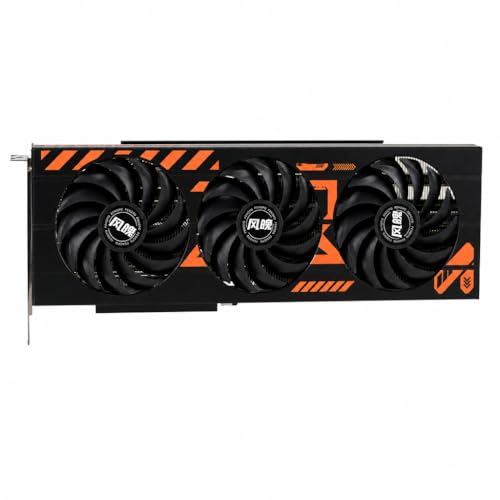

Top 3 picks at a glance
Blower vs. Passive vs. Axial: Why Server Cooling Matters
Server chassis move air front-to-back at high pressure, not bottom-to-top like a gaming tower. The cooler type determines whether the GPU survives in that airflow.
Blower (Active) Coolers
A blower card has a single fan and an enclosed shroud that exhausts hot air out the rear I/O bracket. This is the standard for 2U-4U rack servers and pedestal servers that lack strong chassis fans.
- Best for: Mixed GPU/CPU servers, workstations converted to servers, and any chassis where GPUs are not directly in the front-to-back wind tunnel.
- Examples: NVIDIA RTX 6000 Ada Generation, NVIDIA A40, NVIDIA RTX 4000 SFF Ada
- Pros: Self-cools, tolerates lower chassis airflow, exhausts heat outside the case.
- Cons: Louder, slightly lower sustained boost clocks than passive under ideal airflow, usually dual-slot.
Passive Coolers
Passive cards have a large heatsink with no onboard fan and rely entirely on the server’s chassis fans, typically 8-12 high-static-pressure fans in a 60mm or 80mm row at 15,000+ RPM.
- Best for: 1U-2U dense compute, AI training, and hyperconverged platforms built for accelerators (e.g., Supermicro, Dell PowerEdge R760xa, HPE ProLiant XL).
- Examples: NVIDIA L40S, NVIDIA L4, NVIDIA H100 PCIe, NVIDIA A100 PCIe, AMD Instinct MI210
- Pros: Higher thermal headroom when airflow is sufficient, no fan failure point on the card, allows denser packing.
- Cons: Will overheat in seconds in a standard ATX case or open chassis — requires 15-25 CFM per GPU of directed airflow and a validated server barebone.
Axial / Open-Air Gaming Coolers
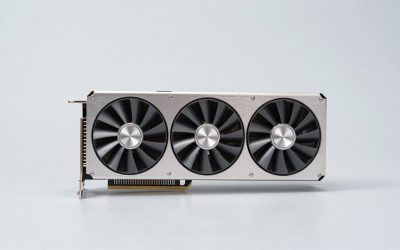
Triple-fan axial coolers from GeForce RTX 4090 or Radeon RX 7900 XTX designs recirculate air inside the case. In a rackmount, that hot air has nowhere to go and is re-ingested by neighboring cards. Do not use them in 1U-3U servers unless the chassis was specifically designed with GPU air ducts and wide spacing, which most are not.
Slot Width, Length, and Power Connectors for Rackmount Fit
Rack servers measure slot width in slots, but the physical limit is clearance between PCIe slots and the lid.
| Card Class | Slot Width | Length | TDP | Power Connector | Fits in 1U / 2U / 4U |
|---|---|---|---|---|---|
| NVIDIA L4 | Single-slot | 167mm (low-profile) | 72W | None (slot power only) | Yes / Yes / Yes |
| NVIDIA L40S | Dual-slot | 267mm | 350W | 1x 8-pin CPU EPS | No / Yes with airflow kit / Yes |
| NVIDIA RTX 6000 Ada | Dual-slot (blower) | 267mm | 300W | 1x 16-pin (12VHPWR) | No / Yes / Yes |
| NVIDIA A100 40GB PCIe | Dual-slot (passive) | 267mm | 250W | 1x 8-pin EPS | No / Yes / Yes |
| AMD Instinct MI210 | Dual-slot (passive) | 267mm | 300W | 2x 8-pin EPS | No / Yes / Yes |
| NVIDIA RTX 4000 SFF Ada | Single-slot low-profile (blower) | 168mm | 70W | None | Yes / Yes / Yes |
Before buying, check three numbers in your server manual: maximum PCIe card length, supported TDP per slot, and whether auxiliary power cables (8-pin EPS or 16-pin) are included. Many 1U servers limit GPUs to 75W single-slot low-profile cards like the L4 or RTX 4000 SFF Ada for that reason.
VRAM Capacity: How Much Do You Actually Need?
For headless compute, VRAM is a hard ceiling — if a model, dataset, or VDI session does not fit, it will not run. ECC support doubles the importance because ECC reserves a small portion of VRAM for error correction.
- 8-16GB: Video transcoding (FFmpeg/NVENC), light inference, 5-10 virtual desktops. Example: NVIDIA L4 (24GB) actually overprovisions here to allow 4K transcodes with headroom.
- 24GB: Sweet spot for inference, small LLM hosting (7B-13B quantized), and creative rendering. Example: NVIDIA L40S (48GB) and RTX 6000 Ada (48GB) allow duplicate buffers without swapping to system RAM.
- 40-48GB: LLM inference for 30B-70B models, large batch training, scientific simulation. Example: A100 40GB, L40S 48GB.
- 80GB+: Training, large-context inference, HPC. Example: H100 80GB/HBM3, A100 80GB.
Worked Calculation: VRAM Per Concurrent Transcode
For Jellyfin / Plex / FFmpeg NVENC in a media or surveillance server, you can estimate VRAM per stream. A 4K60 HDR transcode to 1080p using NVENC with a decode + scale + encode pipeline uses roughly 600-900MB of frame buffers plus ~300MB driver overhead.
Calculation: 800MB per 4K transcode + 300MB base = 1.1GB for first stream. Each additional 4K stream adds ~0.8GB if sharing the same codec context.
On a 24GB card like the NVIDIA L4: (24GB – 1GB reserved for ECC/system) / 0.8GB ≈ 28 simultaneous 4K-to-1080p transcodes. In practice, the NVENC engine caps at ~7-10 concurrent 4K streams before encoder utilization hits 100%, so VRAM is not the bottleneck — encoder count is. This is why L4 and L40S advertise 2-3 NVENC chips. For 1080p-to-720p streams (~350MB each), the same card can theoretically hold 65+ sessions, but you will hit the driver session limit first without an unlocked vGPU or patch.
ECC Memory: When You Need It
Error-Correcting Code VRAM detects and corrects single-bit memory errors, which are caused by cosmic rays and thermal stress over long uptimes.
- ECC required: Financial modeling, medical imaging, long-running training jobs (days/weeks), virtualization where many users share one GPU (vGPU), and any server expected to run 24/7 under load. Cards like the NVIDIA L40S, L4, A100, H100, RTX 6000 Ada, and AMD Instinct series support ECC and can toggle it in nvidia-smi or amd-smi.
- ECC optional: Short inference jobs, transcode farms, render nodes where a flipped bit means one bad frame, not a corrupted model. You can disable ECC to reclaim ~6-7% VRAM and a few percent bandwidth.
- No ECC: Most GeForce RTX 40 series and Radeon RX 7000 series lack ECC. A single-bit error during a week-long training run can propagate silently, forcing you to restart from checkpoint. For headless servers, that risk is why data center cards cost more.
If your server runs vGPU, ECC must stay enabled for live migration and SR-IOV stability on supported platforms.
Worked Calculation: Power and Thermal Budget Per Chassis
Server PSUs and airflow are shared. You cannot size GPUs in isolation.
Example: 2U chassis with a 1600W redundant PSU (effective 1600W on one rail), dual Xeon 5416S CPUs (150W each), 24 DDR5 DIMMs (~120W), fans and storage (~80W). Available for GPUs = 1600W * 0.85 efficiency derating for 80 Plus Titanium at high load = 1360W continuous – (300 + 120 + 80) = 860W headroom.
Options: 2x NVIDIA L40S at 350W each = 700W (fits with margin for peak boost), or 4x NVIDIA L4 at 72W each = 288W (fits easily, better for transcode density), or 1x H100 at 350W + 1x L4. Attempting 3x L40S would require 1050W and trip over-current protection. Always budget 10-15% above TDP for transient spikes and remember that passive cards add no direct power but demand 25-35W more from chassis fans at full RPM.
Decision Matrix: Map Your Workload to the Right Card
| Your Situation | Cooling to Choose | VRAM / ECC Target | Recommended Class |
|---|---|---|---|
| 1U rack, need video transcode / AI inference, limited power | Passive single-slot | 24GB ECC enabled | NVIDIA L4 – usually $2,000–$2,500 range, 72W, no external power |
| 2U-4U rack for LLM inference (13B-70B) or rendering | Passive dual-slot | 48GB ECC enabled | NVIDIA L40S – usually $4,500–$6,000 range |
| Tower / 4U workstation server, need drivers for CUDA + graphics | Blower dual-slot | 48GB ECC enabled | NVIDIA RTX 6000 Ada Generation – usually $6,500–$8,000 range |
| Training / HPC with NVLink and HBM | Passive dual-slot with NVLink bridge | 80GB HBM2e/HBM3 ECC | NVIDIA A100 80GB or H100 PCIe – usually $9,000–$15,000 range |
| Low-profile edge server, virtual desktops | Blower single-slot low-profile | 20GB ECC enabled | NVIDIA RTX 4000 SFF Ada – usually $900–$1,200 range |
| AMD ROCm compute, no CUDA lock-in | Passive dual-slot | 64GB HBM2e ECC | AMD Instinct MI210 – usually $5,000–$7,000 range |
Headless Compute Setup: Driver and Firmware Tips
Server GPUs often have no display output at all. After physically installing the card:
- Enable Above 4G Decoding and Resizable BAR (sometimes called Large BAR) in BIOS — required for 24GB+ BAR space. Without it, the server will fail to POST or show Code 43.
- Set PCIe bifurcation to x16 if using a riser. Many 1U risers default to x8 for NVMe, which halves GPU bandwidth.
- Install the data center driver branch (NVIDIA Data Center Driver or AMD ROCm), not the GeForce / Adrenalin gaming driver. For headless operation, use the
-headlessor server option which disables the display manager hooks. - Verify with
nvidia-smi -q | grep ECCandnvidia-smi -q | grep "Power Limit"to confirm ECC state and power cap. For passive cards, runipmitool sensor | grep FANto confirm fan speed ramps with GPU temperature. - For vGPU or passthrough, enable VT-d / AMD-Vi / IOMMU in BIOS and set the GPU to
compute modeif available.
What to Avoid in Server Builds
Avoid gaming cards with axial coolers in closed racks, cards wider than your riser can support (2.5-slot gaming cards will block the adjacent slot), and any card that requires three 8-pin connectors when your server backplane only provides two. Also avoid mixing passive and blower cards in the same airflow zone — the blower exhaust can starve the passive card’s intake.
FAQ
Can I use a GeForce RTX 4090 in a server?
Only in a 4U tower or open-frame chassis with at least 3 slots of clearance and strong bottom-to-top airflow. In a standard 2U rack it will overheat and throttle because its axial cooler recirculates hot air. For 24/7 operation, the NVIDIA L40S or RTX 6000 Ada offers similar AD102 silicon with blower/passive cooling and ECC.
Do I need NVLink for a server?
Only for multi-GPU training where GPUs share memory directly. For inference, transcoding, or VDI, PCIe bandwidth is sufficient. NVLink is supported on A100, H100, and RTX 6000 Ada but not on L4 or L40S.
Is passive cooling quieter?
The GPU itself is silent, but the server chassis fans run at 8,000-15,000 RPM to cool it, which is much louder than any desktop blower card. Passive is not a noise reduction strategy — it is a density strategy.