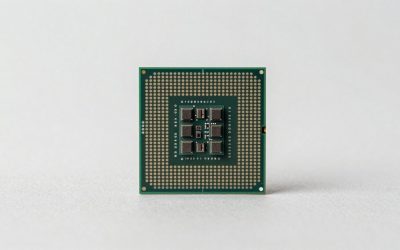
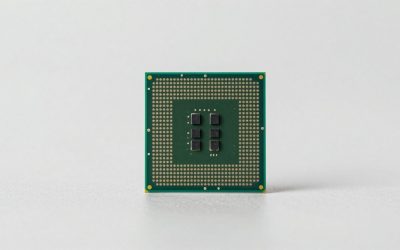
The best APUs for budget gaming in 2026 are AMD’s Ryzen 7 8700G for the fastest integrated graphics, Ryzen 5 8600G for value, and Ryzen 5 5600G for an inexpensive AM4 upgrade—provided you use fast dual-channel memory and accept sensible 1080p or 720p settings.
As an Amazon Associate we earn from qualifying purchases at no extra cost to you.
Our Top Picks
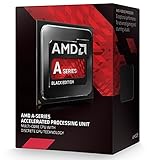
 Advance micro device A10 7870K Black Edition Processors4.6 x 4.9 x 2.9 inches0.95 PoundsCheck on Amazon
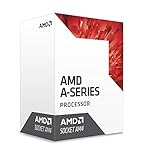
 AMD AD9700AHABBOX 7th Generation A10-9700E Quad-Core Processor with1.6 x 1.6 x 0.3 inches0.26 poundsCheck on Amazon
 AMD A Series A10-5800K 3.8 GHz Processor AD580KWOHJBOX12.4 x 5 x 7.1 Inches0.2 PoundsCheck on Amazon
Top 3 picks at a glance
Best APUs for budget gaming: the short list
| APU | Integrated graphics | Best use | Typical playable target | Power class |
|---|---|---|---|---|
| Ryzen 7 8700G | Radeon 780M, 12 RDNA 3 compute units | Fastest single-chip budget gaming PC | 1080p low/medium or 900p medium in many esports and older games | 65 W default TDP |
| Ryzen 5 8600G | Radeon 760M, 8 RDNA 3 compute units | Best balance of price, CPU performance, and graphics | 1080p low in lighter games; 720p–900p in demanding games | 65 W default TDP |
| Ryzen 5 8500G | Radeon 740M, 4 RDNA 3 compute units | Entry-level AM5 systems with a future GPU upgrade | 720p or low-settings 1080p | 65 W default TDP |
| Ryzen 5 5600G | Radeon Vega 7 | Low-cost AM4 builds or upgrades | 720p–900p at low settings | 65 W default TDP |
| Ryzen 7 5700G | Radeon Vega 8 | AM4 multitasking and light gaming | 720p–900p at low settings | 65 W default TDP |
These are practical targets rather than guarantees. Frame rate depends on the game, drivers, RAM configuration, cooling, and whether the APU is allowed to use its full power budget. Integrated graphics share system memory, so two otherwise identical PCs can perform noticeably differently.
Ryzen 7 8700G: the fastest integrated-graphics choice
The Ryzen 7 8700G is the strongest choice when the computer must run games without a discrete graphics card. Its Radeon 780M has 12 RDNA 3 compute units and benefits substantially from fast DDR5 memory. The eight-core, 16-thread CPU is also more than adequate for esports games, general use, streaming, and future pairing with a mid-range graphics card.
Its main limitation is memory bandwidth. A discrete graphics card has dedicated GDDR6 or faster VRAM, while the 780M accesses ordinary system RAM. Use two matching DDR5 modules rather than one stick, and enable the memory profile in the motherboard firmware. DDR5-6000 is a sensible target when the motherboard and kit support it; slower memory can reduce integrated-graphics performance, while very aggressive settings may require manual stability testing.
For games such as competitive shooters, older role-playing games, and well-optimized indie titles, 1080p low or medium settings can be realistic. Newer graphically intensive games may need 900p or 720p, upscaling, and reduced texture quality. The 8700G is not a substitute for a modern mid-range GPU in demanding AAA games.
Ryzen 5 8600G: the value sweet spot
The Ryzen 5 8600G usually makes more sense than the 8700G when the budget is tight. It has six Zen 4 CPU cores and Radeon 760M graphics with eight RDNA 3 compute units. The graphics engine is slower than the 780M, but the overall experience remains strong for a small gaming system, especially if the money saved is redirected toward 32GB of fast memory, a larger SSD, or a better power supply.
Choose the 8600G for a compact PC that will spend most of its time playing esports, older games, simulation titles, and moderately demanding releases. Start at 900p or 1080p low, then adjust resolution before cutting every visual setting. A stable 900p image often looks better than 1080p with severe stutter and minimum-quality textures.
Ryzen 5 8500G and older 5600G systems
The Ryzen 5 8500G is an entry-level AM5 option, but its Radeon 740M has only four RDNA 3 compute units. It is suitable when the initial system cost matters more than integrated gaming performance, or when a discrete GPU will be added soon. If you intend to game on the APU for several years, spending more on the 8600G is usually easier to justify.
The Ryzen 5 5600G remains relevant for inexpensive AM4 builds and upgrades. Its Vega 7 graphics are significantly older than the 760M and 780M, but a discounted motherboard and memory platform can make it attractive. The Ryzen 7 5700G adds two more CPU cores and Vega 8 graphics, making it useful for multitasking, but it is not a dramatic gaming upgrade over the 5600G.
Why memory matters more than the product name
An APU does not have dedicated video memory. It reserves part of system RAM for graphics and shares the remaining bandwidth with the CPU. Dual-channel memory is therefore essential: one 16GB module can leave a powerful APU performing far below its potential.
Consider a simplified bandwidth calculation. DDR5-6000 has a theoretical peak of:
6,000 MT/s × 8 bytes per transfer × 2 channels = 96,000 MB/s, or about 96 GB/s.
Real applications achieve less because of overhead and competing CPU traffic, but the calculation shows why memory speed matters. DDR5-4800 offers only 76.8 GB/s in the same calculation, about 20% less theoretical bandwidth. That difference is particularly visible when the integrated GPU is bandwidth-limited.
For a new AM5 APU build, 32GB as two 16GB modules is the preferred configuration. A 16GB kit can work for a very tight budget, but modern games, Windows, background applications, and integrated graphics can consume it quickly. For an AM4 APU, DDR4-3200 or DDR4-3600 in dual-channel mode is a sensible range.
Resolution and settings that work
- 1080p esports: Begin with low or competitive settings, then raise texture quality if memory capacity allows. A 60Hz display is easy for many games; high-refresh play depends heavily on the title and CPU workload.
- 900p general gaming: This is often a useful compromise for the 8600G and 8700G. It reduces the pixel workload by 30% compared with 1080p while retaining a reasonably sharp image.
- 720p demanding games: Use low settings, an upscaler such as FSR where available, and a frame-rate limit. Lowering resolution usually produces a larger gain than reducing minor effects.
- Textures: Keep textures at low or medium if the game begins stuttering. Integrated graphics can use system memory, but increasing texture quality does not create more bandwidth.
- Ray tracing: Disable it on these APUs. The performance cost is disproportionately high without dedicated graphics hardware.
For a 1080p 60Hz target, the display requires 1080 × 1920 × 60 = 124.4 million pixels per second. At 900p 60Hz, that falls to about 88.1 million pixels per second, a 29% reduction. That is why 900p can provide a useful improvement without the visibly large drop associated with 720p.
Power limits, cooling, and compact builds
The 8700G, 8600G, and 8500G are commonly configured around a 65W default TDP, but the actual package power and sustained boost behavior depend on the motherboard firmware and cooling. A small stock cooler may be sufficient for basic operation, yet a low-profile tower cooler or quality 120mm cooler can reduce noise and prevent performance fluctuations during long sessions.
On a compact system, a 45W or 65W eco-style configuration can be worthwhile. The lower limit reduces heat and power use, but it also reduces CPU and sometimes graphics performance. Use it when quiet operation is more important than maximum frame rate. A 65W setting is generally the better starting point for gaming, provided the case has adequate airflow.
Do not oversize the power supply solely because the APU has a high model number. A reputable 400W–550W unit is normally ample for an APU-only system, while a future discrete GPU may justify a 650W unit depending on its requirements. The quality of the unit and available PCIe power connectors matter more than an extreme wattage label.
When a discrete GPU makes more sense
An APU is the right choice when you need a small, inexpensive computer now and can accept reduced settings. A discrete GPU becomes the better investment when you want consistent 1080p high settings, 1440p gaming, ray tracing, high-refresh competitive performance, or stable frame rates in new AAA releases.
| Your situation | Recommended direction | Reason |
|---|---|---|
| No graphics card at first; gaming is the priority | Ryzen 7 8700G | Best integrated graphics headroom |
| Limited budget; esports and older games | Ryzen 5 8600G | Strong value with lower platform cost |
| AM5 system will receive a GPU soon | Ryzen 5 8500G or a standard CPU with basic graphics | A discrete GPU will quickly make the iGPU advantage irrelevant |
| Already own an AM4 motherboard and DDR4 | Ryzen 5 5600G | Lowest upgrade cost if the existing platform is compatible |
| 1080p high, 1440p, ray tracing, or 120Hz-plus gaming | CPU plus discrete GPU | Dedicated VRAM and greater shader throughput matter more than APU efficiency |
Recommended buying decisions
Choose the Ryzen 7 8700G if the APU itself will be your graphics card for a substantial period. Choose the Ryzen 5 8600G if you want the best balance for a budget gaming build. Choose the Ryzen 5 8500G only when the system is primarily an inexpensive starting point for a future GPU. Choose the Ryzen 5 5600G when reusing an AM4 platform keeps the total build cost low.
Whichever model you select, prioritize two memory modules, adequate cooling, current motherboard firmware, and realistic resolution targets. Those choices often determine whether an APU build feels smooth and responsive or performs well below what its specifications suggest.
Frequently asked questions
Can an APU run games without a graphics card?
Yes, an APU can run games without a discrete graphics card, but you must use realistic resolution and quality settings. The Ryzen 7 8700G is the strongest option for this use, while the Ryzen 5 8600G suits lighter games and demanding titles at reduced settings. Newer AAA games may require 900p or 720p, upscaling, and low settings.
Should I choose 16GB or 32GB of memory for an APU build?
Choose 32GB as two 16GB modules for a new AM5 APU build if the budget allows. A 16GB kit can work, but modern games, Windows, background applications, and integrated graphics may consume it quickly. Whatever capacity you choose, use two matching modules because dual-channel memory is essential for integrated-graphics performance.
Can I add a discrete graphics card to an APU system later?
Yes, an APU system can receive a discrete graphics card later. The Ryzen 7 8700G and Ryzen 5 8600G provide capable CPUs for a future mid-range graphics card, while the Ryzen 5 8500G can suit an AM5 system where a GPU will be added soon. A suitable power supply and case airflow remain important.
What memory settings are appropriate for these APUs?
For a new AM5 APU system, DDR5-6000 is a sensible target when the motherboard and kit support it, although slower memory can reduce integrated-graphics performance. For an AM4 APU, DDR4-3200 or DDR4-3600 in dual-channel mode is sensible. Enable the memory profile in the motherboard firmware, and manually test unusually aggressive settings for stability.
How much power supply capacity does an APU-only PC need?
A reputable 400W–550W power supply is normally ample for an APU-only system. A future discrete GPU may justify a 650W unit, depending on its requirements. The quality of the power supply and its available PCIe power connectors matter more than an extreme wattage label, so do not choose capacity solely because the APU has a high model number.