
The best gaming monitor for Delta Force is the Acer Predator X27U W1, because its 26.5-inch QHD QD-OLED panel combines the resolution needed for spotting distant targets with a 240Hz refresh rate and near-instant pixel response. It is the strongest all-round choice for players with a capable modern graphics card who want competitive responsiveness without giving up image quality. The ASUS ROG Strix XG27ACDNG and Alienware AW2725DF are even better suited to players who prioritize maximum 360Hz competitive performance, while the ASUS TUF VG27AQ3A is the more sensible mid-range choice for most gaming PCs.
Delta Force benefits from a monitor that balances three things: motion clarity during fast firefights, enough pixels to identify enemies across large maps, and adaptive synchronization to reduce tearing when frame rates move up and down. A 27-inch 1440p display is the practical sweet spot for that balance. A 4K model can provide a sharper tactical view, but it demands substantially more GPU power; a 1080p monitor is easier to drive at high frame rates but gives up image detail. This roundup covers OLED, IPS, VA, QHD, 4K and 1080p options, with a clear recommendation for every budget and play style.
Our Top Picks
 Acer Predator 26.5in QHD 2560x1440 QD-OLED 240Hz Gaming26.5-inch12.32 x 24.04 x 19.25 inches19.7 PoundsCheck on Amazon
 ASUS TUF Gaming VG27AQ3A 27 Inch 1440p 180Hz14.4" x 24.2" x 2.1"24.2 x 8.4 x 17.9 inches10.1 poundsCheck on Amazon
Pros & cons
- 180Hz QHD panel with 1ms response suits competitive play
- ELMB Sync combines low blur with variable refresh rate
- Wide 130% sRGB gamut aids color-accurate visuals
- At over 10 pounds, it needs a sturdy desk or mount
- HDR10 support is basic compared to premium HDR tiers
 ASUS ROG Strix 26.5” 1440P QD-OLED Gaming Monitor6.408.6 x 24 x 20.3 inches16.4 PoundsCheck on Amazon
 Alienware AW2725DF OLED Gaming Monitor27.0 OLED9.59 x 23.98 x 15.99 inches13.89 poundsCheck on Amazon


Top 3 picks at a glance

Quick Comparison
| Product | Best for | Key specs | Price tier |
|---|---|---|---|
| Acer Predator X27U W1 | Best overall | 26.5-inch QHD QD-OLED, 240Hz, adaptive sync class | Premium |
| ASUS TUF VG27AQ3A | Best mid-range all-rounder | 27-inch QHD, 180Hz, G-SYNC compatible class | Mid-range |
| ASUS ROG Strix XG27ACDNG | Best 360Hz QD-OLED | 26.5-inch QHD QD-OLED, 360Hz, 0.03ms class, heatsink | Premium |
| Samsung Odyssey G5 G51F | Best budget QHD option | 27-inch QHD gaming display, high-refresh class | Budget |
| Alienware AW2725DF | Best OLED for AMD systems | 26.7-inch QD-OLED, QHD, 360Hz, 0.03ms class, AMD FreeSync | Premium |
| ASUS TUF VG27UQ1A | Best 4K choice | 27-inch 4K, 160Hz, G-SYNC gaming display class | Premium |
| ASUS TUF VG279QM5A | Best 1080p competitive pick | 27-inch 1080p Fast IPS, 240Hz, G-SYNC class | Mid-range |
| Acer Nitro KG271U N3bmiipx | Best affordable QHD IPS | 27-inch QHD IPS, 180Hz | Mid-range |
| ASUS ROG XG27ACS | Best QHD connectivity | 27-inch QHD, 180Hz, USB-C, G-SYNC and HDR class | Mid-range |
| ASUS TUF VG27VQ3B | Best budget curved display | 27-inch 1080p curved HDR gaming display, 180Hz | Budget |
| Samsung Odyssey G3 G30D | Best basic high-refresh monitor | 27-inch FHD gaming display | Budget |
| ASUS VA279HG | Best entry-level option | 27-inch 1080p, 120Hz, HDMI and VGA, eye-care features | Budget |
How We Chose
The selection focuses on the requirements Delta Force places on a display rather than treating the highest refresh rate as the only meaningful specification. Resolution matters because the game combines long sightlines, vehicle combat and dense visual effects; refresh rate matters because tracking a moving player is easier when new frames arrive frequently; and response behavior matters because dark transitions and motion blur can obscure targets. Adaptive synchronization is also important for systems that cannot hold a perfectly fixed frame rate.
We considered each product’s stated panel class, resolution, refresh rate, connectivity and intended market position. OLED models receive attention for their exceptional contrast and response, while IPS and VA models can be better value for long sessions or mixed desktop use. The recommendations also account for upgrade paths: a 240Hz QHD monitor makes sense when a future GPU upgrade is likely, whereas a 4K display is most appropriate when the computer already has enough rendering capacity. No recommendation depends on claiming personal ownership, private testing or a particular benchmark result.
1. Acer Predator X27U W1 – Best for the overall Delta Force experience
As an Amazon Associate we earn from qualifying purchases at no extra cost to you.

The Acer Predator X27U W1 is the best gaming monitor for Delta Force for players who want a premium display that does not force a choice between clarity and speed. Its 26.5-inch QHD QD-OLED panel provides a dense, detailed image at a size that keeps the entire screen within a comfortable field of view. The 240Hz refresh rate is fast enough for serious competitive play, while the OLED panel class is known for extremely rapid pixel transitions and deep blacks.
QHD, or 2560 by 1440, is especially well matched to a 26.5-inch screen. Compared with 1080p at the same approximate size, it provides roughly twice as many total pixels, so distant silhouettes, equipment and terrain can appear more defined. Compared with 4K, it is considerably easier for a gaming PC to render at high frame rates. That balance is valuable in Delta Force, where an apparently small target can be partially hidden by foliage, smoke or map geometry.
Key specifications
- 26.5-inch display size.
- 2560 by 1440 QHD resolution.
- QD-OLED panel class with high contrast and very fast pixel response.
- 240Hz refresh rate.
- Gaming-focused adaptive synchronization class.
- Premium positioning with OLED image-quality advantages.
Why it suits Delta Force
The main advantage is the combination of OLED motion behavior and QHD resolution. A 240Hz panel refreshes every 4.17 milliseconds, compared with 6.94 milliseconds at 144Hz. That does not automatically make a player better, but it gives the graphics card more opportunities to present a current view while panning, tracking or turning. The OLED pixel response is also fast enough that the panel itself is less likely to be the limiting factor during rapid movement.
QD-OLED adds vivid color and excellent black levels. Night scenes, interior areas and shaded cover can look more separated than they do on a basic LCD. That can improve immersion and help environmental shapes stand out, although the correct in-game brightness and HDR settings remain important. Excessively dark shadow settings can hide opponents on any display.
Pros
- Excellent balance of QHD detail and 240Hz speed.
- QD-OLED contrast is particularly effective in dark game environments.
- Very fast response behavior suits tracking and close-range combat.
- A strong long-term upgrade from a 1080p or basic 1440p monitor.
- 26.5 inches keeps QHD sharp without requiring an unusually large desk.
Cons
- Premium pricing is difficult to justify if the PC cannot approach high frame rates.
- OLED requires sensible desktop habits because static elements can contribute to image-retention risk over time.
- Bright-room performance may not feel as comfortable as a strong matte IPS display.
- QHD still requires more GPU power than 1080p.
Nearest alternative
The ASUS ROG Strix XG27ACDNG is the closest alternative. It uses the same general QHD QD-OLED performance concept but raises refresh rate to 360Hz, making it more attractive to competitive players with exceptionally powerful systems. The Acer is the better-balanced purchase when 240Hz is already enough and the computer is also used for ordinary games, media and productivity. Choose the ASUS when the priority is extracting every possible advantage from a high-frame-rate competitive setup.
2. ASUS TUF VG27AQ3A – Best for a balanced mid-range system
The ASUS TUF VG27AQ3A is the best mid-range recommendation for players who want QHD resolution and a high refresh rate without moving to OLED pricing. Its 27-inch 1440p format is one of the safest choices for Delta Force because it offers a meaningful increase in image detail over 1080p while remaining practical for many modern gaming PCs. The 180Hz refresh rate is also a useful step above 144Hz without requiring the extreme frame rates that a 360Hz monitor makes most valuable.
This model is best understood as a sensible performance-per-pound or performance-per-dollar choice. It does not offer the perfect black levels of OLED, but an LCD panel can be easier to live with for a desktop that displays static windows, taskbars and browser content for many hours. The TUF line is also positioned around durable, gaming-oriented features rather than luxury materials or flagship styling.
Key specifications
- 27-inch screen size.
- 2560 by 1440 QHD resolution.
- 180Hz refresh rate.
- G-SYNC gaming compatibility class as stated in the product name.
- LCD gaming panel class rather than OLED.
- Mid-range positioning.
Why it suits Delta Force
At 180Hz, a new frame can be displayed approximately every 5.56 milliseconds. That is fast enough to provide clear benefits over a 60Hz or 75Hz office monitor and still allows a realistic performance target. If your computer produces 120 to 170 frames per second depending on the map and settings, adaptive synchronization can smooth the experience instead of forcing the display to wait for a fixed refresh interval.
The QHD resolution also gives this monitor more tactical usefulness than a 27-inch 1080p display. At the same physical size, 1440p produces a sharper image and leaves more room for interface elements without making them excessively large. The result is a good fit for players who switch between Delta Force, single-player games and general PC work.
Pros
- Strong combination of 27-inch QHD resolution and 180Hz refresh.
- More affordable and less maintenance-sensitive than OLED alternatives.
- G-SYNC-oriented feature set suits variable frame rates.
- Good upgrade from 1080p without the GPU burden of 4K.
- Appropriate for both competitive and general-purpose gaming.
Cons
- LCD contrast and pixel response will not match a good QD-OLED.
- Premium competitors offer better HDR and deeper blacks.
- A graphics card that struggles at QHD will not make full use of 180Hz.
- Some players may prefer USB-C or additional connectivity found on other models.
Nearest alternative
The Acer Nitro KG271U N3bmiipx is the closest value alternative because it also combines a 27-inch QHD IPS-class panel with 180Hz. The ASUS is the better choice when the stated G-SYNC gaming feature and TUF feature set are important. The Acer is worth considering when its market price is lower and the computer is primarily used for gaming rather than a broader workstation setup.
3. ASUS ROG Strix XG27ACDNG – Best for 360Hz QD-OLED competitive play

The ASUS ROG Strix XG27ACDNG is aimed at competitive players who have the hardware and discipline to make use of a 360Hz QHD display. Its 26.5-inch QD-OLED panel combines 2560 by 1440 resolution with a 360Hz refresh rate, a 0.03ms response specification in the product name and a custom heatsink design. It is a specialist premium monitor rather than the default recommendation for every Delta Force player.
The appeal is clear for users who play at very high frame rates and care about the smallest possible delay between a rendered frame and the display showing it. A 360Hz refresh cycle lasts about 2.78 milliseconds. That is substantially shorter than 240Hz’s 4.17 milliseconds, although the practical benefit depends on whether the GPU and CPU can consistently supply frames near that level.
Key specifications
- 26.5-inch QHD display.
- 2560 by 1440 resolution.
- QD-OLED panel class.
- 360Hz refresh rate.
- 0.03ms response specification stated in the product name.
- Custom heatsink design.
Who should buy it
This is for the Delta Force player who already owns a powerful gaming PC, uses competitive settings and values motion performance above price. A 360Hz monitor makes little sense if the system normally produces 90 or 120 frames per second. It can still display those lower rates, but the unused refresh headroom becomes an expensive feature rather than a practical advantage.
The QHD resolution prevents the monitor from becoming a purely esports-oriented 1080p screen. That matters in Delta Force because the game can reward awareness at distance, and QHD remains a useful target for modern GPUs. The QD-OLED panel also makes this display suitable for cinematic games and video, not just competitive matches.
Pros
- Extremely fast 360Hz refresh rate.
- QHD resolution retains useful tactical detail.
- QD-OLED provides deep blacks, strong contrast and vivid color.
- Stated 0.03ms response class is designed for rapid motion.
- Custom heatsink design reflects a performance-focused OLED implementation.
Cons
- Requires very high frame rates to justify its cost.
- Premium pricing is excessive for casual or mixed-refresh gaming.
- OLED care remains relevant for static desktop use.
- The difference between 240Hz and 360Hz is smaller than the difference between 60Hz and 144Hz.
Nearest alternative
The Alienware AW2725DF also offers a 26.7-inch QD-OLED, QHD resolution, 360Hz refresh and 0.03ms class response. It is the more natural choice for a system centered on AMD FreeSync, while the ASUS appeals to buyers who specifically prefer the ROG design and custom heatsink approach. Between this model and the Acer Predator X27U W1, choose the ASUS only if your computer and play style can exploit 360Hz; otherwise, 240Hz is the more proportionate choice.
4. Samsung Odyssey G5 G51F – Best for affordable QHD gaming

The Samsung Odyssey G5 G51F is a budget-oriented route to a 27-inch QHD gaming display. It is aimed at players who want more workspace and sharper rendering than 1080p offers but do not want to pay for OLED or a flagship esports panel. Its QHD resolution is the most important feature for Delta Force, because it gives distant objects more definition while maintaining a manageable rendering load compared with 4K.
The Odyssey G5 family is widely associated with gaming-focused styling and high-refresh displays. The exact experience depends on the graphics card, connection and settings used, but the product’s position is clear: it is a value choice for a capable mainstream computer rather than a display for absolute competitive extremes.
Key specifications
- 27-inch display.
- 2560 by 1440 QHD resolution.
- Gaming-oriented high-refresh display class.
- Budget price tier.
- LCD panel approach rather than QD-OLED.
Why it is good value
Many players overpay for refresh rate while overlooking resolution. A budget QHD monitor can make a more visible difference to target definition than moving from 165Hz to 240Hz when the computer cannot sustain 200 frames per second. The G51F therefore makes sense for systems producing roughly 90 to 180 frames per second at QHD, depending on settings and the rest of the configuration.
For Delta Force, begin with the monitor’s native resolution and reduce demanding options such as ray-traced effects or excessive shadows before dropping to a lower resolution. Running a QHD panel at QHD preserves the crispest image. If the computer is not fast enough, an upscaling mode can be preferable to a blurry non-native output, provided the game supports a quality preset that preserves fine detail.
Pros
- QHD resolution at a budget-oriented price tier.
- 27-inch size works well for tactical games and general use.
- More detailed image than similarly priced FHD alternatives.
- Suitable for mainstream gaming PCs with a mid-range GPU.
- Samsung’s gaming monitor range provides familiar styling and broad availability.
Cons
- LCD contrast and motion behavior are not in the OLED class.
- Exact high-refresh performance depends on the connected system and settings.
- Not the best choice for players specifically chasing 240Hz or 360Hz.
- Budget HDR labels should not be confused with OLED-level HDR impact.
Nearest alternative
The Acer Nitro KG271U N3bmiipx is the closest competitor. Both target affordable QHD gaming, but the Acer is explicitly an IPS 180Hz model, which may be preferable for viewing-angle consistency and a clearer specification target. The Samsung is a good fit when its current market price is lower or when the Odyssey design and Samsung ecosystem are preferred.
5. Alienware AW2725DF – Best for AMD FreeSync OLED systems

The Alienware AW2725DF is a premium 26.7-inch QD-OLED gaming monitor designed for players who want QHD detail, 360Hz motion and exceptional OLED contrast. The product name identifies a 2560 by 1440 display, 0.03ms response class and AMD FreeSync support. For Delta Force, it is particularly attractive to owners of an AMD graphics card or a system configured around FreeSync adaptive synchronization.
The 26.7-inch size sits close to the conventional 27-inch gaming format. That keeps the QHD pixel density high enough for sharp text and target detail without making menus and interface elements uncomfortably small. The QD-OLED panel also offers a very different visual character from a basic LCD, with deep blacks and strong color saturation.
Key specifications
- 26.7-inch display.
- 2560 by 1440 QHD resolution.
- QD-OLED panel class.
- 360Hz refresh rate.
- 0.03ms response specification stated in the product name.
- AMD FreeSync support.
Why it suits Delta Force
A 360Hz refresh rate is most useful when the system can produce very high frame rates at QHD. If the computer fluctuates widely, FreeSync can help the display follow those changes rather than showing a torn image. The technology is not a substitute for a sufficiently powerful GPU, but it makes variable performance look more coherent.
QD-OLED is also useful in maps with dark interiors and high-contrast lighting. Pixel-level illumination allows black areas to remain genuinely dark instead of relying on an LCD backlight that can brighten nearby regions. For long sessions, however, use a sensible screen timeout, avoid leaving a static game menu on screen for hours and keep desktop elements from remaining fixed unnecessarily. These are sensible OLED habits, not reasons to avoid the category.
Pros
- 360Hz QHD performance for high-frame-rate play.
- QD-OLED contrast and fast response suit dark, fast-moving scenes.
- AMD FreeSync makes it a natural match for compatible Radeon systems.
- 0.03ms response class is appropriate for competitive motion.
- Premium image quality also benefits films and single-player games.
Cons
- Premium cost is difficult to justify for a lower-end GPU.
- OLED static-content care is necessary over a long ownership period.
- QHD at 360Hz can require major graphics settings compromises.
- Players seeking maximum brightness in a very bright room may prefer an LCD.
Nearest alternative
The ASUS ROG Strix XG27ACDNG is nearly identical in broad performance class: QHD QD-OLED, 360Hz and 0.03ms. Choose the Alienware when AMD FreeSync integration and Alienware’s design language are priorities. Choose the ASUS when its custom heatsink feature, ROG styling or available connectivity better suits the rest of the setup.
6. ASUS TUF VG27UQ1A – Best for 4K tactical detail

The ASUS TUF VG27UQ1A is the best choice in this list for players who put image detail ahead of maximum frame rate. It uses a 27-inch 4K display with a 160Hz refresh rate and G-SYNC gaming support. The extra resolution can make terrain, distant objects and interface elements look exceptionally sharp, but 4K also places a much heavier load on the graphics card than QHD.
At 3840 by 2160, 4K contains 8.29 million pixels. QHD contains 3.69 million pixels, so 4K requires about 2.25 times as many pixels to be rendered per frame. That does not mean every game runs exactly 2.25 times slower, because performance depends on the GPU architecture and settings, but it explains why a 4K upgrade needs careful planning.
Key specifications
- 27-inch display.
- 3840 by 2160 4K resolution.
- 160Hz refresh rate.
- G-SYNC gaming display class.
- LCD gaming panel class.
- Premium price tier.
Who should choose it
Choose this model if your computer already has a high-end graphics card, you sit close enough to appreciate 4K sharpness and you also play slower games where visual detail matters more than 240Hz response. It is less suitable for a budget competitive build, because reducing the resolution to achieve stable high frame rates undermines the reason to buy a 4K display.
For a Delta Force setup, a sensible starting point is native 4K with a quality upscaling mode if available. If performance remains too low, reduce expensive lighting and shadow settings before switching to a lower output resolution. A 4K monitor can still accept a QHD signal, but the image may appear softer because it is being scaled.
Pros
- Highest resolution in this roundup.
- Excellent sharpness for maps, text and distant visual detail.
- 160Hz is fast enough for demanding multiplayer use.
- G-SYNC feature class helps with variable frame rates.
- Useful for productivity and detailed single-player games.
Cons
- Requires substantially more GPU power than QHD.
- Not the ideal purchase for a system built around 1080p competitive settings.
- LCD contrast will not equal a good QD-OLED.
- At 27 inches, some users may prefer operating-system scaling for comfortable text.
Nearest alternative
The Acer Predator X27U W1 is the nearest performance alternative, but it trades 4K for QHD OLED and 240Hz. Pick the ASUS TUF VG27UQ1A for sharper static detail and 4K gaming; pick the Acer for stronger contrast, faster-feeling motion and a lower rendering burden.
7. ASUS TUF VG279QM5A – Best for 1080p competitive performance

The ASUS TUF VG279QM5A is the right type of monitor for players who value high frame rates, low system requirements and competitive responsiveness above resolution. It is a 27-inch 1080p Fast IPS display with a 240Hz refresh rate and G-SYNC gaming support. That combination is straightforward: the lower resolution makes it easier for a mid-range system to produce high frame rates, while Fast IPS is generally a good fit for motion clarity and viewing angles.
There is a trade-off. At 27 inches, 1080p has a lower pixel density than 1440p, so text and distant shapes will look less crisp. Some players prefer a 24-inch 1080p screen for this reason, but the listed model is 27 inches and may be attractive when the larger physical image is more comfortable.
Key specifications
- 27-inch screen size.
- 1920 by 1080 resolution.
- Fast IPS panel class.
- 240Hz refresh rate.
- G-SYNC gaming support class.
- Mid-range price tier.
Why it can be competitive
At 1080p, a graphics card renders 2.25 times fewer pixels than at 1440p. That leaves more performance headroom for high frame rates, especially when combined with competitive settings. A 240Hz refreshes once every 4.17 milliseconds, making it a meaningful upgrade over 120Hz or 144Hz when the system can sustain the required output.
This model makes the most sense when the monitor is paired with a performance-focused CPU and a GPU that can produce high frame rates at 1080p. It is also practical for players who prefer lower visual settings to reduce distractions. If the same PC is used for detailed single-player games, however, the limitations of 1080p become more noticeable.
Pros
- 240Hz refresh rate at a lower rendering resolution.
- Fast IPS is a useful panel class for competitive motion.
- G-SYNC support suits variable high frame rates.
- Lower GPU demand than every QHD and 4K option here.
- Good choice for esports-style settings and budget upgrades.
Cons
- 1080p is visibly less sharp than QHD at the same size.
- 27 inches makes pixel density less impressive than a smaller FHD display.
- Less suitable for cinematic games and detailed desktop work.
- 240Hz is wasted if the computer commonly remains below 180 frames per second.
Nearest alternative
The ASUS TUF VG27VQ3B also targets 1080p gaming but uses a curved display and a 180Hz class rather than a 240Hz Fast IPS design. The VG279QM5A is better for competitive play and rapid tracking. The VG27VQ3B is more appropriate when lower cost, curved viewing and general gaming matter more than maximum refresh rate.
8. Acer Nitro KG271U N3bmiipx – Best for affordable QHD IPS gaming

The Acer Nitro KG271U N3bmiipx is a practical mid-range QHD IPS monitor for players who want a sharp 27-inch display and a 180Hz refresh rate without entering the OLED category. It is one of the most balanced options for a gaming PC that has enough graphics power for 1440p but not enough to make 240Hz or 360Hz a consistent target.
IPS is a useful panel class for a shared desk or room because it generally maintains more consistent color and brightness when viewed away from the center than many VA designs. It will not provide OLED’s perfect black level, but it can be a comfortable choice for a monitor that spends equal time showing games, documents and web pages.
Key specifications
- 27-inch screen.
- 2560 by 1440 QHD resolution.
- IPS panel class.
- 180Hz refresh rate.
- Mid-range positioning.
- Gaming-oriented Acer Nitro design.
Why it suits a mainstream PC
QHD at 180Hz is an efficient target. It gives the image substantially more detail than 1080p, while 180Hz leaves some room for frame-rate variation. A system that averages around 120 to 160 frames per second can still deliver a smooth experience through adaptive synchronization, even though it will not use every available refresh cycle.
For Delta Force, the IPS panel can help maintain a consistent view when the player moves around a desk or uses a secondary seating position. Use the monitor’s native 1440p output, then tune settings according to the GPU. Texture quality often benefits from available VRAM, while shadows, volumetric effects and reflections tend to be more expensive choices when the goal is a high frame rate.
Pros
- Sharp QHD resolution at a versatile 27-inch size.
- 180Hz is a sensible target for many mid-range systems.
- IPS panel class suits gaming and general desktop work.
- More affordable than premium OLED alternatives.
- Good upgrade path from older 1080p monitors.
Cons
- Not as fast or contrast-rich as the premium QD-OLED products.
- QHD still requires more GPU power than FHD.
- Budget-oriented HDR should not be expected to match true OLED HDR.
- Players seeking USB-C or premium connectivity may prefer the ASUS ROG alternative.
Nearest alternative
The ASUS TUF VG27AQ3A is the closest alternative, also offering a 27-inch QHD 180Hz gaming format. The ASUS is the better match for buyers who prioritize its G-SYNC feature class and TUF design, while the Acer is attractive when its price is lower or an IPS QHD display is the primary requirement.
9. ASUS ROG XG27ACS – Best for QHD gaming with USB-C

The ASUS ROG XG27ACS is a strong choice for players who want a modern 27-inch QHD gaming monitor with 180Hz refresh, USB-C connectivity, G-SYNC support and HDR capability. It is especially useful when the same display must serve a desktop gaming PC, a laptop or another USB-C-capable device. For Delta Force, it supplies the important QHD and high-refresh combination without demanding the price of a QD-OLED.
USB-C is more than a convenience if the monitor is part of a mixed-device workspace. It can reduce cable swapping and make a laptop easier to connect, although the exact charging and video capabilities should be confirmed for the computer being used. A desktop PC may still be best connected through DisplayPort when seeking the full refresh and adaptive-sync feature set.
Key specifications
- 27-inch display.
- 2560 by 1440 QHD resolution.
- 180Hz refresh rate.
- USB-C connectivity.
- G-SYNC gaming support class.
- HDR gaming feature class.
Who should buy it
This model suits someone who wants one monitor for gaming and flexible connectivity rather than the absolute fastest panel. QHD provides a clear image in Delta Force, while 180Hz is enough for a broad range of gaming PCs. It is also a good option for a desk where a laptop is used during the day and a gaming desktop at night.
The USB-C feature can make the monitor a better long-term purchase than a similarly priced display with only traditional inputs. However, connection quality still depends on the cable, the host device and the monitor’s supported modes. Check whether the laptop supports the required DisplayPort-over-USB-C standard before assuming every feature will work.
Pros
- Well-balanced QHD and 180Hz specification.
- USB-C improves laptop and hybrid-workstation flexibility.
- G-SYNC feature class supports variable frame rates.
- HDR support adds compatibility for modern games and video.
- ROG positioning gives it a more feature-rich identity than basic budget displays.
Cons
- Not as fast as 240Hz or 360Hz OLED alternatives.
- USB-C benefits depend on the connected laptop or desktop.
- LCD black levels do not equal QD-OLED.
- May cost more than a basic QHD 180Hz monitor without USB-C.
Nearest alternative
The ASUS TUF VG27AQ3A is the closest alternative within the same brand and refresh class. Select the ROG XG27ACS when USB-C, HDR and broader connectivity matter. Select the TUF model when the display will remain attached to a desktop and the lowest cost for QHD 180Hz is the priority.
10. ASUS TUF VG27VQ3B – Best for a budget curved display
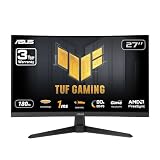
The ASUS TUF VG27VQ3B is a budget 27-inch 1080p curved gaming monitor with HDR and a 180Hz refresh class. It is aimed at players who want a larger, more immersive screen at a lower cost and who are comfortable giving up the sharpness of QHD. Its curved design can make the edges feel more naturally within view at a typical desk distance, although curve preference is subjective.
For Delta Force, the 180Hz refresh rate is more important than the HDR label. A high refresh display can make camera movement and target tracking feel smoother, while entry-level HDR generally should not be treated as equivalent to the high contrast produced by OLED or a sophisticated local-dimming LCD. The model remains a sensible option for a cost-conscious 1080p build.
Key specifications
- 27-inch display.
- 1920 by 1080 resolution.
- Curved gaming display design.
- 180Hz refresh class.
- HDR feature class.
- Budget price tier.
Who it suits
Buy this monitor when the gaming computer is built around 1080p, the player prefers a curved screen and the budget does not stretch to QHD. It can be a comfortable choice for racing, shooters and general games where the larger image is appealing. It is less suitable for users who spend many hours reading small text, because 1080p at 27 inches is not especially dense.
To get the best result, use the native 1920 by 1080 output and target a frame rate that fits within the monitor’s adaptive range. If the computer can produce well over 180 frames per second, a 240Hz model may be a better competitive purchase. If it cannot reach 100 frames per second reliably, the monitor’s high-refresh potential will be less important than stable settings.
Pros
- Affordable route to a 180Hz gaming display.
- Curved design may feel immersive at a close desk distance.
- 1080p is relatively easy for a mainstream GPU to render.
- HDR compatibility is useful for supported content.
- TUF branding provides a gaming-focused feature set.
Cons
- 1080p at 27 inches is less sharp than QHD.
- Curved screens are not preferred by every player.
- Entry-level HDR is unlikely to deliver premium HDR impact.
- Not the best long-term choice if a QHD GPU upgrade is planned soon.
Nearest alternative
The ASUS TUF VG279QM5A is the nearest alternative. It offers 1080p at 240Hz with a Fast IPS panel, so it is better for competitive players who can sustain very high frame rates. The VG27VQ3B is the better value option for players who want a curved screen, 180Hz and general-purpose gaming rather than maximum esports speed.
11. Samsung Odyssey G3 G30D – Best for basic high-refresh gaming

The Samsung Odyssey G3 G30D is a budget 27-inch Full HD gaming monitor for buyers who want a simple display from an established gaming monitor range. Its main appeal is accessibility: 1080p is easy for most gaming PCs to render, and the Odyssey G3 family is designed around gaming rather than office-only use.
This is a sensible choice for an older or entry-level system that cannot make good use of QHD. Delta Force can be demanding depending on its settings and updates, so a stable 1080p experience may be preferable to buying a QHD panel and routinely lowering the output. The trade-off is reduced sharpness, especially at the 27-inch size.
Key specifications
- 27-inch screen.
- 1920 by 1080 Full HD resolution.
- Gaming monitor design.
- Budget price tier.
- Odyssey G3 series positioning.
Why it is a practical budget choice
At 1080p, the graphics card has far fewer pixels to render than at QHD or 4K. That can leave more performance for effects, a higher frame rate or a lower-cost GPU. For a player upgrading from an office monitor, the move to a gaming-oriented display can also bring better synchronization and motion behavior, depending on the specific configuration.
Because the screen is 27 inches, sit at a sensible distance rather than placing it extremely close to the face. If text appears soft, operating-system scaling will not create more pixels; a QHD model is the better answer. For games, prioritize stable frame pacing over chasing a number that the computer can only reach intermittently.
Pros
- Accessible budget entry to Samsung’s Odyssey gaming family.
- 1080p is easy to drive on modest hardware.
- 27-inch size provides a large physical game image.
- Suitable for a first gaming monitor or secondary display.
- Lower total system demands than QHD options.
Cons
- Lower pixel density than every QHD and 4K model here.
- Not intended for premium HDR or OLED-level contrast.
- Exact refresh and response capabilities should be checked against the active listing.
- Less future-proof if a stronger GPU upgrade is planned.
Nearest alternative
The ASUS TUF VG27VQ3B is the closest alternative among the listed budget 1080p displays. The ASUS is preferable if its curved 180Hz HDR specification is important. The Samsung is the better fit for a straightforward Odyssey-branded gaming display and a basic Full HD setup.
12. ASUS VA279HG – Best for an entry-level gaming and office setup

The ASUS VA279HG is the most entry-level gaming option in this roundup. It is a 27-inch 1080p display with a 120Hz refresh rate, eye-care features and HDMI and VGA inputs. It is best for a first gaming setup, a secondary screen or an older computer that cannot justify a high-end QHD or 240Hz monitor.
Although 120Hz is below the refresh rates of the other gaming-focused recommendations, it is still a meaningful improvement over a typical 60Hz office display. Moving from 60Hz to 120Hz cuts the theoretical refresh interval from 16.67 milliseconds to 8.33 milliseconds. That can make camera movement feel smoother, provided the game and system can produce an appropriate frame rate.
Key specifications
- 27-inch screen.
- 1920 by 1080 resolution.
- 120Hz refresh rate.
- Eye-care feature class.
- HDMI and VGA inputs.
- Budget price tier.
Who it suits
This model is appropriate when the price must remain low, the PC is not powerful enough for high-resolution gaming, or the monitor also needs to connect to older equipment through VGA. It is not the best choice for a serious competitive Delta Force player with a modern high-frame-rate graphics card, but it is a reasonable step up from a basic 60Hz office display.
The eye-care features may be useful for long desktop sessions, but they do not replace good lighting, sensible viewing distance and regular breaks. At 27 inches and 1080p, the image is physically large but not especially dense. Users who read a great deal of small text or plan to keep the monitor for many years may benefit from spending more on QHD.
Pros
- Low-cost entry into 120Hz gaming.
- HDMI and VGA improve compatibility with newer and older devices.
- Eye-care features suit mixed work and gaming use.
- 1080p keeps GPU requirements modest.
- Simple choice for a first gaming setup.
Cons
- 120Hz is slower than every other gaming-focused option in this roundup.
- 27-inch 1080p has limited pixel density.
- Not appropriate for users seeking premium HDR, QHD or OLED contrast.
- VGA is an older connection and cannot represent the monitor’s modern gaming potential as effectively as a digital input.
Nearest alternative
The Samsung Odyssey G3 G30D is the nearest budget alternative. Choose the ASUS VA279HG when HDMI and VGA compatibility, eye-care features and a 120Hz target are more important than maximum gaming speed. Choose the Samsung when a more gaming-oriented Odyssey display is preferred.
How to Choose
Start with the graphics card, not the monitor box
The best gaming monitor for Delta Force is the one your PC can feed consistently. A 360Hz monitor does not make a 100-frame-per-second system behave like a 360-frame-per-second system. Before buying, identify the graphics card, processor, memory capacity and the resolution at which you intend to play. Published performance varies with patches, maps, drivers, CPU limits and graphics settings, so treat any FPS estimate as a range rather than a promise.
A useful target is to match the monitor to the computer’s realistic sustained output:
- For roughly 60 to 110 frames per second, a 120Hz or 144Hz display is adequate.
- For roughly 100 to 170 frames per second, a 165Hz or 180Hz monitor is a strong fit.
- For roughly 140 to 230 frames per second, 240Hz begins to make sense.
- For consistently very high competitive frame rates, 360Hz can be justified.
These are practical ranges, not benchmark claims. A variable-refresh monitor is valuable because real games rarely hold a perfectly fixed rate. If the frame rate moves between 118 and 157, adaptive synchronization can make the movement feel more coherent than a fixed refresh mode.
Choose the resolution by role
QHD is the default recommendation for Delta Force in 2026. At 2560 by 1440, it gives a 27-inch screen a useful combination of sharpness and manageable GPU demand. The Acer Predator X27U W1, ASUS TUF VG27AQ3A, Samsung Odyssey G5 G51F, Acer Nitro KG271U N3bmiipx and ASUS ROG XG27ACS all occupy this general resolution class.
1080p remains sensible when the PC is modest or the player prioritizes high frame rates. The ASUS TUF VG279QM5A is the most competitive-oriented 1080p choice in the list, while the ASUS TUF VG27VQ3B, Samsung Odyssey G3 G30D and ASUS VA279HG focus more on affordability and general use. At 27 inches, however, 1080p is visibly less dense. If you sit close to the screen, QHD text and fine edges will usually look cleaner.
4K is for players who have enough GPU headroom and actively want maximum detail. The ASUS TUF VG27UQ1A is the only 4K option here. Its 160Hz refresh rate is still fast, but the 4K workload means it is better suited to a high-end system than to a budget competitive build.
A worked pixel and bandwidth calculation
Resolution affects more than GPU workload. It also affects the amount of uncompressed image data that must move from the computer to the monitor. For a simple estimate, multiply horizontal pixels by vertical pixels, refresh rate and 4 bytes per pixel for 32-bit color.
| Mode | Pixels per frame | Approximate raw data per second | Practical meaning |
|---|---|---|---|
| 1920×1080 at 240Hz | 2.07 million | About 1.99 GB/s, or 15.9 Gbit/s | High refresh but modest resolution |
| 2560×1440 at 180Hz | 3.69 million | About 2.66 GB/s, or 21.3 Gbit/s | Balanced QHD gaming mode |
| 2560×1440 at 240Hz | 3.69 million | About 3.54 GB/s, or 28.3 Gbit/s | Premium QHD high refresh |
| 2560×1440 at 360Hz | 3.69 million | About 5.31 GB/s, or 42.5 Gbit/s | Very high bandwidth QHD mode |
| 3840×2160 at 160Hz | 8.29 million | About 5.30 GB/s, or 42.4 Gbit/s | High-detail 4K gaming mode |
This is a raw-pixel calculation, not the exact cable requirement. DisplayPort and HDMI use encoding, timing overhead and sometimes compression, so the real link requirement is higher or may depend on Display Stream Compression. The calculation shows why a 4K 160Hz signal and a QHD 360Hz signal can both require a modern connection. Check the monitor’s manual and use an appropriate certified cable rather than assuming every HDMI or DisplayPort cable supports every advertised mode.
Refresh rate and response time are different
Refresh rate describes how often the monitor can present a new frame. Response time describes how quickly pixels change between shades. A high refresh rate is useful only when the pixel transitions are fast enough to avoid excessive trailing. OLED panels such as the Acer Predator, ASUS ROG Strix and Alienware models are known for particularly rapid response behavior. Fast IPS models can also be strong for motion, while VA panels may offer better contrast but can show more dark-transition smearing depending on the implementation.
Do not choose solely from a quoted millisecond number. Response specifications are measured under particular conditions, and different transitions can behave differently. Look at the whole combination: panel class, refresh rate, adaptive sync, resolution and the actual computer driving it.
OLED or LCD?
QD-OLED is the premium route in this list. It offers self-lit pixels, excellent black levels, high contrast and very fast transitions. That makes the Acer Predator X27U W1, ASUS ROG Strix XG27ACDNG and Alienware AW2725DF outstanding for dark maps, cinematic scenes and rapid motion. Their cost is highest, and they are most sensible when the PC can take advantage of QHD at 240Hz or 360Hz.
LCD remains the more practical category for many buyers. IPS is typically versatile, with consistent viewing angles and useful motion performance. VA can offer stronger native contrast than many IPS panels, though dark response depends on the specific model. LCD also avoids the same degree of concern about static desktop elements, which can matter when the monitor is used for office work all day.
OLED care does not mean the panel will immediately fail when showing a taskbar. It means you should use automatic screen-off settings, vary static content where practical, avoid leaving a paused image displayed for long periods and follow the manufacturer’s pixel-refresh guidance. If the monitor will display spreadsheets or browser windows for ten hours a day, a good LCD may be the calmer choice.
Pick the right size and viewing distance
At 27 inches, QHD is the most comfortable all-purpose format in this roundup. It provides enough workspace without making the monitor dominate a normal desk. A 27-inch 1080p panel is physically larger but has a lower pixel density, so it can look softer at close range. A 27-inch 4K panel is extremely sharp but may require operating-system scaling for comfortable text.
Place the screen roughly an arm’s length away and adjust from there. If you constantly move your head to see the corners, the screen may be too close or too large for the desk. A mild curve can help the edges feel closer, but it is not automatically superior for aiming. Flat screens can make straight lines and desktop work feel more natural, while curved models appeal to players who prefer a more enveloping image.
Set up Delta Force for clarity
After connecting the display, select its highest supported refresh rate in Windows and in the graphics driver. Use DisplayPort when it is the most reliable route for the advertised resolution and refresh combination. Turn on the monitor’s adaptive-sync feature and enable the corresponding compatible mode in the graphics driver.
Then use a frame-rate limit slightly below the monitor’s maximum refresh when adaptive synchronization is active. For example, a 180Hz monitor can be limited to approximately 177 frames per second, a 240Hz monitor to approximately 237, and a 360Hz monitor to approximately 357. The small margin helps prevent the system from repeatedly hitting the upper synchronization boundary. If the game’s limiter is inconsistent, a driver-level limiter may be worth trying.
Use these starting points:
- Resolution: native panel resolution, such as 2560×1440 on a QHD monitor.
- Refresh rate: the monitor’s maximum supported mode.
- Adaptive synchronization: enabled in both the monitor menu and graphics driver where supported.
- Frame limit: about three frames per second below the maximum refresh.
- Motion blur: off if target clarity is the priority.
- Sharpening: moderate rather than extreme, because excessive sharpening creates bright outlines.
- Textures: high if the graphics card has enough VRAM, since texture quality often affects detail more than frame rate.
- Shadows, volumetric effects and reflections: reduce these first when more frame rate is needed.
- Upscaling: use a quality mode at QHD or 4K before resorting to a blurry non-native resolution.
These are starting values rather than universal prescriptions. If the image is too dark, increase the game’s visibility setting carefully instead of crushing black levels through the monitor menu. If enemies blend into foliage, test brightness, gamma and shadow detail in a controlled area. Do not assume an artificially bright image is always better; excessive brightness can flatten contrast and make the whole scene harder to read.
Plan the upgrade path
If you currently have a 1080p graphics card but expect to upgrade the GPU within a year or two, a QHD 180Hz monitor can be a reasonable investment. You can play at reduced settings initially and unlock the panel’s potential later. If there is no planned GPU upgrade, buy for today’s system instead of paying for unused resolution.
The same principle applies to 360Hz. It is an excellent specialist feature, but it should not take money away from the graphics card, processor or adequate system memory. In many Delta Force setups, moving from an unstable 90 frames per second to a stable 140 is more meaningful than moving from 240Hz to 360Hz.
Frequently Asked Questions
What is the best gaming monitor for Delta Force overall?
The Acer Predator X27U W1 is the best overall pick because it combines QHD resolution, a 240Hz refresh rate and QD-OLED image quality. It suits players with a capable modern gaming PC who want both competitive speed and strong contrast.
Is 1440p better than 1080p for Delta Force?
For a PC that can drive it, 1440p usually provides a sharper image and more useful detail at the common 27-inch size. 1080p is still better when the computer needs the extra performance headroom or when the player prioritizes very high frame rates over image clarity.
Is 240Hz enough for Delta Force?
Yes. A 240Hz display is already very fast and is enough for nearly every player, provided the computer can produce high frame rates. A 360Hz model is mainly worthwhile for competitive users with a powerful system and a strong preference for minimizing refresh intervals.
Should I buy an OLED monitor for Delta Force?
OLED is a strong choice if you value deep blacks, vivid contrast and very fast pixel transitions. It is less compelling when the monitor will show static desktop content for long periods or when the computer cannot approach the panel’s high refresh rate.
Can a mid-range GPU run Delta Force on a 1440p monitor?
A mid-range GPU can often make QHD practical, but the actual frame rate varies with the graphics card, processor, memory, game patch and settings. Start with native QHD, use a quality upscaling mode if available and reduce expensive shadows, volumetric effects and reflections before lowering the resolution.
Is 4K worth it for a competitive shooter?
4K is worthwhile if you value maximum image detail and have enough GPU power to maintain a comfortable frame rate. It is not automatically better for competition because the increased rendering workload can reduce frame rate, and QHD at 180Hz to 360Hz may provide a better balance for fast play.
What monitor size is best for Delta Force?
A 27-inch display is the safest choice for most desks. QHD at 27 inches is particularly well balanced, while 27-inch 1080p is more affordable but less sharp and 27-inch 4K is sharper but more demanding.
Do I need G-SYNC or FreeSync?
Adaptive synchronization is useful because it reduces tearing and uneven motion when frame rates fluctuate. The exact choice depends on the graphics card, but many modern displays support broad compatibility; verify the monitor and GPU connection requirements before purchasing.
Final Recommendations
Choose the Acer Predator X27U W1 if you want the best all-round premium Delta Force monitor and your PC can drive QHD at high frame rates. Choose the ASUS ROG Strix XG27ACDNG or Alienware AW2725DF if 360Hz QD-OLED performance is the priority, with the Alienware especially attractive for AMD FreeSync systems. For most buyers, the ASUS TUF VG27AQ3A or Acer Nitro KG271U N3bmiipx offers the best balance of QHD clarity and 180Hz value.
Choose the ASUS TUF VG27UQ1A for 4K detail, the ASUS TUF VG279QM5A for 1080p competitive speed, and the ASUS TUF VG27VQ3B or Samsung Odyssey G3 G30D for a more affordable Full HD setup. If the budget is extremely limited or older connections matter, the ASUS VA279HG remains a sensible entry point, though QHD is the better long-term target when the computer can support it.









