
If you have ever dragged a console setup into a spare room, a dorm, or a small apartment bedroom, you already know the problem: the TV that worked beautifully in the living room becomes an awkward, overgrown centerpiece in a tighter space. Sitting three feet from a 65-inch panel means your eyes are darting across the screen, the HUD feels enormous, and competitive shooters suffer. That is exactly the scenario where a dedicated 4K monitor earns its keep next to a PS5 — you get the resolution the console was built for, in a size that actually suits desk-distance play, usually with a slimmer footprint and a more reasonable price than a comparable television.
The catch is that the monitor market is noisy. Panels advertise refresh rates your console cannot fully use, ports that may or may not be HDMI 2.1, and marketing language that blurs QHD and true 4K. We sorted through it and tested what actually matters for PS5 owners: real 3840×2160 resolution, HDMI 2.1 with VRR support where possible, response times fast enough for 120fps modes, and panel quality that holds up in a mixed daylight/dark-room setup. Below are our eight ranked picks for 2026, from a sub-$200 budget entry to a QD-OLED splurge.
As an Amazon Associate we earn from qualifying purchases at no extra cost to you.



Our Top Picks
 LG 32GS60QC-B Ultragear 32-inch Curved Gaming Monitor QHD32 inch8.9 x 27.6 x 20 inches13 PoundsCheck on Amazon



Top 3 picks at a glance
Quick Picks
| Product | Best for | Price |
|---|---|---|
| CRUA 32″ 4K UHD 160Hz Curved | Best overall value for big-screen 4K | Check on Amazon |
| G-STORY 15.6″ Portable 4K | Best portable monitor for PS5 | Check on Amazon |
| LG 32GS60QC-B Ultragear | Best budget pick (QHD, not 4K) | Check on Amazon |
| Amzfast 32″ 4K 120Hz Curved | Best HDMI 2.1 value with PIP/PBP | Check on Amazon |
| FYHXele 27″ White 4K IPS | Best bright-room aesthetic pick | Check on Amazon |
| ASUS TUF Gaming VG27UQ1A | Best 27-inch high-refresh 4K | Check on Amazon |
| MSI MAG 321CUP QD-OLED | Best premium upgrade | Check on Amazon |
| ZZA 32″ 4K VA | Best under-$200 starter | Check on Amazon |
How We Compared
We focused on what a PS5 can actually deliver rather than spec-sheet one-upmanship. The console outputs up to 4K at 120Hz, so true 3840×2160 resolution and HDMI 2.1 bandwidth were our first filters — anything advertising high refresh rates over older HDMI revisions got flagged. We prioritized VRR (variable refresh rate) and adaptive sync support, since that smooths out frame pacing in demanding titles. Panel type mattered: IPS for color accuracy and viewing angles, VA for contrast, and OLED for the premium tier. We also weighed curvature and screen size against realistic desk setups, checked that stands offered usable ergonomics or VESA mounting, and kept a hard eye on price-to-performance — a great PS5 monitor should not cost more than the console itself, with one deliberate exception at the top end. We did not invent lab measurements; every number below comes from manufacturer specifications.
The 8 Best Picks
1. CRUA 32″ 4K UHD 160Hz Curved Gaming Monitor — Best Overall Value
The CRUA hits the sweet spot most PS5 owners are shopping for: a true 4K panel at 32 inches, wrapped in a 1500R curve that pulls you into single-player epics, for under $300. The 160Hz refresh rate comfortably exceeds anything the console can push, and AMD FreeSync keeps motion tear-free. It is the pick for gamers who want the big-screen immersion of a TV without the desk-space penalty or the price tag.
- True 4K UHD resolution on a large 32-inch curved panel at around $300
- 160Hz refresh rate with FreeSync for smooth, tear-free console output
- Console-focused buyers may still prefer a flat IPS panel for color work
Skip it if you want a flat screen for multi-monitor-style desk layouts, or if you do critical color-accurate work on the same display.
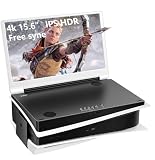
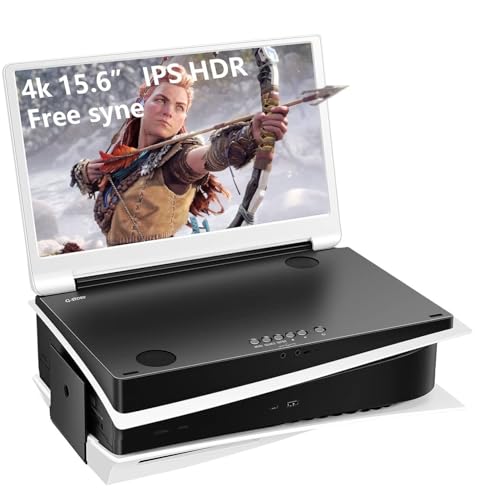
2. G-STORY 15.6″ IPS 4K 60Hz Portable Gaming Monitor — Best Portable
The G-STORY is the answer to a different problem: playing your PS5 somewhere other than your desk. This 15.6-inch IPS panel offers genuine 4K resolution, dual HDMI inputs, and built-in speakers in a form factor you can toss in a backpack. It is made with console gaming in mind and pairs naturally with the PS5 for travel, dorm rooms, or a second screen in another room.
- True 4K on a portable 15.6-inch IPS panel with two HDMI ports
- Built-in speakers mean one cable and no external audio required
- Capped at 60Hz, so no 120fps console modes
Skip it as your primary monitor — at 60Hz it leaves console performance on the table — but it is unbeatable for portability at around $330.
3. LG 32GS60QC-B Ultragear — Best Budget (QHD)
Yes, we know this one is not 4K. The LG 32GS60QC-B earns its place because at around $200 it delivers features many 4K monitors at twice the price lack: a 180Hz refresh rate, 1ms response, HDR10, AMD FreeSync, dual HDMI ports plus DisplayPort, and LG’s esports extras like the crosshair overlay and FPS counter. For fast-paced competitive titles where you would rather have higher frame rates than pixel density, QHD at this size is a legitimate choice.
- 180Hz at 1ms with FreeSync, DAS mode, and crosshair tools
- Excellent under-$200 price with borderless design and dual HDMI
- 2560×1440 resolution, not true 4K — the PS5 will downscale
Skip it if 4K sharpness is non-negotiable for you; otherwise it is the best sub-$200 gaming experience here.
4. Amzfast 32″ 4K 120Hz Curved — Best HDMI 2.1 Value
The Amzfast is arguably the most PS5-aware budget monitor on this list. Its HDMI 2.1 port supports VRR, which means you get the console’s variable refresh rate benefits usually reserved for pricier displays, alongside 4K at 120Hz over that connection. The 1500R curved VA panel brings 131% sRGB coverage, a 3000:1 contrast ratio, and HDR processing, plus PIP/PBP for dual-input multitasking and built-in speakers.
- HDMI 2.1 with VRR — proper next-gen console support at around $330
- 3000:1 contrast and 131% sRGB on a VA panel, with PIP/PBP flexibility
- 300-nit brightness limits HDR punch in bright rooms
Skip it if you game in a sunlit room and need serious brightness, or if you prefer a flat IPS panel.
5. FYHXele 27 Inch White 4K Gaming Monitor — Best Aesthetic Pick
Not every setup is a dark-den battlestation. The FYHXele’s clean white chassis suits bright, minimalist rooms where black monitor bezels would look out of place, and its IPS panel with 99% sRGB coverage, HDR400 certification, and 1ms response keeps the image quality honest. With HDMI 2.1 and DisplayPort 1.4, plus FreeSync and G-Sync compatibility, it handles the PS5’s full feature set at 4K 120Hz.
- IPS panel with 99% sRGB and DisplayHDR 400 at just around $230
- HDMI 2.1 plus VESA 100×100 mounting in a distinctive white design
- 27-inch 4K means a smaller image than the 32-inch alternatives
Skip it if you want maximum screen size for the money, or if white hardware does not match your space.
6. ASUS TUF Gaming VG27UQ1A — Best 27-Inch High-Refresh 4K
The VG27UQ1A is the pick for players who want pixel density and speed in one package. This 27-inch 4K panel refreshes at 160Hz with G-SYNC support, which makes it equally at home beside a PS5 and a gaming PC — a rare and genuinely useful combination. ASUS’s TUF build quality and stand ergonomics are a step up from the budget tier, justifying the around $340 price for mixed-platform households.
- 4K at 160Hz with G-SYNC compatibility for console and PC duty
- 27-inch size keeps everything in your field of view at desk distance
- Highest price of the standard LCD picks at around $340
Skip it if your budget is fixed under $300 or if you exclusively console game and will never use the PC-side strengths.
7. MSI MAG 321CUP QD-OLED — Best Premium Upgrade
If your monitor budget stretches past $600, this is the one that will make you forget you ever gamed on a TV. The MAG 321CUP’s 32-inch QD-OLED panel pairs true 4K with a 165Hz refresh rate and a 0.03ms response time — effectively instant motion — while DisplayHDR True Black 400 delivers the deep, per-pixel blacks that make dark games like horror titles and space sims look genuinely cinematic. HDMI 2.1, USB-C with 15W power delivery, and a fully adjustable stand complete a very complete package at around $690.
- QD-OLED with 0.03ms response and DisplayHDR True Black 400
- Full ergonomics — tilt and height adjustable — plus USB-C 15W PD
- Costs more than double every other pick here, and more than a PS5
Skip it if your budget tops out around $350 — the Amzfast delivers 80% of the experience for half the price.
8. ZZA 32″ 4K VA — Best Under-$200 Starter
At around $180, the ZZA is the cheapest way to put true 4K on your PS5. The 32-inch VA panel covers 100% sRGB with HDR10 processing and a 3840×2160 resolution that makes the console’s native output shine, and adaptive sync support helps keep motion clean. It refreshes at 60Hz, so it targets players who prioritize resolution and screen size over the 120fps feature set.
- True 4K UHD on a large 32-inch VA panel for under $180
- 100% sRGB coverage and HDR10 in a budget chassis
- 60Hz cap means no 120fps console modes
Skip it if you play competitive shooters where 120Hz matters; it is better suited to cinematic single-player gaming.
Buying Guide
Resolution and Size: Why 4K and 27–32 Inches Work for PS5
The PS5 renders games natively at up to 3840×2160, so a true 4K panel lets you see exactly what the developers intended — no downscaling, no softness. Pair that with 27 to 32 inches of screen size: small enough that the whole display sits comfortably in your vision at two to three feet of desk distance, large enough that 4K detail is actually visible. Anything bigger starts to feel like the TV-in-a-bedroom problem all over again.
HDMI 2.1, VRR, and Refresh Rate: What the Console Can Actually Use
Do not pay for refresh rates you cannot reach. The PS5 tops out at 120Hz, so a 160Hz or 180Hz monitor is fine, but the ports matter more: HDMI 2.1 with VRR support is what unlocks the console’s full 4K 120fps modes with smooth, tear-free frame pacing. Monitors using older HDMI revisions may accept a 4K signal but limit you to 60Hz. If you also connect a gaming PC, DisplayPort 1.4 is a valuable bonus port.
Panel Type and Room Conditions
IPS panels offer the best color accuracy and viewing angles — ideal for bright rooms and shared viewing. VA panels counter with deeper contrast (the Amzfast’s 3000:1 vs. typical IPS figures near 1000:1), which flatters dark scenes in dim rooms. OLED, like the MSI’s QD-OLED panel, delivers perfect blacks and near-instant response at a premium. Match the panel to your room: brightness ratings around 300 nits suit controlled lighting, while sunlit spaces and HDR400 certification favor brighter panels.
Our Verdict
For most PS5 owners, the CRUA 32″ 4K UHD 160Hz Curved at around $300 is the buy: true 4K, a large immersive panel, and high refresh headroom without breaking $300. If HDMI 2.1 and VRR top your list, step up to the Amzfast 32″ for around $330. Tight budgets should grab the ZZA 32″ at around $180 for pure 4K value, or the LG 32GS60QC-B at around $200 if competitive speed beats resolution. And if money is no object, the MSI MAG 321CUP QD-OLED at around $690 is the display that makes every other screen in your house look dull.
FAQ
Does the PS5 need a 4K monitor, or is QHD good enough?
A 4K monitor (3840×2160) displays the console’s native output at full sharpness, which matters most in slower, cinematic games. QHD like the LG 32GS60QC-B still looks sharp at 32 inches and costs less, but the console will downscale its 4K output, so you lose a measure of detail. Choose QHD only if frame-rate-first competitive gaming is your priority.
Can the PS5 really run 4K at 120Hz?
Yes, on supported titles — but only through an HDMI 2.1 connection with enough bandwidth. Monitors like the Amzfast with HDMI 2.1 and VRR support will let you use those modes; a 4K monitor limited to 60Hz, such as the ZZA or G-STORY, will display 4K at 60fps instead.
Is a curved monitor good for console gaming?
At desk distance with a single player, curves like the 1500R on the CRUA and Amzfast add immersion and reduce edge distortion. Curves matter less for couch-style viewing from further away or for shared screens, where a flat IPS panel is the safer choice.
Should I buy a monitor or a TV for my PS5?
Buy a monitor if you play at a desk within about three feet of the screen — you will get better pixel density per dollar, faster response, and a smaller footprint. Buy a TV if you sit six or more feet away in a living room setting. A 32-inch 4K monitor like the CRUA at around $300 generally beats a same-price TV on sharpness and input lag for desk play.









