
The Xbox Series X is built to output 4K at up to 120Hz with HDR and variable refresh rate, but a monitor has to support the right features to unlock all of it. Plenty of 4K displays leave Series X performance on the table because they lack HDMI 2.1 or proper VRR. Here is exactly what to look for so your console runs at its full potential rather than a capped-off fraction of it.
Our Top Picks

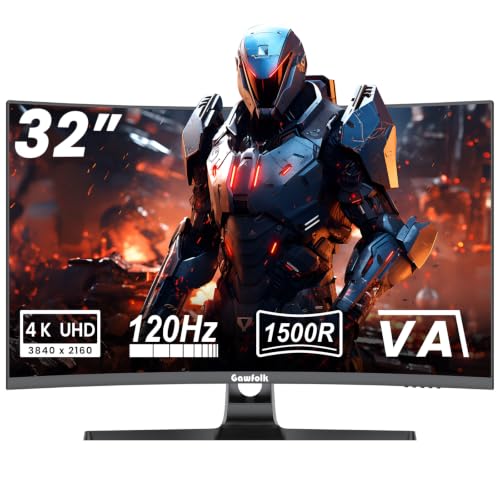



Top 3 picks at a glance
HDMI 2.1 is the key spec
To carry 4K at 120Hz, you need the bandwidth of HDMI 2.1. Many 4K monitors still ship with HDMI 2.0, which tops out at 4K 60Hz, forcing you to choose between 4K resolution and the high frame rate. Confirm the monitor has at least one true HDMI 2.1 port before anything else, because without it the Series X cannot hit 4K 120Hz.
As an Amazon Associate we earn from qualifying purchases at no extra cost to you.




VRR and ALLM support
The Series X supports variable refresh rate to eliminate tearing when frame rates fluctuate, and auto low latency mode to switch the display into its fastest state automatically. Look for a monitor that lists HDMI VRR and ALLM support, not just FreeSync over DisplayPort, since consoles use the HDMI implementation.
| Feature | Why it matters for Series X |
|---|---|
| HDMI 2.1 port | Required for 4K 120Hz |
| HDMI VRR | Tear-free variable frame rates |
| ALLM | Auto-switches to low-lag mode |
| HDR (DisplayHDR 600+) | Meaningful HDR impact |
| Low input lag | Responsive gameplay |
HDR that actually delivers
The Series X outputs HDR, but weak HDR on a monitor with low peak brightness and no local dimming looks flat. Aim for a panel with a DisplayHDR 600 rating or better, or an OLED, so highlights genuinely pop. Entry-level HDR400 monitors technically accept the signal but rarely make HDR content look better, so treat it as a checkbox to look past.
Panel size and resolution
For a 4K console at a desk, 27 to 32 inches hits the sweet spot; 27-inch 4K is razor sharp, while 32-inch gives a more TV-like presence. Both are native 4K, so the Series X renders at full resolution. Larger than that and you may prefer sitting further back, edging into TV territory.
Practical connection tips
Use a certified ultra high speed HDMI cable, since a cheap cable can prevent 4K 120Hz from negotiating. In the console’s video settings, confirm 120Hz and enable VRR and HDR. If the console does not offer 120Hz, the monitor’s HDMI port or cable is the likely limiter, not the console.
OLED vs mini-LED for console use
Once the core specs are covered, the panel technology shapes the experience. An OLED gives perfect blacks, infinite contrast, and instant response, which makes cinematic and fast games look spectacular on the Series X, especially in a dimmer room. The tradeoff is burn-in risk from static HUDs over very long sessions, manageable with the panel’s protection features and varied content. A mini-LED IPS trades OLED’s perfect blacks for much higher sustained brightness and zero burn-in worry, which suits bright rooms and marathon sessions of games with fixed interface elements. Both handle 4K 120Hz HDR beautifully when they include HDMI 2.1, so the decision comes down to your lighting and habits rather than raw capability. Whichever you choose, verify the HDR rating is meaningful, prefer a 27-to-32-inch size for desk use, and confirm the specific HDMI port you plug into is the full-bandwidth 2.1 one, since some monitors mix 2.1 and older ports on the same chassis.
Frequently asked questions
Can I get 4K 120Hz over HDMI 2.0?
No. HDMI 2.0 lacks the bandwidth, so you must pick either 4K 60Hz or a lower resolution at 120Hz. Full 4K 120Hz on the Series X strictly requires an HDMI 2.1 connection on both the monitor and the cable.
Is an OLED or a mini-LED monitor better for the Series X?
Both are excellent. OLED gives perfect blacks and superb motion for immersive and fast games, while mini-LED offers higher brightness with no burn-in worry, which suits long sessions with static HUDs. Choose based on your room lighting and how much static content you display.
Bottom line
To get everything the Xbox Series X offers, prioritize a true HDMI 2.1 port, HDMI VRR and ALLM, and real HDR at DisplayHDR 600 or OLED level, in a 27 to 32-inch 4K panel. Nail those, pair it with a certified cable, and the console runs at its full 4K 120Hz HDR potential.









