
Every MacBook Pro owner who has tried to work from a desk knows the same frustration: one cable for power, another for the display, a third for ethernet, and a tangle of dongles for anything else. Docking changes that. A 27-inch docking monitor collapses all of those connections into a single USB-C cable — power, video, data, and network all flow through one line, so you can plug in when you sit down and unplug when you leave. That is the promise, anyway. In practice, monitors vary wildly in how much wattage they deliver over USB-C, whether they include wired ethernet, and how well their hubs hold up under daily use.
We focused this roundup specifically on 27-inch displays that can dock a MacBook Pro, plus a couple of compact docking stations that pair with a monitor you may already own. That second category matters because not everyone needs (or wants) to replace a perfectly good screen. Everything below is ranked with real-world desk use in mind: cable clutter, charging headroom for 14- and 16-inch MacBook Pros, stand ergonomics, and, of course, picture quality for the price.
As an Amazon Associate we earn from qualifying purchases at no extra cost to you.


Our Top Picks
 ViewSonic VG2758-2K 27 Inch 1440p Docking Monitor14.2" x 24.1" x 1.8"8.6 x 24.12 x 20.69 inches16.4 poundsCheck on Amazon
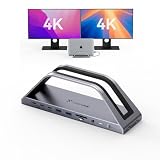
 MOKiN MacBook Pro Docking Station Dual Monitor MacBook4.84 x 1.85 x 0.65 inches0.2 poundsCheck on Amazon
 HP Series 5 Pro 527pu 27" QHD USB-CSingle monitor8.15 x 24.15 x 21.41 inches15.87 poundsCheck on Amazon



Top 3 picks at a glance
Quick Picks
| Product | Best for | Price |
|---|---|---|
| ViewSonic VG2758-2K | Best overall docking monitor | Check on Amazon |
| MOKiN MacBook Pro Docking Station Dual Monitor | Best budget hub-style dock | Check on Amazon |
| ASUS VA27ECPSN | Best value docking monitor | $209 |
| HP Series 5 Pro 527pu | Best for office and enterprise setups | Check on Amazon |
| Dell S2722DC | Best ergonomic mid-range option | Check on Amazon |
| TobenONE Docking Station Dual 4K | Best for powering a laptop plus two external displays | Check on Amazon |
How We Compared
To make this list, a product had to do one of two things well. First, it could be a 27-inch monitor with genuine docking capability — meaning USB-C with power delivery high enough to charge a MacBook Pro, ideally alongside wired ethernet so the dock replaces a laptop stand’s cable sprawl entirely. Second, it could be a dedicated docking station designed for MacBook Pro and Air, useful if you already own a display and just want one-cable connectivity.
We prioritized realistic desk considerations: wattage delivered over USB-C (100W handles a 14-inch MacBook Pro comfortably; heavier docks offering 150W leave headroom for peripherals), the inclusion of RJ45 for stable wired networking, ergonomic stands with height, pivot, swivel, and tilt adjustment, and VESA compatibility for arm mounting. Resolution and refresh rate matter too — QHD/1440p is the sweet spot for a 27-inch panel at typical desk distance, while 1080p at this size remains acceptable for document work on a budget. We deliberately excluded specs we couldn’t verify and avoided treating manufacturer claims as lab results.
The 6 Best Picks
1. ViewSonic VG2758-2K 27-Inch 1440p Docking Monitor — Best Overall
The VG2758-2K is the most complete one-cable solution here. Its 1440p panel is the right resolution for a 27-inch screen — text is crisp at typical viewing distances without forcing macOS scaling tricks — and the built-in 100W USB-C power delivery charges a MacBook Pro at full speed while carrying video. The RJ45 port means your ethernet cable plugs into the monitor, not a separate adapter. If you want to dock and go with nothing else on the desk, this is the one.
- 100W USB-C power delivery charges a MacBook Pro through a single cable
- Built-in RJ45 ethernet and 1440p resolution in one unit
- USB-C docking monitors at this class carry a premium — at around $340 you’re paying for the hub, not just the panel
Skip it if you already own a good 27-inch monitor; a standalone dock will cost less and solve the same problem.
2. MOKiN MacBook Pro Docking Station Dual Monitor HDMI Adapter — Best Budget Dock
At around $39, the MOKiN isn’t a monitor — it’s the cheapest legitimate way to turn your existing screen into a docking setup. It drives dual external monitors over HDMI, which matters because Apple silicon MacBooks restrict display output in ways that make many generic hubs unreliable. For a home office where you mainly need one or two screens plus a few USB accessories, this thumb-sized adapter eliminates the dongle collection without a major investment.
- Extremely affordable at around $39 with dual-monitor HDMI output
- Compact and portable — ideal for a laptop bag or shared desk
- It doesn’t deliver the high wattage charging that dedicated docks do, so plan on charging your MacBook separately
Skip it if you want true one-cable docking with power delivery and ethernet; step up to the TobenONE below.
3. ASUS VA27ECPSN 27-Inch 1080p Docking Monitor — Best Value
The VA27ECPSN is the entry point for anyone who wants a real docking monitor without spending $340. It’s a 1080p IPS panel with Adaptive-Sync at 75Hz, built-in speakers, and eye-care features including low blue light and flicker-free operation. Crucially, the docking kit is complete: USB-C connectivity, RJ45 ethernet, DisplayPort, and HDMI, plus a height-adjustable stand and VESA mounting. Full HD at 27 inches won’t match 1440p sharpness, but for spreadsheets, email, and browser work it’s perfectly usable.
- Full docking feature set — USB-C, RJ45, DP, HDMI — at just $209
- Height adjustment and VESA support, rare at this price
- 1080p at 27 inches is noticeably softer than 1440p for fine text
Skip it if you do color-critical or text-heavy work all day; the extra $130 for a 1440p panel is worth it.
4. HP Series 5 Pro 527pu 27-Inch QHD Docking Monitor — Best for Office Setups
The 527pu is HP’s take on the business docking monitor: a QHD (2560×1440) panel with USB-C docking aimed at corporate and prosumer desks. If your MacBook Pro lives on a company-issued setup, or you simply want a display that looks at home in a professional environment, this is the most “office-standard” pick here. It matches the ViewSonic’s around $340 price and QHD-class sharpness, with the polish and manageability HP builds into its Pro line.
- QHD resolution with USB-C docking tuned for business use
- Same around $340 price class as our top pick with HP’s professional build
- Its feature list is more conservative — the ViewSonic edges it on overall docking flexibility
Skip it if you want maximum ports per dollar or if a more consumer-oriented design suits your home desk better.
5. Dell S2722DC 27-Inch WQHD Monitor — Best Ergonomics in the Mid-Range
The S2722DC hits a comfortable middle ground: WQHD 2560×1440 resolution, a 75Hz panel with AMD FreeSync and a 4ms response time, built-in speakers, and USB Type-C connectivity for single-cable docking. Where it really shines is ergonomics — height, pivot, swivel, and tilt adjustment on a stand that costs around $260 all-in is genuinely hard to find. If you share a desk, switch between sitting and standing, or rotate documents to portrait, this display adapts.
- Full ergonomic stand: height, pivot, swivel, and tilt
- WQHD 1440p with FreeSync at a around $260 price point
- USB-C power delivery is more modest than the 100W docks here, so check it against your MacBook Pro’s charging needs
Skip it if wired ethernet is non-negotiable — the ViewSonic and ASUS cover RJ45, this one doesn’t list it.
6. TobenONE MacBook Pro Docking Station Dual 4K — Best Power Hub
The TobenONE is the muscle option: a dedicated dock that drives dual 4K monitors and pushes up to 150W of charging power to your MacBook Pro, with seven USB ports for peripherals. At around $150, it costs less than the docking premium built into any monitor on this list while out-powering all of them. Pair it with the monitor you already own — or with the ASUS if you’re building a setup from scratch — and you get faster charging and more expansion than any all-in-one display here.
- 150W power delivery — the highest charging capacity in this roundup
- Dual 4K monitor output plus seven USB ports at around $150
- It’s another box and another cable on your desk, unlike a dock built into the monitor
Skip it if desk minimalism is the whole point — a docking monitor keeps the footprint to a single screen and a single cable.
Buying Guide
Match Power Delivery to Your MacBook Pro
Wattage is the spec that separates real docks from glorified adapters. A 14-inch MacBook Pro benefits from 96W-class charging; the 16-inch can draw more under load. The ViewSonic’s 100W output handles a 14-inch comfortably, while the TobenONE’s 150W leaves headroom for the largest models plus accessories. Budget hubs like the MOKiN prioritize video over charging — fine if your charger stays plugged in, frustrating if you expected one cable to do everything.
Resolution: 1440p Is the Sweet Spot for 27 Inches
At 27 inches, 1080p (like the ASUS VA27ECPSN) works for documents and browsing but shows visible pixelation on fine text up close. QHD/1440p panels — the ViewSonic, HP, and Dell — deliver roughly 109 pixels per inch, the density where macOS text rendering looks clean without aggressive scaling. Going above 1440p adds cost and can tax macOS scaling performance, so for docking-focused buyers, 1440p is the practical ceiling worth paying for.
Count Your Ports Before You Buy
Make a list of what actually plugs into your desk: ethernet for stable video calls, USB-A for a keyboard and mouse, USB-C for an SSD, maybe a card reader. A docking monitor with RJ45 (ViewSonic, ASUS, HP) replaces your ethernet adapter; the TobenONE’s seven USB ports replace a hub. Then decide between the built-in approach — one cable, monitor does the docking — versus a separate dock, which offers more power and ports at the cost of one more device on the desk.
Our Verdict
For most MacBook Pro owners starting fresh, the ViewSonic VG2758-2K is the pick: 1440p sharpness, 100W charging, and RJ45 in a single around $340 unit. Working with a tighter budget? The ASUS VA27ECPSN delivers a genuine docking feature set for $209, with 1080p as the compromise. If you already love your monitor, skip the display upgrade entirely — the TobenONE at around $150 (or the MOKiN at around $39 for minimal needs) turns what you own into a one-cable setup. And if ergonomics drive your decision, the Dell S2722DC’s full-motion stand at around $260 is the best-adjustable screen here. Whichever route you choose, the payoff is the same: sit down, plug in one cable, and get to work.
FAQ
Can a single USB-C cable really charge a MacBook Pro and drive a 27-inch monitor?
Yes — that’s exactly what USB-C docking does. USB-C carries DisplayPort video, USB data, and power over one cable. The key number is wattage: a monitor delivering 100W, like the ViewSonic VG2758-2K, can charge a 14-inch MacBook Pro at or near full speed during normal use. Lower-wattage docks may maintain charge during light work but fall behind under heavy loads.
Do I need a docking monitor, or will a separate docking station work with my current monitor?
A separate dock is often the smarter buy. If your existing monitor accepts HDMI or DisplayPort, the TobenONE (around $150) adds up to 150W charging, dual 4K output, and seven USB ports — more capability than most docking monitors include. Choose a docking monitor when you want the cleanest possible desk: one screen, one cable, nothing else.
Is 1080p acceptable on a 27-inch monitor for a MacBook Pro?
It depends on your work. At 27 inches, 1080p gives you about 82 pixels per inch — fine for email, spreadsheets, and video, but text looks visibly softer than the 1440p panels in this roundup if you sit close. If your budget caps out near $209, the ASUS VA27ECPSN is a solid buy; if you stare at documents all day, stretch for 1440p.
Why does wired ethernet (RJ45) matter on a docking monitor?
Wi-Fi is fine for browsing, but wired ethernet delivers lower latency and rock-solid stability for video calls, large file transfers, and cloud backups. A monitor with a built-in RJ45 port — like the ViewSonic VG2758-2K, ASUS VA27ECPSN, or HP 527pu — lets your ethernet cable terminate at the display, so your MacBook gets the network through the same single USB-C cable that powers and drives it. It’s one less adapter and one fewer thing to forget.









