
A 27-inch 360Hz monitor can make a meaningful difference in a Valorant setup, especially when the desk is close enough that peripheral vision matters but large enough that 1440p detail remains useful. The challenge is choosing between OLED contrast, IPS clarity, 1080p speed, and higher-resolution flexibility without paying for features that do not suit a competitive shooter.
For 2026, the strongest choices pair a 360Hz refresh rate with QHD resolution, though there are good reasons to consider a budget IPS model or a dual-mode 4K display. This ranking focuses on the listed panel type, resolution, refresh rate, response-time claim, adaptive-sync support, ergonomics, and price—not unverified performance measurements.
As an Amazon Associate we earn from qualifying purchases at no extra cost to you.



Our Top Picks
 ASUS ROG Strix 26.5” 1440P QD-OLED Gaming Monitor6.408.6 x 24 x 20.3 inches16.4 PoundsCheck on Amazon
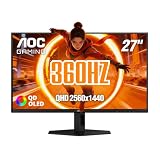
 AOC 27" Gaming Monitor QHD 360Hz QD OLED27" 360Hz AOC Gaming28.74 x 18.9 x 7.4 InchesCheck on Amazon
 Alienware AW2725DF OLED Gaming Monitor27.0 OLED9.59 x 23.98 x 15.99 inches13.89 poundsCheck on Amazon
 GAMEPOWER Rapid 27 inch Gaming Monitor 360Hz 1ms27" FHD - Flat10 x 14 x 24 inches12.5 poundsCheck on Amazon
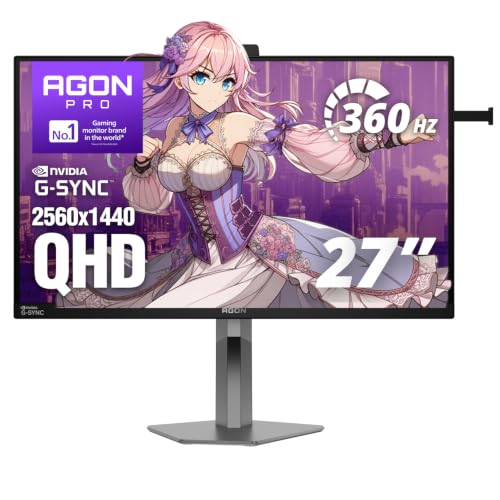 AOC Agon Pro 27 Inch Gaming Monitor QHD27" 360Hz Pulsar9.45 x 23.99 x 21.73 Inches12.43 poundsCheck on Amazon

Top 3 picks at a glance
ASUS ROG Strix 26.5” 1440P QD-OLED Gaming Monitor (XG27ACDNG) -QHD (2560x1440), 360Hz,...Check priceAOC 27" Gaming Monitor QHD 360Hz QD OLED NVIDIA G-SYNC Compatible Q27G40SDECheck price27" 360Hz QHD Fast IPS Gaming Monitor,0.5ms FreeSync+G-Sync,HDR400,VESACheck priceQuick Picks
| Product | Best for | Price |
|---|---|---|
| ASUS ROG Strix XG27ACDNG | Best overall OLED choice | $699 |
| AOC Q27G40SDE | Best value QD-OLED | Check on Amazon |
| 27-inch QHD Fast IPS 360Hz Monitor | Best low-cost QHD option | Check on Amazon |
| Alienware AW2725DF | Best OLED ergonomics | $599 |
| GAMEPOWER Rapid 27 | Best affordable 1080p pick | $209 |
| AOC Agon Pro AG276QSG2 | Best QHD IPS for G-SYNC users | Check on Amazon |
| Reletech 27-inch 360Hz QHD IPS | Best straightforward QHD IPS deal | Check on Amazon |
| LG UltraGear 27G810A-B | Best for gaming beyond Valorant | Check on Amazon |
How We Compared
Valorant rewards quick visual feedback, but a 360Hz specification alone does not determine whether a monitor is the right buy. We prioritized models with 360Hz support, then separated them by resolution and panel technology. QHD is the most balanced fit for a 27-inch competitive gaming monitor because it gives a sharper desktop and game image than 1080p while retaining the high-refresh target. OLED models rank highly for their listed 0.03ms response-time specification and QD-OLED image potential, while IPS choices remain practical for buyers focused on price and conventional LCD use.
We also considered sync support, connectivity where listed, stand adjustment, HDR support, and the gap between the $209 entry point and the $699 premium option. Rankings favor complete feature sets for serious Valorant players, but every monitor here has a clear audience. The best choice depends on whether you want OLED, QHD, 4K versatility, or the lowest possible cost.
The 8 Best Picks
1. ASUS ROG Strix 26.5-inch XG27ACDNG — Best Overall
The ASUS ROG Strix XG27ACDNG is the premium all-around answer for players who want a serious competitive display without dropping to 1080p. Its 26.5-inch QD-OLED panel combines a 2560 x 1440 resolution with a 360Hz refresh rate and a listed 0.03ms response time. That combination is especially appealing for players who split time between ranked Valorant, single-player games, and color-sensitive creative work. ASUS also lists a custom heatsink, OLED Care+, G-SYNC compatibility, 99% DCI-P3 coverage, DisplayWidget, AI Gaming features, and a 3-year warranty.
- Pro: QHD 360Hz QD-OLED specification offers a high-end balance of sharpness and speed.
- Pro: OLED Care+, a custom heatsink, and a 3-year warranty add reassurance for an OLED purchase.
- Con: At $699, it is the most expensive monitor in this roundup.
Skip it if your priority is getting 360Hz at the lowest possible price, or if you would rather have a conventional IPS panel.
2. AOC Q27G40SDE — Best Value QD-OLED
The AOC Q27G40SDE is the standout for shoppers who want a 27-inch QHD QD-OLED gaming monitor without entering the top price tier. At around $450, it undercuts the other listed QD-OLED options while maintaining the core formula competitive players want: QHD resolution, a 360Hz refresh rate, and NVIDIA G-SYNC compatibility. It is a particularly sensible match for a Valorant-first desk where motion clarity and contrast matter, but where a $699 display would leave too little room in the budget for a mouse, keyboard, or graphics-card upgrade.
- Pro: QHD 360Hz QD-OLED at around $450 is the strongest OLED value here.
- Pro: NVIDIA G-SYNC compatibility is useful for players with compatible systems.
- Con: The supplied specifications list fewer extra features than the ASUS or Alienware alternatives.
Skip it if you need explicitly listed stand ergonomics, USB connectivity, or a 3-year warranty in the product description.
3. 27-inch QHD Fast IPS 360Hz Monitor — Best Low-Cost QHD Option
This 27-inch Fast IPS model is the price-led pick for players who want QHD and 360Hz without moving to OLED pricing. For around $210, it lists a 2560 x 1440 resolution, 360Hz refresh rate, 0.5ms response time, FreeSync and G-SYNC support, HDR400, and VESA mounting compatibility. That is an unusually broad listed feature set for an entry-priced display. Its Fast IPS panel makes it a logical choice for buyers who prefer LCD technology and want a monitor that can handle both competitive games and everyday desktop work.
- Pro: It delivers QHD 360Hz for around $210.
- Pro: HDR400, VESA support, FreeSync, and G-SYNC support improve its flexibility on paper.
- Con: It does not offer the QD-OLED panel technology found in the higher-ranked OLED models.
Skip it if OLED contrast is a must-have or if you want the more detailed feature and care package listed by premium brands.
4. Alienware AW2725DF — Best OLED Ergonomics
The Alienware AW2725DF is a polished choice for players who want a QD-OLED competitive monitor with a more complete listed adjustment package. Its 26.7-inch Quantum-Dot WQHD panel runs at 2560 x 1440 and 360Hz, with a listed 0.03ms response time. It also includes AMD FreeSync Premium Pro, HDMI, DisplayPort, USB 3.2 Gen 1, and a stand with height, tilt, swivel, and pivot adjustment. At $599, it sits between value OLED and flagship OLED pricing, making it a strong fit for a multi-use gaming desk where positioning and ports matter.
- Pro: The stand supports height, tilt, swivel, and pivot adjustments.
- Pro: QD-OLED, QHD, 360Hz, USB 3.2 Gen 1, and FreeSync Premium Pro create a well-rounded package.
- Con: Its $599 price is substantially higher than the AOC QD-OLED option.
Skip it if you want the least expensive route to QD-OLED or specifically need NVIDIA G-SYNC compatibility listed.
5. GAMEPOWER Rapid 27 — Best Affordable 1080p Pick
The GAMEPOWER Rapid 27 is for the player who cares more about reaching 360Hz than maximizing resolution. This 27-inch flat IPS monitor uses a 1080p panel with a 360Hz refresh rate and listed 1ms response time. It also includes HDR10, FreeSync, G-Sync support, HDMI, DisplayPort, USB, an anti-glare display, RGB lighting, and a fully adjustable height/tilt/swivel/pivot stand. Its listed 350 cd/m² brightness and $209 price make it an approachable competitive setup upgrade for buyers using hardware that is better suited to pushing high frame rates at 1080p.
- Pro: A 360Hz IPS monitor with a fully adjustable stand for $209.
- Pro: Includes HDMI, DisplayPort, USB, FreeSync, G-Sync support, and HDR10.
- Con: Its 1080p resolution is less sharp than QHD on a 27-inch screen.
Skip it if you want QHD desktop detail, QD-OLED contrast, or a monitor that prioritizes higher pixel density.
6. AOC Agon Pro AG276QSG2 — Best QHD IPS for G-SYNC Users
The AOC Agon Pro AG276QSG2 is a focused option for players who want a 27-inch QHD IPS monitor with 360Hz and NVIDIA G-SYNC support. At around $540, it costs more than the budget QHD IPS entries, but it is aimed at buyers who value the Agon Pro positioning and prefer an IPS display rather than OLED. QHD is a useful resolution for Valorant because it leaves room for a crisp desktop, streaming tools, and other games without abandoning the high-refresh competitive target. This is the conventional-panel alternative for someone shopping in premium territory.
- Pro: Combines QHD, IPS, 360Hz, and NVIDIA G-SYNC support.
- Pro: It is a strong non-OLED alternative for buyers who prefer IPS technology.
- Con: At around $540, it costs more than several QHD 360Hz IPS competitors.
Skip it if maximum value is your goal, or if you specifically want a listed 0.03ms QD-OLED panel.
7. Reletech 27-inch 360Hz QHD IPS — Best Straightforward QHD IPS Deal
The Reletech 27-inch 360Hz QHD IPS monitor is a simple, appealing choice for buyers who want the central competitive specifications without paying for a long extras list. It pairs a 27-inch QHD IPS panel with a 360Hz refresh rate, a listed 1ms response time, and FreeSync support for around $270. That price places it well below the premium IPS and OLED models while preserving the resolution that makes a 27-inch monitor more comfortable for work, browsing, and games outside of Valorant. It is best for a no-frills, QHD-first gaming setup.
- Pro: QHD IPS at 360Hz for around $270 is competitively priced.
- Pro: Listed 1ms response time and FreeSync support suit a performance-minded setup.
- Con: The published listing information do not list G-SYNC support, HDR, or stand adjustment.
Skip it if you need those features explicitly specified, or if you would rather spend more for OLED technology.
8. LG UltraGear 27G810A-B — Best for Gaming Beyond Valorant
The LG UltraGear 27G810A-B is the most versatile pick for players who do not want a Valorant-only monitor. Its dual-mode IPS panel can run at 3840 x 2160 and 180Hz or at FHD and 360Hz. It also lists a 1ms response time, NVIDIA G-SYNC, AMD FreeSync Premium, VESA DisplayHDR 400, and HDMI 2.1. At around $600, it is best for someone who wants 360Hz for competitive sessions but also values 4K UHD for slower games, console-friendly HDMI 2.1 connectivity, or high-resolution desktop use.
- Pro: Dual mode offers UHD 180Hz or FHD 360Hz in one monitor.
- Pro: HDMI 2.1, G-SYNC, FreeSync Premium, and DisplayHDR 400 broaden its use cases.
- Con: Its 360Hz mode is FHD rather than QHD.
Skip it if you specifically want QHD at 360Hz, which is the more direct sweet spot for a 27-inch Valorant display.
Buying Guide
Choose QHD 360Hz for the Most Balanced Competitive Setup
For most buyers, 2560 x 1440 at 360Hz is the ideal combination in this group. It keeps the high-refresh focus required for Valorant while giving a sharper image than 1080p on a 27-inch panel. The ASUS, AOC Q27G40SDE, Alienware, AOC Agon Pro, Reletech, and budget Fast IPS model all fit this category. Choose 1080p only when keeping the price low or prioritizing the easiest route to very high frame rates.
Decide Between OLED and IPS Before Comparing Extras
QD-OLED models—the ASUS, AOC Q27G40SDE, and Alienware—are the premium tier here, with listed 0.03ms response times. IPS choices offer more price variety, starting at $209 and around $210. The right answer is less about one being universally superior and more about priorities: OLED shoppers should consider care features, price, and ports, while IPS shoppers should focus on resolution, sync support, stand flexibility, and value.
Do Not Overlook Stand Adjustment and Connectivity
Competitive play is more comfortable when the screen can be positioned correctly. The Alienware and GAMEPOWER models explicitly list height, tilt, swivel, and pivot adjustment. If you use an arm, the around $210 Fast IPS monitor lists VESA compatibility. Connectivity also varies: the Alienware lists HDMI, DisplayPort, and USB 3.2 Gen 1; the LG adds HDMI 2.1; and GAMEPOWER lists HDMI, DisplayPort, and USB. Check the exact connections your PC and accessories need before choosing.
Our Verdict
The ASUS ROG Strix XG27ACDNG is the best 27 inch 360hz monitor for Valorant overall because its QHD 360Hz QD-OLED specification, 0.03ms listed response time, G-SYNC compatibility, OLED care features, and 3-year warranty create the most complete premium package. For better value, the AOC Q27G40SDE delivers the key QHD 360Hz QD-OLED formula for around $450. Buyers who want to spend closer to $200 should look first at the 27-inch QHD Fast IPS 360Hz monitor, while the LG is the smartest option for players who also want 4K UHD gaming at 180Hz.
FAQ
Is 360Hz worth it for Valorant?
For competitive players, 360Hz is a worthwhile target because Valorant is built around quick reactions and precise tracking. The benefit is most relevant when your PC can consistently deliver high frame rates. If it cannot, a QHD 360Hz monitor can still be a good long-term purchase, but the lower-cost options may make more sense.
Is QHD or 1080p better on a 27-inch Valorant monitor?
QHD is generally the better fit for a 27-inch display because it provides more detail for games and desktop use. The 1080p GAMEPOWER Rapid 27 is still a valid choice for players focused on affordability and high-frame-rate gaming, but QHD is the more balanced resolution in this roundup.
Should I buy OLED or IPS for competitive gaming?
Choose QD-OLED if you want the listed 0.03ms response-time specification and premium image technology. Choose IPS if you want more affordable options, including QHD 360Hz models at around $210 and around $270. Both panel types can suit Valorant; the budget and feature set should guide the decision.
Which monitor here is best for console and PC gaming?
The LG UltraGear 27G810A-B is the strongest crossover choice because it lists HDMI 2.1 and dual modes: 4K UHD at 180Hz or FHD at 360Hz. It is not the most direct QHD Valorant option, but it offers the broadest mix of competitive and high-resolution gaming modes.









