
The ASUS TUF Gaming VG27AQ3A is the best overall 27-inch 1440p gaming monitor in this set for most players, because it balances speed, panel quality and extras: a Fast IPS panel with a 180Hz refresh rate, 1ms response, ELMB Sync motion-blur reduction, built-in speakers and a three-year warranty per the listing. Competitive players should look at the 300Hz ASUS VG27AQM5A or the 260Hz AOC, while the MSI is the entry choice. “1440p” means 2560 x 1440 pixels, also called QHD, which on a 27-inch screen gives about 109 pixels per inch.
Our Top Picks
 ASUS TUF Gaming VG27AQ3A 27 Inch 1440p 180Hz14.4" x 24.2" x 2.1"24.2 x 8.4 x 17.9 inches10.1 poundsCheck on Amazon
Pros & cons
- 180Hz QHD panel with 1ms response suits competitive play
- ELMB Sync combines low blur with variable refresh rate
- Wide 130% sRGB gamut aids color-accurate visuals
- At over 10 pounds, it needs a sturdy desk or mount
- HDR10 support is basic compared to premium HDR tiers
 AOC 27" Gaming Monitor QHD 260Hz Overclocked IPS27" 240Hz IPS7.46 x 24.17 x 17.7 InchesCheck on Amazon
 LG 27GS60QC-B Ultragear 27-inch Curved Gaming Monitor QHD27 inch8.92 x 23.81 x 17.74 inches10.58 PoundsCheck on Amazon
 msi PRO MP273Q E14 27-inch IPS 2560 x14.3" x 24.2" x 2.3"18.53 x 24.15 x 7.91 inches13.67 poundsCheck on Amazon


Top 3 picks at a glance

Quick List
- Samsung Odyssey G5 (G51F) – best for a height-adjustable stand and aiming aids
- ASUS TUF VG27AQM5A – best for the highest refresh rate in the group
- ASUS TUF VG27AQ3A – best overall for a balanced, well-equipped IPS screen
- AOC Q27G41ZE – best for a 260Hz overclocked IPS panel
- LG UltraGear 27GS60QC-B – best for a steeply curved screen
- MSI PRO MP273Q E14 – best for an everyday monitor that also games
Which One Is Right for You?
| If you… | Choose |
|---|---|
| want a balanced IPS screen with speakers and a long warranty | ASUS TUF VG27AQ3A |
| chase every extra frame in competitive shooters | ASUS TUF VG27AQM5A |
| want a high refresh rate and an IPS panel on a tighter budget tier | AOC Q27G41ZE |
| need to adjust height, tilt and pivot | Samsung Odyssey G5 (G51F) |
| like a strong curve for racing and single-player games | LG UltraGear 27GS60QC-B |
| split time between work, study and casual gaming | MSI PRO MP273Q E14 |
The right choice depends on how much frame rate you can actually produce. A 300Hz monitor needs a powerful graphics card, while 144Hz to 180Hz is within reach of many mid-range systems. After refresh rate, think about panel type, stand adjustments and whether you want a curve.
All 6 Picks in Detail
1. Samsung Odyssey G5 (G51F) – Best for ergonomics and aiming aids
As an Amazon Associate we earn from qualifying purchases at no extra cost to you.

Samsung’s 27-inch Odyssey G5 targets players who want a QHD monitor that adjusts to their posture. The listing describes 2560 x 1440 resolution, 180Hz refresh, 1ms response, AMD FreeSync and HDR10. The stand offers tilt, pivot and height adjustment, which is rarer than tilt alone in this group. Gaming tools include Black Equalizer, Virtual Aim Point and Auto Source Switch+.
The listing does not name the panel type in the listing text we read, so confirm that on the product page. The weight is about 10 pounds.
Black Equalizer brightens dark areas so enemies in shadows are easier to spot, Virtual Aim Point places a small on-screen marker for games without a crosshair, and Auto Source Switch+ moves to an active input automatically when you power on a console or PC. A height-adjustable stand means you can set the top of the screen at eye level without stacking books, which matters over long sessions. Pixel density at 27 inches and QHD is about 109 pixels per inch.
- 27-inch QHD (2560 x 1440)
- 180Hz, 1ms, AMD FreeSync
- HDR10 support
- Height, tilt and pivot stand
- Black Equalizer, Virtual Aim Point, Auto Source Switch+
Pros
- Most adjustable stand here
- Useful gaming overlays
Cons
- Panel type is not stated, so confirm on the listing
- HDR10 on a monitor like this is a supported format, not a guarantee of high brightness
Compared with the ASUS VG27AQ3A, it has a better stand but fewer listed motion features and no built-in speakers noted.
2. ASUS TUF VG27AQM5A – Best for top refresh rate
This 27-inch QHD monitor runs at 300Hz on a Fast IPS panel with a 0.3ms (GTG, minimum) response time per the listing. It suits competitive players with a powerful graphics card and frame rates to match. ELMB Sync allows motion-blur reduction to work together with variable refresh, and Shadow Boost brightens dark scenes without over-exposing bright areas.
The DisplayWidget Center software lets you adjust settings with a mouse instead of the on-screen buttons. The listing weight is about 10.1 pounds.
A 300Hz refresh rate means each frame lasts about 3.3 milliseconds, which is useful only if your PC can draw that many frames. Players who run competitive shooters at low settings can come close, but most modern titles at QHD will average much lower, where adaptive sync and the 0.3ms response claim matter more than the headline number. ELMB Sync is ASUS’s motion-blur reduction that can run together with variable refresh, a combination many strobing modes cannot offer.
- 27-inch QHD (2560 x 1440), Fast IPS
- 300Hz refresh rate
- 0.3ms (GTG, minimum) response
- ELMB Sync and Shadow Boost
- G-SYNC listed in the title
Pros
- Highest refresh rate here
- Software-based settings control
Cons
- Needs a powerful PC to use 300Hz
- Input list and speakers are not stated, so confirm on the listing
It is the faster sibling of the VG27AQ3A, with a higher refresh and less emphasis on extras like speakers.
3. ASUS TUF VG27AQ3A – Best overall

This monitor strikes the best balance in the set. It is a 27-inch QHD Fast IPS panel with 180Hz, 1ms response, 130% sRGB, ELMB Sync, built-in speakers and a three-year warranty, per the listing. It supports FreeSync Premium, G-Sync compatible operation and HDR10, and the listing says it suits PS5 and Xbox as well as PC.
The package includes a DisplayPort cable, power adapter, screwdriver and documentation. It is a sensible default for players with a mid-range to high-end graphics card.
The listing also says the monitor is G-Sync compatible and supports FreeSync Premium, so owners of NVIDIA or AMD graphics cards can both use variable refresh. The 130% sRGB figure describes gamut coverage relative to the sRGB standard, and the three-year warranty shows the maker’s confidence in the product. For a first QHD upgrade from a 1080p screen, this is a comfortable and well-rounded step.
- 27-inch QHD Fast IPS, 180Hz, 1ms
- 130% sRGB
- FreeSync Premium, G-Sync compatible, HDR10
- ELMB Sync and built-in speakers
- Three-year warranty and DisplayPort cable included
Pros
- Balanced features and strong panel type
- Warranty and cable included
Cons
- Lower refresh rate than the 300Hz sibling
- Speakers are basic by nature
It is the sensible middle of the ASUS line, less extreme than the VG27AQM5A but better equipped than the MSI.
4. AOC Q27G41ZE – Best for overclocked IPS speed

The AOC is a 27-inch QHD IPS monitor listed at 260Hz overclocked, with 240Hz available over DisplayPort and a 0.3ms MPRT response. Adaptive-Sync works with AMD and NVIDIA cards, and the title mentions G-SYNC. It suits players who want a high refresh rate without choosing the very top of the market.
The tilt range is -3 to +21 degrees, and the OSD includes Shadow Control and game presets.
Shadow Control lets you lift dark areas without washing out highlights, and the Game Mode presets recall tuned settings for shooters, racing or real-time strategy. Pixel density is about 109 pixels per inch at this size and resolution, so text and interface elements look clean. The stand tilts only, so consider a VESA arm if you want height adjustment, and confirm the mount pattern on the product page.
- 27-inch QHD (2560 x 1440) IPS
- 260Hz overclocked; 240Hz via DisplayPort
- 0.3ms MPRT
- Adaptive-Sync for AMD and NVIDIA
- Tilt -3 to +21 degrees
Pros
- High refresh rate on IPS
- Works with both major GPU brands
Cons
- Tilt-only stand
- Speakers and input list not stated; confirm on the listing
It sits between the 180Hz ASUS and the 300Hz ASUS in speed.
5. LG UltraGear 27GS60QC-B – Best curved option

LG’s UltraGear is a 27-inch curved QHD monitor with a steep 1000R curve, 180Hz refresh, 1ms GtG response, AMD FreeSync and HDR10. It suits players who want a more immersive field of view for racing, adventure and single-player games. The design is three-side borderless with two HDMI ports and one DisplayPort.
Gaming features include Black Stabilizer, a Dynamic Action Sync (DAS) mode, a crosshair overlay and an FPS counter. The listing does not name the panel type, so confirm on the product page. Listing weight is about 10.6 pounds.
A 1000R curve has a radius of one meter, which is a strong bend that suits sitting close. Dynamic Action Sync (DAS) is LG’s feature for reducing input lag, Black Stabilizer brightens dark scenes, and the FPS counter lets you check frame rate without extra software. The borderless design on three sides looks tidy, though the listing says tilt only, so a monitor arm may help if you need height changes.
- 27-inch curved QHD, 1000R
- 180Hz, 1ms GtG, AMD FreeSync
- HDR10
- 2x HDMI and DisplayPort
- Black Stabilizer, DAS, crosshair, FPS counter
Pros
- Immersive curve with useful overlays
- Three video inputs
Cons
- Curve can distort straight lines in design work
- Tilt-only adjustment per the listing
The 1000R curve is much steeper than a typical flat panel, so choose it over the VG27AQ3A only if you want that immersion.
6. MSI PRO MP273Q E14 – Best everyday monitor that also games
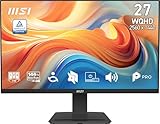
MSI’s PRO series is aimed at office and study use, but the listing describes a 27-inch IPS QHD panel at 144Hz with 1ms response and Adaptive-Sync, which makes it a gentle entry into high-refresh gaming. It suits people who mostly work or study and game on the side. The listing also mentions TÜV Rheinland flicker-free and low blue light certification and an Eye-Q Check tool.
It has HDMI and DisplayPort, a built-in speaker, a tilt range of -5 to 20 degrees and VESA 100 x 100mm mounting. Listing weight is about 13.7 pounds, likely including packaging.
The MSI’s 144Hz refresh is a comfortable entry into high-refresh play, since each frame lasts about 6.9 milliseconds compared with 16.7 at 60Hz. TÜV Rheinland flicker-free and low blue light certification suits long study or work sessions, and the Eye-Q Check tool is a convenient extra. Because it is a PRO-series model rather than a dedicated gaming line, it has fewer game overlays, but the core panel specs are solid for everyday play.
- 27-inch IPS, 2560 x 1440
- 144Hz, 1ms, Adaptive-Sync
- 1500:1 contrast, 178-degree viewing angles
- HDMI and DisplayPort, speaker
- VESA 100 x 100mm, tilt -5 to 20
Pros
- Good for mixed work and play
- Eye-comfort certifications
Cons
- Lowest refresh rate here
- Fewer gaming overlays
It is the most office-oriented of the six; the Samsung offers a similar spec with more gaming features and a better stand.
Specs Compared
| Monitor | Resolution | Refresh | Panel and response (per listing) | Sync and HDR | Stand and extras |
|---|---|---|---|---|---|
| Samsung Odyssey G5 (G51F) | 2560 x 1440 | 180Hz | Confirm panel type; 1ms | FreeSync, HDR10 | Height, tilt, pivot |
| ASUS TUF VG27AQM5A | 2560 x 1440 | 300Hz | Fast IPS; 0.3ms GTG min | G-SYNC (title), ELMB Sync | Confirm on listing |
| ASUS TUF VG27AQ3A | 2560 x 1440 | 180Hz | Fast IPS; 1ms, 130% sRGB | FreeSync Premium, G-Sync compatible, HDR10 | Speakers, 3-year warranty |
| AOC Q27G41ZE | 2560 x 1440 | 260Hz OC; 240Hz via DP | IPS; 0.3ms MPRT | Adaptive-Sync | Tilt -3 to +21 |
| LG 27GS60QC-B | 2560 x 1440, 1000R curve | 180Hz | Confirm panel type; 1ms GtG | FreeSync, HDR10 | 2x HDMI, DisplayPort, tilt |
| MSI PRO MP273Q E14 | 2560 x 1440 | 144Hz | IPS; 1ms | Adaptive-Sync | Speaker, VESA 100×100, tilt |
How We Chose These
We built this list from the six monitors in the current catalog set and compared retailer listing titles, feature bullets and specification fields with the brands’ own wording where it appears in the listings. Our criteria were resolution and size, refresh rate, panel type, adaptive sync support, stand adjustments, input selection and how clearly each listing states its specifications. We did not run our own trials, so we avoid performance claims such as measured response times, and we treat every number as a manufacturer claim. Products with unclear panel type or ports stay in the list but are marked for confirmation. We also looked at which models mention console-friendly features, since many players use one monitor for both a PC and a console. Where a listing did not name a panel type or input list, we say to confirm on the product page.
What to Look For
Why 27 inches and 1440p pair well
At 27 inches, 2560 x 1440 gives about 109 pixels per inch, noticeably sharper than 1080p at the same size, which is about 82. It also needs about 78% more pixels than Full HD, according to the MSI listing’s own math, so your graphics card works harder. To put numbers on it, running QHD at 180 frames per second pushes about five times as many pixels per second as 1080p at 60, which explains why a strong graphics card matters more than the monitor itself. Many players find 1440p the sweet spot for games and everyday work, since text remains crisp without scaling.
Refresh rate tiers
The monitors here run from 144Hz up to 300Hz. At 144Hz each frame lasts about 6.9 milliseconds, at 180Hz about 5.6 and at 300Hz about 3.3. Higher refresh helps only when your PC produces matching frame rates. Rule of thumb: if your game averages 150 frames per second at 1440p, a 180Hz monitor is plenty, and a 300Hz panel would sit mostly idle.
Panel type, curve and response
IPS panels give wide viewing angles and consistent color, which is why several listings highlight them. Other panel types can offer deeper contrast, so confirm the type where a listing does not state it. A curve such as the LG’s 1000R is steep, with a radius of 1,000 millimeters, and suits immersive games; flat screens suit precision work and multi-monitor desks. Response time claims, such as 0.3ms GTG or MPRT, are manufacturer figures under specific modes, so treat them as a guide.
Stands, mounting and ergonomics
A good stand is easy to overlook. The Samsung offers height, tilt and pivot, while most others in this set only tilt, with ranges such as -5 to 15 degrees or -3 to +21 degrees. If your desk is too low or too high, you will want a VESA arm; the MSI lists a 100 x 100mm pattern, which is the most common for 27-inch monitors. Place the top edge of the screen at or just below eye level and about an arm’s length away for comfortable long sessions.
Sync, HDR and connections
Variable refresh technologies such as FreeSync Premium, Adaptive-Sync and G-Sync compatible modes reduce tearing. HDR10 means the monitor accepts HDR signals, but without a high peak brightness and local dimming the effect is modest. DisplayPort 1.4 is the safest link for high refresh at QHD, and HDMI ports are useful for consoles. The ASUS VG27AQ3A even includes a DisplayPort cable in the box according to its listing.
Color and brightness claims need the same caution. The 130% sRGB figure on the ASUS VG27AQ3A means a wide gamut compared with the sRGB standard, not necessarily accurate color out of the box. If you edit photos, look for factory calibration details on the product page. For general gaming and video, any of these IPS or similar panels will look vivid, and most offer picture modes to tone down saturation.
Worked example: if your system averages 140 frames per second in your favorite game at 1440p, a 180Hz monitor like the ASUS VG27AQ3A will use that headroom with variable refresh, while a 300Hz monitor will not show you additional frames you do not produce.
Questions
Is 1440p better than 1080p for gaming?
It is sharper, especially on a 27-inch screen, but it needs a stronger graphics card to hold high frame rates. If you prioritize frame rate over detail, 1080p is easier to drive.
Do I need 300Hz at 1440p?
Most players do not. A 300Hz panel is aimed at competitive shooters with powerful PCs, while 144Hz to 180Hz covers a wide range of systems and games.
Are curved monitors good for gaming?
They can feel more immersive in racing and single-player games, as with the LG’s 1000R curve. For precise aiming and multi-monitor layouts, some players prefer flat screens.
Can I connect a console to these monitors?
The ASUS VG27AQ3A listing says it suits PS5 and Xbox, and several others have HDMI ports. Consoles run at their own resolution and refresh limits, so a QHD monitor will not always run at its maximum refresh rate with them.
What does G-Sync compatible mean?
It means the monitor supports variable refresh with NVIDIA graphics cards, usually over DisplayPort. The AOC and ASUS listings mention G-SYNC or Adaptive-Sync, so check the exact wording on the product page.
Update History
- October 14, 2026 – Initial publication; product set drawn from current catalog listings.
- Check the product page for current specifications and availability before buying.
Sources
- Retailer listing titles, feature bullets and specification fields for each monitor
- Manufacturer feature statements as reproduced in those listings (Samsung, ASUS, AOC, LG, MSI)









