
Console gaming on a budget comes with a frustrating technical catch: your PlayStation 5 or Xbox Series X wants a monitor that can handle 100Hz or higher at 1080p, but most affordable panels marketed as “gaming monitors” still top out at 60Hz. That forces a painful choice — spend $200+ on a monitor that barely gets used to its full potential, or settle for a bargain-bin display that caps your console’s smoothness. The living room setup makes it worse. Many of us play on a desk in a small bedroom or apartment, where a 27-inch or larger TV overwhelms the space, produces too much glare at close range, and burns through 100+ watts of power for image quality that doesn’t justify it at three feet away.
We focused this roundup on displays that hit that 100Hz-and-above sweet spot while staying under roughly $100 — most are between $65 and $93, with one option that regularly dips lower during sales. All are 1080p panels in the 22- to 27-inch range, which is genuinely the right size for typical desk distances of two to three feet. Every pick here supports HDMI, which matters because that’s what your console plugs into, and several add DisplayPort if you’re sharing the monitor with a PC. Below you’ll find the eight we’d actually buy, ranked with real trade-offs spelled out.
As an Amazon Associate we earn from qualifying purchases at no extra cost to you.




Our Top Picks
 Philips 24 Inch Computer Monitor FHD 100Hz VA24 inch 100Hz8.7 x 21.3 x 16.4 inches6.4 poundsCheck on Amazon
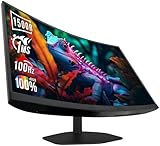
 Sceptre Curved 27-inch Prime Gaming Monitor 1500R 100Hz277.67 x 24.11 x 17.64 Inches8.33 PoundsCheck on Amazon
 Sceptre Curved 24-inch Gaming Monitor 1ms 100Hz 1500R247.67 x 21.17 x 15.92 inches5.82 poundsCheck on Amazon
 Sceptre Prime 24-inch Gaming Monitor 100Hz 1ms DisplayPort7.66 x 21.3 x 17.21 inches5.8 PoundsCheck on Amazon
 AOC 24 Inch Gaming Monitor FHD 144Hz Fast24" 144Hz7.03 x 21.25 x 16.68 inches10.2 PoundsCheck on Amazon

Top 3 picks at a glance
Quick Picks
| Product | Best for | Price |
|---|---|---|
| Philips 24 Inch Computer Monitor FHD 100Hz VA VESA Flicker-Free, 241V8LB | Clean 100Hz basics from a major brand | Check on Amazon |
| Sceptre New 22-Inch Gaming Monitor, FHD 1080p, Up to 144Hz, HDMI, DisplayPort, Built-in Speakers, Machine Black (E225W-FW144 Series, 2026) | Smallest desks and tightest budgets | Check on Amazon |
| Sceptre Curved 27-inch Prime Gaming Monitor 1500R 100Hz HDMI X2 DisplayPort 1ms 100% sRGB (C275W-FW100T Series) | Immersive solo gaming at a desk | Check on Amazon |
| Sceptre Curved 24-inch Gaming Monitor 1ms 100Hz 1500R DisplayPort HDMI X2 Eye Care 100% sRGB (C248W-FW100T Series) | Curved immersion in a compact footprint | Check on Amazon |
| Sceptre Prime 24-inch Gaming Monitor 100Hz 1ms DisplayPort HDMI x2 100% sRGB AMD FreeSync (E248W-FW100T) | Flat-screen fans who want FreeSync | Check on Amazon |
| AOC 24 Inch Gaming Monitor FHD 144Hz Fast IPS 0.5ms HDR, 24G51F | Color accuracy and wide viewing angles | See current price |
| SANSUI 24 Inch Gaming Monitor 180Hz, DP 1.4 & HDMI 2.0 Ports | Maximum refresh rate per dollar | Check on Amazon |
| Acer Nitro 24.5in FHD 1920×1080 200Hz Gaming Monitor KG251Q X3biip | Esports-style speed on a budget | Check on Amazon |
How We Compared
We narrowed the field using criteria that matter specifically for console players working with limited cash. First, refresh rate: every pick here runs at 100Hz minimum, with several going to 144Hz, 180Hz, or 200Hz. That matters because modern consoles output high-frame-rate modes at 1080p and 120Hz, and a 100Hz+ monitor keeps motion noticeably smoother than a standard 60Hz office display. Second, inputs: HDMI is non-negotiable for consoles, and we gave preference to models with two HDMI ports so you can keep a console and a streaming device or laptop connected at once. Third, panel quality signals — VA panels for contrast, IPS for color and viewing angles, 100% sRGB coverage claims, and low input lag figures — without pretending we ran lab measurements we didn’t. Fourth, price: everything on this list sits between roughly $65 and $93, with one model whose price fluctuates. We also weighed ergonomics, VESA mounting support, built-in speakers, and eye-care features like flicker-free backlighting, since budget monitors often cut corners in exactly those spots.
The 8 Best Picks
1. Philips 24 Inch Computer Monitor FHD 100Hz VA VESA Flicker-Free, 241V8LB
This is the safest pick for a console player who wants a no-nonsense 100Hz panel from a brand with a long track record. The 24-inch VA panel delivers the deep blacks and strong contrast that VA does well, which makes dark game scenes look richer than on comparable cheap IPS screens. Flicker-free backlighting reduces eye strain during long sessions, and the VESA mount support means you can attach it to an arm if your desk is cramped. It’s the kind of monitor that does everything adequately and nothing poorly — exactly what a first console-gaming display should be.
- Clean 100Hz performance from a reputable brand at just around $74
- VA panel with VESA mounting and flicker-free backlighting
- Only one notable spec gap: no built-in speakers, so plan on a headset or external audio
When to skip: If you need built-in speakers or want refresh above 100Hz, look at the Sceptre Prime or SANSUI instead.
2. Sceptre New 22-Inch Gaming Monitor, FHD 1080p, Up to 144Hz, HDMI, DisplayPort, Built-in Speakers, Machine Black (E225W-FW144 Series, 2026)
This is the cheapest pick on the list and the one to grab if desk space is truly scarce. The 22-inch footprint fits setups where a 24-inch or 27-inch panel simply won’t, and despite the small size, it still pushes up to 144Hz — well beyond the 100Hz baseline. Built-in speakers handle casual audio, and you get both HDMI and DisplayPort, which is generous at this price. It’s a great starter display for a kid’s room, dorm, or a cramped apartment desk where every inch counts.
- Up to 144Hz at just around $64 — the lowest price here
- Built-in speakers plus both HDMI and DisplayPort inputs
- The 22-inch size is small for immersive big-title gaming
When to skip: If you sit more than three feet away or want a bigger, more cinematic picture, step up to a 24-inch option.
3. Sceptre Curved 27-inch Prime Gaming Monitor 1500R 100Hz HDMI X2 DisplayPort 1ms 100% sRGB (C275W-FW100T Series)
This is the big-screen pick of the roundup. At 27 inches with a 1500R curve, it wraps around your field of view in a way flat 24-inch panels can’t, and the dual HDMI ports plus DisplayPort make it easy to keep a console and a PC connected permanently. The 100% sRGB claim means colors should look reasonably accurate for casual content work too. For under $100, getting a curved 27-inch 100Hz panel is genuinely hard to beat — but you need the desk depth to sit at the curve’s sweet spot.
- 27-inch 1500R curved panel at around $92 — the largest display here
- Two HDMI ports plus DisplayPort and 100% sRGB coverage
- The 1500R curve demands close seating; it looks odd from across a room
When to skip: If your monitor sits far from your face, or you share the screen with others who’d fight the curve, go flat instead.
4. Sceptre Curved 24-inch Gaming Monitor 1ms 100Hz 1500R DisplayPort HDMI X2 Eye Care 100% sRGB (C248W-FW100T Series)
Think of this as the 24-inch version of the 27-inch Sceptre above — same 1500R curvature, same 100Hz refresh, same 100% sRGB coverage, same dual HDMI plus DisplayPort input array, in a more desk-friendly size. The 1ms response spec makes fast motion look clean, and the eye-care features help during marathon sessions. It’s priced at around $78, only about four dollars more than the flat Philips, so the curve is essentially a free bonus if you like that style.
- Curved immersion in a compact 24-inch frame for around $78
- 1ms response, 100% sRGB, dual HDMI, and eye-care features
- Same caveat as all curves: not ideal for viewing from an angle
When to skip: If you mount the monitor on a wall or often have friends watching over your shoulder, a flat panel is the smarter call.
5. Sceptre Prime 24-inch Gaming Monitor 100Hz 1ms DisplayPort HDMI x2 100% sRGB AMD FreeSync (E248W-FW100T)
This is the one to pick if you want a flat 24-inch screen with the full modern feature set. AMD FreeSync synchronizes the monitor’s refresh with your console’s output to reduce screen tearing, the frameless design makes multi-monitor setups look clean, and you get dual HDMI inputs plus DisplayPort, 100% sRGB, and built-in speakers. At around $79, it packs more console-friendly features per dollar than almost anything else here, and it’s the best all-around pick if you split time between a console and a PC.
- AMD FreeSync plus 1ms response at just around $79
- Frameless design, built-in speakers, and dual HDMI inputs
- Flat VA-style contrast won’t match the curved models’ immersion
When to skip: If you specifically want a curved screen or a panel above 100Hz, look at the other Sceptre or the SANSUI.
6. AOC 24 Inch Gaming Monitor FHD 144Hz Fast IPS 0.5ms HDR, 24G51F
This is the color-and-viewing-angle pick. Where most budget monitors in this range use VA or TN panels, AOC’s Fast IPS delivers the wide viewing angles and more accurate colors that IPS is known for, plus a 144Hz refresh rate and a 0.5ms response spec. HDR support is modest at this price — don’t expect true HDR impact — but it’s still a nice bonus for supported content. If you game and then edit photos or just hate the washed-out look budget panels often have, this is the one. Pricing fluctuates, so check current listings.
- Fast IPS panel with 144Hz and a 0.5ms response spec
- HDR support and far better viewing angles than VA or TN rivals
- Price is variable and can jump above the rest of this list
When to skip: If you need a locked-in sub-$80 price today, pick a model with a fixed price and move on.
7. SANSUI 24 Inch Gaming Monitor 180Hz, DP 1.4 & HDMI 2.0 Ports High Refresh
For raw refresh rate per dollar, nothing here touches this. At around $79, the SANSUI pushes 180Hz — well beyond what any current console game actually outputs — with modern DP 1.4 and HDMI 2.0 ports that won’t bottleneck bandwidth. The honest truth for console players: you’ll never use that full 180Hz from a PS5 or Xbox. But the headroom makes this a smart dual-purpose buy if you also game on a PC, and the high refresh keeps motion silky in any 120Hz console mode.
- 180Hz refresh rate at around $79 — the most headroom for the money
- DP 1.4 and HDMI 2.0 ports with modern bandwidth
- SANSUI is a lesser-known brand with a shorter support track record
When to skip: If brand reputation and warranty support matter more to you than spec-sheet numbers, stick with Philips or AOC.
8. Acer Nitro 24.5in FHD 1920×1080 200Hz Gaming Monitor KG251Q X3biip
This is the esports-flavored pick of the list. The 24.5-inch size is the classic competitive-gaming sweet spot, and the 200Hz refresh rate at 1920×1080 is the highest here — genuinely overkill for consoles, but fantastic if you also play fast PC titles like shooters or fighting games. Acer’s Nitro line has a solid reputation among budget gamers, and at around $89 it undercuts most dedicated esports monitors by a wide margin. It’s the best pick for anyone whose “console” setup doubles as a serious PC battle station.
- 200Hz refresh at 1080p for just around $89
- 24.5-inch competitive-gaming size from a trusted brand
- Console players can’t fully exploit the 200Hz rate
When to skip: If you’ll only ever plug in a console, the cheaper Philips or Sceptre Prime delivers everything your system can use.
Buying Guide
Refresh Rate and What Your Console Actually Uses
Here’s the reality check most budget guides skip: a PS5 or Xbox Series X tops out at 120Hz output, and only in games that support high-frame-rate modes at 1080p or 1440p. That means a 100Hz monitor gets you smoother motion than any 60Hz panel, but anything above 120Hz is pure future-proofing or PC headroom. Don’t pay a meaningful premium for 180Hz or 200Hz if a console is your only source — the Philips at 100Hz will look identical to the Acer at 200Hz in console play. Spend the difference on panel quality or speakers instead.
Panel Type: VA vs. IPS on a Budget
At this price point you’ll mostly see VA panels, which offer strong contrast and deep blacks — great for dark, atmospheric games — but narrower viewing angles, so the image washes out if you’re not sitting centered. IPS panels like the AOC cost a bit more but deliver accurate colors and consistent image quality from almost any angle, which matters if friends gather around the screen. If you play solo at a desk, VA is the better value. If your setup involves couches, roommates, or shared viewing, prioritize IPS.
Inputs, Size, and Desk Fit
Every pick here has HDMI, which is all a console needs, but two HDMI ports save you from constantly swapping cables. Measure your desk depth before buying: a 24-inch monitor wants roughly two to three feet of viewing distance, while the 27-inch curved Sceptre really needs you seated close to appreciate the 1500R curve. Check VESA compatibility if you plan to use a monitor arm — it’s a cheap upgrade that frees up desk space. Built-in speakers are convenient but weak; a $20 pair of desktop speakers or a gaming headset will sound dramatically better than any panel speaker in this price class.
Our Verdict
For most console players on a budget, the Sceptre Prime 24-inch (E248W-FW100T) at around $79 is the best overall buy — it hits the 100Hz sweet spot your console can actually use, adds FreeSync to eliminate tearing, includes dual HDMI ports and built-in speakers, and comes in a frameless flat design that fits any desk. If money is the deciding factor, the Sceptre 22-inch at around $64 gets you 144Hz and speakers for less than the cost of a new game. If immersion is the goal, spend the extra few dollars on the curved 27-inch Sceptre at around $92 — it’s the closest thing to a big-screen feel under $100. And if you split your time between console and PC, the Acer Nitro’s 200Hz makes it worth the stretch to around $89.
FAQ
Can a PS5 or Xbox Series X actually use a 100Hz monitor?
Yes, with a caveat. Both consoles support 1080p output at up to 120Hz on compatible displays, so a 100Hz monitor will display high-frame-rate modes smoothly, though the console may effectively output 60Hz or 120Hz rather than exactly 100Hz. The practical result is still noticeably smoother motion than a standard 60Hz office monitor, especially in games with 120Hz performance modes.
Is a curved monitor good for console gaming?
It depends on your seating distance. Curved monitors like the 1500R Sceptre models are designed for a single viewer seated two to three feet away, where the wraparound effect genuinely adds immersion. If your console setup has you sitting on a couch six feet away or you often have others watching, the curve loses its benefit and a flat panel is the better choice.
Do I need built-in speakers, or should I use a headset?
Built-in speakers are convenient for casual play, but budget monitor speakers are typically small, tinny, and lack any bass. For single-player story games and competitive multiplayer, a gaming headset or a basic pair of desktop speakers will sound far better. Pick a monitor with speakers if you value simplicity; skip them if you already own good audio.
What size monitor is best for console gaming at a desk?
For typical desk distances of two to three feet, 24 inches is the sweet spot — big enough to feel immersive, small enough that you’re not turning your head to see the whole screen. A 22-inch works well in tight spaces, while 27 inches rewards deeper desks and closer seating, especially with a curved panel. At 1080p resolution, going much larger than 27 inches makes individual pixels visible at close range.









