
Setting up a coding workstation in a small home office, spare bedroom, or apartment nook often means fighting for desk depth and wall space. Two side-by-side horizontal monitors look great in a corporate office, but at home they can crowd the desk, block natural light, and force you to twist your neck to scan long files, terminal logs, and documentation.
Stacking screens vertically solves that footprint problem while matching how code actually reads. A vertical or stacked layout lets you keep your editor, preview, and debugging tools in a single sightline with less horizontal panning. In early 2026, more developers are choosing either a true vertical monitor for portrait code review or a stacked dual-mount that creates the same effect from two standard screens, and the options below cover both approaches without taking over your room.
As an Amazon Associate we earn from qualifying purchases at no extra cost to you.



Our Top Picks
 BenQ RD320U 32” 4K 3840x2160 Programming Monitor with32.028 x 23 x 10.2 inches34.17 PoundsCheck on Amazon
 SMISEACOW Laptop Screen Extender 14" Portable Dual Monitor14"- Dual Monitor Extender14.5 x 7 x 8 InchesCheck on Amazon



Top 3 picks at a glance
Quick Picks
| Product | Best for | Price |
|---|---|---|
| Dual Monitor Stand – Vertical Stack Screen Free-Standing Monitor Riser Fits Two 13 to 34 Inch Screen | Best for Large Ultrawide Stacking | Check on Amazon |
| BenQ RD320U 32” 4K 3840×2160 Programming Monitor | Best True Vertical Coding Monitor | Check on Amazon |
| Mount-It Stacked Vertical Dual Monitor Mount for 13–32″ Screens, Black | Best Budget Stacked Clamp Mount | Check on Amazon |
| MOUNT PRO Vertical Dual Monitor Mount, Stacked Monitor Stand for 2 Computer Screens up to 32 inches | Best Full-Motion Vertical Mount | Check on Amazon |
| SMISEACOW Laptop Screen Extender 14″ for 13-17.3” Laptops | Best Portable Vertical Extender for Laptops | Check on Amazon |
| Vertical Dual Monitor Stand for 13-32 Inch Monitors, No Clamp, Freestanding | Best No-Clamp Freestanding Option | Check on Amazon |
| HUANUO Vertical Dual Monitor Mount, Stacked Monitor Stand for 2 Monitors with Height Adjustment | Best Value C-Clamp for 17 to 32 Inch | Check on Amazon |
| VIVO Dual Monitor Desk Stand Free-Standing LCD Mount, Holds in Stacked Vertical Position 2 Ultrawide Screens up to 34 inches, Black, STAND-V002L | Best Freestanding Ultrawide Stand | Check on Amazon |
How We Compared
We prioritized hardware that creates a usable vertical workflow for coding, not just any monitor arm that claims vertical compatibility. That meant looking for stable support for common coding screen sizes from 13 inches on laptops up to 34 inches for ultrawides, adequate weight capacity for modern panels, and adjustments that matter during long sessions: height, tilt, and swivel for comfortable eye level and glare control.
We also weighted real workstation constraints like desk type and footprint. Freestanding bases work on glass or rental desks where clamps are not allowed, while C-clamp and grommet-style stacked mounts save base space on compact desks. For the one true monitor in the set, we looked for coder-specific features such as 4K resolution for crisp text, USB-C power delivery, and eye-care modes that reduce strain during extended reading and reviewing.
The 8 Best Picks
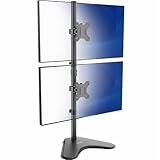
1. Dual Monitor Stand – Vertical Stack Screen Free-Standing Monitor Riser Fits Two 13 to 34 Inch Screen with Swivel, Tilt, Height Adjustable, Holds One (1) Screen Up to 44Lbs
This freestanding riser is for coders who want to stack two large screens without drilling or clamping the desk. It supports two screens from 13 to 34 inches and holds one screen up to 44 lbs, which covers heavier ultrawides and older panels that exceed typical arm limits. Height adjustment, swivel, and tilt let you align the top screen to eye level and angle the bottom screen to reduce neck strain during long code reviews. At around $31 it is also one of the most affordable ways to build a vertical workstation on a rental-friendly desk.
- Pro: Accommodates two 13 to 34 inch screens, including ultrawides
- Pro: High per-screen capacity up to 44 lbs with swivel, tilt, and height adjustment
- Con: Freestanding base needs more desk surface than a clamp mount
Skip if your desk is shallow or already crowded; a clamp-based vertical mount will free up more surface area.
2. BenQ RD320U 32” 4K 3840×2160 Programming Monitor with 2000:1 Contrast Ratio, Nano Matte Panel, Backlight, 90W USB-C, Coding Modes, Night Hours Protection, Ergonomic Design, and Eye-Care Technology
This is the pick for developers who want a single panel built specifically for vertical coding rather than assembling a stack. The 32-inch 4K 3840×2160 Nano Matte panel delivers sharp text at native resolution, while the 2000:1 contrast ratio helps with readability in dark themes and low-light sessions. Dedicated coding modes, backlight control, and Night Hours Protection plus ergonomic adjustments support long hours without eye fatigue. With 90W USB-C power delivery you can drive and charge a laptop over one cable, reducing clutter. At around $680 it is an investment, but it replaces the need for two separate displays.
- Pro: 32-inch 4K resolution with 2000:1 contrast and Nano Matte coating for crisp, low-glare text
- Pro: 90W USB-C, coding modes, and eye-care technology designed for programming workflows
- Con: Premium price compared to mount-only solutions
Skip if you already own two good monitors and just need a way to stack them vertically.
3. Mount-It Stacked Vertical Dual Monitor Mount for 13–32″ Screens, Black
Designed for coders who prefer a clean, stacked clamp setup on a standard desk, this Mount-It mount handles two screens from 13 to 32 inches. The vertical stacking keeps your primary editor on top and terminal or docs below within a narrow field of view, which is ideal for narrow rooms where side-by-side monitors would dominate the wall. The black steel frame keeps the look minimal for home offices. At around $54 it hits a middle ground between cheap fixed risers and pricier full-motion arms.
- Pro: Stacked vertical layout for 13 to 32 inch screens saves horizontal desk width
- Pro: Clamp design preserves desk surface compared to freestanding bases
- Con: Limited articulation compared to full-motion arms
Skip if you need independent full motion per arm for angled pair programming or shared viewing.
4. MOUNT PRO Vertical Dual Monitor Mount, Stacked Monitor Stand for 2 Computer Screens up to 32 inches, Full Motion Adjustable Tall Display Desk Mount, Each Arm Holds up to 17.6lbs, VESA Mount
This MOUNT PRO option is best for coders who constantly adjust their setup between coding, reviewing, and video calls. It supports two screens up to 32 inches with full-motion adjustment, and each arm holds up to 17.6 lbs with a standard VESA mount. You can tilt, swivel, and reposition each display independently to get the top screen at true eye level and the lower screen angled for typing posture. At around $69 it costs a bit more than fixed stacked mounts, but the flexibility pays off in shared workspaces and long sessions.
- Pro: Full-motion adjustability per arm for precise vertical alignment
- Pro: Supports two screens up to 32 inches, each up to 17.6 lbs
- Con: Higher price than basic stacked mounts and requires careful cable management with two moving arms
Skip if you use heavier professional panels over 17.6 lbs per screen or need a freestanding base for a glass desk.
5. SMISEACOW Laptop Screen Extender 14″ for 13-17.3” Laptops, Portable Dual Monitor for Laptop, Ultra-Slim Clamp-On Vertical Dual IPS 1080P Screen Monitor Extender, USB-C HDMI for Office Travel
This clamp-on extender is for laptop-first developers, students, and travelers who need vertical screen real estate without a permanent desk mount. It attaches to laptops from 13 to 17.3 inches and adds dual 14-inch IPS 1080P screens in an ultra-slim vertical form factor. Connection via USB-C and HDMI keeps setup simple for office hot-desking or travel, letting you keep code on one screen and documentation or Stack Overflow on the other. At around $120 it is more expensive than a desk stand but far more portable than any arm-based solution.
- Pro: Portable vertical dual 14-inch 1080P IPS screens for 13 to 17.3 inch laptops via USB-C and HDMI
- Pro: Clamp-on design requires no desk mount or extra stand
- Con: 14-inch panels are smaller than desktop monitors for long-focused coding
Skip if you work primarily at a fixed desk with 27-inch or larger desktop monitors.
6. Vertical Dual Monitor Stand for 13-32 Inch Monitors, No Clamp, Freestanding
This is the go-to for renters, dorms, or glass desks where clamps are not an option. The freestanding design supports two monitors from 13 to 32 inches without any desk clamp or drilling, so you can place it on almost any surface and relocate it easily. Stacking vertically keeps the footprint narrow while still giving you two full displays for editor and preview. At around $30 it is the lowest-priced freestanding stacked option in this roundup, making it an easy entry point to test a vertical workflow.
- Pro: No-clamp freestanding design works on glass, thin, or rental desks
- Pro: Supports two screens from 13 to 32 inches at a budget price of around $30
- Con: Base occupies desk space and offers less height range than tall pole mounts
Skip if you need maximum height adjustment or want to reclaim every inch of desk surface with a clamp.
7. HUANUO Vertical Dual Monitor Mount, Stacked Monitor Stand for 2 Monitors with Height Adjustment Computer Monitor Arm Supports Two 17 to 32 Inch with C Clamp Each Desk Mount Hold up to 17.6lbs
Built for mid-to-large desktop monitors, the HUANUO stacked stand supports two screens from 17 to 32 inches and holds up to 17.6 lbs per mount via a C-clamp. Height adjustment makes it simple to set the seam between the two displays at a comfortable eye line, which helps when scanning long functions or log files. The C-clamp secures firmly to most desks without a large base, leaving room for keyboards, microphones, and notebooks. At around $39 it delivers strong value for a height-adjustable vertical mount.
- Pro: Height-adjustable stacked design for two 17 to 32 inch monitors
- Pro: C-clamp holds up to 17.6 lbs per display while saving desk space
- Con: Not ideal for screens smaller than 17 inches
Skip if you use compact 13 to 16 inch monitors or need a freestanding solution for a non-clampable desk.
8. VIVO Dual Monitor Desk Stand Free-Standing LCD Mount, Holds in Stacked Vertical Position 2 Ultrawide Screens up to 34 inches, Black, STAND-V002L
The VIVO STAND-V002L is for developers who already own large or ultrawide panels and want to stack them vertically without wall mounting. This freestanding LCD mount holds two screens up to 34 inches in a stacked vertical position, giving you expansive vertical pixels for full-file views, dashboards, or side-by-side diffs turned upright. The black freestanding base provides stability for wide screens while keeping installation simple. At around $39 it is an affordable way to create a tall, immersive coding wall on a deep desk.
- Pro: Freestanding stacked support for two ultrawide screens up to 34 inches
- Pro: Simple, stable setup with no clamp or wall drilling required
- Con: Requires a deep, sturdy desk to balance large ultrawides safely
Skip if your desk is small, light, or shallow; a clamp mount will be more stable and space-efficient.
Buying Guide
Freestanding vs. Clamp for Vertical Stacks
Freestanding stands are the safest choice for glass desks, thin particleboard, or rentals where clamps can damage the edge. They are easy to move and typically support heavier or wider screens, like the 44-lb capacity and 34-inch support seen here. The trade-off is base footprint. C-clamp stacked mounts free that surface and often add more height adjustment, but they need a solid desk edge at least 0.4 to 3 inches thick depending on the model and must be tightened correctly to avoid wobble when typing aggressively.
Resolution, Size, and Ergonomics for Code
For a single-panel vertical monitor, 4K on a 32-inch panel like the BenQ RD320U keeps text sharp in portrait orientation and in stacked window layouts without scaling artifacts. For stacked dual setups, two 24 to 27 inch 1440p panels are a common sweet spot for readability and price, while 32 to 34 inch ultrawides give more columns for side-by-side editors. In either case, look for height adjustment to bring the top bezel to eye level, tilt to control glare from overhead lights, and eye-care features such as matte coatings and low blue-light modes for long reading sessions.
Connectivity and Weight Limits
Check VESA pattern, weight per arm, and cable needs before you buy. Most arms here support up to 17.6 lbs per screen, which covers mainstream IPS and VA monitors but not all heavy curved ultrawides. If you use a laptop as your main machine, a 90W USB-C connection can power and display over one cable, reducing clutter in a vertical stack. Portable extenders that use USB-C and HDMI are convenient for travel but confirm your laptop has full-featured USB-C or DisplayPort Alt Mode for 1080P output at 60Hz on both auxiliary panels.
Our Verdict
For a true single-monitor vertical coding setup, the BenQ RD320U 32-inch 4K monitor is the most complete solution with its programming modes, Nano Matte panel, and 90W USB-C. If you already own monitors and want to build a tall workstation on a budget, the freestanding riser that fits two 13 to 34 inch screens up to 44 lbs per screen at around $31 and the VIVO STAND-V002L for ultrawides up to 34 inches at around $39 are the simplest no-clamp paths. For clamp users who want adjustability, the MOUNT PRO full-motion mount and the HUANUO height-adjustable C-clamp both cover two screens up to 32 inches and 17.6 lbs per arm without taking over the desk.
FAQ
Is a vertical monitor better than two stacked horizontal monitors for coding?
Both achieve a tall viewing area, but a single vertical monitor gives you a continuous panel with no bezel gap, which is great for reading long files. Two stacked horizontal monitors give you a natural window split for editor on top and terminal or browser below, and they let you reuse existing displays. Choose based on whether you value a seamless portrait view or flexible window management.
What size works best in a vertical coding workstation?
For most home desks, two 24 to 32 inch monitors stacked vertically provide enough height without requiring you to look up too far. Single-monitor users often prefer 27 to 32 inches at 4K for crisp text when viewing 80 to 120 columns of code. If your desk is more than 28 inches deep, larger 34-inch ultrawides stacked can work; otherwise stay at 27 inches or smaller to keep the top screen within comfortable eye movement.
Do I need a special mount to rotate a monitor into portrait mode?
Not always. Many modern monitors include a stand that rotates 90 degrees, and all the arms and stands here allow tilt and swivel to approximate portrait ergonomics. If you want true portrait on a single panel, check that the monitor supports pivot and that your mount or stand supports VESA 75×75 or 100×100 rotation. For stacked setups, you keep both panels in landscape and stack them, so rotation is not required.
Will a clamp damage my desk?
A properly installed C-clamp with padding distributes weight and rarely damages solid wood or metal desks. Thin, hollow, or glass desks are at higher risk and are better paired with a freestanding base. Always check the desk edge thickness against the clamp range, use the included pads, and avoid overtightening, which can dent soft surfaces over time.









