
Every esports player on a budget eventually hits the same wall: you’ve got $150 or less to spend, you need something that can actually keep up with competitive play, and the market is flooded with 24-inch 1080p panels claiming 1ms response times and esports-grade performance. Some of those claims hold up. A lot of them don’t. The good news is that in 2026, the sub-$150 segment is genuinely better than it’s ever been — you can now get a true 240Hz IPS panel for under $100, which would have been unthinkable a few years ago.
We compared eight of the most widely available 24-inch 1080p monitors in this price bracket, from a around $74 VA panel to a around $110 Ultragear with HDR10. Every model here uses a 23.8- or 24-inch IPS or VA screen at 1920×1080, and every one is legitimately suited to fast-paced games like Valorant, CS2, Fortnite, and Rocket League. Below you’ll find our quick picks table, detailed mini-reviews, and a buying guide to help you match refresh rate and panel type to your setup.
As an Amazon Associate we earn from qualifying purchases at no extra cost to you.






Our Top Picks
 Acer 23.8in FHD 1920x1080 IPS 120Hz Office Monitor23.8-inch4.53 x 21.21 x 16.7 Inches7.7 PoundsCheck on Amazon
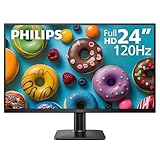
 Philips 24 Inch Computer Monitor FHD 100Hz VA24 inch 100Hz8.7 x 21.3 x 16.4 inches6.4 poundsCheck on Amazon
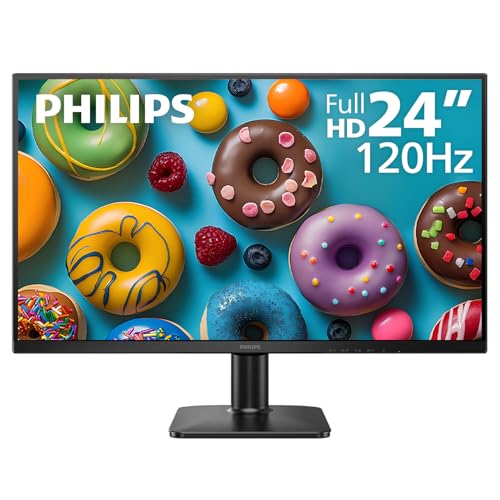 Philips 24 Inch Computer Monitor FHD 120Hz IPS24 inch 120Hz1.3 x 12.56 x 21.41 inches9.3 PoundsCheck on Amazon



Top 3 picks at a glance
Dell 24 Monitor - SE2426H - 23.8-inch FHD (1920x1080) 144Hz 1ms Display,...Check priceDell 24 240Hz Gaming Monitor - SE2426HG - 23.8-inch FHD (1920x1080) 240Hz...Check priceQuick Picks
| Product | Best for | Price |
|---|---|---|
| Dell SE2426H (144Hz IPS) | Best overall value for esports | Check on Amazon |
| Dell SE2426HG (240Hz IPS) | Best high-refresh performance under $100 | Check on Amazon |
| Acer KB242Y G0bi (120Hz IPS) | Best budget all-rounder | Check on Amazon |
| Philips 241V8LB (100Hz VA) | Best for media and darker-room contrast | Check on Amazon |
| LG 24G411A-B (144Hz Ultragear) | Best feature set (G-Sync + FreeSync + HDR10) | Check on Amazon |
| Philips 24E2N2100 (120Hz IPS) | Best cheap IPS for mixed use | Check on Amazon |
| LG 24G414B-B (144Hz Ultragear) | Best G-Sync-focused gaming pick | Check on Amazon |
| ViewSonic VA2456A-MHD (120Hz IPS) | Best for dual-monitor setups | Check on Amazon |
How We Compared
To make this list, a monitor had to hit four criteria. First, screen size between 23.8 and 24 inches — the sweet spot for competitive play, where the whole frame fits in your vision without head movement. Second, a native resolution of 1920×1080, which keeps pixel density sharp at this size and lets mid-range GPUs push high frame rates. Third, a street price at or under $150 — everything here lands between around $74 and around $110, leaving room in the budget for a cable or a monitor arm. Fourth, a refresh rate of at least 100Hz, because that’s the realistic floor for smooth esports motion in 2026.
We prioritized IPS panels for their color accuracy and viewing angles, but kept one VA option because its higher contrast genuinely matters for darker games and evening sessions. We also weighed ergonomic flexibility, connectivity (HDMI versions, DisplayPort, VESA mounting), eye-comfort certifications like TÜV, and adaptive sync support from both AMD and NVIDIA camps. We did not fabricate lab measurements — every spec listed comes from the manufacturer’s published figures, and our rankings weigh real-world usability, warranty backing, and value at the listed price.
The 8 Best Picks
1. Dell 24 Monitor – SE2426H — Best Overall Value for Esports
The SE2426H is the monitor we’d hand to most competitive players on a budget. You get a 23.8-inch IPS panel at 1920×1080 with a 144Hz refresh rate and a 1ms response time, plus AMD FreeSync to eliminate tearing. Dell added a TÜV 3-Star eye-comfort certification, which matters if you grind long ranked sessions, and two HDMI inputs make it easy to keep a console connected alongside your PC. The tilt-only stand keeps the footprint small, and the monitor is VESA mountable if you want full adjustability.
- 144Hz IPS with 1ms response time at just around $89
- TÜV 3-Star certification for reduced eye strain during long sessions
- Tilt-only stand — no height or swivel adjustment out of the box
Skip it if you’re chasing maximum frame rates above all else; the SE2426HG below gets you 240Hz for ten dollars more.
2. Dell 24 240Hz Gaming Monitor – SE2426HG — Best High-Refresh Performance Under $100
This is the headline pick of the entire roundup: a 240Hz IPS panel for around $99. For tactical shooters where every frame counts — CS2, Valorant, Overwatch 2 — doubling the standard 120Hz ceiling delivers visibly smoother target tracking and lower perceived latency. The 23.8-inch FHD IPS screen keeps colors consistent across wide viewing angles, AMD FreeSync Premium syncs the panel to your GPU, and connectivity is generous for the price with two HDMI ports plus DisplayPort 1.4. The TÜV 3-Star rating rounds out a package that’s hard to argue with.
- 240Hz refresh rate — the highest on this list — for around $99
- FreeSync Premium plus DisplayPort 1.4 for full-bandwidth PC gaming
- 1080p at 240Hz demands a strong GPU to fully exploit in demanding titles
Skip it if your rig targets 120–144 fps; you’ll pay nothing extra, but you won’t use what you’re paying for either.
3. Acer 23.8in FHD 1920×1080 IPS 120Hz Office Monitor KB242Y G0bi — Best Budget All-Rounder
Despite the “office monitor” label, the KB242Y G0bi is a capable light-gaming display. The 23.8-inch IPS panel produces accurate, consistent color whether you’re in a lobby or a spreadsheet, and the 120Hz refresh rate makes both casual gaming and desktop scrolling noticeably smoother than a standard 60Hz panel. At around $79, it’s one of the cheapest ways to get IPS image quality with above-baseline refresh, and it doubles cleanly as a productivity display for students and hybrid workers who game at night.
- 120Hz IPS at around $79 is excellent value for mixed work-and-play use
- Accurate IPS color that suits content work as well as gaming
- No DisplayPort, so verify your device’s HDMI output capabilities first
Skip it if you’re a dedicated competitive player — the dedicated gaming picks below offer faster refresh and gaming-tuned features for a modest bump.
4. Philips 24 Inch Computer Monitor FHD 100Hz VA 241V8LB — Best for Media and Darker Rooms
The 241V8LB is the contrast play on this list. Its VA panel delivers deeper blacks and richer dark-scene detail than any IPS here, which makes it the pick if you split your time between esports and single-player games or films in a dim room. You still get a useful 100Hz refresh rate, Flicker-Free operation to cut eye fatigue, and VESA mounting for arm or wall installation. At around $74, it’s the cheapest monitor in this roundup and a smart secondary display for someone who already owns a fast main screen.
- VA panel contrast excels in dark scenes and movie playback
- Lowest price here at around $74 with Flicker-Free comfort and VESA support
- VA panels show more color shift off-axis during fast-paced gameplay
Skip it as a primary competitive monitor if you play seated close to the screen and move around the frame frequently — IPS handles that better.
5. LG 24G411A-B Ultragear — Best Feature Set Under $110
The 24G411A-B is the most feature-complete monitor here. LG’s Ultragear line brings a 24-inch IPS panel running at 144Hz (overclockable), a 1ms Motion Blur Reduction mode, HDR10 support, and dual adaptive sync — it’s NVIDIA G-Sync Compatible and supports AMD FreeSync, so it doesn’t care which GPU brand you run. HDMI and DisplayPort inputs, plus a slim stand, round out the package at around $110. For players who want one display that handles esports, HDR-ready content, and both console ecosystems, this is the flexible choice.
- G-Sync Compatible and FreeSync support covers any GPU you own
- HDR10 and 1ms MBR add motion clarity and punchier highlights
- HDR10 at this price is basic — don’t expect a dramatic HDR transformation
Skip it if you’ll never use HDR or G-Sync and want to save thirty dollars; the Dell SE2426H covers the core experience for less.
6. Philips 24 Inch Computer Monitor FHD 120Hz IPS 24E2N2100 — Best Cheap IPS for Mixed Use
The 24E2N2100 lands at the same around $79 as the Acer but leans more toward the gaming side of the fence. You get a 24-inch IPS panel at 1920×1080 with a 120Hz refresh rate — a 100% bump over standard 60Hz displays — which makes mouse movement, camera pans, and crosshair tracking feel noticeably cleaner. Philips’ Flicker-Free and low-blue-light comfort features carry over from its office line, and the understated design fits a bedroom or dorm battlestation without screaming “gamer.” It’s the sensible pick for a first upgrade from 60Hz.
- 120Hz IPS with comfort features at a around $79 price point
- Solid first esports upgrade for console or mid-range PC players
- Adaptive sync and DisplayPort support are less clearly specified than rivals
Skip it if you want certified G-Sync or FreeSync support and documented DisplayPort connectivity — the LG picks offer that certainty for $30 more.
7. LG 24G414B-B Ultragear — Best G-Sync-Focused Gaming Pick
The 24G414B-B is the sibling to the 24G411A-B, aimed squarely at NVIDIA GPU owners. The 24-inch IPS panel runs 1080p at 144Hz with a 1ms response time, and G-Sync compatibility keeps frames and refresh locked together to eliminate tearing and stutter during chaotic team fights. The slim stand saves desk depth, and the Ultragear build feels purpose-built for gaming rather than adapted from an office panel. At around $110 it’s tied for the priciest monitor here, but the combination of G-Sync certification, 144Hz, and IPS color makes it worth the premium for GeForce players.
- 144Hz IPS with 1ms response and G-Sync compatibility for NVIDIA rigs
- Slim stand and clean gaming-focused design
- AMD FreeSync advantage is less relevant here — Radeon owners have cheaper options
Skip it if you run an AMD GPU; the Dell SE2426HG delivers 240Hz with FreeSync Premium for ten dollars less.
8. ViewSonic VA2456A-MHD — Best for Dual-Monitor Setups
The VA2456A-MHD is the understated pick. ViewSonic built it around a 24-inch IPS panel at 1080p with a 120Hz refresh rate and HDMI connectivity, wrapped in a clean, frame-friendly design that pairs naturally with a second identical unit for streaming, chat, and strategy screens. The IPS panel keeps colors consistent across both displays, and 120Hz is plenty for the games most players run on a side monitor. At around $110 it costs more than some faster panels, so buy it for consistency and build quality, not raw speed.
- Ideal aesthetics and IPS consistency for a matched dual-monitor array
- 120Hz refresh keeps a secondary gaming display smooth
- around $110 buys more raw performance elsewhere if you only need one screen
Skip it as a solo competitive monitor — the Dell SE2426H or LG Ultragear models offer better specs for less or equal money.
Buying Guide
Refresh Rate: How Much Do You Actually Need?
At this price, your options run from 100Hz to 240Hz. For most esports players, 144Hz is the sweet spot — it’s a massive upgrade over 60Hz and pairs well with GPUs pushing 140–200 fps in titles like Valorant and Fortnite. The 240Hz Dell SE2426HG only makes sense if your hardware consistently exceeds 200 fps in your main game. Conversely, 100–120Hz panels like the Philips 241V8LB are fine for casual play but will feel sluggish if you’re used to higher refresh. Match the monitor to what your GPU can actually deliver — there’s no point paying for frames your rig can’t produce.
Panel Type: IPS vs. VA at 24 Inches
Seven of our eight picks use IPS, and for good reason: at 24 inches, esports players sit close and center, and IPS panels hold color accuracy across the whole frame while offering the faster pixel responses that matter in shooters. VA panels counter with higher contrast — deeper blacks that help in dark corners of maps and in single-player or cinematic content. If 80% of your screen time is competitive play, choose IPS. If you split time between gaming and film watching in a dim room, the VA-equipped Philips 241V8LB earns its spot. Either way, 1080p at 23.8–24 inches gives you roughly 92 pixels per inch, sharp enough for extended play without GPU strain.
Connectivity, Ergonomics, and Eye Comfort
Check your ports before you buy. For 144Hz and above, verify your GPU and the monitor’s inputs — DisplayPort 1.4 (on the SE2426HG and LG Ultragear models) guarantees full refresh over a single cable, while HDMI support varies by version. On ergonomics, most budget monitors here offer tilt only; all can be VESA-mounted, and a $25–40 arm solves adjustability without breaking the budget. Finally, look for eye-comfort features: the Dell models carry TÜV 3-Star certification, and Philips’ Flicker-Free technology reduces fatigue across long sessions — small things that add up when you’re playing three hours a night. Expect these monitors to draw modest power, typically in the 20–35W range during use.
Our Verdict
If we could recommend only one monitor from this list, it’s the Dell SE2426HG at around $99 — a 240Hz IPS panel with FreeSync Premium and DisplayPort 1.4 at a price that undercuts most 144Hz competition. For players with mid-range rigs, the Dell SE2426H delivers the same core IPS experience at 144Hz for around $89 and remains the best pure value in the segment. NVIDIA owners wanting adaptive sync certainty should step up to the LG 24G414B-B, while the Philips 241V8LB at around $74 proves you don’t need to spend three figures for a legitimately enjoyable 24-inch 1080p display. Whatever you choose, every monitor here will outclass the 60Hz panels most players are still coming from.
FAQ
Is 1080p still good enough for a 24-inch esports monitor in 2026?
Yes — arguably it’s the ideal resolution for this size. At 23.8–24 inches, 1920×1080 delivers roughly 92 pixels per inch, which looks sharp at typical seated distances. More importantly, 1080p lets mid-range GPUs sustain the high frame rates that esports demand, and lower resolution means lower perceived latency compared to pushing 1440p at the same frame budget.
Can I really get competitive performance from a monitor under $150?
Absolutely. The Dell SE2426HG packs 240Hz, an IPS panel, and FreeSync Premium into a around $99 price tag — specs that would have cost two to three times more just a few years ago. Response times, adaptive sync, and refresh rates in this bracket now overlap with monitors costing $250+, with the trade-offs mainly being stand adjustability and build materials rather than core gaming performance.
Do I need G-Sync or FreeSync for esports gaming?
You don’t strictly need it, but you’ll notice its absence. Adaptive sync eliminates screen tearing and stutter when your frame rate fluctuates, which happens constantly in real matches. All eight monitors here support some form of it — FreeSync on the Dell and Philips models, dual G-Sync Compatible/FreeSync support on the LG Ultragear picks. Match the brand to your GPU for certified performance, though most implementations work across both platforms.
Is a 24-inch monitor better than 27-inch for competitive gaming?
Most professional esports players use 24-inch (or 23.8-inch) 1080p displays, and there’s a reason: the smaller screen keeps the entire frame within your central vision, so you spot enemies at screen edges without moving your head. A 27-inch 1080p panel also drops to about 81 pixels per inch, making image quality visibly softer. For 1080p resolution specifically, 24 inches is the sweet spot for both clarity and competitive awareness.









