Every millisecond counts in a competitive FPS, and after years of chasing the perfect frame, most serious players have landed on the same conclusion: a 27-inch OLED at QHD resolution with a 240Hz refresh rate is the sweet spot. It’s big enough to track targets at range, small enough that your eyes never leave the action, and OLED’s near-instant pixel response eliminates the ghosting and smearing that let enemies slip through your crosshair. The problem is that the market has flooded with options, and the differences between a $310 panel and a $600 one aren’t always obvious from a spec sheet.
We’ve narrowed the field to eight monitors worth your money, ranked from the best overall value to the niche picks that solve specific problems. Whether you’re grinding ranked in Counter-Strike 2, Valorant, or Apex Legends, there’s a panel here that will make you a harder target to hit — or at least make sure the monitor isn’t the reason you lose a gunfight.
As an Amazon Associate we earn from qualifying purchases at no extra cost to you.







Our Top Picks
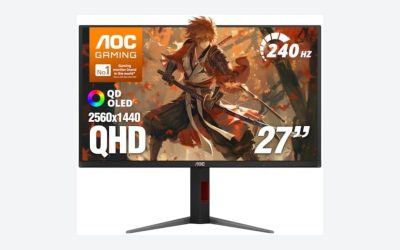
 AOC 27" Gaming Monitor QHD 240Hz QD OLED27" 240Hz Height Adjustable9.45 x 23.99 x 21.17 inchesCheck on Amazon
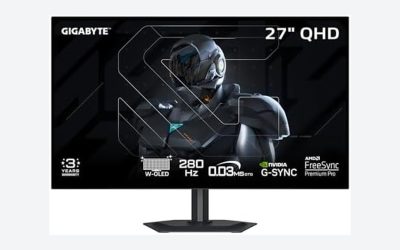
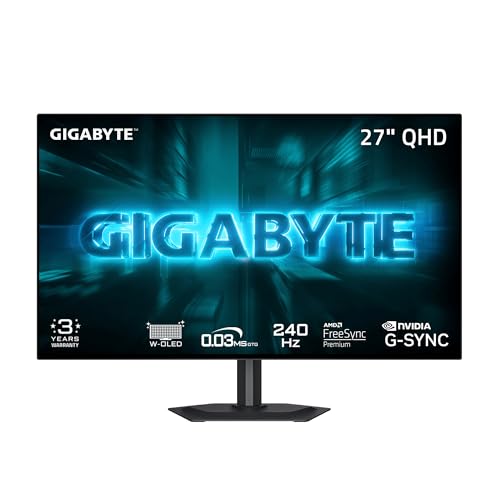 GIGABYTE GO27Q24G 27" W-OLED 240Hz QHD Gaming Monitor27" QHD7.38 x 23.8 x 20.73 inches16.5 PoundsCheck on Amazon


Top 3 picks at a glance
Quick Picks
| Product | Best for | Price |
|---|---|---|
| AOC Q27GAZDV QD-OLED | Best overall value | Check on Amazon |
| GIGABYTE GO27Q24G W-OLED | Best for esports purists | Check on Amazon |
| LG 27GX704A-B Ultragear | Best feature set | Check on Amazon |
| AOC Q27GAZD QD-OLED | Best alternative to our top value pick | Check on Amazon |
| INNOCN GA27M1Q QD-OLED | Best for high refresh rate enthusiasts | Check on Amazon |
| Samsung Odyssey OLED G6 (G61SH) | Best for premium QD-OLED color | Check on Amazon |
| MSI MAG 274QP X24 | Best ergonomic design | Check on Amazon |
| Acer KB272 G0bi | Best budget backup or secondary monitor | Check on Amazon |
How We Compared
For competitive FPS play, we focused on the fundamentals that actually affect aim and reaction time: pixel response, refresh rate, input lag behavior, and motion clarity. OLED panels dominate this conversation because they switch pixels in roughly 0.03 milliseconds — effectively instant — so there’s no trailing or inverse ghosting to muddy fast pans. We also prioritized 27-inch panels at QHD resolution because that combination delivers roughly 109 pixels per inch, which keeps HUD elements readable while allowing high frame rates on midrange GPUs.
Beyond raw performance, we looked at sync technology (G-SYNC Compatible and FreeSync Premium Pro certification), connectivity like HDMI 2.1 for console cross-play, HDR support, and stand ergonomics that let you position the screen at exactly the height and angle your setup demands. Price-to-performance weighed heavily: a competitive player doesn’t need to spend $600 unless they genuinely want frame rates above 240Hz. We stuck to hard specifications from manufacturers and avoided inventing lab measurements — every number below comes straight from the product specs.
The 8 Best Picks
1. AOC Q27GAZDV — Best Overall Value
At around $310, this is the cheapest way into a genuine 27-inch QHD QD-OLED with a 240Hz refresh rate, and that alone makes it our top pick for most competitive players. QD-OLED delivers rich, saturated color alongside OLED’s instant 0.03ms-class response, and G-SYNC Compatible certification keeps tearing out of your ranked matches. For anyone building a serious FPS setup on a budget, this is the panel that makes every other expense feel justified.
- QD-OLED panel at a budget price point
- G-SYNC Compatible for tear-free gameplay
- Feature set is leaner than pricier rivals
Skip this if you need HDMI 2.1 bandwidth for console gaming or want a fully loaded feature set — the step-up models below cover that.
2. GIGABYTE GO27Q24G — Best for Esports Purists
GIGABYTE’s W-OLED entry sticks to the fundamentals: a 27-inch W-OLED panel at QHD, 240Hz, and the purest motion clarity you can buy at this price. W-OLED panels are prized by esports players for their clinical text rendering and restrained color approach — nothing distracts from the crosshair. At around $350, it costs a bit more than the AOC but brings GIGABYTE’s gaming-oriented firmware and OSD tuning to the table.
- Pure W-OLED motion clarity at 240Hz
- GIGABYTE’s esports-focused OSD and tuning
- Color saturation trails QD-OLED alternatives
Skip this if you want punchy HDR pops and vivid color for single-player titles alongside your ranked grind.
3. LG 27GX704A-B Ultragear — Best Feature Set
LG’s Ultragear offering is the most complete package on this list. You get HDMI 2.1 for console cross-play, DisplayPort for PC, both NVIDIA G-SYNC Compatible and AMD FreeSync Premium Pro certification, VESA DisplayHDR TrueBlack 400, and LG’s signature 0.03ms response in a 2650×1440 panel at 240Hz. At around $400, you’re paying a modest premium for flexibility — this is the monitor that works equally well plugged into a gaming PC, a PS5, or an Xbox Series X.
- Dual sync certification covers both GPU camps
- HDMI 2.1 makes it console-ready
- DisplayHDR TrueBlack 400 for HDR gaming
- Pricier than the value picks
Skip this if you’re strictly a PC player who’ll never use the extra connectivity — save the $90.
4. AOC Q27GAZD — Best Alternative Value Pick
This is the Q27GAZDV’s sibling at around $330 — a $20 step up that often reflects slight differences in stock, bundle, or regional availability rather than a dramatic spec overhaul. You still get the same core formula: 27 inches of QHD QD-OLED, 240Hz refresh, G-SYNC Compatible certification, and OLED’s instant pixel response. If the Q27GAZDV is out of stock or the price gap narrows further, this is an equally strong purchase.
- Same core QD-OLED formula as our top pick
- 240Hz at QHD with G-SYNC Compatible support
- The $20 premium is hard to justify over the Q27GAZDV
Skip this if the Q27GAZDV is in stock at around $310 — buy the cheaper one.
5. INNOCN GA27M1Q — Best for High Refresh Rate Enthusiasts
At around $600, INNOCN’s GA27M1Q is the outlier here: a QD-OLED panel pushing 500Hz at 1440p. That’s more than double the refresh rate of every other pick on this list, and for players competing at the highest levels of Counter-Strike or Valorant, the difference between 240 and 500 frames per second is tangible — motion clarity improves dramatically, and input-to-photon latency drops. You’ll need a serious GPU to feed it frames, but if you have one, nothing else here keeps up.
- 500Hz refresh rate — the fastest on this list
- QD-OLED color and contrast retained
- Demands a flagship GPU to fully utilize
Skip this if you’re running a midrange card — you’ll never get close to 500 fps in modern titles.
6. Samsung Odyssey OLED G6 (G61SH) — Best for Premium QD-OLED Color
Samsung invented QD-OLED, and the Odyssey OLED G6 shows it. This 27-inch QHD panel at around $450 pairs 240Hz gaming with the most refined QD-OLED color science on this list — HDR content and vibrant esports titles both benefit. Samsung’s Odyssey gaming ecosystem, including the OSD and gaming features baked into the firmware, adds polish that smaller brands can’t match. It’s the pick for players who want one monitor to do everything well.
- Refined QD-OLED color from the panel’s inventor
- Premium Odyssey firmware and gaming features
- Costs $100 more than comparable specs from AOC
Skip this if raw value is your priority — the AOC delivers similar core performance for less.
7. MSI MAG 274QP X24 — Best Ergonomic Design
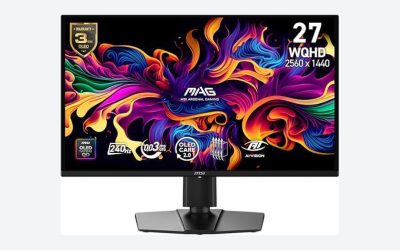
MSI’s MAG 274QP X24 at around $350 matches the core specs of its rivals — 27-inch WQHD Quantum Dot OLED, 240Hz, 0.03ms response — but stands out for its stand. Full tilt and height adjustment out of the box means you can dial in the exact viewing angle competitive play demands without spending extra on a VESA arm. HDMI 2.1 and DisplayPort 1.4a handle both PC and console inputs, and Adaptive-Sync keeps frames smooth regardless of GPU brand.
- Height and tilt adjustable stand included
- WQHD QD-OLED at 240Hz with 0.03ms response
- HDMI 2.1 and DP 1.4a connectivity
- No G-SYNC branding, only Adaptive-Sync
Skip this if you already use a monitor arm — the ergonomic advantage disappears and you’re paying for a stand you won’t use.
8. Acer KB272 G0bi — Best Budget Backup
Let’s be clear: this is not an OLED. The Acer KB272 G0bi is a 27-inch 1920×1080 IPS panel at 120Hz for around $99, and it’s here for a specific purpose — as a second monitor for Discord, streams, and strategy guides, or as a placeholder while you save for a real OLED. At this price, it also makes a sensible entry point for younger or casual players who need something functional today.
- Incredible value at around $99
- Fine as a secondary display
- 120Hz IPS can’t compete with OLED for FPS play
Skip this as your primary competitive monitor — you’ll be at a real disadvantage against 240Hz OLED players.
Buying Guide
Refresh Rate and Response Time
For competitive FPS, 240Hz is the current sweet spot — fast enough for genuine competitive advantage, achievable on mainstream GPUs. The 0.03ms response time of OLED panels means motion clarity is essentially perfect; there’s no ghosting trail behind moving targets. If you have a flagship GPU and play at very high frame rates, the INNOCN’s 500Hz panel is worth considering, but most players will extract more value from 240Hz plus a better GPU than from 500Hz alone.
Panel Type: QD-OLED vs W-OLED
Both QD-OLED and W-OLED deliver OLED’s instant response and perfect blacks; the difference is color approach. QD-OLED (AOC, INNOCN, Samsung, MSI) uses quantum dot technology for wider color gamut and more vibrant HDR. W-OLED (GIGABYTE, LG) uses white subpixels, which some players prefer for text clarity and a more restrained look. For pure competitive play, both are excellent — choose QD-OLED if you also play colorful single-player titles, W-OLED if you’re strictly esports-focused.
Connectivity and Sync Technology
PC-only players can get by with DisplayPort and a single sync certification. But if you also play on console, HDMI 2.1 is essential to unlock 1440p at high refresh rates on PS5 and Xbox Series X. On the sync side, G-SYNC Compatible monitors work with both NVIDIA and AMD cards via Adaptive-Sync, but dual certification (like the LG’s FreeSync Premium Pro) guarantees validated performance across both ecosystems. Check the stand too — height adjustment matters more than most buyers expect for consistent crosshair placement.
Our Verdict
For most competitive FPS players, the AOC Q27GAZDV at around $310 is the clear winner — it delivers the full 27-inch QHD QD-OLED 240Hz experience for less than anything else on this list, and G-SYNC Compatible certification handles tear-free gameplay on any modern GPU. If you need console connectivity and dual sync certification, spend the extra on the LG 27GX704A-B at around $400. High-level competitors with flagship GPUs should look hard at the INNOCN GA27M1Q and its 500Hz panel. And if budget is tight, the Acer KB272 G0bi proves you can get gaming-capable for under $100 — just know you’re not getting OLED performance.
FAQ
Is a 27-inch OLED monitor good for competitive FPS?
Yes — it’s arguably the ideal size. At 27 inches and QHD resolution, the entire screen fits in your field of view without excessive eye movement, targets remain visible at range, and OLED’s 0.03ms pixel response eliminates motion blur during fast flicks. Most professional esports setups use 24 to 27-inch panels for exactly these reasons.
Is 240Hz enough, or should I wait for 500Hz?
240Hz is enough for the vast majority of players and will remain so through 2026. The jump to 500Hz only matters if your GPU can consistently push 400+ fps in your game of choice, which currently requires flagship hardware. Most players benefit more from a 240Hz OLED’s perfect motion clarity than from a higher refresh rate they can’t actually drive.
Do OLED monitors suffer from burn-in with gaming?
Modern OLED monitors include pixel shift, logo dimming, and periodic refresh cycles that make burn-in a manageable risk rather than a dealbreaker. Static HUD elements in FPS titles are the main concern, so enabling the built-in anti-burn-in features and varying your content helps. Most manufacturers now back their OLED panels with multi-year warranties that cover burn-in.
QHD or 1080p for competitive play?
QHD at 27 inches is the better choice if your GPU can handle it — you get sharper image quality without a big frame rate penalty in esports titles, which are rarely GPU-heavy at 1440p. Full HD remains viable on a strict budget, and the Acer KB272 G0bi shows what around $99 buys, but a QHD OLED gives you both the competitive specs and a display that’s pleasant for everything else.