
Our Top Picks
 LG 34U650A-B 34-inch UltraWide IPS WQHD 100Hz HDR10349.1 x 32.2 x 21.1 inches22.3 PoundsCheck on Amazon
 LG 34U60ZB-B 34-inch UltraWide WQHD 120Hz HDR10 1800R9.4 x 31.8 x 18 inches13.7 poundsCheck on Amazon



Top 3 picks at a glance
 SANSUI 34-Inch Curved Gaming Monitor UWQHD 3440 x 1440P 200Hz UltrawideCheck price
 LG 34U530A-W 34-inch UltraWide WFHD (2560 x 1080) IPS Wide Computer Monitor,...Check price
 LG 34U650A-B 34-inch UltraWide IPS WQHD 100Hz HDR10 Curved Monitor, BlackCheck price
Why a 34-Inch Ultrawide Changes Flight Simulators
Anyone who has flown a Cessna across the Rockies on a standard 27-inch panel knows the problem: your peripheral vision is dead. You taxi onto the runway, and the moment you glance toward an approach plate or a virtual ATC window, the horizon disappears off the edge of the screen. A 34-inch ultrawide monitor fills roughly a third more of your visual field than a 16:9 display of the same height, which matters enormously in a simulator. Cockpit side windows, wingtips, and runway edges stay in view, and that sense of being enclosed in the aircraft is the closest a single monitor gets to a full wraparound rig.
The catch is that ultrawide panels vary wildly at this price point. Some are 200Hz gaming panels built for fast reflexes; others are IPS office displays that happen to be brilliant for reading glass-cockpit text. Resolution also splits between WFHD (2560 x 1080) and UWQHD/WQHD (3440 x 1440), and that difference determines how sharp your instruments look at three feet from your nose. We ranked eight 34-inch panels between around $170 and around $400 specifically for simulator duty — gauges legible, horizon steady, and GPU load manageable.
As an Amazon Associate we earn from qualifying purchases at no extra cost to you.


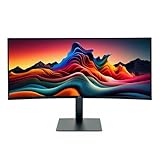
Quick Picks
| Product | Best for | Price |
|---|---|---|
| SANSUI 34-Inch Curved UWQHD 3440 x 1440P 200Hz | High refresh on a tight budget | Check on Amazon |
| LG 34U530A-W UltraWide WFHD IPS, 100Hz | Bright rooms and clean desk aesthetics | Check on Amazon |
| LG 34U650A-B WQHD 100Hz HDR10 Curved | Overall image quality for long-haul flying | Check on Amazon |
| Alienware AW3425DWM WQHD 180Hz 1500R | Competitive flight and combat sims | Check on Amazon |
| CRUA 34 Inch 165Hz UWQHD IPS with PIP/PBP | Lowest-cost true 3440 x 1440 entry | Check on Amazon |
| ASUS TUF Gaming VG34VQL1B 1440p 165Hz HDR | Balanced gaming and simulation | Check on Amazon |
| LG 34U60ZB-B WQHD 120Hz HDR10 1800R | Immersive curvature without gaming premiums | Check on Amazon |
| LG 34U62TB-B WQHD 120Hz (Renewed) | Value seekers comfortable with refurbished | Check on Amazon |
How We Compared
Flight simulators have unusual demands compared to fast-paced shooters. You sit close, you read small text constantly — radio frequencies, MFD readouts, checklist text — and your GPU is already working hard rendering terrain, weather, and traffic. We prioritized resolution first, because 3440 x 1440 makes cockpit displays crisp where 2560 x 1080 can look soft at 34 inches. Second, we looked at panel type: IPS holds color accuracy and viewing angles, which helps when your eyes dart between the horizon and the panel. Refresh rate matters less in a Cessna than in an F-18, but anything at or above 100Hz keeps panning smooth when you slew the view.
Curvature is a genuine sim feature, not a gimmick — 1500R to 1800R curves wrap the horizon toward you. We also weighed stand ergonomics (height adjustment matters when your yoke and throttle quadrant occupy desk space), VESA mounting for monitor arms, and price. Every number cited below comes from manufacturer specifications; we did not run independent lab measurements.
The 8 Best Picks
1. SANSUI 34-Inch Curved UWQHD 200Hz — Best Budget High Refresh
The SANSUI pairs a 3440 x 1440 curved panel with a 200Hz refresh rate at just around $200, which is remarkable on paper. For sim pilots who occasionally jump into warbirds or aerobatic aircraft where fluid motion matters, that refresh ceiling is the headline. The UWQHD resolution keeps instrument text readable, and the curve pulls the horizon into your peripheral vision. It’s the pick for budget-conscious builders who want the biggest spec sheet per dollar.
- 3440 x 1440 resolution with a 200Hz refresh rate
- Aggressive pricing for a curved UWQHD panel
- Brand support and quality control are less established than LG or Dell
Skip it if long-term warranty backing and proven panel consistency matter more to you than refresh rate.
2. LG 34U530A-W — Best for Bright Rooms
At around $250, this white LG is the odd one out: WFHD (2560 x 1080) rather than 3440 x 1440, but with VESA DisplayHDR 400 certification and a fully adjustable tilt, height, and swivel stand. The IPS panel and HDR 400 rating make it unusually good in sunlit rooms where darker panels wash out. USB Type-C connectivity means you can drive it from a laptop sim setup with one cable. If you fly mostly VFR in daylight conditions or share the desk with work, it’s a graceful, good-looking choice.
- DisplayHDR 400 and IPS panel for bright-room visibility
- Ergonomic stand plus USB Type-C and both HDMI and DisplayPort
- 2560 x 1080 resolution is noticeably softer for small cockpit text
Skip it if you read dense glass-cockpit displays and need the sharper 3440 x 1440 pixel grid.
3. LG 34U650A-B — Best Overall Image Quality
The 34U650A-B at around $400 is the premium pick here, and it earns it. The WQHD 3440-class IPS panel with HDR10 delivers the best color and contrast of the group, which pays off in sunset approaches and overcast layers where subtle lighting cues sell the immersion. The 100Hz refresh is plenty for civil aviation sims. LG’s panel consistency and build quality are the safest long-term bets in this roundup, and the curved form factor wraps your view naturally.
- IPS panel with HDR10 for the best color fidelity of the eight
- Curved WQHD design tuned for long, comfortable sessions
- Highest price here and a modest 100Hz refresh rate
Skip it if your budget caps near $250 or if you prioritize refresh rate over image depth.
4. Alienware AW3425DWM — Best for Fast-Moving Sims
Dell’s Alienware AW3425DWM at around $350 is the speed king among the mainstream brands: WQHD resolution, a 180Hz refresh, 1ms response, and a deep 1500R curve. AMD FreeSync Premium and VESA AdaptiveSync keep frame pacing clean when heavy scenery drops your frame rate. Combat and aerobatic sim pilots will feel the difference when the view whips around. The 1500R curvature is also the tightest here, giving the strongest cockpit-like wrap of any panel listed.
- 180Hz with 1ms response and FreeSync Premium
- 1500R curve for maximum immersion at desk distance
- VA-style panels like this can show slight smearing in dark scenes
Skip it if you fly slow civil aircraft exclusively — the 34U60ZB-B saves you $50 for similar immersion.
5. CRUA 34 Inch 165Hz UWQHD — Best Bare-Bones Value
At around $170, the CRUA is the cheapest way into a true 3440 x 1440 ultrawide, and it doesn’t skimp on useful extras: built-in speakers, plus PIP and PBP modes that let you display a checklist window or streaming feed alongside your sim. The 165Hz IPS-class panel is well matched to midrange GPUs. Build quality, stand adjustment, and warranty support are where the cost savings show, so treat it as a value experiment rather than a lifetime purchase.
- UWQHD 3440 x 1440 at the lowest price in this roundup
- Included speakers plus PIP/PBP multitasking
- Build quality and after-sales support trail the major brands
Skip it if you want a proven panel with strong warranty service behind it.
6. ASUS TUF Gaming VG34VQL1B — Best All-Rounder
The ASUS TUF VG34VQL1B at around $300 hits the sweet spot: 1440p resolution, 165Hz, HDR support, and ASUS’s TUF build standards. It’s equally at home running Microsoft Flight Simulator on a Friday night and a shooter on Saturday. HDR capability adds punch to sunrise and weather effects, and ASUS’s OSD gives you granular control over the image. For sim pilots who share the monitor with general gaming, this is the least compromising pick under $300.
- 165Hz at 1440p with HDR support
- TUF-series build quality and a feature-rich OSD
- Stand footprint is larger than office-oriented LG models
Skip it if you need height adjustment on a compact desk or prioritize color accuracy above all.
7. LG 34U60ZB-B — Best Curved Value from a Major Brand
The 34U60ZB-B at around $300 delivers what sim pilots actually need: WQHD resolution, HDR10, a 120Hz refresh, and a soothing 1800R curve, all from LG’s proven UltraWide line. The 120Hz rate is ample for civil aviation, HDR10 improves lighting dynamics, and LG’s ergonomics and reliability are well established. It undercuts the Alienware by $50 while keeping the sharper major-brand panel quality most pilots will prefer for reading instruments over hours-long flights.
- WQHD HDR10 panel from LG’s reliable UltraWide family
- 1800R curve balances immersion and comfort
- 120Hz ceiling is lower than gaming-focused rivals
Skip it if you regularly fly high-G combat sims where 165Hz or higher pays off.
8. LG 34U62TB-B (Renewed) — Best Renewed Deal
The 34U62TB-B is the 2025-era LG UltraWide design, and this renewed unit at around $230 undercuts the equivalent new hardware substantially. You still get WQHD 3440 x 1440, HDR10, 120Hz, Reader Mode for eye comfort, and the full tilt, height, and swivel stand — the same ergonomic flexibility that makes the pricier LG panels easy to live with. Certified renewed units typically carry a warranty, but check the seller’s terms before buying. For budget builders who want LG quality at CRUA money, it’s a smart route.
- Full WQHD HDR10 feature set and ergonomic stand at a around $230 price
- Reader Mode reduces eye strain on long flights
- Cosmetic wear possible, and warranty terms vary by seller
Skip it if you only buy brand-new hardware with full manufacturer coverage.
Buying Guide
Resolution: Why 3440 x 1440 Matters in a Sim
At typical sim viewing distances of 24 to 36 inches, a 34-inch WFHD (2560 x 1080) panel shows visible pixel structure in fine cockpit text, while UWQHD (3440 x 1440) panels render glass-cockpit displays crisply. There’s also a GPU cost: 3440 x 1440 is roughly 33% more pixels, so expect frame rates to dip compared to 1080-class panels. If your graphics card struggles at 1440p already, a WFHD display like the LG 34U530A-W is a pragmatic compromise; otherwise, spend the extra $50 to $150 for WQHD.
Refresh Rate, Response, and Adaptive Sync
Unlike competitive shooters, flight sims rarely exceed 120fps on midrange hardware, so anything from 100Hz to 200Hz works. Where faster panels help is view panning and frame-time consistency: when heavy scenery drops you from 60 to 40fps, adaptive sync (AMD FreeSync Premium or VESA AdaptiveSync, both found on the Alienware) prevents stutter and tearing. Prioritize adaptive sync over raw refresh rate. A 1ms response spec like the Alienware’s matters most in combat sims; civil pilots can ignore it.
Curvature, Stands, and Desk Fit
A 34-inch ultrawide spans roughly 32 inches wide, so measure your desk — and remember a yoke or HOTAS adds depth. Curvature is a genuine sim asset: 1500R (Alienware) wraps aggressively, while 1800R (LG 34U60ZB-B) is gentler and better if you sit further back. Height-adjustable stands matter when throttle quadrants crowd your desk; if the stand lacks height adjustment, confirm the monitor supports 100 x 100mm VESA mounting for an arm. Finally, expect 40 to 60 watts of typical power draw and check that you have the HDMI 2.0 or DisplayPort cable needed for 100Hz-plus at full resolution.
Our Verdict
For most flight simulator pilots, the LG 34U650A-B at around $400 is the best long-term choice: its curved WQHD IPS panel with HDR10 makes cockpit text crisp and lighting conditions convincing, backed by LG’s proven reliability. If budget rules, the CRUA 34-inch at around $170 gets you true 3440 x 1440 immersion for less than $170, while the SANSUI at around $200 adds a 200Hz refresh for $35 more. Simmers who also game competitively should pick the Alienware AW3425DWM at around $350 for its 180Hz panel and deep 1500R curve. Whichever you choose, a 34-inch ultrawide is the single most transformative upgrade a desk-bound pilot can make in 2026 — your horizon finally reaches the edges of your vision.
FAQ
Is a curved or flat ultrawide better for flight simulators?
Curved. Because you sit close and want the horizon to extend into your peripheral vision, a 1500R to 1800R curve mimics the wraparound view from a cockpit. Every curved panel in this roundup (all except the flat LG 34U530A-W) enhances immersion without measurable distortion at typical viewing distances.
Can a 34-inch ultrawide replace a triple-monitor setup?
For most civil aviation sims, yes — a 3440 x 1440 ultrawide delivers much of the peripheral vision of three monitors with one cable, one power brick, and no bezel gaps. Dedicated racers and combat pilots wanting look-around capability may still prefer triple screens or VR, but for weight-and-balance of desk space, budget, and GPU load, a single ultrawide wins.
What graphics card do I need to run a 3440 x 1440 flight sim?
p>Flight simulators are GPU-heavy at any resolution. For playable frame rates (40 to 60fps) at 3440 x 1440 with medium-to-high settings, plan on a current midrange or better GPU with at least 8GB of VRAM. If your card targets 1080p gaming, choose a WFHD panel like the LG 34U530A-W or lower in-game resolution settings on a WQHD display.
Do these monitors work with consoles for other games?
Partially. Monitors here with HDMI inputs will accept current consoles, but consoles output 16:9 signals, so you’ll see black bars on the sides of an ultrawide — the extra width only benefits PC sources that support 21:9 output. PC sim pilots get the full benefit; console gamers should factor that in before spending ultrawide money.









