
Finding the best 34 inch ultrawide monitor for photo editing is trickier than it sounds. A 34-inch, 21:9 panel gives you the horizontal real estate that photo editors crave—your Lightroom filmstrip, Photoshop layers panel, and full-resolution preview can finally live on screen at the same time without constant window shuffling. But not every ultrawide is built for color work. Many are tuned for gaming or office productivity, and some ship with resolutions (like 2560 x 1080) that simply don’t give a photo editor enough pixels to judge fine detail.
We rounded up eight 34-inch ultrawides currently selling between roughly $230 and $400—enough to fill a home studio desk without wrecking your budget. Below you’ll find our compared and ranked picks, from budget WFHD options that work for hobbyists to WQHD curved panels with HDR10 that make a genuine difference when you’re grading portraits or reviewing shadow detail in a landscape shot.
As an Amazon Associate we earn from qualifying purchases at no extra cost to you.


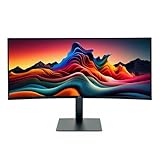


Our Top Picks
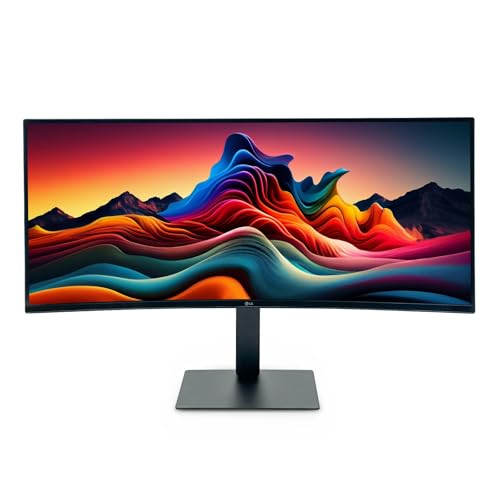
 LG 34U650A-B 34-inch UltraWide IPS WQHD 100Hz HDR10349.1 x 32.2 x 21.1 inches22.3 PoundsCheck on Amazon




Top 3 picks at a glance
Quick Picks
| Product | Best for | Price |
|---|---|---|
| LG 34U530A-W | Budget editors who need USB Type-C | Check on Amazon |
| INNOCN 34C1R | Editors who also game | Check on Amazon |
| LG 34U650A-B | Immersive curved editing | Check on Amazon |
| LG 34WR55QK-B | Laptop-based editing workflows | Check on Amazon |
| LG 34U62TB-B (Renewed) | Value seekers wanting a 2025-model design | Check on Amazon |
| Alienware AW3425DWM | Fast-paced creative + gaming | Check on Amazon |
| LG 34U620B-B Bundle | Buyers who want extras in one box | Check on Amazon |
| LG 34SR60QC-W | Cord-cutters and smart-desk setups | Check on Amazon |
How We Compared
We focused on 34-inch ultrawides priced under $400, because that’s the realistic sweet spot for home studios and semi-pro editors. Priority went to WQHD (3440 x 1440) panels, since 110 pixels per inch is where text and fine image detail both look clean at typical viewing distances. We favored models with HDR10 or VESA DisplayHDR 400 support, ergonomic stands with height adjustment (a must for long retouching sessions), and modern connectivity like USB Type-C for one-cable laptop setups. We also weighed refresh rate and adaptive sync as tiebreakers—nice to have, but never at the expense of the basics photo editors actually need.
The 8 Best Picks
1. LG 34U530A-W UltraWide WFHD — around $250
This is the budget entry, and it’s honest about what it is: a 2560 x 1080 IPS panel with VESA DisplayHDR 400, 100Hz, and a fully ergonomic stand (tilt, height, and swivel) in an attractive white finish. USB Type-C makes it a great single-cable companion for a MacBook or USB-C laptop, alongside HDMI and DisplayPort. For hobbyist editing, web browsing across two windows, and general creative work, it holds up.
- USB Type-C in a monitor under $250 is genuinely rare
- Fully adjustable stand with tilt, height, and swivel
- Con: 2560 x 1080 resolution is noticeably soft for pixel-level photo work
Skip it if you crop aggressively or inspect images at 100%—the pixel density will disappoint you.
2. INNOCN 34C1R — around $260
The INNOCN 34C1R hits the WQHD sweet spot—3440 x 1440 on an IPS panel—while undercutting most big-brand rivals by $70 or more. Adaptive-Sync and G-SYNC compatibility, a 180Hz refresh rate, and MPRT make it a capable hybrid for editors who unwind with games. PIP/PBP lets you feed two sources at once, useful when comparing edited and unedited versions side by side. Built-in speakers and a height-adjustable stand round out a strong value package.
- WQHD 3440 x 1440 IPS at an aggressive price
- PIP/PBP and G-SYNC compatibility add real flexibility
- Con: HDR support at this price won’t match pricier panels’ brightness
Skip it if you want a smart TV interface or webOS streaming apps built in.
3. LG 34U650A-B — around $400
The priciest panel here, the LG 34U650A-B leans fully into the curved editing experience: 34-inch IPS, WQHD-class resolution, 100Hz, and HDR10 in a curved black chassis. The gentle wrap pulls your peripheral vision into the frame, which many editors find genuinely helpful for immersive grading sessions—it keeps your eye in the center of the tonal curve rather than drifting to bright edges. HDR10 support adds better contrast handling for previewing HDR-deliverable work.
- Curved IPS panel with HDR10 for immersive color work
- 100Hz refresh keeps scrolling and panning smooth
- Con: Highest price in the roundup at around $400
Skip it if you prefer a flat panel for print-layout or straight-line graphic work.
4. LG 34WR55QK-B — around $340
For laptop-first photographers, the 34WR55QK-B is arguably the smartest pick. It pairs a curved WQHD (3440 x 1440) panel at 100Hz with USB Type-C, so a single cable charges your laptop and drives the display. HDR10 and 5ms response cover both editing and casual media, while Reader Mode reduces blue light during late-night culling sessions. The tilt/height adjustable stand helps you dial in an ergonomic viewing position.
- USB Type-C single-cable laptop connectivity
- Curved WQHD with HDR10 and Reader Mode
- Con: 100Hz is fine for editing but not the fastest here
Skip it if your desktop PC uses only legacy connections and you’ll never use Type-C.
5. LG 34U62TB-B (Renewed) — around $230
The cheapest WQHD-adjacent path in this list is a renewed unit of LG’s 2025-model 34U62TB-B, a 34-inch curved WQHD (3440 x 1440) monitor with HDR10, 120Hz, and 5ms response. Reader Mode helps during long editing marathons, and the tilt/height/swivel stand is fully ergonomic. Buying renewed gets you a current-generation panel design at a clearance-level price—just buy from a seller with a solid return window.
- 120Hz WQHD curved panel at the lowest price here
- Full ergonomics: tilt, height, and swivel
- Con: Renewed stock means cosmetic wear and shorter warranty coverage
Skip it if you’re uncomfortable buying refurbished displays for color-critical work.
6. Alienware AW3425DWM — around $350
The Alienware AW3425DWM brings gaming DNA to the editing desk: a 34-inch WQHD curved panel with a deep 1500R curve, 180Hz refresh, 1ms response, AMD FreeSync Premium, and VESA AdaptiveSync certification. For editors who also game—or who simply want the smoothest possible scrubbing through 4K video timelines—it’s a compelling hybrid. The aggressive 1500R curve wraps the image tightly, which feels immersive at desk distance but takes some adjustment for straight-line design work.
- 180Hz with 1ms response and FreeSync Premium
- Deep 1500R curvature for an immersive desk experience
- Con: Gaming tuning means editing-specific color features are limited
Skip it if you do precision print work and want the flattest possible panel.
7. LG 34U620B-B Bundle — around $360
The 34U620B-B is a 34-inch curved WQHD ultrawide with a 144Hz refresh rate and HDR10 support, and this 1-pack bundle adds extras to the box for a modest premium over similar panels. In practice, that makes it a good fit for buyers who want a high-refresh HDR10 curved display and would rather have the bundled accessories included up front than sourced separately. It’s the fastest HDR10-equipped LG in this lineup.
- 144Hz refresh with HDR10 on a curved WQHD panel
- Bundle extras add value over buying the bare monitor
- Con: Bundle contents may include items you don’t need
Skip it if you’d rather spend less on a bare monitor and pick your own accessories.
8. LG 34SR60QC-W Smart Monitor — around $330
The 34SR60QC-W is the wildcard: a curved 34-inch QHD (3440 x 1440) smart monitor running webOS, so it streams Netflix and YouTube without a PC attached. HDR10, 100Hz, built-in speakers, AirPlay2, Screen Share, Bluetooth, and the ThinQ app make it a living-room-grade smart display that doubles as a serious editing screen. White finish and a clean look help it blend into a creative studio or shared space.
- Built-in webOS streaming—no PC needed for media
- AirPlay2 and Screen Share for quick phone/tablet reviews
- Con: Smart features add cost you don’t need if a PC is always attached
Skip it if you’ll never use the smart functions—you can get similar picture quality for less.
Buying Guide
Resolution Matters More Than You Think
For photo editing, prioritize 3440 x 1440 (WQHD). At 34 inches, that works out to roughly 110 pixels per inch—enough to judge fine texture, skin detail, and text sharpness without scaling headaches. Panels like the LG 34U530A-W run 2560 x 1080 (WFHD), which drops to around 82 ppi; fine for casual use, but individual pixels become visible during close retouching. If your budget only stretches to WFHD, treat it as a starter screen and plan an upgrade once your skills (and rates) grow.
Color, HDR, and What the Spec Sheet Won’t Tell You
None of these monitors are factory-calibrated reference displays, and that’s fine—budget calibration hardware and a bit of effort go a long way. Look for HDR10 or VESA DisplayHDR 400 labels (the LG 34U530A-W carries DisplayHDR 400; most LG models here carry HDR10), which indicate better contrast handling, though entry HDR won’t match the brightness of professional HDR masters. An IPS panel, which every pick here uses, is the real non-negotiable for consistent color across wide viewing angles.
Ergonomics, Ports, and Desk Fit
A 34-inch ultrawide typically measures around 31–32 inches wide, so confirm your desk depth—at least 28 inches is comfortable, more if you sit close to a 1500R curve. Height adjustment matters for long sessions; picks like the 34U530A-W, 34C1R, and 34WR55QK-B offer it. USB Type-C (34U530A-W, 34WR55QK-B) delivers video, data, and laptop charging over one cable—typically 60W+ charging—while HDMI and DisplayPort remain standard across the group. Expect total power draw in the 40–60W range during normal editing use.
Our Verdict
For most photo editors, the INNOCN 34C1R at around $260 is the best value: WQHD IPS resolution, adaptive sync, and PIP/PBP flexibility at a price that leaves room for a calibration tool. Laptop users should step up to the LG 34WR55QK-B (around $340) for its USB Type-C convenience, while immersion-lovers with a bigger budget get the full curved HDR10 treatment from the LG 34U650A-B (around $400). If every dollar counts, the renewed LG 34U62TB-B at around $230 is a legitimate bargain—just confirm the return policy before you buy.
FAQ
Is a 34-inch ultrawide actually good for photo editing?
Yes, provided it’s WQHD (3440 x 1440). The 21:9 aspect ratio lets you keep tool panels, previews, and a browser open simultaneously, and the wide canvas suits panoramic crops and timeline work alike. Just avoid 2560 x 1080 panels if you inspect images at 100% zoom regularly.
Do I need HDR for photo editing?
Strictly speaking, no—most photo delivery is still SDR, and you edit with calibrated SDR settings anyway. HDR10 and VESA DisplayHDR 400 labels are nice bonuses for previewing HDR deliverables and for general media consumption, but they shouldn’t drive your decision at this price point.
Is a curved monitor a problem for photo editing?
For most editing, no. A gentle curve (like the LG models here) keeps the edges of a wide panel at a more consistent viewing distance, which some editors find more comfortable. Curvature can make straight architectural lines appear slightly bowed at close range, so flat panels remain preferable for some graphic design work.
Are these monitors factory-calibrated out of the box?
No monitor at this price is fully factory-calibrated to a color standard. Every pick here uses IPS panels with good baseline color, but if you sell client work, budget roughly $150–250 for a hardware calibrator and recalibrate every four to six weeks for consistent results.









