RGB memory is the cheapest way to add a splash of color to a PC, and also the easiest place to overspend. The lighting does nothing for performance, so the real decision is a trade: how much extra are you willing to pay, in cost and in compatibility checks, for a glow that you will only see through a glass side panel? For most people the sensible answer is to buy the memory you need first, then pick the lit version of it, and not the other way around.
This guide is for builders who already know they want lighting. It covers five 32GB and 16GB kits, four on DDR5 and one on DDR4, and sorts them by what changes once the glow is a given: memory generation, speed, latency, voltage, and the profile standards the kit supports. Every claim comes from the specs stated in each listing, so confirm the full details on the maker page before you order in 2026. Where a title is silent, such as on module height or lighting software, this guide says so instead of guessing. Think of the shortlist as a way to narrow five options to one or two, then confirm the last details on the maker page. A lit memory kit is easy to swap later, so treat the choice as low risk once the generation and the capacity are right.
Our Top Picks
 Corsair Vengeance RGB RS DDR5 32GB32GB (2 x 16GB)5.43 x 0.27 x 1.77 inches0.11 PoundsCheck on Amazon
 CORSAIR Vengeance RGB DDR5 RAM 32GB32GB (2 x 16GB)5.43 x 0.27 x 1.77 inches0.11 poundsCheck on Amazon
Top 3 picks at a glance
Quick Picks
As an Amazon Associate we earn from qualifying purchases at no extra cost to you.


| Product | Best for | Key spec from the title |
|---|---|---|
| CORSAIR Vengeance RGB RS (CL38, White) | White-themed DDR5 builds | 32GB (2 x 16GB), up to 6000MHz, CL38, EXPO and XMP 3.0 |
| Corsair Vengeance RGB RS (CL36, Grey) | Slightly tighter timings in a neutral finish | 32GB (2 x 16GB), up to 6000MHz, CL36, EXPO and XMP 3.0 |
| CORSAIR Vengeance RGB DDR5 (CL30) | Latency-minded DDR5 builders | 32GB (2x16GB), 6000MHz, CL30-36-36-76, 1.40V |
| G.SKILL Trident Z RGB DDR4 | Adding light to an older DDR4 platform | 16GB (2x8GB), up to 3200MT/s, CL16-18-18-38, 1.35V |
| Lexar Thor Z RGB DDR5 | A lower-key DDR5 option with a long feature list | 32GB Kit (2x16GB), 6000MHz, CL38, on-die ECC, PMIC, 1.35V |
The 5 Best Options
CORSAIR Vengeance RGB RS DDR5 32GB (CL38, White)
This kit is for the builder who has settled on a white or light-colored case and wants memory to match. The listing shows 32GB as two 16GB modules, rated up to 6000MHz at CL38, with AMD EXPO and Intel XMP 3.0 compatibility, in white. The color is the reason to pick it over the grey versions, because lit memory in a white build looks tidy when the sticks blend with the rest of the parts.
CL38 is the loosest timing among the three Corsair DDR5 kits in this guide, which means it trades a little latency for what is usually a lower cost and easier compatibility. For gaming and everyday work the real-world difference between CL36 and CL38 is small, so the color and the budget usually decide this one. If your case window shows the memory clearly, white sticks also reflect the glow, which can make the lighting look softer than on a dark module. That is a matter of taste, and some builders prefer the punchier look of darker finishes.
- White finish suits light-themed cases and matches white coolers and fans.
- EXPO and XMP 3.0 are both named, so one kit serves an AMD or an Intel board.
- A 32GB two-module layout supports dual channel for gaming and multitasking.
- CL38 is looser than the CL36 and CL30 kits below, which matters to latency-minded buyers.
- The title does not state module height, so check clearance under large air coolers.
Skip it if your build is dark and you would prefer a grey or black module, or if tight timings matter to you. Compared with the CL36 grey version next, this one is the color-first choice, while the grey is the slightly tighter one. If the price gap between the two is small, take the tighter timing; if the white finish is what your build needs, the small latency difference is easy to accept.
Corsair Vengeance RGB RS DDR5 32GB (CL36, Grey)
The grey RS kit is the all-purpose lit DDR5 option in this group. It carries the same 32GB two-module layout, the same up-to-6000MHz rating, and the same EXPO and XMP 3.0 support as the white kit, but with CL36 timings instead of CL38 and a grey finish. That puts it a notch higher on latency without changing the shape of the purchase.
A grey module is the safest color choice for a mixed build: it sits comfortably next to black, silver, and gunmetal parts, and it hides less of the glow than a darker finish would. If you do not have a color theme, this is the kit that rarely looks out of place. It also suits a buyer who is replacing a plain kit in an existing build and does not want the new memory to clash with the older parts around it. In a build with a silver cooler, a black case, and a lit graphics card, a grey module reads as part of the family.
- CL36 is a tighter timing than the CL38 kit, at the same advertised speed.
- A neutral grey finish fits most cases and color schemes.
- EXPO and XMP 3.0 support covers both major platforms.
- It is nearly the same kit as the white version apart from timing and color, so the gain is small.
- No height figure appears in the title, so confirm clearance for a large cooler.
Skip it if you are chasing the tightest DDR5 timings, since the CL30 kit next goes further. Compared with the Vengeance RGB CL30, the RS grey is the practical middle step, while the CL30 is the performance-minded one. The RS name also marks a newer design line than the plain Vengeance RGB, though the title does not spell out what changed.
CORSAIR Vengeance RGB DDR5 32GB (CL30)
This is the enthusiast kit in the group. The title lists 32GB as two 16GB modules at up to 6000MHz with CL30-36-36-76 timings and 1.40V, in gray, with AMD EXPO and Intel XMP support. CL30 at 6000MHz is the tightest timing among the lit kits here, and the 1.40V rating is higher than the 1.35V common on the other DDR5 kits, which is how the tighter timings are reached.
It suits a buyer who wants the best memory numbers inside a lit kit and who is comfortable enabling a profile in the BIOS and checking stability. For a gaming build on a platform that favors 6000MHz memory, it is a sensible way to ask for a little more from the same speed. The higher voltage is a listed figure, not a flaw, but it is worth knowing before you buy if your board is old or if you like to keep voltages at the typical level. A newer board with a current BIOS handles it without complaint in most cases.
- CL30-36-36-76 timings are the tightest of the lit DDR5 kits in this guide.
- Both EXPO and XMP profiles are named, so it is not tied to one platform.
- A 32GB two-module kit works well for gaming and creator workloads.
- 1.40V is a higher voltage than the other DDR5 kits listed, which some buyers prefer to avoid.
- It is the most specialized kit here, so a buyer who never touches the BIOS gains little.
Skip it if you want the lowest voltage or a specific color theme such as white. Next to the G.SKILL Trident Z RGB, it shows the jump between the DDR5 and DDR4 generations, since the Trident is the older platform with a smaller capacity. The CL30 kit is the one to read closely before you buy, because its higher voltage and tighter timings reward a board with a recent BIOS and a good cooling path around the memory slots.
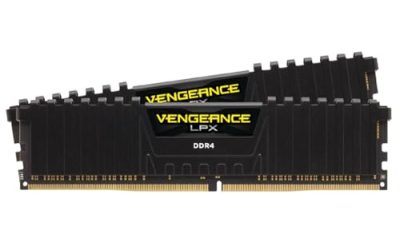
G.SKILL Trident Z RGB DDR4 16GB
The Trident Z RGB is the DDR4 entry, and it fits a buyer who owns an older board but still wants a lit look. The title lists 16GB as two 8GB modules, rated up to 3200MT/s at CL16-18-18-38 and 1.35V, with XMP support for Intel and AMD, in U-DIMM format. It is a long-running name in the lit memory market, and the specs are a typical balanced DDR4 setup. Buyers of lit DDR4 often choose it because it has been a common sight in enthusiast builds for years, which means plenty of lighting guides and board compatibility notes exist online.
The 16GB capacity is fine for gaming and general use but is the smallest in this group, so heavy multitaskers should plan for more. It makes the most sense for someone adding lighting to an existing DDR4 system or finishing a build around an older platform, not for a new purchase. If you already own a pair of 8GB sticks and want more capacity, the better path may be a larger matched kit, but if you simply want light on a working system, this kit does the job.
- A trusted lit DDR4 line suits older motherboards.
- 3200MT/s at CL16 is a balanced setup for DDR4.
- Two 8GB modules give dual channel in a smaller footprint.
- 16GB is on the low side for heavy multitasking and some new games.
- It is DDR4, so it does not carry over to a DDR5 platform.
Skip it if you are building a new system on DDR5, or need more than 16GB. Compared with the Lexar Thor Z RGB next, the Trident is the older platform with a recognizable name, while the Lexar is the current-generation alternative. Choosing between them is mostly a question of platform, since the two do not share a slot type.
Lexar Thor Z RGB DDR5 32GB
The Lexar Thor Z RGB is a DDR5 kit from a brand that is less often the first name buyers think of, and its listing makes a case on features. The title lists a 32GB kit of two 16GB modules at 6000MHz and CL38, 288-pin UDIMM, supporting Intel XMP 3.0 and AMD EXPO, with on-die ECC, a PMIC, and 1.35V. On-die ECC and the power management chip are standard parts of the DDR5 design, and the listing simply names them.
It suits a buyer who wants a lit DDR5 kit from a different brand and who is comfortable checking the maker page for details the title does not give, such as height and lighting control, plus the exact warranty period. The specs line up with the white Corsair RS kit on speed, capacity, and latency, which makes this a sensible comparison. For buyers who want a lit kit without defaulting to the biggest names, it is worth a look, provided you read the maker page for lighting control and the warranty terms. Getting those details right matters more than the logo on the heat spreader.
- 6000MHz at CL38 and 1.35V matches the common DDR5 baseline.
- XMP 3.0 and EXPO are both named, covering both major platforms.
- A 32GB two-module kit supports dual channel.
- CL38 timings are looser than the other lit kits with CL36 or CL30.
- The title does not describe lighting control or module height, so check both on the maker page.
Skip it if you want a stated tight timing or a long-standing brand reputation. As the last pick, it is the alternative for buyers who shop by feature list and want a third option beside the Corsair kits.
Why Choose RGB Memory
RGB memory is a style choice. These are the cases where it makes sense and where it does not.
You have a glass side panel
Memory sits near the center of the board, so its lighting is visible through the side panel. It is often the most prominent lit item after the graphics card, because the two modules stand upright in a row beside the processor. If your case has no window, the glow is hidden and a plain kit gives the same performance for less. The lighting only pays off where you can see it. Cases with a mesh front and a solid side panel hide the memory almost completely, and in that case the money is better spent on storage or a better graphics card. A quick test is to ask whether you can see the memory slots from where you sit.
You want a matched look
A lit kit with a color finish that matches the case, such as white or grey, makes the board look finished. If your fans, cooler, and graphics card also glow, memory fills in the visual gap between them. Matching colors and effects takes only a few minutes in software or on the board’s lighting header.
You are building for streaming or content
Creators often want a PC that looks good on camera. Lit memory adds a layer of color that shows up well in a wide shot, and it costs little compared with a case or a graphics card. It is a quick way to add personality to a desk setup. For streamers who match their overlay colors to their hardware, lit memory is also one of the few lighting items that can follow a color scheme exactly, since most kits allow a custom color through software.
How to Choose
Platform and generation
Start with the motherboard, because it sets every other limit. Choose the memory generation your motherboard supports, because DDR4 and DDR5 are not interchangeable. In this guide, four kits are DDR5 and one is DDR4. If you are buying a new system this year, DDR5 is the natural choice, and a DDR4 lit kit like the Trident Z is for upgrading an existing board.
Capacity and module count
32GB is a sound target for gaming plus multitasking, and 16GB is a floor for light use. Choose two modules so the processor runs in dual channel. Do not mix a lit kit with older memory of a different speed or timing, because the system will run at the lowest common settings. On a board with four slots, two modules in the slots your manual names will usually give the highest stable speed, while four modules often force a lower speed on DDR5.
Speed, latency, and voltage
For DDR5, 6000MHz is a widely used target, and lower CL numbers mean tighter timings. CL30 is tighter than CL36, which is tighter than CL38, though the real gain in games is small. Voltage matters too: 1.35V is common, and 1.40V is used for tighter timings. If you prefer the lowest voltage, check the title. As a rule, buy the speed your processor supports without strain, and treat the last few points of latency as a luxury. A kit that runs stable at its listed profile beats a faster kit that crashes.
Lighting control and compatibility
Lit memory is controlled in one of three ways: software from the maker, the motherboard’s own lighting tool, or a basic hardware effect. Titles rarely say which, so check the maker page before you buy. A kit that works with your board’s lighting software is easier to sync with your fans and cooler. If you already run a lighting program for fans, find out whether the memory shows up in it, because running two competing programs can cause flicker or lost settings. Choosing a single ecosystem keeps things simple.
Profiles: EXPO and XMP
EXPO is the AMD profile standard and XMP 3.0 is the Intel one. Kits that name both are the easiest to move between platforms. Enable the profile in the BIOS after installing, because memory starts at a safe baseline speed. Some boards list EXPO kits and XMP kits differently in their support documents, so look for the exact kit family on the board support page if you want extra assurance.
Where budget lit kits cut corners
Lower-cost lit memory may use looser timings, thinner light diffusers, or a shorter list of validated motherboards. The lighting might be less even, with visible LED dots, or limited to a few effects. Heat spreaders on cheaper kits may be thinner, and the light bar may sit in a different position, so images on a listing are worth studying. Look for a kit that names its profile support and that comes from a maker with clear support pages. Also check that the warranty period is stated, since memory is expected to last for years and the maker should stand behind it.
DDR5 vs DDR4 for an RGB Build
Most buyers of this keyword face one question: should the lit kit be DDR5 or DDR4? The table sets out what the five kits show.
| Factor | DDR5 kits | DDR4 kit |
|---|---|---|
| Examples | Corsair RS (two), Corsair Vengeance RGB CL30, Lexar Thor Z | G.SKILL Trident Z RGB |
| Listed speed | Up to 6000MHz | Up to 3200MT/s |
| Capacity listed | 32GB (2 x 16GB) | 16GB (2x8GB) |
| Timings listed | CL30 to CL38 | CL16 |
| Best fit | New builds and current platforms | Existing DDR4 boards |
When to pick DDR5
Pick DDR5 if you are building new or replacing the motherboard, since it has the longer runway and higher speeds. Current processors and boards are designed around it, and future memory kits will keep arriving for the platform, so a lit DDR5 kit stays useful through a later processor upgrade. Four of the five kits here follow that path, and three come from the same maker, which makes comparing timings simple. The three Corsair DDR5 kits let you see exactly how CL30, CL36, and CL38 compare at the same capacity and rated speed.
When to stay on DDR4
Stay on DDR4 if you have a working board that you do not want to replace, or if your processor and board are only a year or two old and still do everything you ask of them. A lit DDR4 kit adds style at a lower total cost than a platform change. The tradeoff is that DDR4 is the older standard, so a later move to a new platform will mean new memory. A lit DDR4 kit is therefore a good fit when you plan to keep the board for several more years and your priority is style on a small budget.
Setup, Compatibility and Upgrade Tips
What to check before you buy
Confirm the memory type on your motherboard page and the highest speed it supports. Check the number of memory slots and whether your board has lighting headers or software. Measure the gap under your CPU cooler fan, since the title does not give module height. If your case has no glass panel, ask whether you really need lighting. Finally, confirm that your power and lighting header layout will not put a cable in front of the modules, since a stray wire across a lit stick spoils the effect.
What to upgrade first
Before spending on lighting, check that capacity and speed are right for your workload. If you are replacing memory, install the largest matched kit you can, and enable the profile in the BIOS. Next, set up the lighting in the board’s software and match it to your fans. A lighting plan that uses one or two colors looks neater than a full rainbow. Save the effect settings to the board or the software profile so they survive a restart, and update the lighting program once after installation.
Common compatibility traps
Mixing different lit kits can cause lighting software to conflict, and may force the lowest speed. Installing modules in the wrong slots can leave you in single channel. Some lighting tools need to be installed in a certain order, so read the manual before layering software. On DDR5 boards, a first boot can take several minutes while the memory trains, which is normal. Do not power off during that step.
Which One Fits Your Situation
You have a white case and want matching memory
The CORSAIR Vengeance RGB RS in white, rated up to 6000MHz at CL38, is the color-matched choice, particularly for a light-themed build with white fans and a white cooler.
You want the tightest timings in a lit kit
The CORSAIR Vengeance RGB DDR5 with CL30-36-36-76 timings and 1.40V is the performance-minded pick, and it suits a buyer who is willing to set the profile and run a stability check.
You own a DDR4 board and want a glow
The G.SKILL Trident Z RGB DDR4 at 3200MT/s CL16 fits an older platform without a board swap.
You want a different brand and a long feature list
The Lexar Thor Z RGB lists on-die ECC, a PMIC, and 1.35V at 6000MHz CL38 as a straightforward DDR5 alternative.
Common Mistakes
- Paying for lighting when the case has no window.
- Buying the wrong memory generation for the motherboard.
- Skipping the BIOS step that enables the EXPO or XMP profile.
- Installing modules in the wrong slots and running in single channel.
- Mixing lit kits and then wondering why the effects do not sync.
- Ignoring cooler clearance, since lit modules can be taller than plain ones.
Related guides
- Monitors For Digital Signage And Video Walls
- 24 Inch 240Hz Gaming Monitor For Esports
- Monitor Refresh Rate Vs Frame Rate Explained
Frequently Asked Questions
Does RGB RAM perform better than plain RAM?
No. Lighting is a cosmetic feature. Speed, timing, and capacity decide performance, so compare those numbers across lit and plain kits. If a plain kit offers better timings for less, the lit version is purely a style purchase.
Does RGB RAM run hotter?
Lighting adds a small amount of heat, but the effect is minor, and the memory chips themselves are the main source of warmth under load. Good case airflow keeps temperatures in a comfortable range for both lit and plain memory.
Can I turn the lighting off?
Usually, yes, through the maker software or the motherboard lighting tool. Some boards also let you turn off lighting in the BIOS. Check your board for the exact method. Some lighting programs also let you set a static color that uses less visual noise than a moving effect, which many builders prefer for long sessions.
Is 32GB worth it over 16GB?
For gaming plus background apps, 32GB gives more room and delays the next upgrade. If you only play light games, 16GB is workable. Choose based on how many apps you run at once. A browser with many tabs, a launcher, and a voice app can use several gigabytes before the game even opens.
Do I need EXPO or XMP?
You need whichever profile matches your platform, or a kit that names both. Without enabling the profile, memory runs at a slower default speed. The BIOS has a setting for it, usually near the memory or overclocking options.
Will lit RAM fit under a big cooler?
That depends on the module height and the cooler design. The titles here do not list height, so check the maker spec and measure the gap under the fan before ordering.
Final Words
The right RGB kit is the one that fits your platform first and your color scheme second. Choose DDR5 for a new build and DDR4 only to light up an existing board. The white Corsair RS suits light-themed cases, the grey RS is the neutral all-rounder, the CL30 Vengeance is for tighter timings, the Trident Z keeps an older platform glowing, and the Lexar Thor Z offers a feature-rich alternative. Check cooler clearance, enable the profile in the BIOS, and keep the lighting plan simple. A single color family across memory, fans, and cooler looks deliberate, and it keeps the glass panel from looking busy.