
6K monitors sit in an unusual gap: sharper than the 4K panels most people own, but far more affordable and practical than 8K. For photographers, video editors and designers, that middle ground can be genuinely useful. For gamers and general users, it is usually overkill. Here is who actually benefits from all those pixels.
As an Amazon Associate we earn from qualifying purchases at no extra cost to you.



Our Top Picks
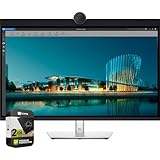
 Dell DELL-U3224KB UltraSharp 32 6K Monitor Bundle with19.2" x 28.2" x 2.6"2.6 x 28.2 x 19.2 inches5.5 PoundsCheck on Amazon
 ASUS ProArt PA32QCV 32 Inch 6K DCI-P3 Thunderbolt32 Inch9.5 x 28.1 x 24.3 Inches20.5 poundsCheck on Amazon


Top 3 picks at a glance
What “6K” means
A typical 6K monitor is 6144×3456 or similar, around 21 million pixels, versus roughly 8.3 million on 4K. On a 32-inch panel that lands near 224 pixels per inch, right in the Retina-density range, so text and fine detail look razor sharp with no visible pixel structure at normal viewing distance.
| Resolution | Pixels | PPI at 32-inch | Typical use |
|---|---|---|---|
| 4K (3840×2160) | ~8.3M | ~138 | Mainstream creative + gaming |
| 5K (5120×2880) | ~14.7M | ~184 | Photo, Mac Retina |
| 6K (6144×3456) | ~21M | ~224 | Pro photo/video, Retina text |
| 8K (7680×4320) | ~33M | ~275 | Niche, very demanding |
Where 6K earns its keep
Editing and detail work
Video editors gain room to show a 4K timeline at 100% with tool panels around it. Photographers see more true detail and smoother gradients, and the high PPI makes retouching precise. Designers get crisp UI plus large canvas area. On macOS especially, ~224 PPI gives clean 2x Retina scaling that looks flawless.
Color and panel quality
Resolution is only part of the story. A 6K panel aimed at creators should also cover wide gamuts (near-full DCI-P3, high Adobe RGB), offer factory calibration and hit strong brightness for HDR reference work. A high pixel count on a mediocre panel is not worth it.
The downsides
6K needs serious bandwidth, typically a modern DisplayPort or Thunderbolt connection, and a capable GPU to drive it smoothly, even on the desktop. Prices are high, model choices are limited, and for gaming your card will struggle to feed 21 million pixels at high frame rates. Most gamers are far better served by a 4K high-refresh panel.
Connection and system requirements
Driving 6K is not trivial. The bandwidth needed exceeds older HDMI and even some DisplayPort versions, so you generally want a modern DisplayPort or Thunderbolt connection, and on many systems a single cable is required to carry the full resolution and refresh. Your computer’s graphics also have to render a huge desktop smoothly; integrated graphics can stutter just moving windows around at 21 million pixels. Factor in that a color-accurate 6K panel with wide gamut and factory calibration commands a premium price, and that the selection of models is small. If your workflow does not specifically benefit from the extra canvas, that money buys a better-calibrated 4K or 5K panel instead.
FAQ
Is 6K better than 5K for creative work?
6K adds more usable canvas and slightly higher density, which helps video editors and anyone wanting a 4K image plus surrounding tools. 5K is cheaper, easier to drive and already Retina-sharp for photography, so 5K is the value pick and 6K is the space-and-detail upgrade.
Should gamers buy a 6K monitor?
Generally no. Games at 6K demand enormous GPU power for modest visual gain over 4K, and few gaming monitors offer 6K with high refresh. Gamers get more enjoyment from a 4K 144Hz or ultrawide panel at a fraction of the cost.
Bottom line
6K monitors are worth it for serious photo and video creators who want extra canvas, high detail and clean Retina scaling, provided the panel also brings wide-gamut color and calibration. For everyone else, especially gamers, a good 4K or 5K display delivers most of the benefit for much less money and far lower hardware demands.









