
A dorm room throws constraints at you that a home office never does: a tiny shared desk, one outlet you trust, roommates who sleep on your schedule’s opposite, and the near certainty you will pack it all into a car in a few months. The best dorm gaming monitor is the one that balances immersion with space, power, and portability, not the biggest or fastest panel you can find.
Our Top Picks
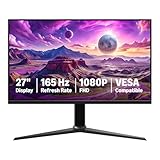
 Sceptre Curved 24-inch Gaming Monitor 1080p R1500 98%24-Inches16.04 x 21.61 x 9.06 Inches6 PoundsCheck on Amazon
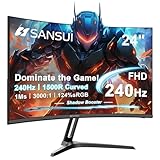
 SANSUI 32 Inch Curved 240Hz Gaming Monitor High32 inch24.19 x 8.06 x 17.75 Inches9.7 PoundsCheck on Amazon
 SANSUI 24 Inch 180Hz Gaming Computer Monitor23.8121.2 x 7.95 x 16.28 inches8.7 poundsCheck on Amazon


Top 3 picks at a glance
Size and desk space come first
Standard dorm desks are often only 20-24 inches deep, which changes everything. A 27-inch monitor at that distance can feel overwhelming and force you to sit too close. A 24 to 27-inch screen is the practical ceiling for most rooms, and a slim-base or single-arm-friendly stand frees up desk real estate for a keyboard and snacks.
As an Amazon Associate we earn from qualifying purchases at no extra cost to you.






One screen that does it all
Because you cannot fit a triple setup, look for a monitor that pulls double duty: fast enough for games, sharp enough for coursework, and equipped with speakers so you can skip a separate audio setup that annoys roommates. A 27-inch 1440p 165Hz IPS is a fantastic single-screen compromise.
Power, heat, and roommates
Dorm circuits are often shared and mildly overloaded. A monitor that sips 25-40W instead of 60W+ is a small but real courtesy on a crowded power strip. Skip anything with a loud, hot external brick if you can, and value a panel with a good low-brightness mode and a warm night filter for late sessions when someone is trying to sleep three feet away.
| Priority | Recommended pick | Why it fits a dorm |
|---|---|---|
| Best all-round | 27″ 1440p 165Hz IPS | Games and study, sharp text, VRR |
| Tight desks | 24″ 1080p 144Hz IPS | Small footprint, easy to drive |
| Media + gaming | 27″ 1440p with speakers | No extra audio gear to bother roommates |
| Console + laptop | 27″ 1080p/1440p with USB-C | One cable for laptop, HDMI for console |
Portability you will thank yourself for
You will move this monitor at least twice a year. A model under about 12 pounds, with a stand that pops off without tools and ideally the original box saved, makes move-in and move-out painless. VESA compatibility also lets you add a cheap clamp arm to reclaim desk space, though check your desk allows clamps first.
Connectivity for a shared life
A USB-C input is a genuine upgrade in a dorm because it drives your laptop and charges it on one cable, keeping the desk clear. Keep an HDMI port free for a console or a friend’s laptop on game night.
Lighting, noise, and shared rooms
Dorm life adds constraints a spec sheet ignores. Overhead fluorescent lighting and a lack of curtains mean a matte anti-glare panel is often more comfortable than a reflective glossy one. A monitor with a genuinely usable low-brightness floor (able to drop toward 40-50 nits) and a warm night mode lets you play late without lighting up a sleeping roommate’s side of the room.
Consider audio etiquette too. A screen with a headphone pass-through jack keeps your setup tidy and means you can switch instantly between speakers for solo daytime play and headphones when others are around. These small ergonomic and social factors often matter more in a shared room than a marginally higher refresh rate.
FAQ
Is a 27-inch monitor too big for a dorm desk?
It can be if your desk is under about 22 inches deep, because you end up sitting too close for comfort. If space is tight, a 24-inch panel is easier to live with; if the desk is roomy, 27 inches at 1440p is a great single-screen choice.
Do I need built-in speakers in a dorm?
They are very useful. Built-in speakers let you skip a separate sound system that takes desk space and volume you cannot always use around roommates, and paired with headphones for gaming you have every situation covered.
Bottom line
Aim for a 24-27 inch 1440p (or 1080p on tiny desks) IPS panel at 144-165Hz with built-in speakers, low power draw, USB-C if your laptop supports it, and a light, tool-free stand. It handles games and homework, keeps the peace with roommates, and survives the move home without drama.









